XShell is a professional terminal emulator and secure remote access client designed for SSH, SFTP, Telnet, RLOGIN, and serial console connections, widely used by system administrators, developers, and network engineers for remote server management.
📌 What is XShell?
XShell is an advanced terminal emulation and remote access application developed for securely connecting to remote servers, Linux systems, network devices, and cloud infrastructures. The software provides a graphical interface for managing command-line sessions using protocols such as SSH, SFTP, Telnet, RLOGIN, and serial communication.
Terminal emulators are essential tools for system administrators and developers because many servers and networking devices are managed through command-line interfaces instead of graphical environments.
XShell is commonly used for:
- Linux server administration
- SSH remote access
- Cloud infrastructure management
- Network device configuration
- Secure terminal communication
- Remote command execution
- SFTP file transfers
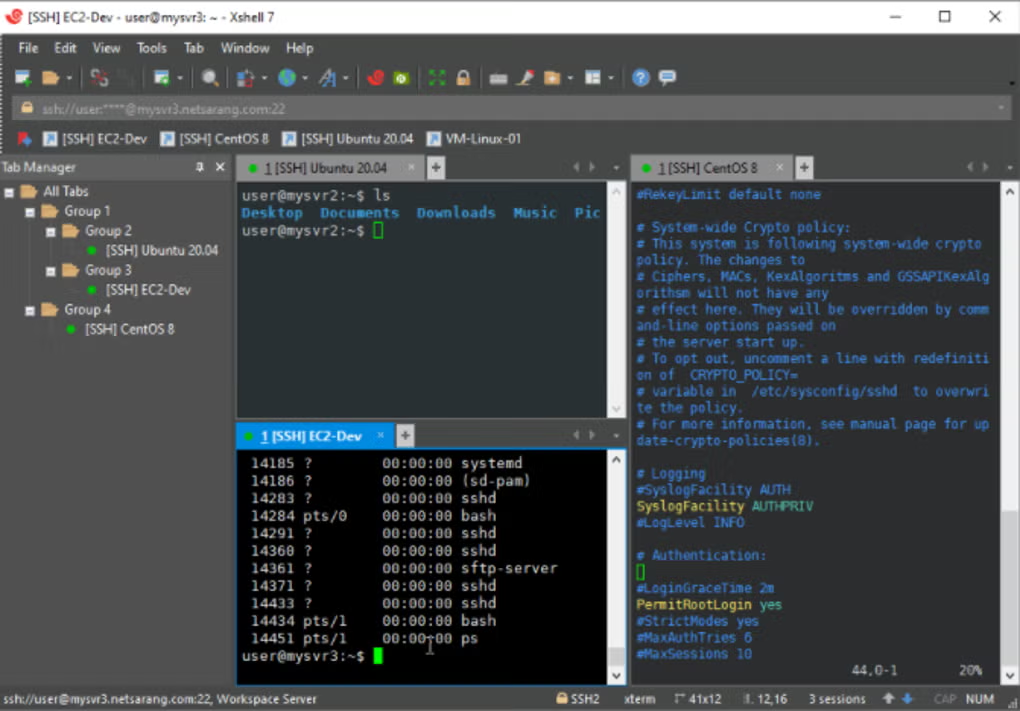
- Multi-session server management
One of the biggest strengths of XShell is its secure SSH implementation combined with advanced terminal management features.
The software is widely used by:
- System administrators
- DevOps engineers
- Network administrators
- Cybersecurity professionals
- Linux users
- Web hosting providers
- IT infrastructure teams
Depending on the version, XShell may support:
- SSH1 and SSH2 protocols
- SFTP secure file transfer
- Telnet connectivity
- RLOGIN sessions
- Serial terminal connections
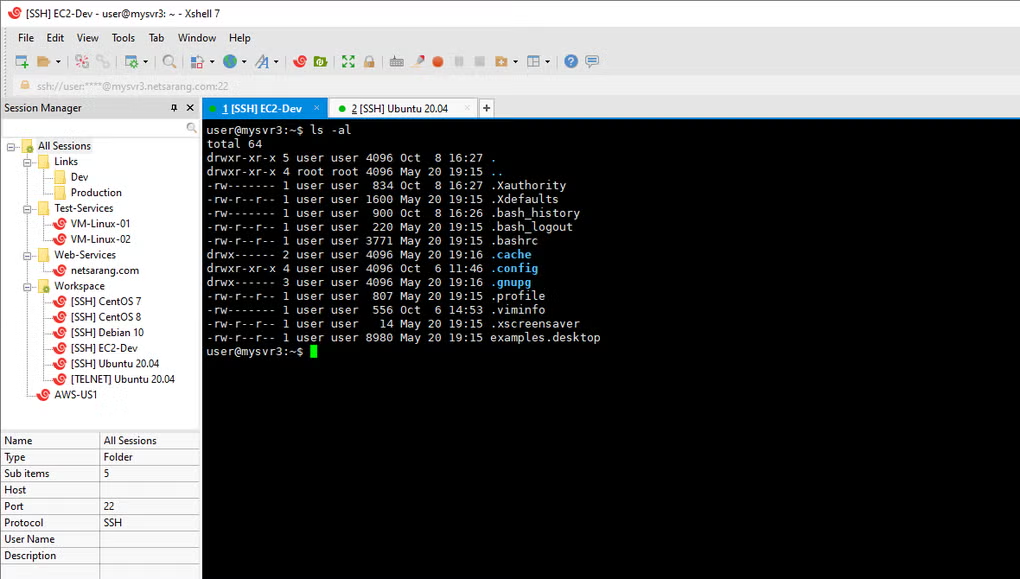
- Tabbed terminal sessions
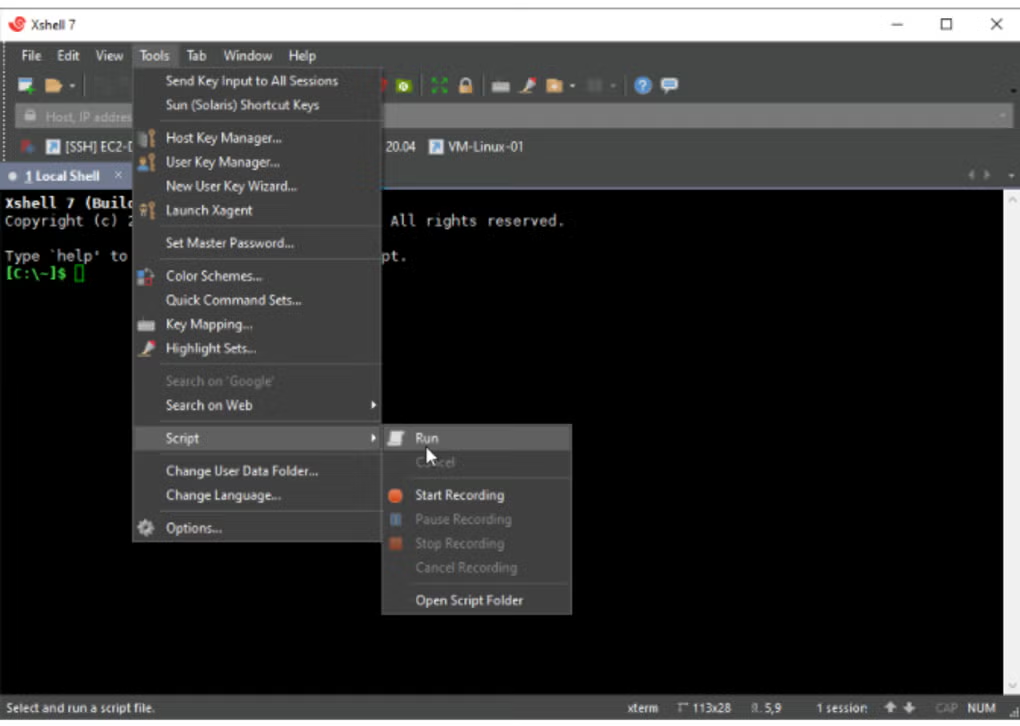
- Session scripting and automation
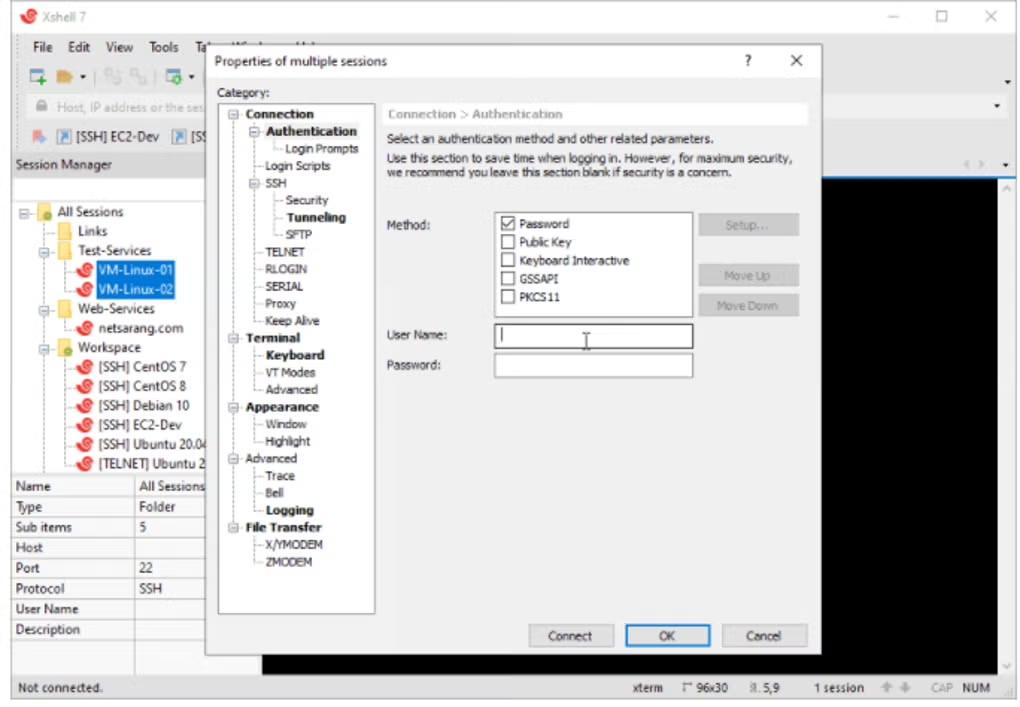
- Public/private key authentication
- Dynamic port forwarding
- X11 forwarding
- UTF-8 and multilingual terminal support
- Session manager functionality
The software allows administrators to connect securely to remote Linux or Unix systems directly from Windows computers.
One major advantage is productivity. XShell supports multiple simultaneous sessions using tabs, allowing administrators to manage many servers from a single interface.
Security is another important feature. XShell includes support for:
- SSH encryption
- Public key authentication
- Secure tunneling
- Password management
- Access control options
Advanced users may also use XShell for automation and scripting tasks, helping simplify repetitive server administration workflows.
The software often integrates well with other server management tools and SFTP clients for combined terminal and file management functionality.
Overall, XShell acts as a professional-grade terminal emulator and secure remote administration platform for managing servers, networks, and remote systems.
💻 System Requirements (Detailed)
To run XShell smoothly, the following system requirements are recommended:
Minimum Requirements
- Operating System:
Windows 7 / Windows 8 / Windows 10 / Windows 11 - Processor:
Intel or AMD compatible processor - RAM:
Minimum 2GB RAM - Storage Space:
Around 200MB free disk space - Network:
Internet or LAN connection for remote access - Display:
Standard monitor resolution
Recommended Requirements
- Processor:
Intel Core i5 / Ryzen 5 or higher - RAM:
4GB–8GB RAM or more for multiple sessions - Storage:
SSD recommended for better responsiveness - Internet:
Stable broadband connection for remote server management - Additional Tools:
Frequently used with:- Xftp
- PuTTY
- WinSCP
Best Suitable For
XShell is ideal for:
- Linux server administrators
- SSH remote management
- DevOps environments
- Cloud infrastructure administration
- Network engineers
- Cybersecurity professionals
- Remote command-line management
- Multi-server management workflows
🔄 Alternatives
If you want similar terminal emulator and SSH client software, you can try:
- PuTTY
- MobaXterm
- SecureCRT
- Termius
- KiTTY
❓ FAQ
Q1. What is XShell mainly used for?
It is used for secure SSH remote server and terminal management.
Q2. Does XShell support Linux servers?
Yes, it is widely used for Linux and Unix server administration.
Q3. Can XShell transfer files?
Yes, SFTP support is available.
Q4. Is XShell secure?
Yes, SSH encryption and authentication systems provide secure communication.
Q5. Does XShell support multiple sessions?
Yes, tabbed multi-session management is supported.
Q6. Is command-line knowledge required?
Yes, basic Linux or terminal knowledge is recommended.
Q7. Is XShell suitable for professional environments?
Yes, it is commonly used in enterprise IT and DevOps environments.
🔄 Best Alternatives
Features
- ✔️ Secure SSH terminal access
- ✔️ SFTP file transfer support
- ✔️ Telnet and RLOGIN compatibility
- ✔️ Multi-tab session management
- ✔️ Serial console connectivity
- ✔️ SSH key authentication
- ✔️ Dynamic port forwarding
- ✔️ UTF-8 and multilingual support
- ✔️ Session scripting and automation
- ✔️ Secure encrypted communication
- ✔️ X11 forwarding support
- ✔️ Session manager functionality
- ✔️ Remote Linux server administration
- ✔️ Professional terminal customization tools
- ✔️ Lightweight and efficient performance
👍 Pros & 👎 Cons
Pros
- Excellent SSH and terminal management features
- Secure encrypted remote connections
- Multi-tab interface improves productivity
- Good for Linux and server administration
- Supports scripting and automation
- Professional-grade terminal customization
- Lightweight and responsive performance
- Useful for network and cloud infrastructure management
Cons
- Advanced features may feel complex for beginners
- Mostly focused on professional technical environments
- Some enterprise features may require paid licensing
- Command-line knowledge is necessary
- Windows-focused compared to some cross-platform alternatives
Expert Review
⭐ My Review
In my opinion, XShell is one of the best professional SSH and terminal emulation tools available for Windows users who regularly manage Linux servers, cloud infrastructure, and networking devices. The software combines strong security, efficient session management, and advanced terminal features into a highly productive administration platform.
One of the biggest advantages is the multi-tab interface combined with secure SSH support, making it easy to manage multiple servers simultaneously. Features like SSH key authentication, scripting support, and port forwarding are especially valuable for advanced administrators and DevOps professionals.
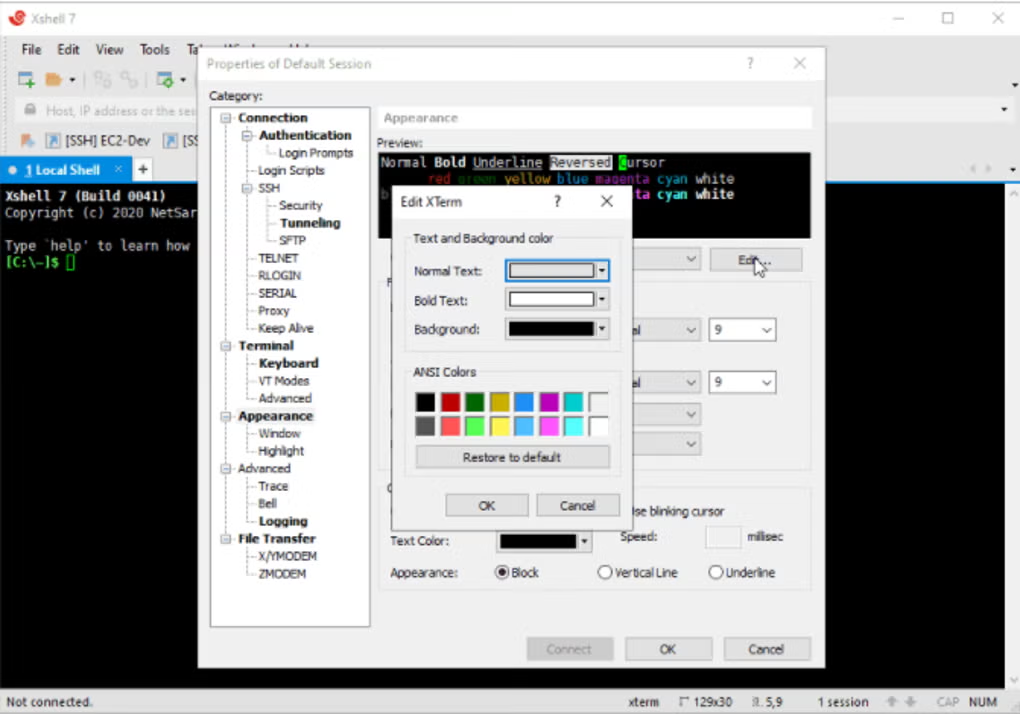
The interface is clean and efficient, while the terminal customization options help improve productivity during long administration sessions. Integration with SFTP workflows also makes remote server management more convenient.
Although beginners may need time to learn terminal commands and remote administration concepts, XShell provides excellent functionality for technical users and enterprise environments.
If you need a reliable, secure, and feature-rich SSH client and terminal emulator for Windows, XShell is definitely one of the strongest options available.
How to Install
⚙️ Installation Guide (Step-by-Step)
Follow these steps to install XShell:
Step 1: Download XShell
Download the latest version from the official or trusted source.
Step 2: Run the Installer
Open the setup file and allow administrator permissions if requested.
Step 3: Accept License Agreement
Read and agree to the installation terms.
Step 4: Choose Installation Folder
Select the directory where XShell should be installed.
Step 5: Complete Installation
Finish the setup process and launch the software.
Step 6: Create a New Session
Click New Session and choose:
- SSH
- SFTP
- Telnet
- Serial
- RLOGIN
depending on connection type.
Step 7: Enter Remote Server Details
Provide:
- IP address or hostname
- Port number
- Username
- Authentication method
Step 8: Configure Security Settings
Set up:
- SSH keys
- Password authentication
- Encryption options
- Port forwarding if required
Step 9: Connect to the Remote Server
Start the terminal session and log into the remote system.
Step 10: Manage Remote Systems
Use command-line tools to administer servers and network devices.
Apps Specs
Licence
Trial
Latest Update
June 24, 2026
Platform
Windows
Downloads
1
Devlopers
Top Downloads




Disclaimer
This content is provided for educational and informational purposes only. We do not host, store, or distribute any software files on our servers. All trademarks, product names, and logos belong to their respective owners.
We strongly recommend downloading software only from official websites or trusted sources. We are not responsible for any damage, data loss, or issues that may occur from the use of third-party software.
Users should ensure they comply with all applicable laws and software licensing agreements in their country before downloading or using any software mentioned on this website.
You may also like






Alternatives to

Expore Apps