
TestLink is designed to provide a structured environment for managing software testing processes, helping QA teams organize test cases, execute tests, and track results efficiently in a centralized system.
It helps users:
- Improve software quality
- Organize testing workflows
- Track test execution progress
- Maintain testing documentation
- Ensure requirement coverage
- Support QA collaboration
The software is commonly popular among:
- QA engineers
- Software testers
- Test managers
- DevOps teams
- Enterprise development teams
- QA automation teams (integration use)
Depending on usage, users may get:
- Test case repository system
- Test plan management tools
- Execution tracking dashboard
- Requirement mapping system
- Reporting and analytics tools
- Team collaboration features
📌 What is TestLink?
TestLink is an open-source test management tool used in software testing projects to organize, manage, and track test cases, test plans, and test execution results in a centralized system.
It is mainly used by QA teams to ensure software is properly tested before release.
The software helps users:
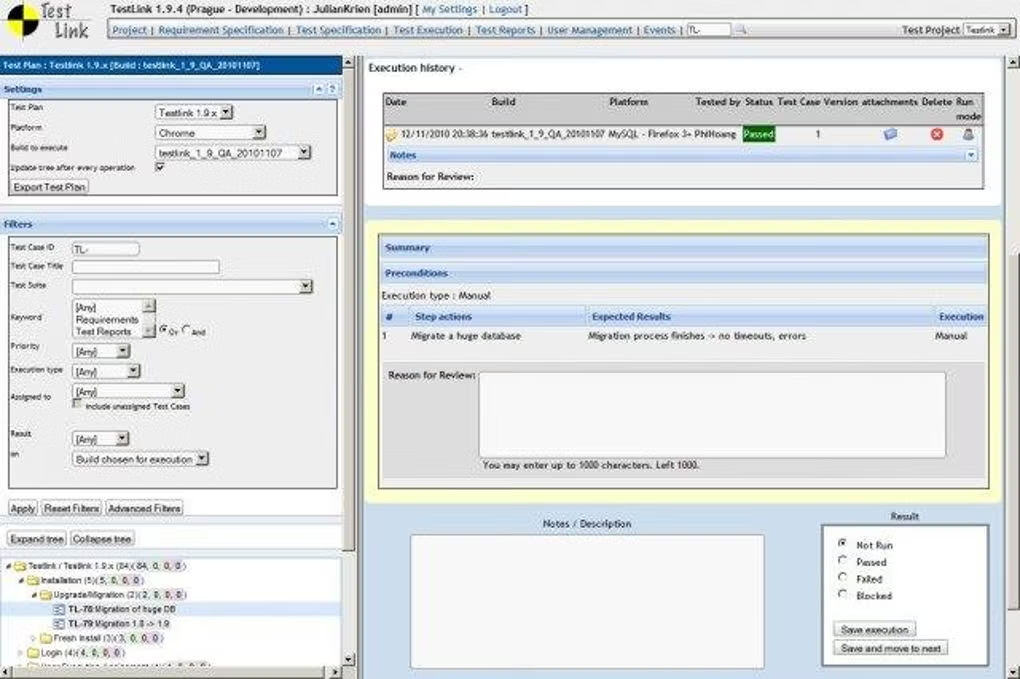
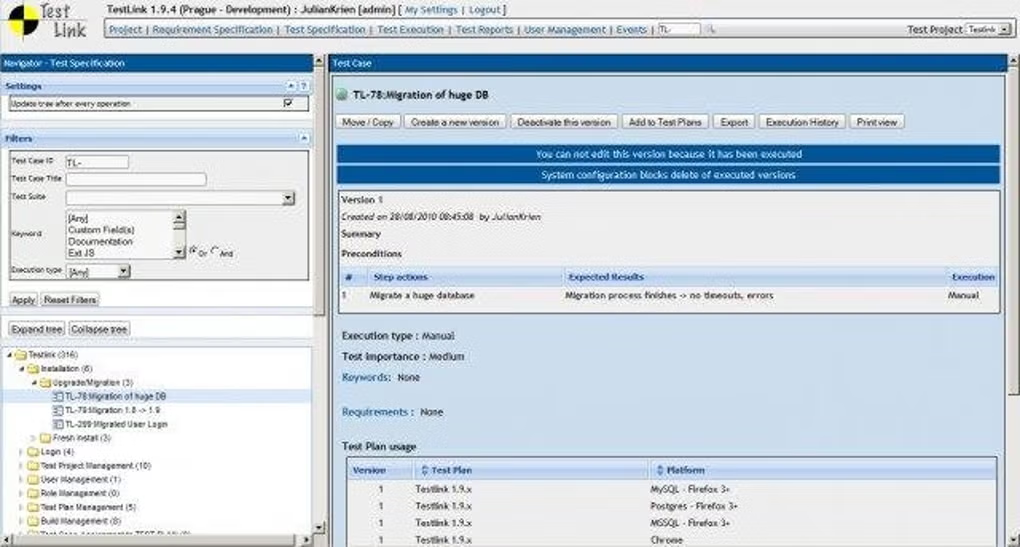
- Create and manage test cases
- Organize test suites and test plans
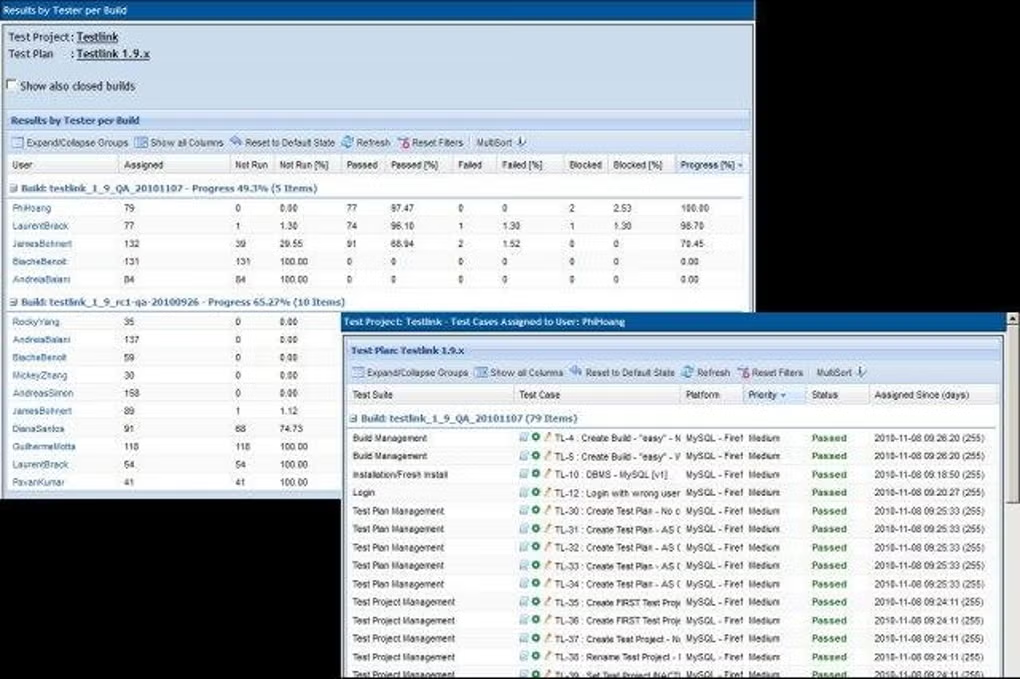
- Track test execution results
- Manage requirements and test coverage
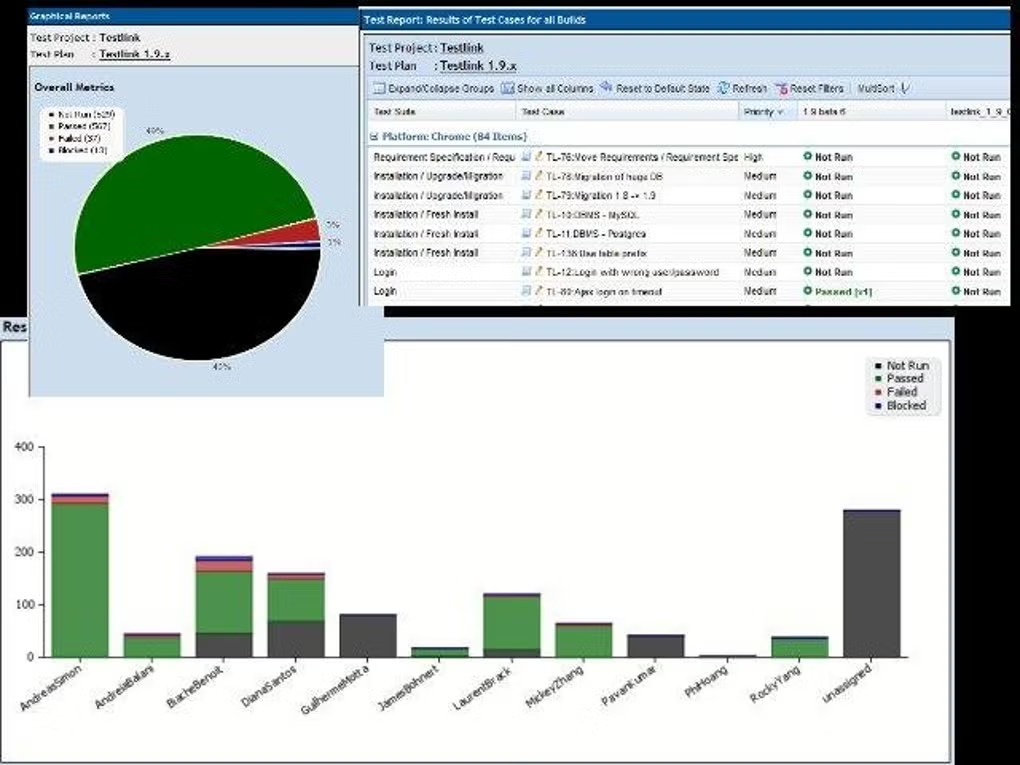
- Generate test reports
- Coordinate QA workflows
It is commonly used by:
- QA engineers
- Software testers
- Test managers
- Development teams
- DevOps teams
- Enterprise QA departments
The application mainly focuses on:
- Test case management
- QA workflow tracking
- Software testing documentation
- Test execution reporting
- Requirement traceability
🚀 Key Uses
- Managing manual testing processes
- Tracking test case execution results
- Organizing test plans for software releases
- Ensuring requirement coverage in testing
- Reporting bugs and test outcomes
- Coordinating QA teams
- Maintaining test documentation
- Supporting regression testing cycles
- Improving software quality assurance
- Auditing testing workflows
💻 System Requirements (General)
Supported Platforms
- Web-based application (runs on server)
- Linux / Windows server hosting
- Browser-based access
Basic Requirements
- 2GB RAM minimum (server-side)
- PHP + MySQL (typical setup)
- Web server (Apache/Nginx)
- Modern browser
- Database storage
Recommended Requirements
- 4GB–8GB RAM (for teams)
- Dedicated server or VPS
- SSD storage
- Stable network connection
- Scalable database setup
🔄 Alternatives
- Jira (with Test Management plugins)
- Zephyr
- TestRail
- qTest
- PractiTest
- Azure Test Plans
- Bugzilla (with extensions)
- Xray for Jira
❓ FAQ
Q1. What is TestLink used for?
It is used for managing and tracking software testing activities like test cases, test plans, and execution results.
Q2. Is TestLink free?
Yes, it is an open-source tool.
Q3. Does it support automation testing?
It mainly focuses on manual testing but can integrate with automation tools.
Q4. Is TestLink web-based?
Yes, it runs in a browser and is hosted on a server.
Q5. Who uses TestLink?
QA teams, testers, and software development teams use it for structured testing workflows.
Features
✔ Test case management
✔ Test suite organization
✔ Test execution tracking
✔ Requirement traceability
✔ Web-based interface
✔ Multi-user collaboration
✔ Reporting and analytics
✔ Open-source platform
✔ Database-backed storage
✔ Test planning tools
✔ Integration support with QA tools
✔ Role-based access control
👍 Pros & 👎 Cons
Pros
- Free and open-source
- Strong test organization system
- Good for structured QA workflows
- Web-based access for teams
- Useful for regression testing
Cons
- Outdated UI compared to modern tools
- Requires server setup
- Limited built-in automation support
- Can be complex for beginners
- Needs maintenance for large teams
Our Analysis
TestLink is a reliable open-source test management system that helps QA teams organize and track software testing processes in a structured and collaborative environment.
Its strongest advantages are:
- Strong test management structure
- Open-source and free
- Good for QA workflow organization
- Supports team collaboration
It is best suited for QA teams and enterprise testing environments, while modern tools like TestRail or Jira integrations offer more advanced and user-friendly experiences.
⚙️ Usage Guide (General Overview)
Step 1: Install TestLink
Set up on a web server with database.
Step 2: Configure Project
Create a testing project.
Step 3: Add Test Cases
Define test scenarios and cases.
Step 4: Create Test Plan
Organize testing cycles.
Step 5: Execute Tests
Run tests and record results.
Step 6: Generate Reports
Analyze test outcomes.
About SoftwareDownloading Editorial Team
The SoftwareDownloading Editorial Team researches Windows software, compatibility information, features, alternatives, and software-related guides for SoftwareDownloading.in.
Our pages are prepared using available product information and relevant documentation. When an application has not been personally tested, we distinguish research-based analysis from hands-on testing. Learn more about our review process
Apps Specs
Developer
Licence
Free
Version
V 1.9.0
Platform
Windows
Download Clicks
9
Page Reviewed
September 26, 2026
Top Downloads





Disclaimer
This content is provided for educational and informational purposes only. We do not host, store, or distribute any software files on our servers. All trademarks, product names, and logos belong to their respective owners.
We strongly recommend downloading software only from official websites or trusted sources. We are not responsible for any damage, data loss, or issues that may occur from the use of third-party software.
Users should ensure they comply with all applicable laws and software licensing agreements in their country before downloading or using any software mentioned on this website.