
- Utilities & Tools
- Clocks & Alarms For Windows
- TimeSnapper
TimeSnapper is designed to simplify activity tracking and productivity monitoring workflows through automatic screenshot capture on Windows systems.
The software focuses on:
- Scheduled desktop screenshots
- Productivity analysis
- Activity monitoring
- Time tracking support
Users commonly use activity tracking tools for:
- Workflow review
- Remote work monitoring
- Time management
- Productivity optimization
- Task verification
- Daily work analysis
Depending on the version, the software may support:
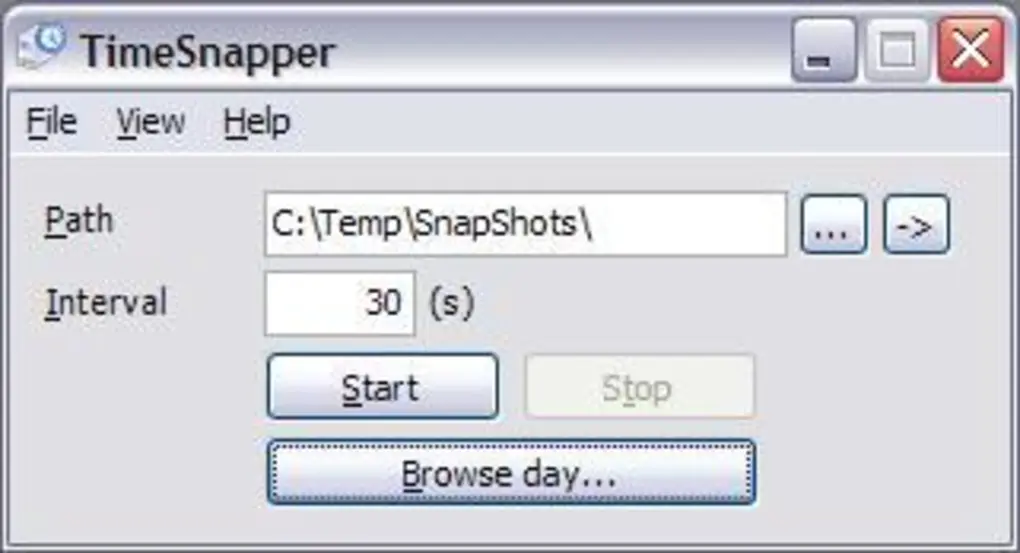
- Scheduled screenshot intervals
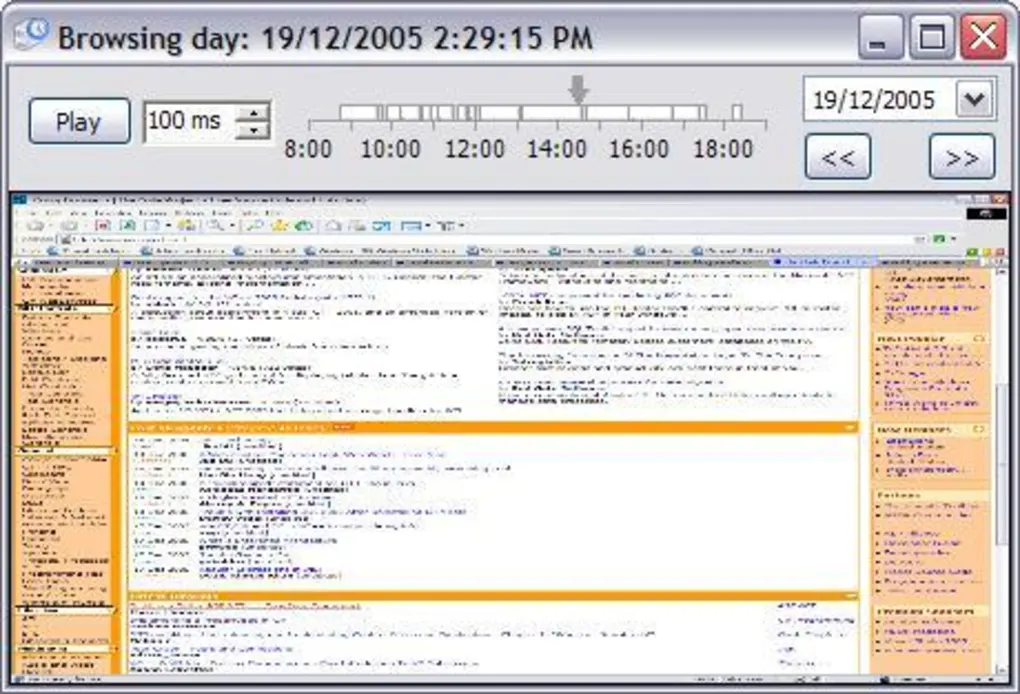
- Timeline-based activity review
- Multi-monitor capture
- Compression settings
- Screenshot storage management
- Time tracking reports
- Productivity statistics
- Image history browsing
One major feature category is timeline visualization.
Users may review:
- Past desktop activity
- Open applications
- Workflow sessions
- Productivity timelines
using timestamped screenshots organized chronologically.
Another important advantage is passive monitoring because screenshots can be captured automatically without manual interaction.
The software is especially practical for users who want visual records of work sessions and productivity patterns.
However, users should understand important privacy considerations.
Automatic screenshot software may capture:
- Personal information
- Sensitive documents
- Private messages
- Login information
Users should therefore carefully manage screenshot storage and privacy settings.
Large screenshot archives may also consume substantial storage space over time.
📌 What is TimeSnapper?
TimeSnapper is a productivity and automatic screenshot utility designed to capture desktop activity at scheduled intervals for time tracking, workflow monitoring, and activity review on Windows systems.
The software is commonly used for:
- Automatic screenshot capture
- Productivity tracking
- Work activity monitoring
- Time management workflows
- Computer usage history
- Employee activity review
Users can configure the software to automatically capture screenshots of desktop activity throughout the day for later review and analysis.
One of the biggest strengths of the software is visual time tracking, allowing users to review past computer activity using timestamped screenshots.
It is commonly used by:
- Remote workers
- Freelancers
- Productivity-focused users
- Office users
- Developers
- Time management professionals
because it helps monitor workflows and improve productivity awareness.
🚀 Key Uses
📸 Automatic Screenshot Capture
Used for capturing desktop screenshots at scheduled intervals.
⏱️ Productivity Tracking
Helps monitor work sessions and computer activity history.
💼 Workflow Monitoring
Useful for reviewing completed tasks and desktop usage patterns.
🖥️ Time Management Workflows
Supports productivity analysis and time organization.
📊 Activity Review
Allows users to visually review past desktop activity timelines.
💻 System Requirements (General)
Minimum Requirements
- Operating System: Windows 7 / 8 / 10 / 11
- RAM: 2GB minimum
- Storage: Free disk space for screenshot archives
- Processor: Intel or AMD compatible CPU
Recommended Requirements
- RAM: 4GB or more
- Storage: SSD recommended for faster screenshot processing
- Additional Recommendations:
- Large storage capacity for screenshot history
- Updated Windows environment
- Multi-monitor setup support (optional)
🔄 Alternatives
- RescueTime
- ManicTime
- ActivityWatch
- Hubstaff
- WorkTime
- ScreenAware
❓ FAQ
Q1. What is TimeSnapper mainly used for?
It is mainly used for automatic screenshot capture and productivity tracking workflows.
Q2. Can it automatically capture screenshots?
Yes, scheduled automatic screenshot capture is a primary feature.
Q3. Is it useful for time management?
Yes, reviewing desktop activity can help improve productivity awareness.
Q4. Can users review past activity timelines?
Yes, timestamped screenshots allow activity history review.
Q5. Does it support multi-monitor setups?
Some versions may support capturing activity across multiple monitors.
Q6. Is TimeSnapper beginner-friendly?
Yes, the software is generally lightweight and easy to configure.
Features
✔️ Automatic screenshot capture
✔️ Scheduled screen recording intervals
✔️ Productivity tracking workflows
✔️ Timeline-based activity review
✔️ Multi-monitor capture support
✔️ Screenshot history management
✔️ Workflow monitoring tools
✔️ Time tracking support
✔️ Activity timeline visualization
✔️ Compression and storage settings
✔️ Lightweight background operation
✔️ Productivity statistics functionality
✔️ Low system resource usage
✔️ Beginner-friendly interface
👍 Pros & 👎 Cons
Pros
- Useful for productivity monitoring
- Automatic screenshot workflows
- Lightweight background operation
- Helpful activity timeline review
- Beginner-friendly usability
- Good for remote work tracking
Cons
- Screenshot archives may consume large storage space
- Privacy concerns require careful management
- Sensitive information may accidentally appear in captures
- Advanced analytics features may be limited
- Continuous monitoring may not suit all users
Our Analysis
TimeSnapper is a practical productivity utility for users who want visual activity tracking and automatic desktop monitoring workflows.
Its biggest strengths are:
- Automatic screenshot automation
- Timeline-based workflow review
- Lightweight operation
- Useful productivity visibility
This makes it especially useful for:
- Freelancers
- Remote workers
- Productivity-focused users
- Developers
- Office workflow environments
The software works well for reviewing completed work sessions and improving awareness of daily computer activity patterns.
However, users should carefully manage privacy and screenshot storage because continuous capture workflows may collect sensitive information and large image archives.
Overall, TimeSnapper is a useful lightweight solution for automatic screenshot capture, workflow monitoring, productivity tracking, and desktop activity review on Windows systems.
⚙️ Installation Guide (General Overview)
Step 1: Download Software
Obtain TimeSnapper from a trusted source.
Step 2: Install Application
Run setup and complete installation.
Step 3: Launch Program
Open the productivity tracking utility.
Step 4: Configure Screenshot Settings
Adjust:
- Capture intervals
- Storage location
- Compression settings
- Multi-monitor options
Step 5: Enable Activity Tracking
Start automatic screenshot monitoring.
Step 6: Review Activity Timeline
Browse captured screenshots chronologically.
Step 7: Manage Storage
Periodically organize or delete old screenshot archives.
About SoftwareDownloading Editorial Team
The SoftwareDownloading Editorial Team researches Windows software, compatibility information, features, alternatives, and software-related guides for SoftwareDownloading.in.
Our pages are prepared using available product information and relevant documentation. When an application has not been personally tested, we distinguish research-based analysis from hands-on testing. Learn more about our review process
Apps Specs
Developer
Licence
Free
Version
1.6.2.5
Platform
Windows
Download Clicks
2
Page Reviewed
September 26, 2026
Releted Searches
Top Downloads



Related Topics
Disclaimer
This content is provided for educational and informational purposes only. We do not host, store, or distribute any software files on our servers. All trademarks, product names, and logos belong to their respective owners.
We strongly recommend downloading software only from official websites or trusted sources. We are not responsible for any damage, data loss, or issues that may occur from the use of third-party software.
Users should ensure they comply with all applicable laws and software licensing agreements in their country before downloading or using any software mentioned on this website.
This Post Has One Comment
Pingback: Windows 11 Running Slow? Find What’s Slowing Down Your PC