
- Windows
- Browsers
Discover the Best
Web Browsers
for Windows
Explore the fastest, safest, and most reliable web browsers for Windows. Compare features, privacy protection, performance, and download the right browser for your needs.
Fast & Smooth
Private & Secure
Optimized Speed
Safe Browsing
Essential
Browsers
Recommended by Softwaredownloading






Related Topics
Latest Apps
Browsers
for windows











Trending Apps
Browsers
for windows







Top Downloads
Browsers
for windows


Related Browser Guides
Explore detailed browser reviews, speed comparisons, privacy guides, security tips, and expert recommendations to help you choose the best web browser for Windows.

FREQUENTLY ASKED
QUESTIONS
Find answers to common questions about web browsers, privacy, performance, security, and choosing the right browser for your Windows PC.
Which web browser is best for Windows?
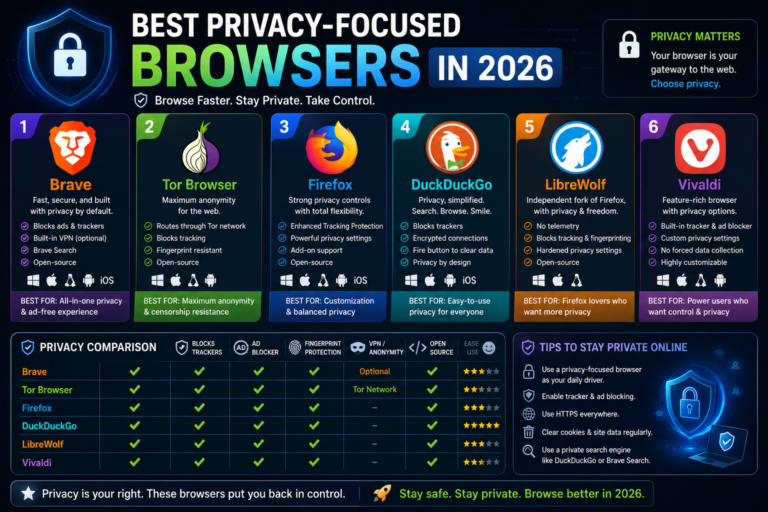
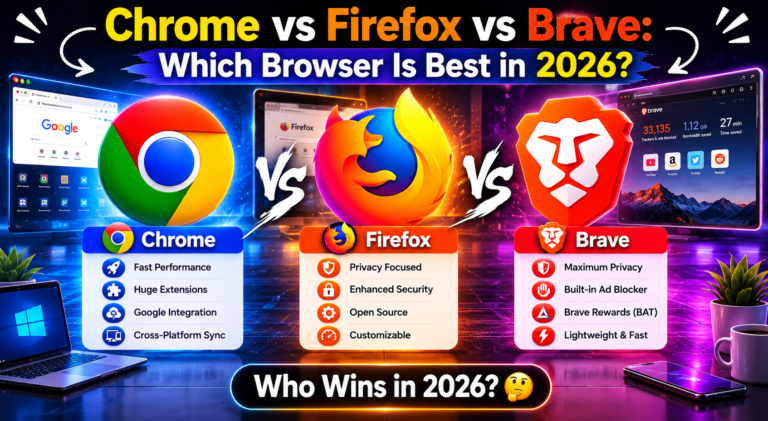
The best web browser depends on your needs. Google Chrome offers excellent compatibility, Mozilla Firefox focuses on privacy and customization, Microsoft Edge provides great performance on Windows, while Brave is ideal for users who value privacy and built-in ad blocking.
Which browser is the fastest?
Modern browsers like Microsoft Edge, Google Chrome, and Brave deliver excellent performance on Windows. However, browsing speed can also depend on your computer’s hardware, internet connection, installed extensions, and the websites you visit.
Which browser offers the best privacy?
Browsers such as Brave and Mozilla Firefox provide strong privacy features, including tracker blocking, enhanced security settings, and protection against online tracking. Choosing the right browser depends on your personal privacy preferences and browsing habits.
Are web browsers free to download?
Yes. Most popular web browsers, including Google Chrome, Mozilla Firefox, Microsoft Edge, Opera, and Brave, are completely free to download and use. Some browsers may offer optional premium services, but the browser itself is available at no cost.
How do you review web browsers?
We review web browsers by testing their speed, performance, security, privacy features, user interface, extension support, resource usage, and overall browsing experience on Windows. Our reviews are based on practical testing and real-world usage.
Can I install multiple browsers on one Windows PC?
Yes. Windows allows you to install and use multiple web browsers at the same time. You can choose your preferred default browser while keeping others installed for testing, development, compatibility, or personal preference.