- Development & IT
- Servers
- BitNami WAMPStack
BitNami WAMPStack is a pre-configured software package that provides a complete local web development environment for Windows systems, including Apache, MySQL, PHP, and additional tools required for web application development and testing.
📌 What is BitNami WAMPStack?
BitNami WAMPStack is a bundled local server environment designed for Windows users who want to develop and test web applications on their computers. The term WAMP stands for Windows, Apache, MySQL, and PHP — the core technologies included in the package.
The software simplifies the process of setting up a web development environment by combining all necessary server components into one installer. Instead of manually installing Apache server, database systems, and PHP individually, developers can quickly deploy a fully working environment with BitNami WAMPStack.
The package is commonly used by web developers, students, testers, and software engineers for building and testing websites locally before deploying them to live hosting servers.
One of the biggest advantages of BitNami WAMPStack is convenience. All server components are pre-configured to work together properly, reducing compatibility issues and saving setup time.
The software supports PHP-based applications such as WordPress, Joomla, Drupal, and custom PHP projects. Developers can run websites locally, manage databases, and test scripts without needing internet hosting.
BitNami also focuses on security and easy management. The stack includes administration tools, server configuration support, and database management options.
Overall, BitNami WAMPStack acts as an efficient all-in-one local web server solution for Windows development environments.
💻 System Requirements (Detailed)
To run BitNami WAMPStack smoothly, the following system requirements are recommended:
Minimum Requirements
- Operating System: Windows 7 / Windows 8 / Windows 10 / Windows 11
- Processor: Intel or AMD Dual-Core processor
- RAM: Minimum 2GB RAM
- Storage Space: 1GB free disk space
- Internet: Optional for downloading packages and updates
Recommended Requirements
- Processor: Intel Core i5 or higher
- RAM: 4GB–8GB RAM
- Storage: SSD recommended for faster database and server performance
- Browser: Modern browser such as Chrome or Edge
- Additional Tools: Code editor like Visual Studio Code recommended
The stack works best on systems with sufficient RAM and fast storage.
🔄 Alternatives
If you want similar local web server environments, you can try:
- XAMPP
- WampServer
- MAMP
- Laragon
❓ FAQ
Q1. What is BitNami WAMPStack mainly used for?
It is used for local web development and testing on Windows systems.
Q2. Does BitNami WAMPStack include MySQL?
Yes, MySQL database support is included.
Q3. Can beginners use BitNami WAMPStack?
Yes, it is beginner-friendly and easy to install.
Q4. Is BitNami WAMPStack suitable for WordPress development?
Yes, it works well for WordPress and other PHP-based CMS platforms.
Q5. Does it require internet access after installation?
No, local development can work offline after setup.
Features
- ✔️ Complete WAMP development environment
- ✔️ Includes Apache, MySQL, and PHP
- ✔️ Pre-configured server setup
- ✔️ Easy installation process
- ✔️ Local website hosting support
- ✔️ Database management functionality
- ✔️ Supports PHP web applications
- ✔️ Lightweight and developer-friendly
- ✔️ Suitable for testing and development
- ✔️ Compatible with popular CMS platforms
👍 Pros & 👎 Cons
Pros
- Quick and easy setup process
- All major web server components included
- Ideal for local development and testing
- Beginner-friendly configuration
- Saves time compared to manual installation
Cons
- Primarily designed for development, not production hosting
- Resource usage may increase with large projects
- Some advanced server customization may require technical knowledge
- Windows-only WAMP environment
Our Analysis
In my opinion, BitNami WAMPStack is an excellent solution for developers who want a quick and reliable local web development environment on Windows. The biggest advantage is the pre-configured setup, which removes much of the complexity involved in manual server installation.
The software is especially useful for beginners learning PHP development and for developers testing websites locally before deployment. Compatibility with platforms like WordPress and Joomla also makes it highly practical for CMS-based development.
Although advanced developers may sometimes prefer more customizable environments, BitNami WAMPStack still provides a fast, stable, and efficient development platform. If you need a simple local server setup for Windows web development, it is definitely one of the better choices available.
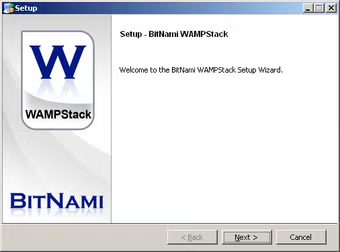
⚙️ Installation Guide (Step-by-Step)
Follow these steps to install BitNami WAMPStack:
Step 1: Download BitNami WAMPStack
Download the installer from the official BitNami website or trusted source.
Step 2: Run the Installer
Open the setup file to start installation.
Step 3: Accept License Agreement
Read and agree to the software terms.
Step 4: Choose Installation Directory
Select where the WAMPStack files should be installed.
Step 5: Configure Server Components
Choose Apache, MySQL, PHP, and optional tools.
Step 6: Complete Installation
Click Install and wait for setup completion.
Step 7: Start Local Server
Launch Apache and MySQL services.
Step 8: Access Localhost
Open browser and visit:
http://localhostto test the server environment.
About SoftwareDownloading Editorial Team
The SoftwareDownloading Editorial Team researches Windows software, compatibility information, features, alternatives, and software-related guides for SoftwareDownloading.in.
Our pages are prepared using available product information and relevant documentation. When an application has not been personally tested, we distinguish research-based analysis from hands-on testing. Learn more about our review process
Apps Specs
Developer
Licence
Free
Version
V 5.3.15-0
Platform
Windows
Download Clicks
4
Page Reviewed
September 27, 2026
Top Downloads



Related Topics
Disclaimer
This content is provided for educational and informational purposes only. We do not host, store, or distribute any software files on our servers. All trademarks, product names, and logos belong to their respective owners.
We strongly recommend downloading software only from official websites or trusted sources. We are not responsible for any damage, data loss, or issues that may occur from the use of third-party software.
Users should ensure they comply with all applicable laws and software licensing agreements in their country before downloading or using any software mentioned on this website.