- Utilities & Tools
- Keyboards
- X-Mouse Button Control
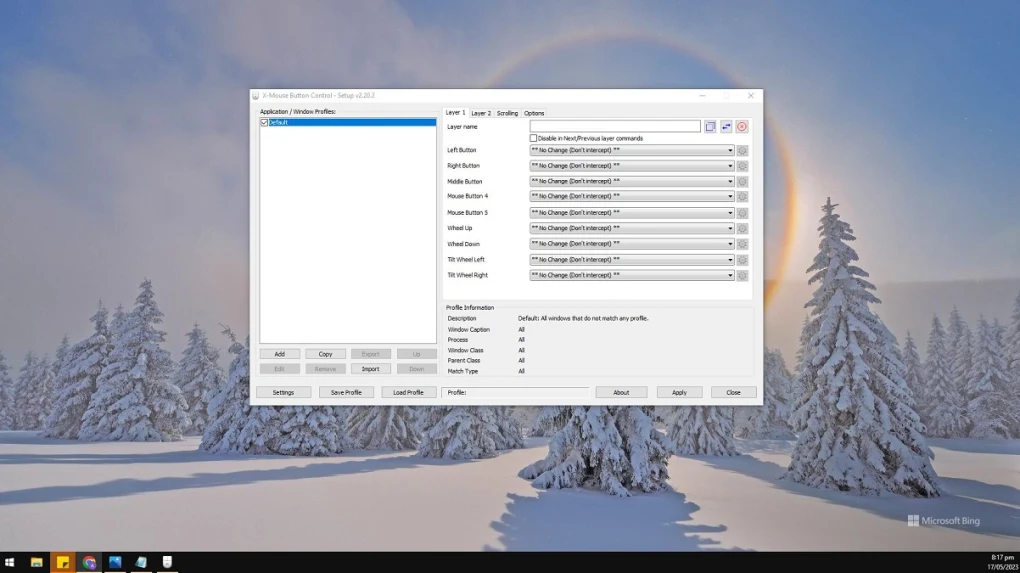
X-Mouse Button Control is designed to provide advanced control over mouse functionality by allowing users to customize how every available button behaves.
Instead of using default mouse settings, users can assign specialized actions such as:
- Keyboard shortcuts
- Copy/paste commands
- Window management tools
- Browser navigation
- Multimedia controls
- Application launching
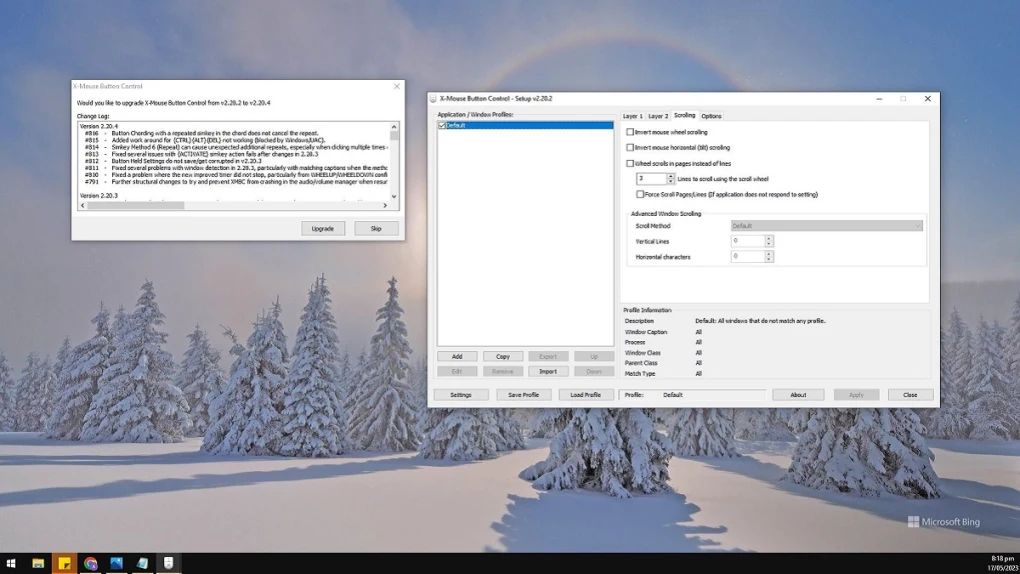
- Scrolling modifications
- Macro-style operations
The software is commonly used in:
- Productivity workflows
- Gaming environments
- Office multitasking setups
- Accessibility customization
- Creative software shortcuts
- Advanced navigation control
One of the biggest strengths of the software is profile-based customization. Users can create unique button configurations for specific applications. For example:
- Browser shortcuts for web navigation
- Editing shortcuts for Photoshop or video editing tools
- Gaming controls for FPS or MMO games
- Coding shortcuts for development environments
The software also supports layered controls, meaning the same button can perform different actions depending on the active application or selected profile.
Despite offering advanced customization features, the software remains relatively lightweight and does not consume heavy system resources during background operation.
📌 What is X-Mouse Button Control?
X-Mouse Button Control is an advanced mouse customization utility designed to let users remap mouse buttons, assign custom actions, create application-specific profiles, and improve workflow efficiency on Windows systems.
The software allows users to configure nearly every mouse button for different functions such as keyboard shortcuts, multimedia controls, navigation commands, macros, and productivity actions.
It is widely used by gamers, power users, office professionals, developers, and multitaskers who want more control over their mouse functionality beyond the default Windows settings.
🚀 Key Uses
- Remapping mouse buttons to custom functions
- Creating productivity shortcuts
- Assigning keyboard keys to mouse buttons
- Gaming mouse customization
- Configuring application-specific profiles
- Multimedia playback control using mouse buttons
- Window and desktop navigation shortcuts
- Workflow automation and efficiency improvement
- Accessibility-focused mouse control customization
- Advanced scroll wheel behavior customization
💻 System Requirements (General)
Minimum Requirements
- Windows XP / 7 / 8 / 10 / 11
- 1GB RAM
- Standard USB or wireless mouse
- Basic processor support
Recommended Requirements
- 2GB+ RAM
- Multi-button programmable mouse
- Updated mouse drivers
- Modern multi-core processor
- Stable Windows environment
🔄 Alternatives
- Logitech SetPoint
- Logitech Options
- Microsoft Mouse and Keyboard Center
- AutoHotkey
- Razer Synapse
- Corsair iCUE
- SteerMouse
❓ FAQ
Q1. What is X-Mouse Button Control used for?
It is used to customize and remap mouse buttons on Windows systems.
Q2. Can it assign keyboard shortcuts to mouse buttons?
Yes, users can assign keyboard keys, shortcuts, and commands to mouse buttons.
Q3. Does it support application-specific profiles?
Yes, different mouse behaviors can be configured for individual applications.
Q4. Is it useful for gaming?
Yes, many users customize controls for games and advanced workflows.
Q5. Does it work offline?
Yes, it works completely offline after installation.
Features
✔ Advanced mouse button remapping
✔ Application-specific profiles
✔ Keyboard shortcut assignment
✔ Multimedia control support
✔ Clipboard action shortcuts
✔ Window management commands
✔ Scroll wheel customization
✔ Layer-based mouse control system
✔ Gaming workflow support
✔ Lightweight background operation
✔ Multi-button mouse compatibility
✔ Custom navigation shortcuts
✔ Profile export and import support
✔ Accessibility enhancement tools
✔ Fast profile switching functionality
👍 Pros & 👎 Cons
Pros
- Extremely powerful customization system
- Lightweight and efficient performance
- Useful for productivity and gaming
- Supports application-specific profiles
- Improves workflow speed significantly
- Flexible shortcut assignment system
- Works with many mouse models
Cons
- Advanced settings may confuse beginners
- Some configurations require learning time
- Can overlap with manufacturer mouse software
- Interface design feels somewhat technical
Our Analysis
X-Mouse Button Control is one of the most powerful and flexible mouse customization utilities available for Windows users.
Its biggest strengths are:
- Deep button customization
- Application-specific profiles
- Lightweight performance
- Excellent workflow optimization
The software becomes extremely valuable for users who rely heavily on shortcuts, multitasking, gaming controls, or productivity automation.
Although beginners may initially find the advanced settings overwhelming, experienced users can unlock a huge amount of workflow efficiency through proper configuration.
The ability to create different profiles for different applications is especially useful because it transforms the mouse into a highly adaptable productivity tool.
Overall, it is a feature-rich and highly efficient mouse remapping solution for advanced productivity, workflow customization, and personalized mouse control on Windows systems.
⚙️ Installation Guide (General Overview)
Step 1: Download Software
Download X-Mouse Button Control from the official website or a trusted software provider.
Step 2: Run Installer
Open the downloaded setup file and begin the installation process by following on-screen instructions.
Step 3: Select Installation Options
Choose installation location and additional setup preferences such as startup integration or shortcut creation.
Step 4: Complete Installation
Finish installation and allow the software to configure required system permissions for mouse control access.
Step 5: Launch Application
Open the software from desktop shortcut or start menu after setup is complete.
Step 6: Detect Mouse Buttons
The software will automatically identify connected mouse buttons and supported functions.
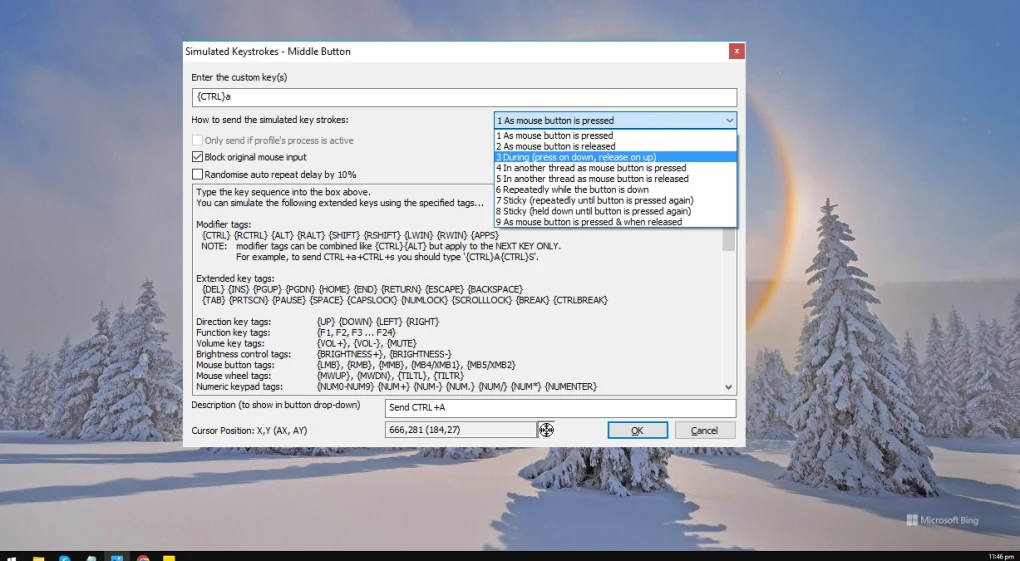
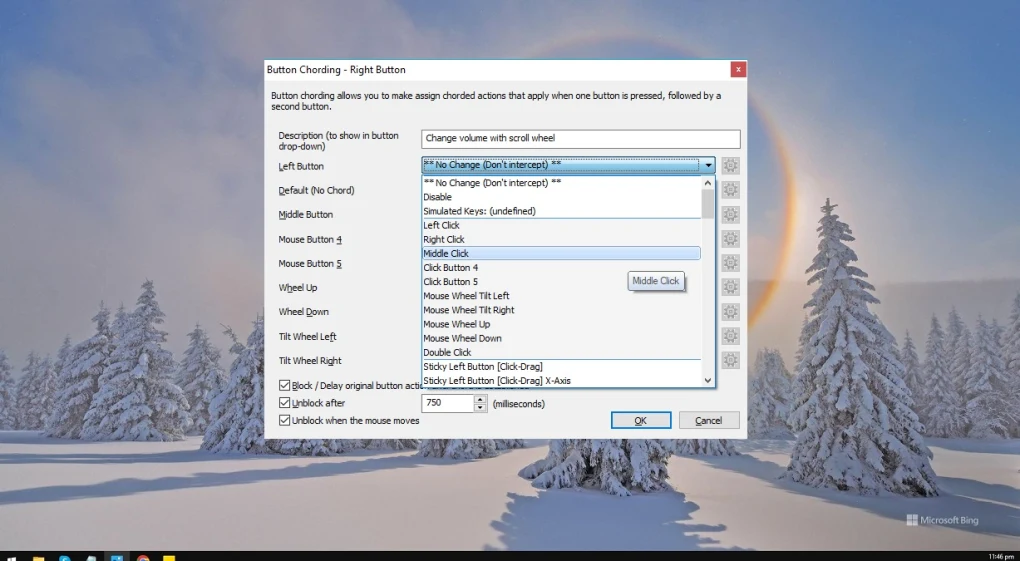
Step 7: Configure Button Actions
Assign custom functions such as:
- Keyboard shortcuts
- Multimedia controls
- Browser navigation
- Clipboard actions
- Window management commands
- Application launching
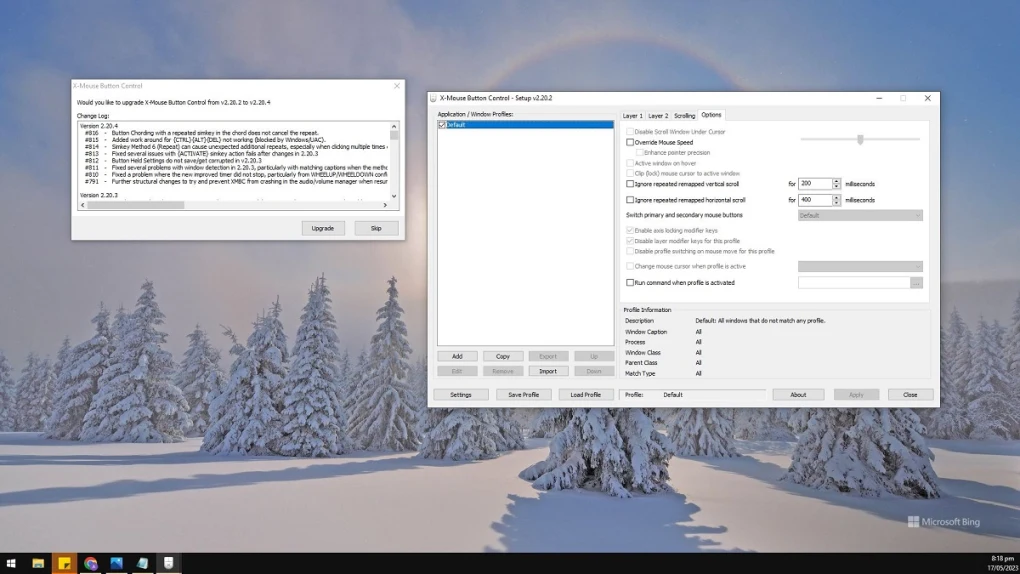
Step 8: Create Profiles
Set separate configurations for specific applications, games, or workflows.
Step 9: Save and Apply Settings
Apply changes and test custom mouse behavior in different applications.
Step 10: Optimize Workflow
Fine-tune profiles and shortcuts according to personal productivity or gaming preferences.
About SoftwareDownloading Editorial Team
The SoftwareDownloading Editorial Team researches Windows software, compatibility information, features, alternatives, and software-related guides for SoftwareDownloading.in.
Our pages are prepared using available product information and relevant documentation. When an application has not been personally tested, we distinguish research-based analysis from hands-on testing. Learn more about our review process
Apps Specs
Developer
Licence
Free
Version
2.14
Platform
Windows
Download Clicks
1
Page Reviewed
September 26, 2026
Top Downloads





Related Topics
Disclaimer
This content is provided for educational and informational purposes only. We do not host, store, or distribute any software files on our servers. All trademarks, product names, and logos belong to their respective owners.
We strongly recommend downloading software only from official websites or trusted sources. We are not responsible for any damage, data loss, or issues that may occur from the use of third-party software.
Users should ensure they comply with all applicable laws and software licensing agreements in their country before downloading or using any software mentioned on this website.