- Utilities & Tools
- Keyboards
- Logitech SetPoint

Logitech SetPoint is designed to provide advanced control and customization for Logitech input devices. Instead of relying only on default Windows settings, users can personalize their mouse and keyboard behavior according to their workflow and preferences.
The software is commonly used for:
- Office productivity setups
- Multi-button mouse customization
- Wireless device management
- Shortcut automation
- Scroll and pointer optimization
- Accessibility adjustments
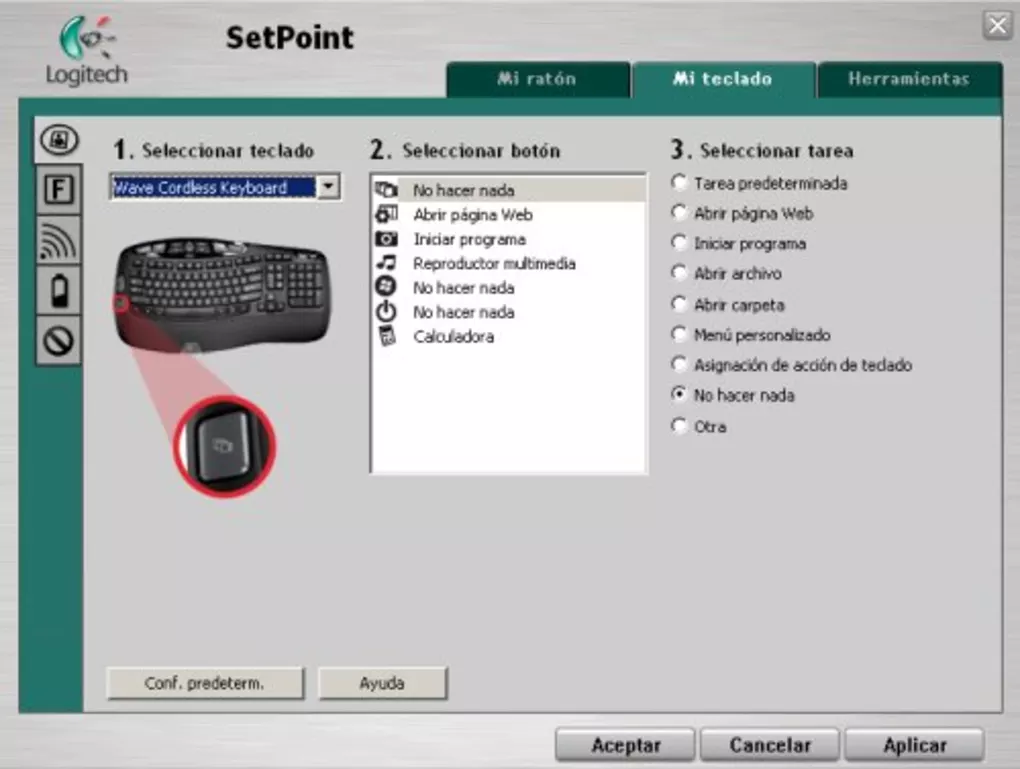
One of the main advantages of Logitech SetPoint is its ability to assign custom actions to buttons. Users can configure buttons to:
- Open applications
- Launch websites
- Control multimedia playback
- Perform copy/paste actions
- Execute navigation shortcuts
The software also allows users to customize:
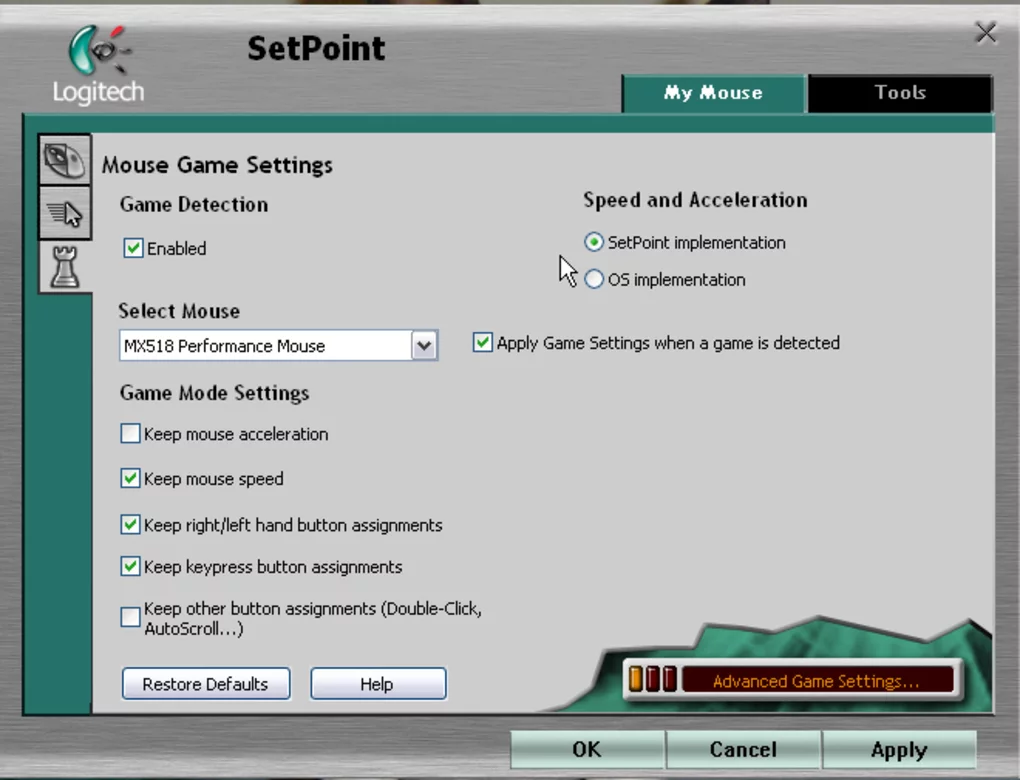
- Pointer speed and acceleration
- Scrolling speed
- Smooth scrolling behavior
- Battery monitoring for wireless devices
- Keyboard function key behavior
For users with advanced Logitech mice containing multiple programmable buttons, the software can significantly improve workflow efficiency by reducing repetitive actions and providing faster navigation controls.
📌 What is Logitech SetPoint?
Logitech SetPoint is a device management and customization utility developed for Logitech mice and keyboards. It allows users to configure buttons, customize scrolling behavior, adjust pointer settings, create shortcuts, manage battery information, and personalize supported Logitech input devices on Windows systems.
The software is mainly designed to improve user productivity and enhance the functionality of Logitech peripherals through advanced customization and device control features.
🚀 Key Uses
- Configuring Logitech mouse buttons
- Customizing keyboard shortcut functions
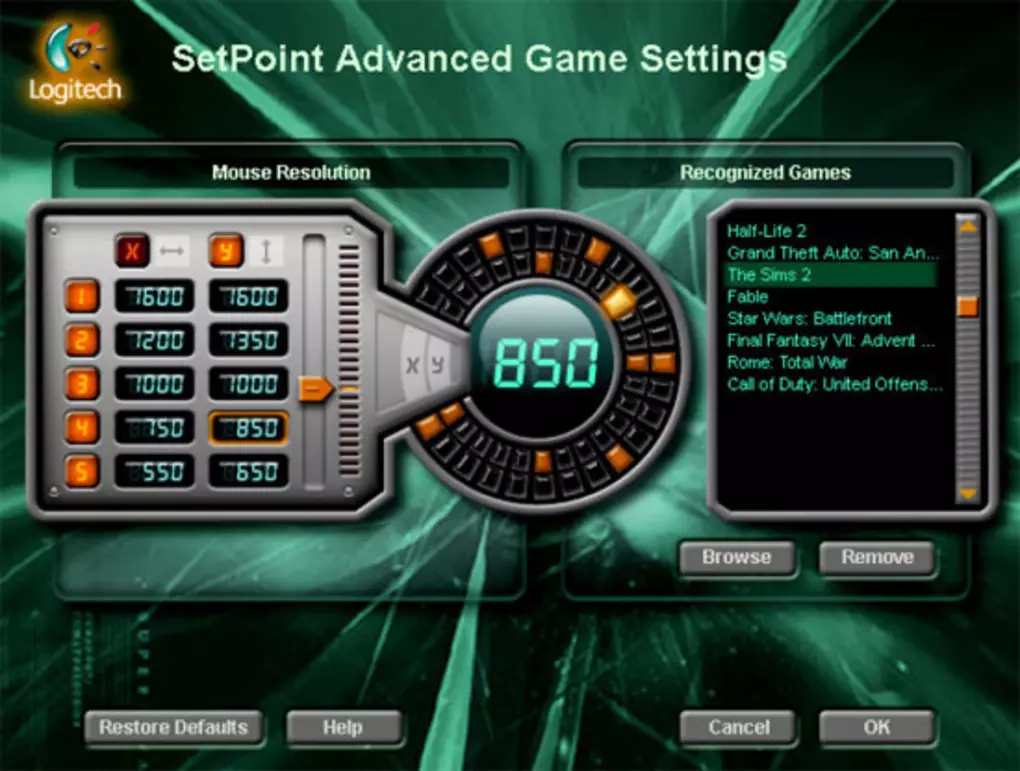
- Adjusting mouse pointer speed and sensitivity
- Managing wireless Logitech device settings
- Monitoring battery status of wireless peripherals
- Creating application-specific button actions
- Enhancing gaming and productivity workflows
- Configuring scrolling and navigation behavior
💻 System Requirements (General)
Minimum Requirements
- Windows 7 / 8 / 10 / 11
- 1GB RAM
- Logitech compatible mouse or keyboard
- USB receiver or Bluetooth support
Recommended Requirements
- 2GB+ RAM
- Updated Logitech device drivers
- Stable USB or wireless connection
- Modern multi-core processor
🔄 Alternatives
- Logitech Options
- Logitech G HUB
- Microsoft Mouse and Keyboard Center
- Razer Synapse
- Corsair iCUE
- SteelSeries GG
❓ FAQ
Q1. What is Logitech SetPoint used for?
It is used to customize and manage Logitech mice and keyboards.
Q2. Can it change mouse button functions?
Yes, users can assign custom functions to supported buttons.
Q3. Does it support wireless devices?
Yes, it supports many Logitech wireless peripherals.
Q4. Is it useful for gaming?
It can help with button customization, but gaming-focused devices often use Logitech G HUB instead.
Q5. Does it work offline?
Yes, most configuration features work offline after installation.
Features
✔ Mouse button customization
✔ Keyboard shortcut configuration
✔ Adjustable pointer speed settings
✔ Smooth scrolling controls
✔ Wireless device battery monitoring
✔ Application-specific button assignments
✔ Multimedia control support
✔ Custom navigation shortcuts
✔ Logitech device compatibility management
✔ Lightweight background operation
✔ USB and wireless peripheral support
✔ Productivity workflow enhancement
👍 Pros & 👎 Cons
Pros
- Easy device customization
- Improves productivity workflows
- Good support for Logitech hardware
- Useful programmable button features
- Lightweight compared to gaming suites
- Beginner-friendly interface
Cons
- Mainly useful for Logitech devices
- Older interface design
- Some newer devices prefer Logitech Options or G HUB
- Limited advanced gaming customization
Our Analysis
Logitech SetPoint is a practical and reliable configuration utility for Logitech peripheral users who want more control than the default Windows settings provide.
Its biggest strengths are:
- Easy device customization
- Stable performance
- Useful shortcut configuration
- Lightweight resource usage
The software is especially valuable for office users, multitaskers, and professionals who use multi-button mice or wireless Logitech devices regularly.
Although newer Logitech ecosystems have partially shifted toward Logitech Options and G HUB, SetPoint still remains a solid solution for many classic Logitech devices because of its simplicity and stable workflow management.
Overall, it is a reliable peripheral customization tool that improves productivity, navigation efficiency, and device control for Logitech users on Windows systems.
⚙️ Installation Guide (General Overview)
Step 1: Download Software
Download Logitech SetPoint from the official Logitech website or a trusted software source.
Step 2: Connect Logitech Device
Before installation, connect your Logitech mouse or keyboard using USB receiver, Bluetooth, or wired connection.
Step 3: Run Installer
Open the downloaded setup file and begin the installation process by following on-screen instructions.
Step 4: Select Installation Components
Choose required device support modules and optional software components depending on your hardware.
Step 5: Complete Installation
Finish installation and allow the software to install necessary drivers or background services if prompted.
Step 6: Restart System (If Required)
Some systems may require a restart to properly detect Logitech device integrations and apply settings.
Step 7: Launch Logitech SetPoint
Open the software from desktop shortcut or start menu after installation is complete.
Step 8: Configure Device Settings
Customize:
- Mouse buttons
- Pointer speed
- Scroll settings
- Keyboard shortcuts
- Battery notifications
- Application-specific actions
Step 9: Save and Apply Changes
Apply settings and test device functionality in normal applications or workflows.
About SoftwareDownloading Editorial Team
The SoftwareDownloading Editorial Team researches Windows software, compatibility information, features, alternatives, and software-related guides for SoftwareDownloading.in.
Our pages are prepared using available product information and relevant documentation. When an application has not been personally tested, we distinguish research-based analysis from hands-on testing. Learn more about our review process
Apps Specs
Developer
Licence
Free
Version
6.70.55
Platform
Windows
Download Clicks
2
Page Reviewed
September 26, 2026
Top Downloads




Related Topics
Disclaimer
This content is provided for educational and informational purposes only. We do not host, store, or distribute any software files on our servers. All trademarks, product names, and logos belong to their respective owners.
We strongly recommend downloading software only from official websites or trusted sources. We are not responsible for any damage, data loss, or issues that may occur from the use of third-party software.
Users should ensure they comply with all applicable laws and software licensing agreements in their country before downloading or using any software mentioned on this website.