- Utilities & Tools
- Keyboards
- Free Virtual Keyboard

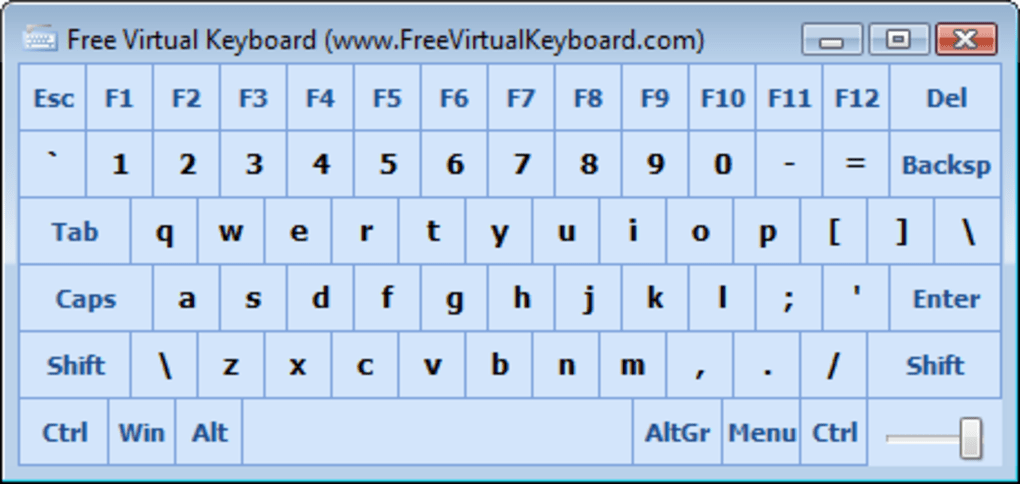
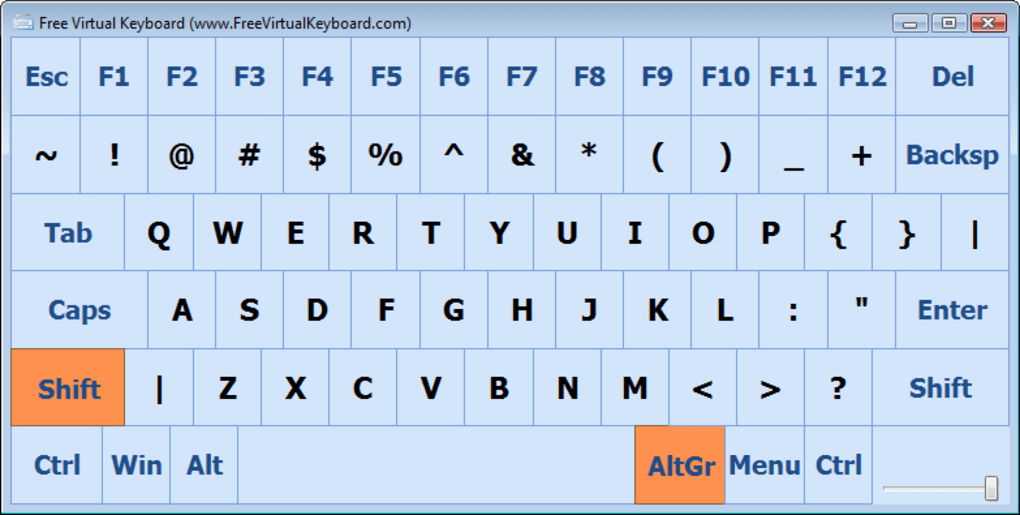
Free Virtual Keyboard is designed to provide a fully functional digital keyboard interface directly on the computer screen. Instead of pressing physical keys, users can click or tap virtual keys to enter text into applications, browsers, documents, and login forms.
The software is especially useful in scenarios where:
- A physical keyboard is damaged or unavailable
- Users rely on touchscreen devices
- Accessibility support is required
- Public systems need simplified text input
- Portable typing solutions are needed
Many virtual keyboard tools also include customization options such as:
- Adjustable keyboard size
- Transparency control
- Custom key layouts
- Shortcut key support
- Multi-language compatibility
One major advantage of virtual keyboards is flexibility because they allow typing on devices where traditional keyboards may not be practical.
Additionally, some users prefer virtual keyboards for sensitive input because mouse-based clicking can reduce certain types of physical keylogging risks.
📌 What is Free Virtual Keyboard?
Free Virtual Keyboard is an on-screen keyboard application designed to let users type using a mouse, touchscreen, stylus, or other pointing devices instead of a physical keyboard. It provides a fully digital keyboard interface that appears directly on the screen and can be used in almost any Windows application.
The software is mainly intended for users who have damaged keyboards, touchscreen devices, accessibility needs, or situations where physical keyboard input is inconvenient.
🚀 Key Uses
- Typing without a physical keyboard
- Touchscreen typing support
- Accessibility assistance for disabled users
- Backup typing solution during keyboard failure
- Secure input for sensitive data entry
- Tablet and touchscreen PC usage
- Public kiosk and presentation systems
- Portable on-screen typing workflows
💻 System Requirements (General)
Minimum Requirements
- Windows XP / 7 / 8 / 10 / 11
- 512MB–1GB RAM
- Basic processor
- Standard display support
Recommended Requirements
- 2GB+ RAM
- Touchscreen-enabled device for better experience
- Updated Windows drivers
- HD display resolution for improved usability
🔄 Alternatives
- Windows On-Screen Keyboard
- Click-N-Type
- Comfort On-Screen Keyboard
- Touch-It Virtual Keyboard
- Hot Virtual Keyboard
- Microsoft Accessibility Keyboard Tools
❓ FAQ
Q1. What is Free Virtual Keyboard used for?
It is used for typing on-screen without a physical keyboard.
Q2. Does it support touchscreens?
Yes, it works well with touchscreen devices.
Q3. Is it useful for accessibility?
Yes, it is commonly used by users with mobility limitations.
Q4. Can it replace a physical keyboard completely?
For many basic tasks, yes, but physical keyboards are usually faster for heavy typing.
Q5. Does it work offline?
Yes, it works completely offline after installation.
Features
✔ Full on-screen keyboard support
✔ Mouse and touchscreen compatibility
✔ Adjustable keyboard size
✔ Portable lightweight design
✔ Multi-language typing support
✔ Customizable transparency
✔ Function key support
✔ Numeric keypad integration
✔ Accessibility-friendly controls
✔ Low system resource usage
✔ Works with most Windows applications
✔ Easy drag-and-position interface
👍 Pros & 👎 Cons
Pros
- Useful when physical keyboard fails
- Good touchscreen compatibility
- Lightweight and simple to use
- Helpful accessibility solution
- Portable typing support
- Easy installation and setup
Cons
- Slower than physical typing
- Not ideal for heavy text work
- Limited advanced customization in some versions
- Requires screen space while active
Our Analysis
Free Virtual Keyboard is a very practical utility for users who need an alternative typing method without relying on physical hardware.
Its biggest strengths are:
- Lightweight performance
- Easy accessibility support
- Touchscreen compatibility
- Simple interface design
It becomes especially useful during keyboard hardware failures or for touchscreen-based systems where traditional keyboards are inconvenient.
While it cannot fully replace the speed and comfort of physical typing for heavy users, it performs extremely well for occasional typing, accessibility support, and portable input scenarios.
Overall, it is a simple, reliable, and highly useful on-screen typing solution for Windows users.
⚙️ Installation Guide (General Overview)
Step 1: Download Software
Download Free Virtual Keyboard from a trusted source or official provider.
Step 2: Run Setup File
Open the installer and begin the installation process. Follow the setup instructions shown on screen.
Step 3: Choose Installation Location
Select the folder where the software should be installed.
Step 4: Complete Installation
Finish installation and allow shortcuts to be created if needed.
Step 5: Launch Application
Open the virtual keyboard utility from desktop or start menu.
Step 6: Configure Keyboard Settings
Adjust:
- Keyboard size
- Transparency
- Layout options
- Position on screen
Step 7: Start Typing
Use mouse clicks or touchscreen taps to type inside any supported application.
Step 8: Keep Utility Running
Minimize or reposition the keyboard while continuing normal computer usage.
About SoftwareDownloading Editorial Team
The SoftwareDownloading Editorial Team researches Windows software, compatibility information, features, alternatives, and software-related guides for SoftwareDownloading.in.
Our pages are prepared using available product information and relevant documentation. When an application has not been personally tested, we distinguish research-based analysis from hands-on testing. Learn more about our review process
Apps Specs
Developer
Licence
Free
Version
5.0
Platform
Windows
Download Clicks
1
Page Reviewed
September 26, 2026
Top Downloads




Related Topics
Disclaimer
This content is provided for educational and informational purposes only. We do not host, store, or distribute any software files on our servers. All trademarks, product names, and logos belong to their respective owners.
We strongly recommend downloading software only from official websites or trusted sources. We are not responsible for any damage, data loss, or issues that may occur from the use of third-party software.
Users should ensure they comply with all applicable laws and software licensing agreements in their country before downloading or using any software mentioned on this website.