- Browser
- Web Browser
- iTop Private Browser

iTop Private Browser is a Chromium-based web browser focused on privacy, secure browsing, anti-tracking protection, built-in VPN functionality, and lightweight internet browsing for Windows users.
📌 What is iTop Private Browser?
iTop Private Browser is a privacy-oriented web browser developed by iTop Inc.. The browser is based on Chromium technology and is designed to provide users with secure browsing tools, integrated VPN functionality, anti-tracking systems, and online privacy protections.
Unlike traditional browsers that mainly focus on standard web access, iTop Private Browser emphasizes:
- Privacy protection
- Anonymous browsing
- Online tracking prevention
- Secure internet access
- Lightweight browsing performance
The browser is commonly used for:
- Private internet browsing
- VPN-assisted browsing
- Ad-blocked browsing
- Anti-tracking protection
- Bypassing geo-restrictions
- Anonymous browsing sessions
- Secure browsing on public networks
- Privacy-focused web access
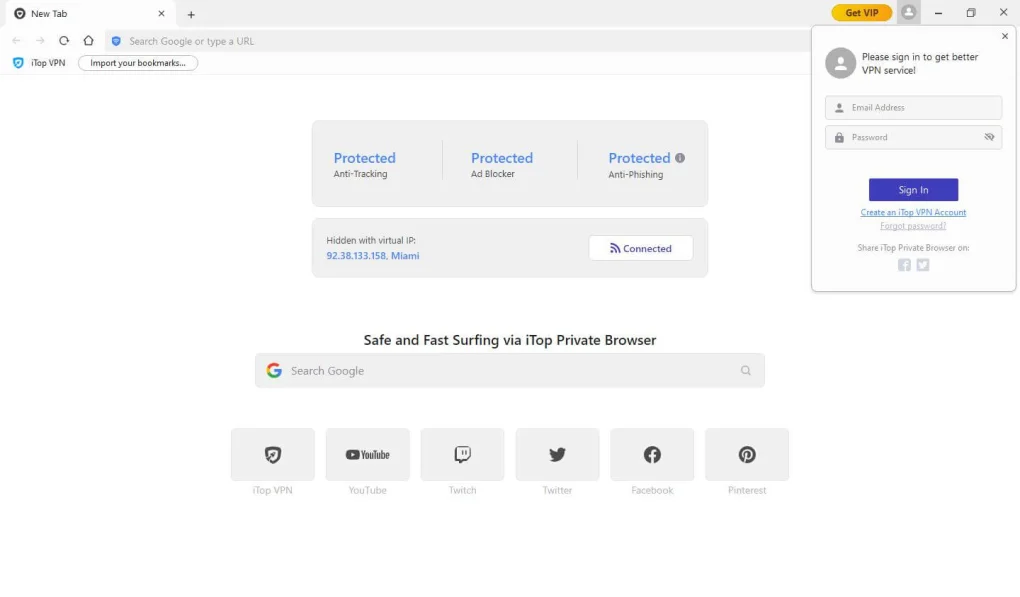
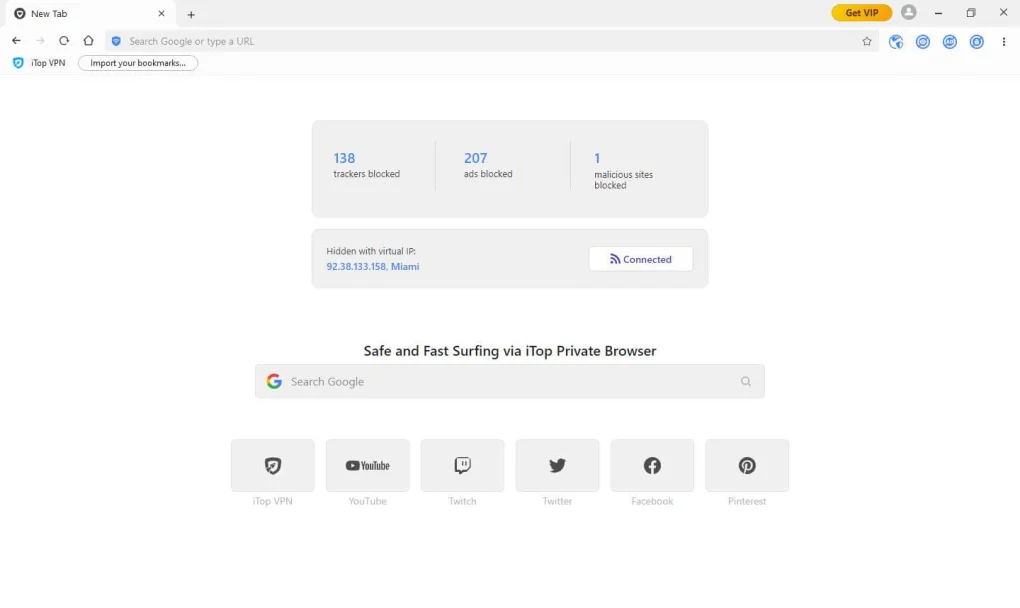
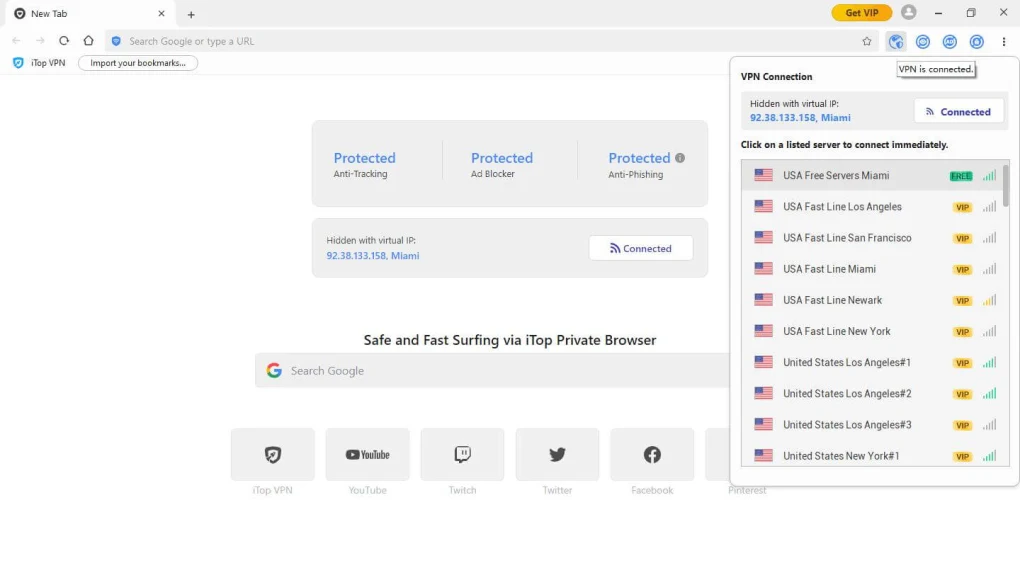
One of the biggest strengths of iTop Private Browser is its built-in VPN integration, allowing users to browse with IP masking and encrypted internet traffic directly from the browser interface.
The software is commonly used by:
- Privacy-conscious users
- Students
- Travelers
- General internet users
- Users on public Wi-Fi networks
- Streaming users
- VPN users
- Lightweight browser users
Depending on the version and subscription plan, iTop Private Browser may support:
- Built-in VPN connectivity
- Ad blocking systems
- Anti-tracking protection
- Fingerprint protection
- Auto trace cleaning
- Private browsing modes
- Chromium-based browsing engine
- Secure browsing encryption
- Anti-phishing protection
- Cookie and cache auto-cleaning
- Download management
- Search privacy tools
- Fast page loading
- Multi-location VPN servers
The browser includes privacy-focused features such as:
- Automatic browsing trace cleanup
- Cookie deletion
- Cache cleaning
- IP masking
- Tracking prevention
The Auto Trace Shredder feature can automatically remove browsing traces after sessions end.
Another major feature is fingerprint protection, which attempts to reduce browser fingerprint tracking used by websites and advertisers.
The browser is primarily available for:
- Windows systems
The Chromium foundation helps provide:
- Modern website compatibility
- Faster rendering
- Familiar browser experience
- HTML5 support
However, some reviews note that certain advanced Chromium extension compatibility and organizational features may be limited compared to larger browsers such as Firefox or Vivaldi.
💻 System Requirements (Detailed)
To run iTop Private Browser smoothly, the following system requirements are recommended:
Minimum Requirements
- Operating System:
Windows 7 / Windows 8 / Windows 10 / Windows 11 - Processor:
Intel or AMD Dual-Core processor - RAM:
Minimum 2GB RAM - Storage Space:
Around 500MB free disk space - Internet:
Required for browsing and VPN functionality
Recommended Requirements
- Processor:
Intel Core i3 / Ryzen 3 or higher - RAM:
4GB–8GB RAM or more - Storage:
SSD recommended for faster performance - Additional Tools:
Frequently compared with:- Brave Browser
- Mozilla Firefox
- Opera
🔄 Alternatives
If you want similar privacy-focused browsers, you can try:
- Brave Browser
- Mozilla Firefox
- Tor Browser
- Opera
- Vivaldi
❓ FAQ
Q1. What is iTop Private Browser mainly used for?
It is mainly used for privacy-focused web browsing and VPN-assisted internet access.
Q2. Does iTop Private Browser include a VPN?
Yes, built-in VPN functionality is one of its major features.
Q3. Is iTop Private Browser based on Chromium?
Yes, it uses a Chromium-based browser engine.
Q4. Does it support anti-tracking features?
Yes, anti-tracking and fingerprint protection tools are included.
Q5. Can it automatically clean browsing traces?
Yes, the Auto Trace Shredder feature can remove cookies, cache, and browsing traces automatically.
Q6. Is iTop Private Browser completely free?
It offers free functionality, but some advanced VPN features may require paid plans.
Q7. Should users review privacy policies before using VPN browsers?
Yes, users should always review privacy practices, logging policies, and software permissions before using any VPN or privacy-focused browser.
Privacy-focused browsers are often compared with:
- Brave Browser
- Mozilla Firefox
- Opera
- Tor Browser
Some community discussions online have raised concerns regarding aggressive advertising, bundled software behavior, and transparency around VPN/privacy claims, so users should review permissions and privacy policies carefully before using any privacy-focused software.
Overall, iTop Private Browser acts as a lightweight Chromium-based privacy browser with integrated VPN tools, anti-tracking protections, and secure browsing functionality for Windows users.
Features
- ✔️ Chromium-based browsing engine
- ✔️ Built-in VPN integration
- ✔️ Ad blocker functionality
- ✔️ Anti-tracking protection
- ✔️ Fingerprint protection
- ✔️ Automatic trace cleaning
- ✔️ Private browsing support
- ✔️ Anti-phishing security tools
- ✔️ Cookie and cache cleanup
- ✔️ Lightweight browsing performance
- ✔️ Fast page loading
- ✔️ IP masking functionality
- ✔️ Secure browsing encryption
- ✔️ Modern website compatibility
- ✔️ Simple and user-friendly interface
👍 Pros & 👎 Cons
Pros
- Built-in VPN reduces need for separate VPN extensions
- Lightweight Chromium-based browsing experience
- Anti-tracking and ad-blocking tools included
- Fingerprint protection support
- Easy-to-use interface for beginners
- Automatic browsing trace cleanup available
- Good modern website compatibility
- Faster browsing on lower-resource systems
Cons
- Some advanced features require paid subscription plans
- Extension support may be more limited than Chrome or Firefox
- VPN transparency concerns discussed in some communities
- Free versions may include upgrade promotions or ads
- Privacy claims should be evaluated carefully before sensitive use cases
- Available mainly for Windows users
Our Analysis
In my opinion, iTop Private Browser is a decent lightweight privacy-oriented browser for users who want simple built-in privacy tools without installing multiple separate extensions. The integration of VPN access, ad blocking, anti-tracking systems, and fingerprint protection makes the browser attractive for casual privacy-focused browsing.
One of the biggest advantages is convenience. Many users prefer browsers with integrated VPN and privacy tools because setup becomes easier compared to configuring multiple third-party extensions manually.
The Chromium-based engine also helps maintain compatibility with modern websites and familiar browsing behavior.
Features such as Auto Trace Shredder, anti-phishing protection, and IP masking are useful for users concerned about everyday online privacy.
However, users should still remain cautious when relying on any privacy-focused software. Community discussions and some reviews have raised concerns about transparency, aggressive promotions, and VPN trustworthiness. For highly sensitive privacy needs, users may prefer browsers and VPN providers with strong independent security audits and long-standing reputations.
For general private browsing, ad blocking, and lightweight VPN-assisted internet usage, iTop Private Browser can still be a useful option for Windows users who want an all-in-one browsing solution.
⚙️ Installation Guide (Step-by-Step)
Step 1: Download the Browser
Download the latest version from the official website.
Step 2: Run the Installer
Open the setup file and allow installation permissions if requested.
Step 3: Complete Installation
Finish the installation process.
Step 4: Launch the Browser
Open iTop Private Browser after installation.
Step 5: Configure Privacy Settings
Enable or customize:
- VPN
- Ad blocker
- Anti-tracking
- Fingerprint protection
- Auto-clean features
Step 6: Import Browser Data
Optionally import:
- Bookmarks
- Passwords
- Browser history
from another browser.
Step 7: Use Built-in VPN
Connect to VPN locations if needed.
Step 8: Browse Securely
Use private browsing and privacy protection features.
Step 9: Update the Browser Regularly
Install browser updates and security patches.
Step 10: Review Privacy Permissions
Check browser settings and permissions periodically.
About SoftwareDownloading Editorial Team
The SoftwareDownloading Editorial Team researches Windows software, compatibility information, features, alternatives, and software-related guides for SoftwareDownloading.in.
Our pages are prepared using available product information and relevant documentation. When an application has not been personally tested, we distinguish research-based analysis from hands-on testing. Learn more about our review process
Apps Specs
Developer
Licence
Free
Version
3.1.0.255
Platform
Windows
Download Clicks
6
Page Reviewed
June 24, 2026
Top Downloads




Related Topics
Disclaimer
This content is provided for educational and informational purposes only. We do not host, store, or distribute any software files on our servers. All trademarks, product names, and logos belong to their respective owners.
We strongly recommend downloading software only from official websites or trusted sources. We are not responsible for any damage, data loss, or issues that may occur from the use of third-party software.
Users should ensure they comply with all applicable laws and software licensing agreements in their country before downloading or using any software mentioned on this website.