- Development & IT
- Servers
- SecureWAMP

SecureWAMP is a lightweight local web server environment designed for Windows systems that combines Apache, MySQL, PHP, and security-focused configurations for safe web development and testing.
Set up a secure WAMP-System (Windows, Apache, MySQL, PHP etc.) in a few seconds
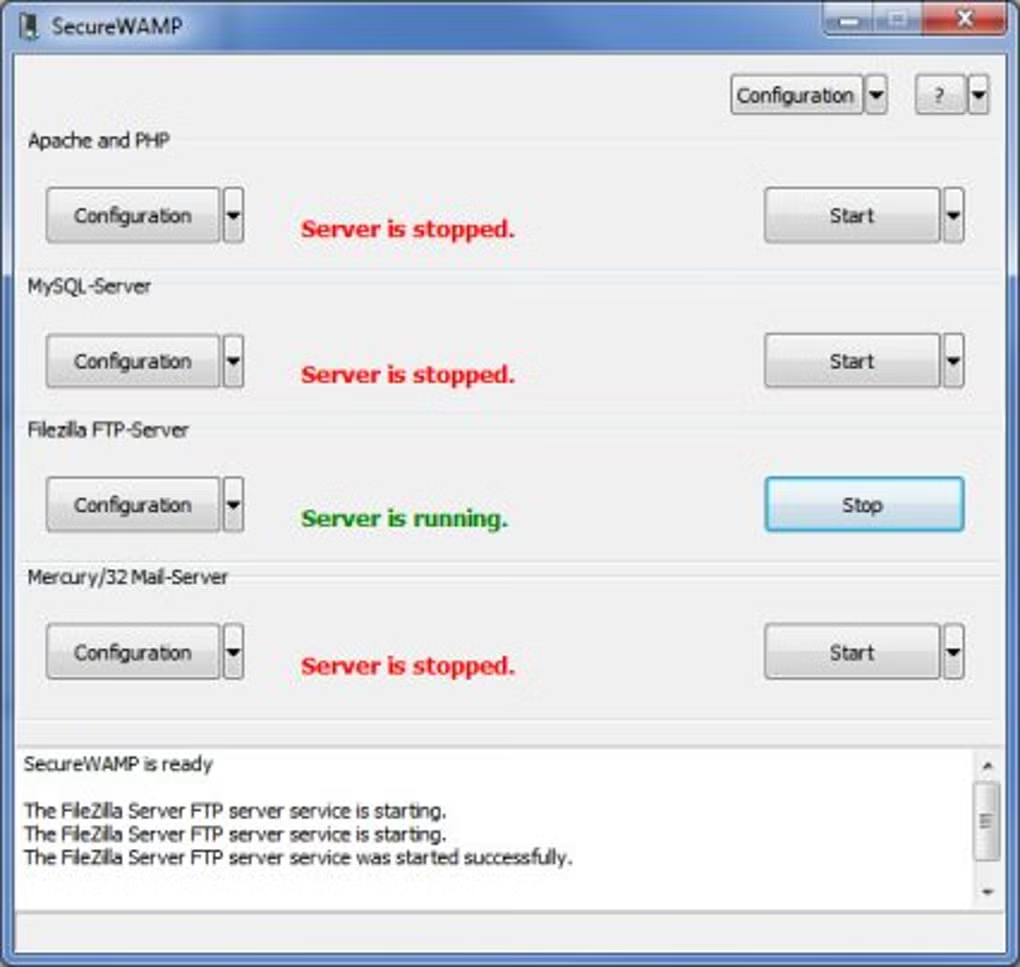
With SecureWAMP you can set up a secure WAMP-System ( i.e. an installation that combines Windows, Apache, MySQL and PHP ) in a few minutes without knowledge – completely administered via a GUI!
Our Installation includes:
– Apache (2.4.x, VC9)
– PHP 5.x
– MySQL 5.x
– SQLite 3.x
– phpMyAdmin 3.x
– Mercury/32 Mail-Server 4.7.x
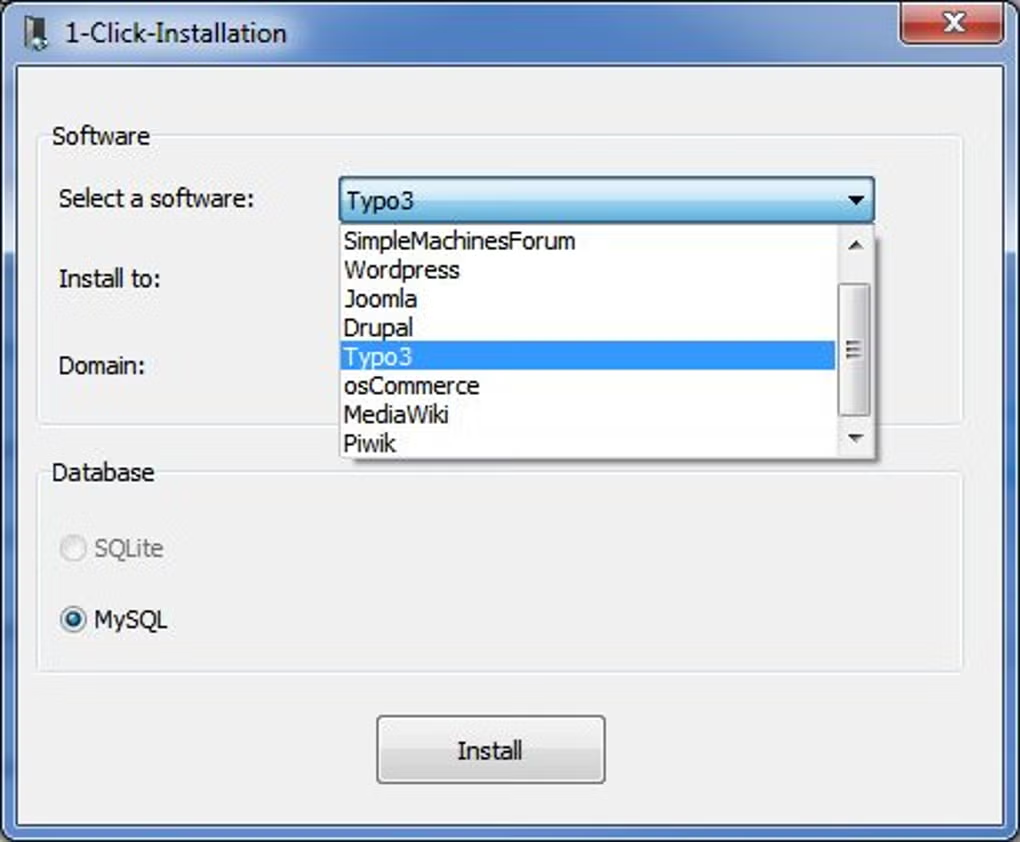
– as loadable 1-Click-Addons: Python 2.7, Perl 5 and more
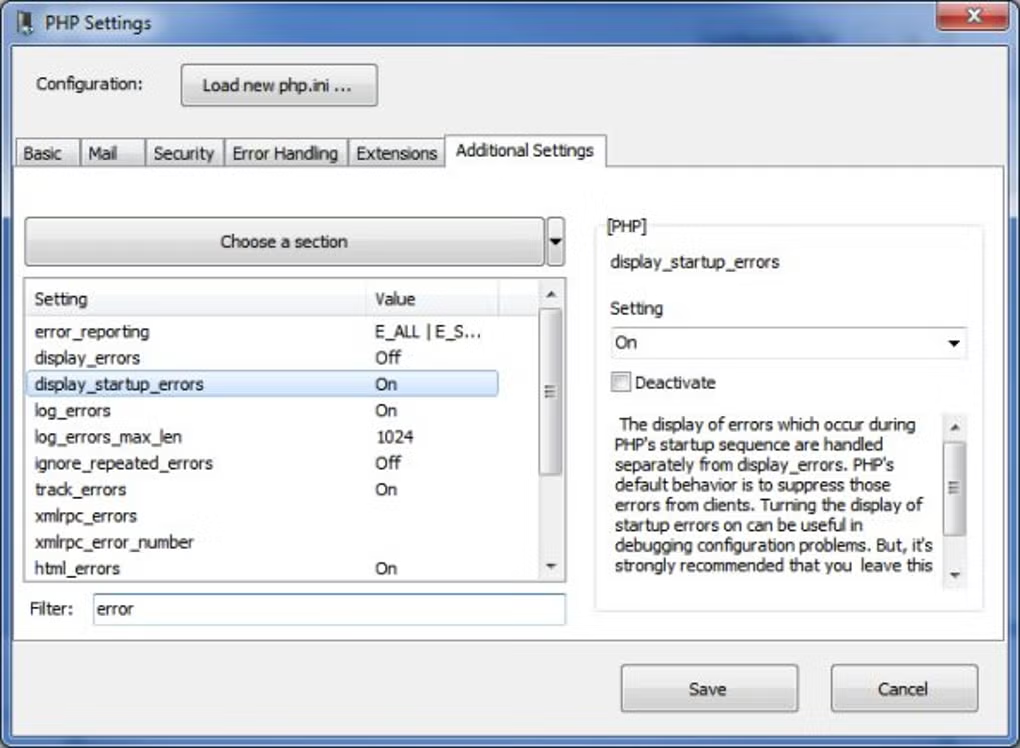
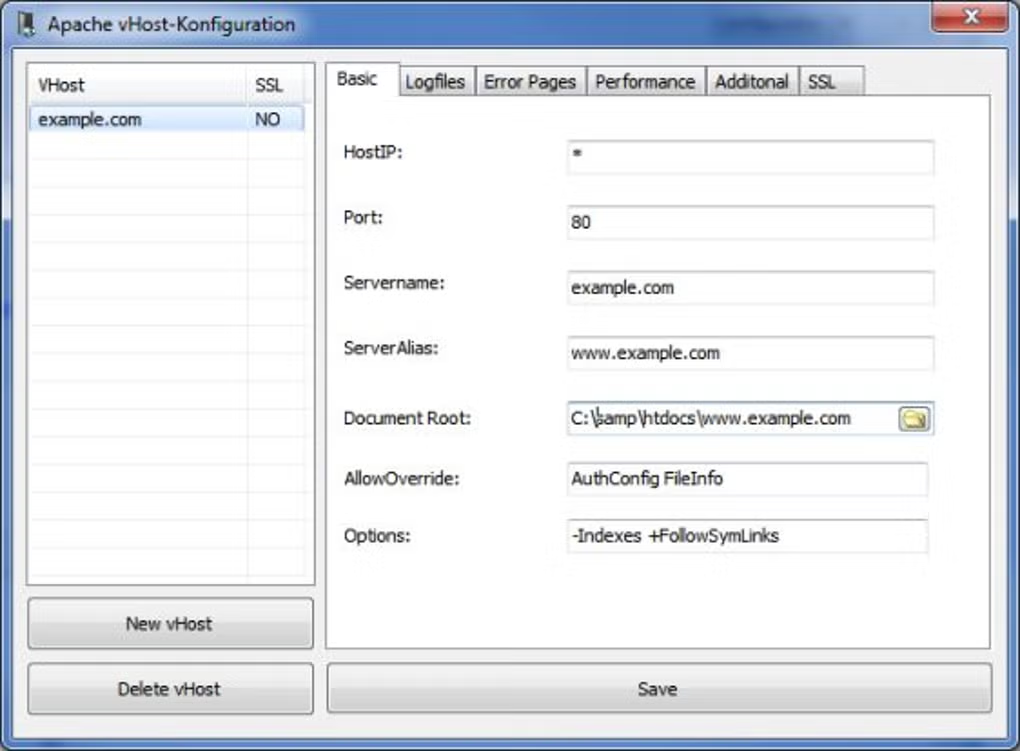
With SecureWAMP users have the choice between developers and production settings, so that it is in contrast to other WAMPs also ideal for web hosting. We have also worked intensely on the usability. SecureWAMP allows to contral all important settings via a central GUI so you don’t have to deal with cryptic configuration files or different interfaces.
This software is ideal for Web-Developers and Administrators. They can use it for testing and development as also for a productive usage.
📌 What is SecureWAMP?
SecureWAMP is a local web development stack created for Windows users who want a portable and security-focused environment for developing, testing, and running web applications. Like traditional WAMP solutions, SecureWAMP includes essential web technologies such as Apache server, MySQL database support, and PHP scripting functionality.
The term WAMP stands for Windows, Apache, MySQL, and PHP — the main components required for hosting and developing dynamic websites locally on a Windows computer.
What makes SecureWAMP different from many standard WAMP distributions is its focus on portability and secure configurations. The software is often designed to run without complicated installation processes and may include pre-configured security settings to reduce common risks during local development.
SecureWAMP is commonly used by web developers, students, testers, and administrators who need a compact and isolated server environment for testing websites, PHP applications, and CMS platforms such as WordPress or Joomla.
One of the biggest advantages of SecureWAMP is simplicity. Users can quickly launch local server services without manually configuring Apache, PHP, or database systems individually.
The software may also support portable operation, allowing users to run development environments directly from external storage devices like USB drives. This is especially useful for developers who need mobile testing environments.
Overall, SecureWAMP acts as a lightweight and practical local web development platform with a focus on security and portability.
💻 System Requirements (Detailed)
To run SecureWAMP smoothly, the following system requirements are recommended:
Minimum Requirements
- Operating System: Windows 7 / Windows 8 / Windows 10 / Windows 11
- Processor: Intel or AMD processor
- RAM: Minimum 2GB RAM
- Storage Space: 500MB free disk space
- Browser: Modern web browser for localhost testing
Recommended Requirements
- Processor: Intel Core i3 or higher
- RAM: 4GB–8GB RAM
- Storage: SSD recommended for faster database performance
- Internet: Optional for downloading packages and updates
- Development Tools: Code editor such as Visual Studio Code recommended
The software performs best on systems with sufficient memory and modern storage.
🔄 Alternatives
If you want similar local server environments, you can try:
- XAMPP
- WampServer
- Laragon
- BitNami WAMPStack
❓ FAQ
Q1. What is SecureWAMP mainly used for?
It is used for local web development and testing on Windows systems.
Q2. Does SecureWAMP support PHP applications?
Yes, it supports PHP websites and CMS platforms.
Q3. Is SecureWAMP portable?
Some versions support portable operation without full installation.
Q4. Can beginners use SecureWAMP?
Yes, it is relatively beginner-friendly and lightweight.
Q5. Is SecureWAMP suitable for production hosting?
It is mainly designed for local development and testing purposes.
🔄 Best Alternatives
Features
- ✔️ Complete WAMP development stack
- ✔️ Includes Apache, MySQL, and PHP
- ✔️ Security-focused configuration
- ✔️ Lightweight and portable design
- ✔️ Easy local server setup
- ✔️ Suitable for PHP website development
- ✔️ Supports CMS platforms and web apps
- ✔️ Beginner-friendly environment
- ✔️ Fast testing and debugging support
- ✔️ Portable web development functionality
👍 Pros & 👎 Cons
Pros
- Easy and quick setup process
- Lightweight and portable
- Good for local testing and development
- Security-oriented configuration
- Useful for PHP and CMS projects
Cons
- Mainly intended for development environments
- Limited advanced enterprise server features
- Some configurations may require manual adjustments
- Performance depends on system resources
Expert Review
In my opinion, SecureWAMP is a practical solution for developers who need a lightweight and secure local web development environment. The portability and simplified setup process make it particularly useful for testing PHP applications and CMS-based websites quickly.
The software is especially attractive for users who prefer compact server environments instead of larger and more resource-heavy development stacks. Beginners can also benefit from its straightforward configuration and ease of use.
Although advanced developers may eventually require more customizable server environments, SecureWAMP performs very well for local testing, educational projects, and portable development setups. If you need a secure and lightweight WAMP environment for Windows, SecureWAMP is definitely worth
How to Install
⚙️ Installation Guide (Step-by-Step)
Follow these steps to install SecureWAMP:
Step 1: Download SecureWAMP
Download the latest version from a trusted source.
Step 2: Extract or Run Installer
Some versions are portable and only require extraction.
Step 3: Launch SecureWAMP
Open the main executable file.
Step 4: Start Apache and MySQL Services
Enable required server modules.
Step 5: Configure PHP Settings
Adjust PHP options if necessary.
Step 6: Create Website Project Folder
Place website files inside the server directory.
Step 7: Open Browser
Visit:
http://localhostto test the local server.
Step 8: Start Development
Run PHP applications, CMS platforms, or custom web projects locally.
Top Downloads



Related Topics
Disclaimer
This content is provided for educational and informational purposes only. We do not host, store, or distribute any software files on our servers. All trademarks, product names, and logos belong to their respective owners.
We strongly recommend downloading software only from official websites or trusted sources. We are not responsible for any damage, data loss, or issues that may occur from the use of third-party software.
Users should ensure they comply with all applicable laws and software licensing agreements in their country before downloading or using any software mentioned on this website.
You may also like





Alternatives to


Expore Apps