
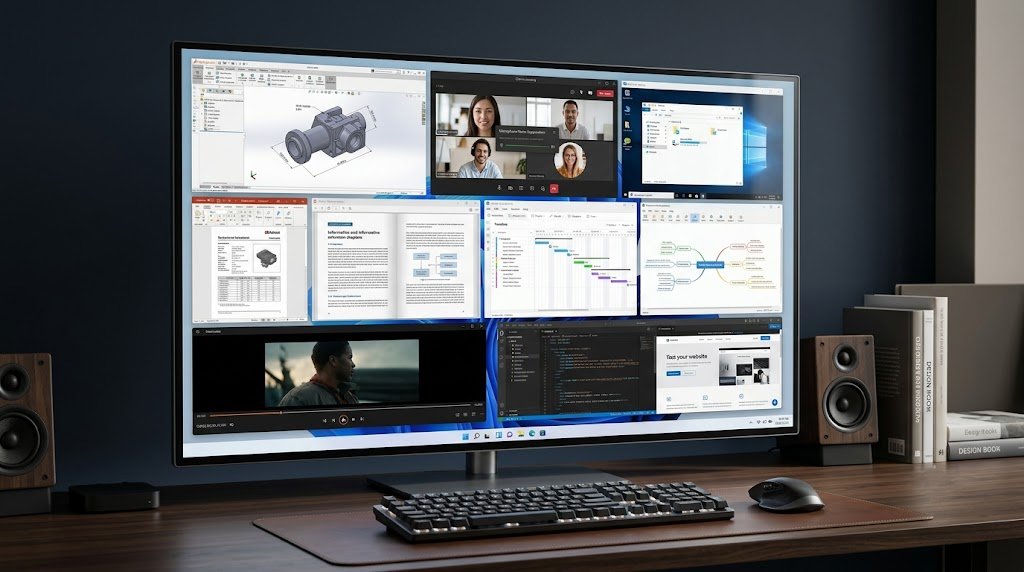
18 Useful Windows Software for Different Needs in 2026
Windows users often search for software with a very specific problem in mind.
You may need a tool to create a 3D design, manage a project, access another computer remotely, organize eBooks, reduce background noise during meetings, download PDFs for offline reading, or simply stay focused while working.
The problem is that searching for “the best Windows software” does not always give you the right answer. A powerful application may be completely unnecessary for your particular task, while a smaller and more specialized program may solve the problem much better.
That is why this guide takes a different approach.
Instead of giving you another generic list of popular Windows applications, we are looking at useful Windows software based on real-world needs. The list includes software already available on SoftwareDownloading.in, along with a small number of well-known external tools where they add something different to the overall selection.
Whether you are a student, office worker, designer, project manager, content creator, remote worker or everyday PC user, the goal is simple: find the right Windows software for the job you actually need to do.
Quick Overview
| Need | Recommended Software | Best For |
|---|---|---|
| 3D design & CAD | Shapr3D | Designers, engineers, students |
| Better online meetings | Krisp | Remote workers & professionals |
| Remote computer access | VNC Viewer | IT support & remote work |
| eBook conversion | Any eBook Converter | Readers & digital libraries |
| Offline PDF access | Free PDF Downloader | Students & researchers |
| Digital library management | Librum | eBook readers |
| Media streaming | AirStream | Home users |
| Website distraction control | BlockSite | Students & professionals |
| Website editing | SiteEdit | Beginners & small businesses |
| Project scheduling | OpenProj | Project managers |
| Excel-based project planning | MacroGantt | Office users |
| Visual brainstorming | MindGenius | Teams & students |
| Project file viewing | Project Reader | Project teams |
| PDF annotation | Draw PDF | Students & office users |
| Paper-to-digital documents | PDF Document Scanner | Offices & students |
| Manga/offline reading | HakuNeko | Manga readers |
| Windows productivity utilities | Microsoft PowerToys | Power users |
| File compression | 7-Zip | Everyday PC users |

1. Shapr3D – For 3D Design and CAD Work
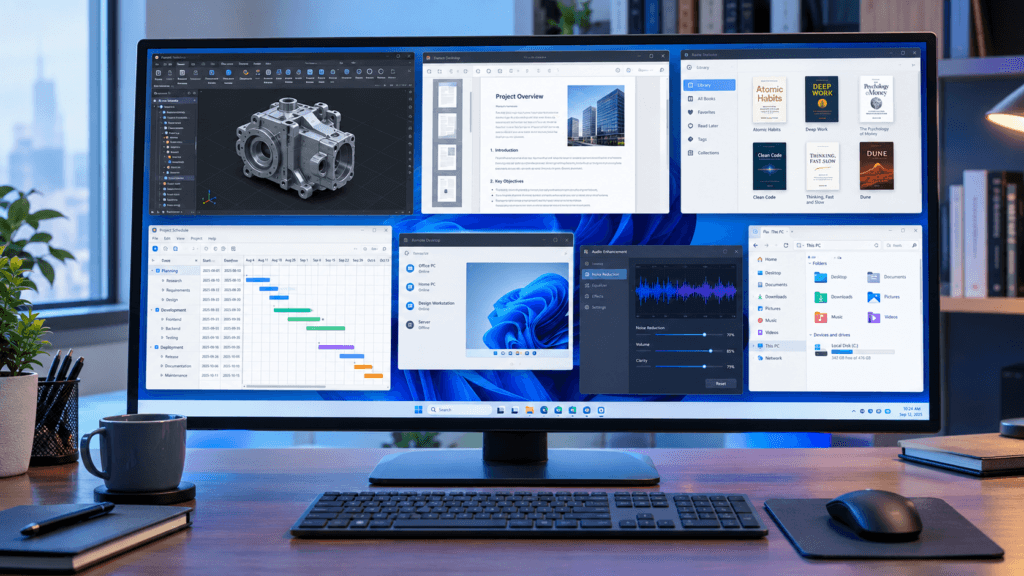
If your work involves product design, engineering concepts, prototypes or 3D modeling, a basic drawing application is not enough.
Shapr3D is designed around 3D CAD and product-design workflows. It can be useful for creating accurate models, developing engineering components, visualizing prototypes and preparing designs for manufacturing workflows.
The software is particularly interesting for users who want a more approachable CAD environment rather than starting with extremely complex professional software.
Who should consider Shapr3D?
Product designers
Engineering students
Mechanical designers
CAD learners
Industrial designers
Prototype developers
Architecture and concept-design users
The SoftwareDownloading.in listing also notes Windows support, with 8GB RAM as a minimum general requirement and 16GB or more recommended for smoother workflows.
Best use: 3D modeling, product design and engineering concepts.
2. Krisp – For Clearer Online Meetings
Background noise can make an otherwise professional meeting sound unprofessional.
Dogs barking, keyboard sounds, fans, traffic and other background noises can interfere with online meetings and voice calls. Krisp is designed to address this problem through AI-based real-time audio processing.
It can help reduce unwanted microphone noise and improve voice communication during meetings, online classes, gaming sessions, streaming and other voice-based activities.
Krisp can be useful for:
Zoom meetings
Microsoft Teams calls
Online classes
Discord
Streaming
Podcasting
Remote work
Customer support
If you frequently attend meetings from a home environment, Krisp can be more useful than installing another general-purpose audio editor.
Best use: Improving microphone clarity during real-time communication.
3. VNC Viewer – When You Need to Access Another Computer
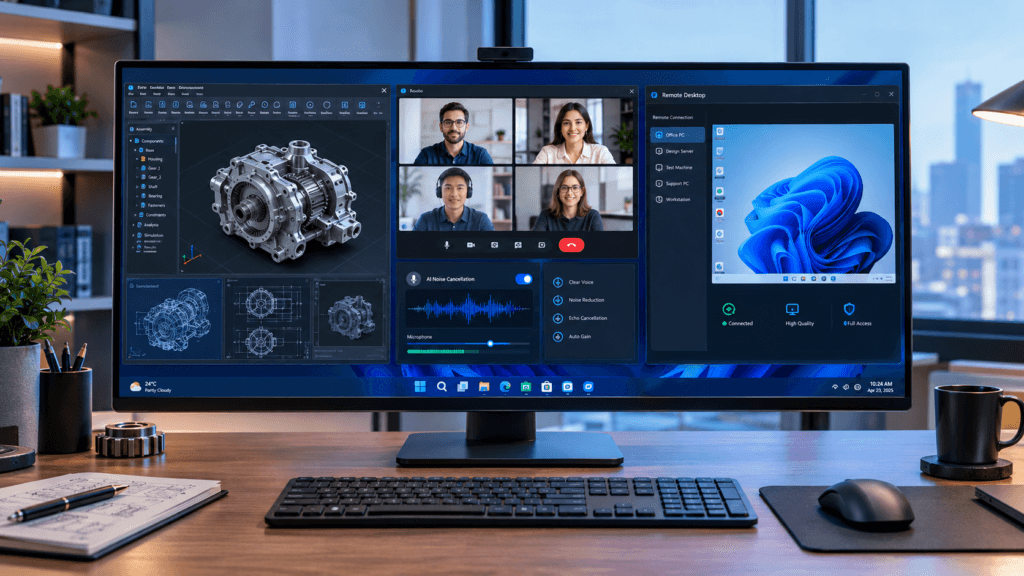
Sometimes the computer you need is not physically in front of you.
VNC Viewer is designed for remote access using Virtual Network Computing technology. It can allow users to access and control another computer remotely, depending on the server and network configuration.
This makes it relevant for:
IT support
Remote administration
Server management
Remote work
Computer labs
Technical support
Cross-platform environments
For businesses and technical users, remote-access software can save significant time because a problem can sometimes be diagnosed without physically visiting the computer.
Best use: Remote desktop access and technical support.
4. Any eBook Converter – For Managing Different eBook Formats
Digital books are not always available in the format you need.
Any eBook Converter is designed to convert eBooks between supported formats such as EPUB, PDF, MOBI and other formats depending on the version and source files.
It can be useful when you maintain a digital library and need to make files more compatible with different reading devices or applications.
Useful for:
eBook readers
Students
Researchers
Digital libraries
Authors
Users managing multiple eBook formats
Always make sure you have the legal right to convert or modify the books you process, particularly when DRM restrictions are involved.
Best use: eBook format management and conversion.
5. Free PDF Downloader – Save Important PDFs for Offline Use
Students and professionals frequently encounter PDFs online that they want to save for later.
Free PDF Downloader is designed around downloading PDF documents, manuals, eBooks, forms and study materials for offline access.
Instead of repeatedly opening the same document in a browser, users can save permitted documents locally and organize them into folders.
Useful for:
Students
Researchers
Office workers
Readers
Technical users
People collecting manuals and reference documents
The important point is to download only documents that you are legally allowed to access and save.
Best use: Saving legitimate online PDFs for offline reading.
6. Librum – For Building a Digital Reading Library
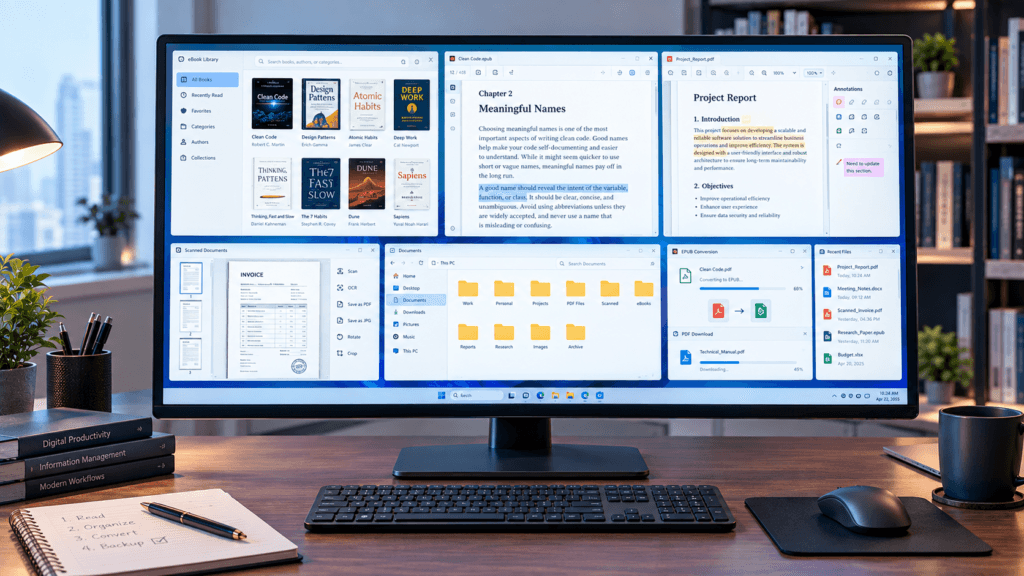
If your computer contains dozens or hundreds of eBooks, simply keeping them inside random folders can quickly become difficult to manage.
Librum is listed on SoftwareDownloading.in as an eBook management and reading application designed to make digital reading more organized.
It can be useful for people who want a dedicated environment for their digital books instead of treating every EPUB or book file as an ordinary document.
Best for:
eBook readers
Students
Researchers
Digital libraries
People with large book collections
Best use: Reading and organizing digital books.
7. AirStream – Stream Media Without Constant File Transfers
Many users keep movies, music and other media files on their Windows PC but want to access them from another device.
AirStream focuses on wireless media streaming and remote file access. Depending on the supported setup, it can allow users to stream content from a PC to mobile devices without first copying every file.
This can be particularly convenient in a home environment.
AirStream can be useful for:
Streaming videos
Playing music
Accessing PC files
Home entertainment
Cross-device media access
Personal media libraries
It is a different type of solution from a traditional media player because the focus is on accessing content across devices.
Best use: Wireless media access and streaming.
8. BlockSite – Reduce Digital Distractions
Sometimes the biggest productivity problem is not the lack of software—it is having too many distractions.
BlockSite is designed to block distracting websites and help users create more focused browsing sessions.
You can use this type of software when social media, entertainment websites or other online distractions regularly interrupt your study or work.
Useful scenarios:
Exam preparation
Work sessions
Remote working
Study schedules
Screen-time management
Focus sessions
BlockSite also provides scheduling and blocking features depending on the version.
Best use: Reducing distracting websites while working or studying.
9. SiteEdit – For Users Who Want Simpler Website Management
Website management can become complicated when every small change requires technical knowledge.
SiteEdit is designed to provide a simpler website editing and management environment for users who do not want to manually handle every HTML, CSS or JavaScript change.
It can be useful for:
Beginners
Small businesses
Personal websites
Basic website management
Content updates
Simple web publishing
This type of software is particularly useful when the priority is straightforward content management rather than advanced development.
Best use: Basic website editing and content management.
10. OpenProj – For Project Planning
Project management is not limited to large corporations.
Students, freelancers, construction teams, small businesses and individual professionals may all need to manage tasks, deadlines and project schedules.
OpenProj provides project planning features such as task scheduling, workflow organization and Gantt-chart-based planning.
It can help with:
Project schedules
Task management
Resource planning
Timeline organization
Workflow tracking
Business projects
Academic projects
Its open-source nature can also make it interesting for users looking for a traditional project-management application.
Best use: Project planning and scheduling.
11. MacroGantt – Create Gantt Charts Inside Excel
If you already work extensively with Microsoft Excel, switching to a completely separate project-management environment may not be necessary for simple projects.
MacroGantt is designed to bring Gantt-chart functionality into an Excel-based workflow.
It can help users visualize:
Project timelines
Tasks
Deadlines
Progress
Scheduling
Workflow dependencies
This makes it particularly useful for office professionals and project planners who already understand spreadsheets.
A practical advantage
You can continue working within an Excel-oriented environment rather than learning an entirely different project-management interface.
Best use: Spreadsheet-based project scheduling.
12. MindGenius – Turn Ideas Into Visual Plans
Some people think better when information is presented visually.
MindGenius is a mind-mapping and project-planning application designed to help users organize ideas, brainstorm concepts and visually structure projects.
It can be useful before starting a large project because you can first organize the ideas and relationships between different tasks.
Useful for:
Brainstorming
Students
Teachers
Project managers
Business planning
Creative professionals
Strategy development
Instead of immediately creating a long document, you can first create a visual structure of what needs to be done.
Best use: Mind mapping, brainstorming and visual planning.
13. Project Reader – When You Only Need to View Project Files
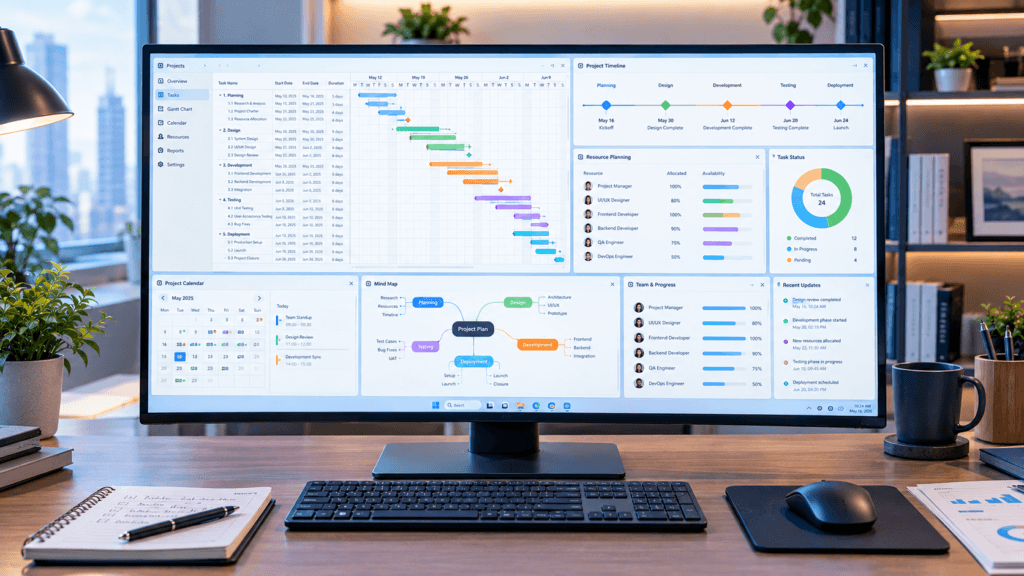
Not everyone who receives a project file needs a complete project-management suite.
Project Reader is designed for users who need to view or review project files without necessarily having the full project-management software installed.
This can be useful when:
A client sends you a project schedule
A team member needs to review a timeline
You need to inspect project information
A business needs simple project-file access
For occasional viewing requirements, a dedicated reader can be more practical than purchasing a full professional project-management platform.
Best use: Viewing and reviewing project schedules.
14. Draw PDF – For Annotating and Marking PDFs
PDF files are everywhere in modern work and education.
Sometimes reading a PDF is not enough. You may need to highlight a paragraph, draw something, add notes, sign a document or mark important information.
Draw PDF – PDF Reader & PDF Editor focuses on these interactive PDF workflows.
Useful features include:
PDF viewing
Drawing
Annotation
Highlighting
Notes
Digital signatures
PDF review
Document organization
It can be particularly useful for students and office users who regularly review documents.
Best use: Reading, marking and annotating PDF documents.
15. PDF Document Scanner – Turn Paper Documents Into Digital Files
Even in a digital workplace, paper documents still exist.
Receipts, forms, notes, invoices and other paperwork may need to be converted into digital documents.
PDF Document Scanner is designed around document scanning and PDF creation workflows.
It can be useful for:
Students
Freelancers
Offices
Small businesses
Teachers
Personal record keeping
Depending on the supported version and device, scanning workflows may include image enhancement, OCR and multi-page document creation.
Best use: Digitizing physical paperwork.
16. HakuNeko – For Organizing Manga Reading
Not every useful Windows application is designed for business or office work.
HakuNeko is a specialized application focused on manga and digital reading workflows. SoftwareDownloading.in lists it as a free/open-source application designed around supported online sources and offline reading.
It can be useful for readers who want to manage manga content through a dedicated application.
However, users should always respect copyright and the terms of the websites or sources they access.
Best use: Manga organization and offline reading from permitted sources.
17. Microsoft PowerToys – For Improving Windows Workflows
Now we come to one of the few external tools in this guide.
Microsoft PowerToys is a collection of Windows utilities rather than one single-purpose application.
It can add useful functionality to Windows through tools such as:
FancyZones
PowerRename
Always On Top
Text Extractor
Color Picker
Awake
Advanced Paste
Other utilities
This makes PowerToys particularly useful for people who spend many hours working on Windows and want more control over everyday workflows.
Best use: Advanced Windows customization and productivity.
18. 7-Zip – For Working With Compressed Files
Compressed files are a normal part of Windows usage.
You may receive ZIP, 7z or other archive formats when downloading software, transferring projects or sharing large groups of files.
7-Zip remains a practical option for users who need a lightweight archive utility.
It can be useful for:
Extracting compressed files
Creating archives
Reducing file size
Sending multiple files together
Managing downloaded packages
Unlike many large software suites, an archive utility has a very specific purpose and can remain useful for years.
Best use: File compression and archive management.
Comparison Table: Which Windows Software Fits Your Need?
| Software | Main Purpose | Best For | Website Availability |
|---|---|---|---|
| Shapr3D | 3D CAD & modeling | Designers & engineers | SoftwareDownloading.in |
| Krisp | AI audio enhancement | Meetings & calls | SoftwareDownloading.in |
| VNC Viewer | Remote computer access | IT & remote work | SoftwareDownloading.in |
| Any eBook Converter | eBook conversion | Readers | SoftwareDownloading.in |
| Free PDF Downloader | PDF downloading | Students & researchers | SoftwareDownloading.in |
| Librum | eBook reading & management | Digital readers | SoftwareDownloading.in |
| AirStream | Media streaming | Home users | SoftwareDownloading.in |
| BlockSite | Website blocking | Focus & productivity | SoftwareDownloading.in |
| SiteEdit | Website management | Beginners & small businesses | SoftwareDownloading.in |
| OpenProj | Project management | Project planners | SoftwareDownloading.in |
| MacroGantt | Excel-based Gantt charts | Office users | SoftwareDownloading.in |
| MindGenius | Mind mapping | Brainstorming & planning | SoftwareDownloading.in |
| Project Reader | Project-file viewing | Project teams | SoftwareDownloading.in |
| Draw PDF | PDF annotation | Students & office users | SoftwareDownloading.in |
| PDF Document Scanner | Document digitization | Offices & students | SoftwareDownloading.in |
| HakuNeko | Manga management | Manga readers | SoftwareDownloading.in |
| Microsoft PowerToys | Windows utilities | Power users | External |
| 7-Zip | File compression | Everyday PC users | External |
How to Choose the Right Windows Software
The biggest mistake users make is choosing software because it is popular rather than because it solves their actual problem.
A better approach is to start with the task.
Need to design something in 3D?
Start with Shapr3D.
Need clearer audio during meetings?
Try Krisp.
Need to control another computer?
Look at VNC Viewer.
Need to manage eBooks?
Consider Any eBook Converter or Librum.
Need to save PDFs for offline use?
Free PDF Downloader may be useful.
Need to manage a project?
Look at OpenProj, MacroGantt, MindGenius or Project Reader, depending on the task.
Need to annotate a PDF?
Try Draw PDF.
Need to digitize paperwork?
A PDF Document Scanner can simplify the process.
Need to reduce online distractions?
BlockSite is designed specifically for this purpose.
Need better Windows utilities?
Microsoft PowerToys is a strong option for power users.
Why Specialized Software Can Be Better Than One Large Application
There is a common assumption that installing one large application that does everything is always better.
That is not necessarily true.
Specialized software can have several advantages.
1. Easier to Learn
A focused application usually has fewer unrelated features.
For example, someone who only wants to create a Gantt chart may not need a huge enterprise project-management system.
2. Better Workflow
A specialized application can be designed around a specific task.
MacroGantt, for example, focuses on Gantt-chart workflows inside Excel, while MindGenius approaches planning through visual mind maps.
3. Less Unnecessary Software
Instead of installing five applications that you barely use, choose one tool that solves your actual problem.
4. Easier Troubleshooting
When software has a clear purpose, it is often easier to understand what is causing a problem.
5. Better Software Selection
The right question is not:
“What is the best Windows software?”
The better question is:
“What software is best for the task I need to complete?”
That change in thinking can make software selection much easier.
Are These Software Suitable for Every Windows User?
No.
And that is intentional.
This list is not designed to suggest that every Windows user should install all 18 applications.
A CAD designer may benefit from Shapr3D but have no reason to install Project Reader.
A student may find Free PDF Downloader, Draw PDF, Librum and BlockSite useful while having little need for VNC Viewer.
A project manager may benefit more from OpenProj, MacroGantt and MindGenius.
A remote worker may find Krisp and VNC Viewer more relevant.
The goal is to match software with the user’s actual workflow.
Software Safety: What Should You Check Before Installing?
Even useful software should be downloaded carefully.
Before installing any Windows application:
Check the supported Windows version.
Review the system requirements.
Verify the current version.
Prefer official or trusted download sources.
Read the software’s license information.
Avoid suspicious modified installers.
Keep Windows Security enabled.
Be careful with software requesting unnecessary permissions.
Download copyrighted material only when you have permission to do so.
Keep frequently used software updated.
Do You Really Need 18 Windows Software?
Definitely not.
The purpose of this list is not to create a checklist of applications you must install.
Instead, use it as a problem-solving reference.
If you have a specific problem, find the corresponding section and explore that software.
For example:
Problem → Solution
3D modeling → Shapr3D
Background noise → Krisp
Remote PC → VNC Viewer
eBook conversion → Any eBook Converter
PDF access → Free PDF Downloader
Digital books → Librum
Media streaming → AirStream
Website distractions → BlockSite
Website editing → SiteEdit
Project scheduling → OpenProj
Excel Gantt charts → MacroGantt
Brainstorming → MindGenius
Project files → Project Reader
PDF annotation → Draw PDF
Paper documents → PDF Document Scanner
Manga reading → HakuNeko
Windows utilities → PowerToys
Archives → 7-Zip
This approach is much more practical than installing software simply because it appears on a “top 20” list.
Final Thoughts
The Windows software ecosystem in 2026 is much broader than browsers, media players and office applications.
There are specialized tools for almost every type of workflow.
A designer may need CAD software. A remote worker may need better audio processing. A student may need PDF and eBook tools. A project manager may need scheduling software. A website owner may need simple website-management tools. And an everyday Windows user may only need a few lightweight utilities.
That is why the best software is not necessarily the software with the biggest feature list.
The best software is the one that solves your particular problem without adding unnecessary complexity.
The applications covered in this guide represent different types of Windows workflows, with a strong focus on specialized software already available through SoftwareDownloading.in.
Instead of asking which software everyone should install, start by asking:
“What problem am I trying to solve?”
Once you know the answer, choosing the right software becomes much easier.
Frequently Asked Questions
1. What are the most useful Windows software for different needs in 2026?
The most useful software depends on the task. Shapr3D is useful for 3D design, Krisp for audio enhancement, VNC Viewer for remote access, Any eBook Converter for eBook conversion, OpenProj for project planning and Draw PDF for PDF annotation.
2. Do I need to install all the software mentioned in this guide?
No. You should install only the software that matches your actual requirements. Installing unnecessary applications can consume storage and may add unwanted background processes.
3. Which Windows software is useful for students?
Students may find tools such as Free PDF Downloader, Draw PDF, Librum, BlockSite and MindGenius useful for PDFs, reading, focus, brainstorming and study-related workflows.
4. Which software is useful for remote workers?
Krisp can help improve voice communication during meetings, while VNC Viewer can be useful when remote computer access is required.
5. Which software is useful for project management?
OpenProj, MacroGantt, MindGenius and Project Reader can be useful for different project-related requirements such as scheduling, Gantt charts, brainstorming and project-file viewing.
6. Which software can help with eBooks on Windows?
Any eBook Converter can be useful for supported eBook conversion tasks, while Librum is designed around digital reading and library management.
7. Which Windows software can help reduce online distractions?
BlockSite is designed to block distracting websites and support focused browsing sessions, making it useful for students, remote workers and professionals.
8. Which software can I use to access another computer remotely?
VNC Viewer is designed for remote computer access using VNC technology. The exact functionality depends on the VNC server, network configuration and security setup.
9. What software can I use to annotate PDF files?
Draw PDF – PDF Reader & PDF Editor is designed for PDF reading, drawing, annotation, highlighting and related document workflows.
10. Which software can help organize project ideas visually?
MindGenius is designed for mind mapping, brainstorming and visual project planning.
11. What is the difference between OpenProj and MacroGantt?
OpenProj is a dedicated project-management application focused on project planning, scheduling and workflow management. MacroGantt is designed to create Gantt charts and manage project schedules within Microsoft Excel.
12. Is SoftwareDownloading.in useful for finding Windows software?
SoftwareDownloading.in provides Windows software listings, individual software information, features, system requirements, reviews and download-related information. The site also publishes software guides and comparisons to help users choose applications based on their needs.