- Development & IT
- Servers
- Trinus VR Server

Trinus VR Server is a virtual reality streaming software that allows users to transform smartphones and PCs into VR gaming systems by streaming games and applications from a computer to a mobile VR headset.
📌 What is Trinus VR Server?
Trinus VR Server is a VR streaming application designed to connect a computer with a smartphone to create a low-cost virtual reality gaming setup. The software allows users to stream PC games, videos, and VR-compatible applications directly to a mobile device that can be placed inside a VR headset.
Traditionally, virtual reality systems require expensive hardware such as dedicated VR headsets and sensors. Trinus VR Server provides an alternative approach by using an Android phone or compatible mobile device as the display for VR content.
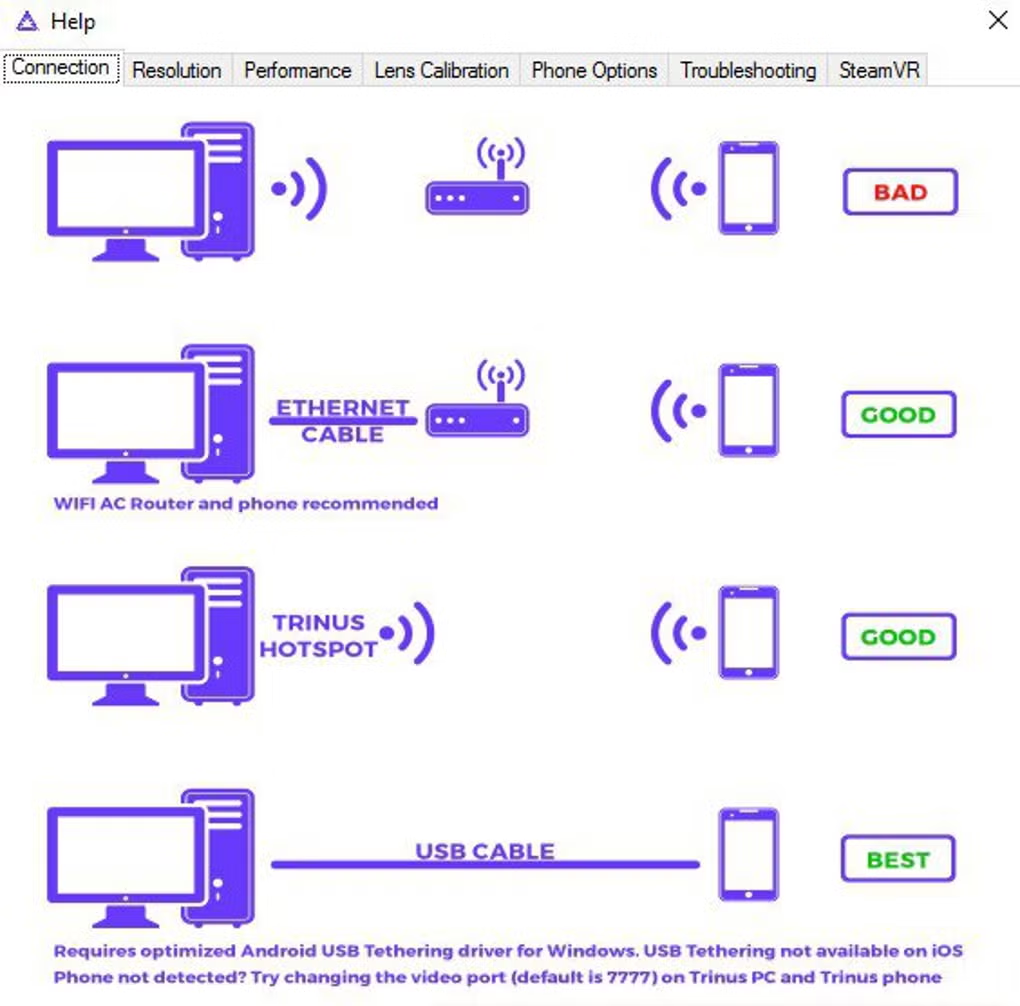
The system generally works by installing the server application on a PC and a companion app on the smartphone. Once connected through USB, Wi-Fi, or Bluetooth, the software streams visual content from the computer to the phone while tracking head movement to simulate a VR experience.
One of the biggest advantages of Trinus VR Server is affordability. Users can experience basic VR gaming without purchasing high-end VR hardware. This makes it attractive for beginners and casual VR enthusiasts.
The software supports integration with games, VR applications, and simulation software. Depending on configuration, users may also utilize head tracking, stereoscopic rendering, and motion support for immersive gameplay.
Trinus VR Server is commonly used for VR experiments, casual VR gaming, simulation projects, and testing VR-compatible software environments.
Overall, Trinus VR Server acts as a bridge between desktop gaming and mobile virtual reality experiences.
💻 System Requirements (Detailed)
To run Trinus VR Server smoothly, the following system requirements are recommended:
Minimum Requirements
- Operating System: Windows 7 / Windows 8 / Windows 10
- Processor: Intel Core i3 or equivalent
- RAM: Minimum 4GB RAM
- Graphics Card: DirectX-compatible GPU
- Storage Space: 500MB free disk space
- Mobile Device: Android smartphone with gyroscope sensor
- Internet/Wi-Fi: Required for wireless streaming
Recommended Requirements
- Processor: Intel Core i5 or higher
- RAM: 8GB RAM or more
- Graphics Card: Dedicated gaming GPU
- Storage: SSD recommended for smoother performance
- Mobile Device: Modern Android smartphone with Full HD display
- Connection: USB connection recommended for lower latency
Performance quality depends on both PC specifications and smartphone capabilities.
🔄 Alternatives
If you want similar VR streaming software, you can try:
- VRidge
- ALVR
- SteamVR
- iVRy
❓ FAQ
Q1. What is Trinus VR Server mainly used for?
It is used for streaming PC VR content to smartphones.
Q2. Does Trinus VR Server require a VR headset?
A smartphone VR headset is recommended for the best experience.
Q3. Can it work wirelessly?
Yes, it supports Wi-Fi streaming, though USB often provides lower latency.
Q4. Is Trinus VR Server suitable for gaming?
Yes, it supports many PC games and VR experiences.
Q5. Does the software work on all smartphones?
It works best on Android phones with gyroscope sensors and good display quality.
Features
- ✔️ Stream PC games to smartphone VR
- ✔️ Supports Android-based VR headsets
- ✔️ Head tracking functionality
- ✔️ USB and Wi-Fi connectivity options
- ✔️ Lightweight VR streaming environment
- ✔️ Compatible with many PC games
- ✔️ Stereoscopic VR display support
- ✔️ Customizable streaming settings
- ✔️ Affordable alternative to expensive VR systems
- ✔️ Suitable for casual VR gaming and testing
👍 Pros & 👎 Cons
Pros
- Low-cost VR solution
- Uses existing smartphone hardware
- Easy setup for casual users
- Supports multiple connection methods
- Good for VR experimentation and beginners
Cons
- Performance depends heavily on phone and PC hardware
- Latency may occur during wireless streaming
- Not as immersive as dedicated VR systems
- Some games may require additional configuration
Our Analysis
In my opinion, Trinus VR Server is a creative and affordable solution for users who want to experience virtual reality without investing in expensive dedicated VR hardware. The ability to transform a smartphone into a VR display makes it accessible for beginners and casual gamers.
The software is particularly useful for experimentation, simulation projects, and entry-level VR gaming. Users with decent PCs and modern smartphones can achieve a surprisingly enjoyable experience.
However, it cannot fully replace professional VR systems because latency, motion tracking accuracy, and overall immersion are more limited compared to dedicated headsets. Still, for budget-conscious users and VR enthusiasts looking to explore virtual reality, Trinus VR Server is definitely an interesting and practical option.
⚙️ Installation Guide (Step-by-Step)
Follow these steps to install Trinus VR Server:
Step 1: Download Trinus VR Server
Download the PC server application from a trusted source.
Step 2: Install the Server Software
Run the installer and complete setup on your computer.
Step 3: Install Mobile App
Install the companion Trinus VR app on your Android smartphone.
Step 4: Connect Smartphone to PC
Use USB, Wi-Fi, or Bluetooth connection.
Step 5: Launch Both Applications
Open the server software on PC and the mobile app on your phone.
Step 6: Configure VR Settings
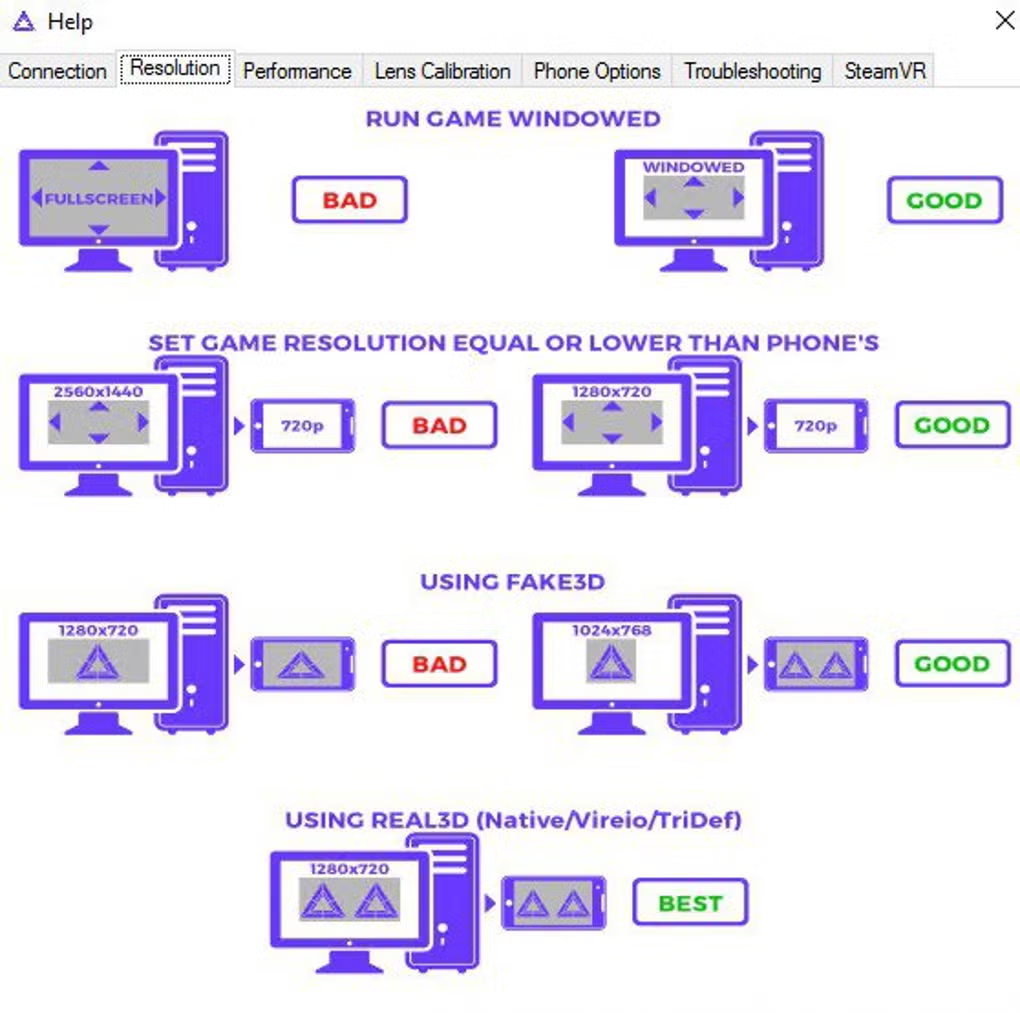
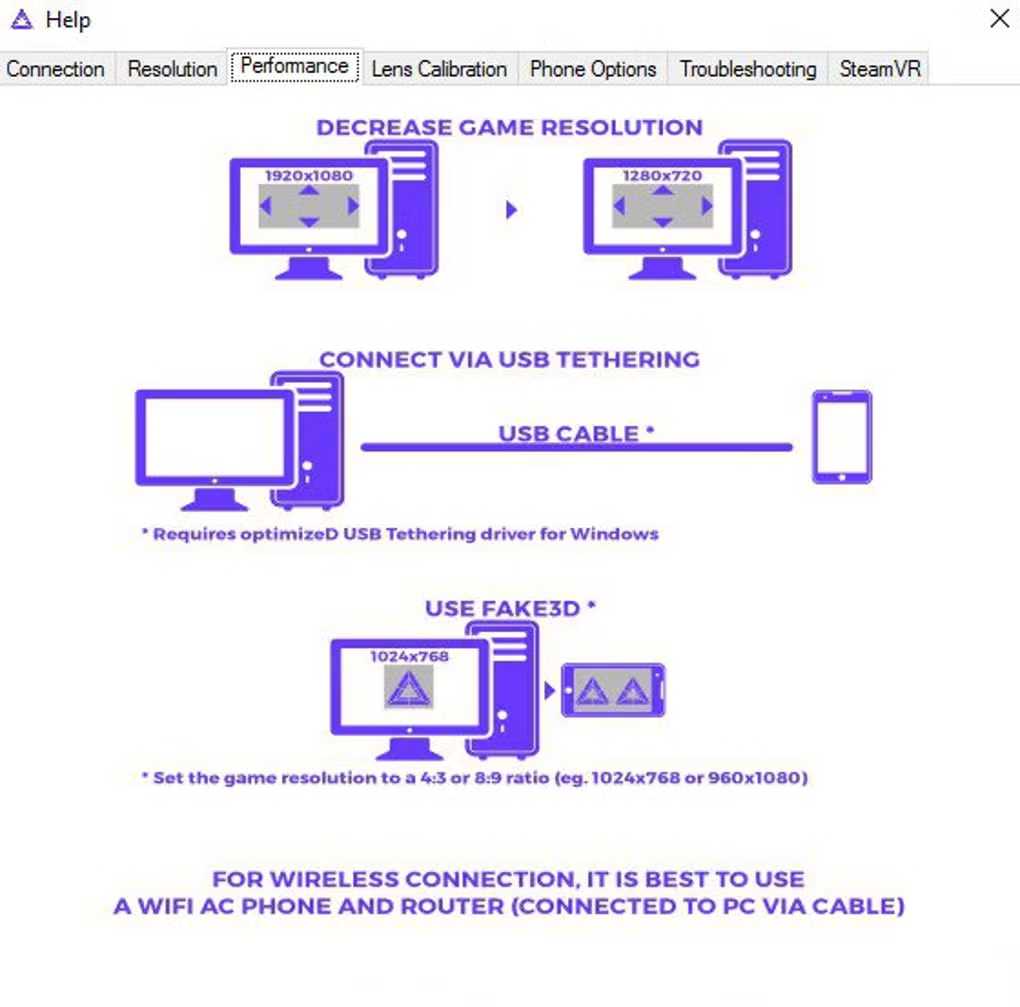
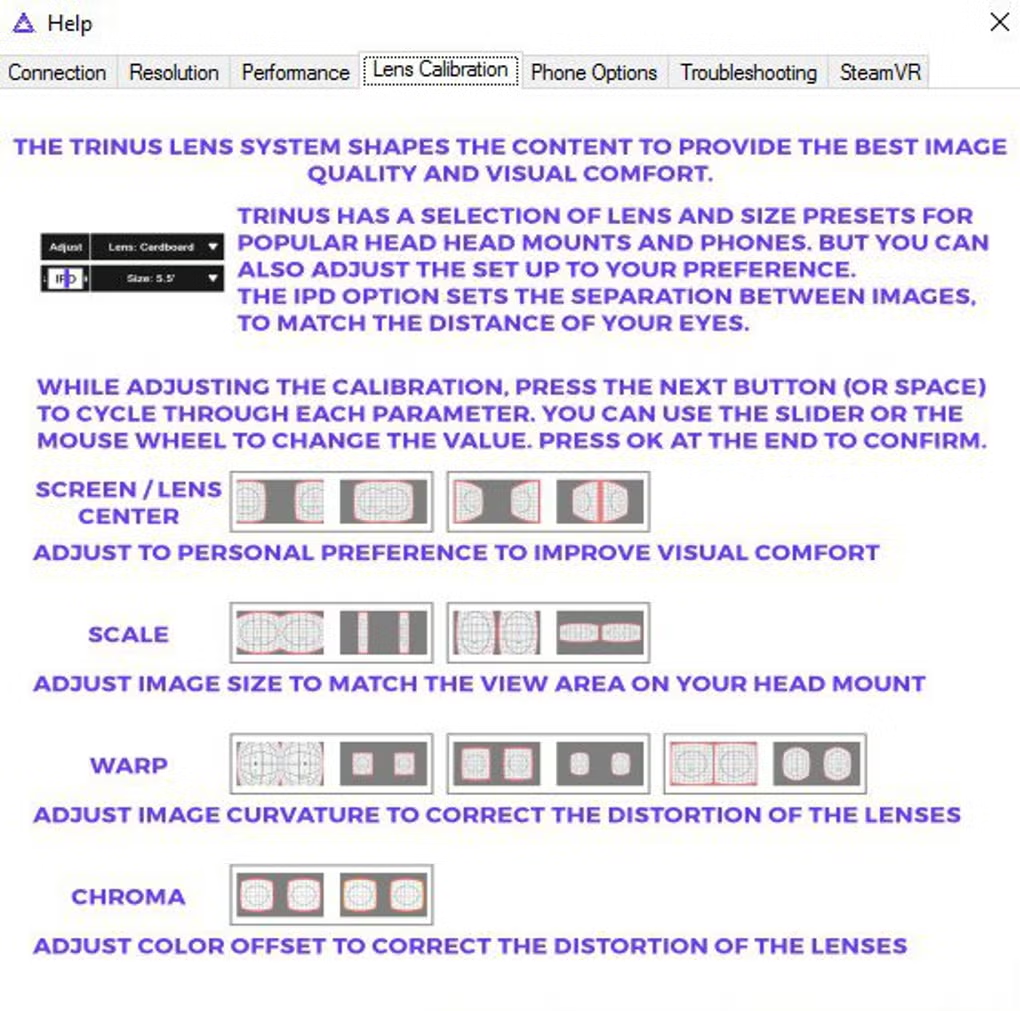
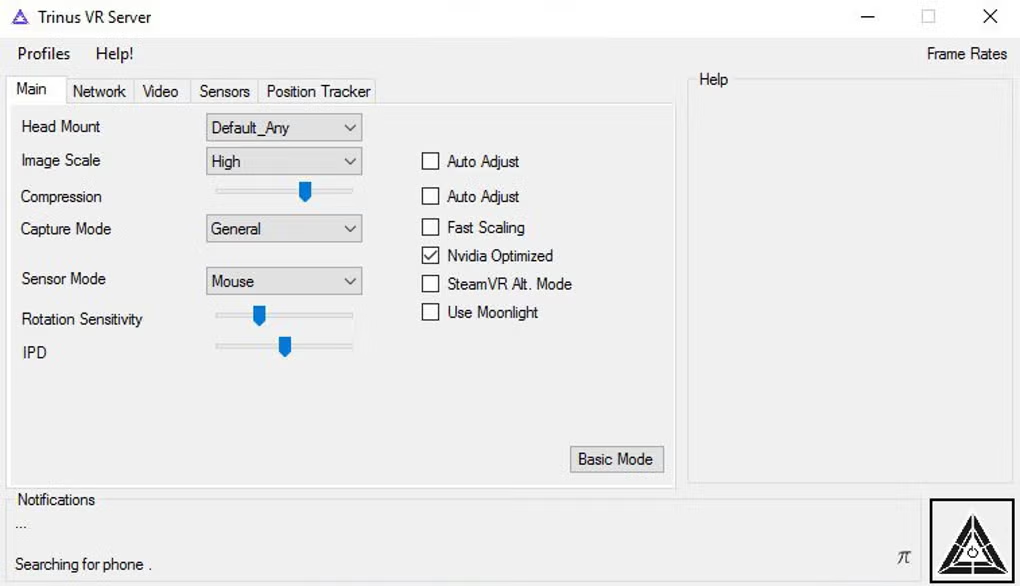
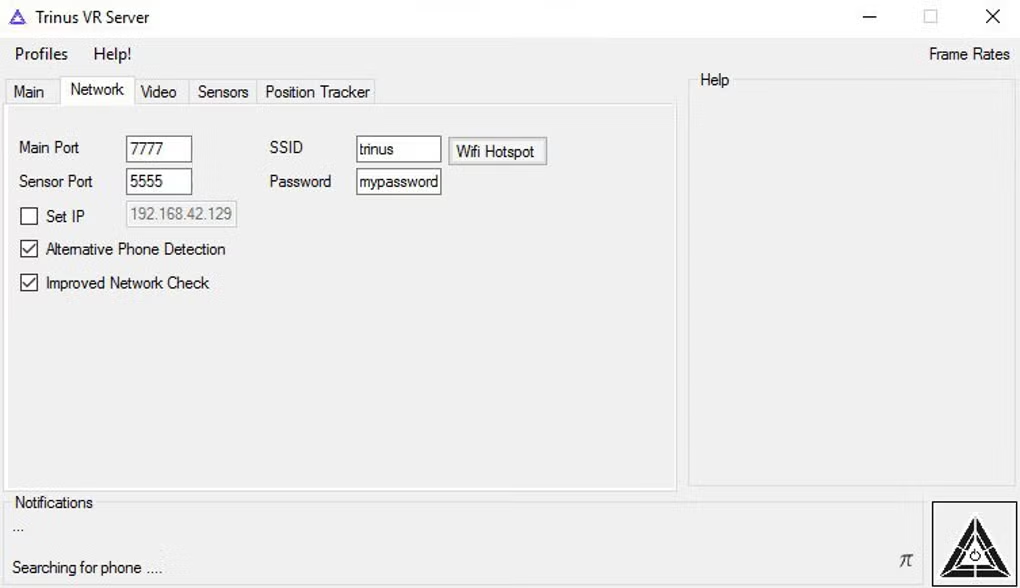
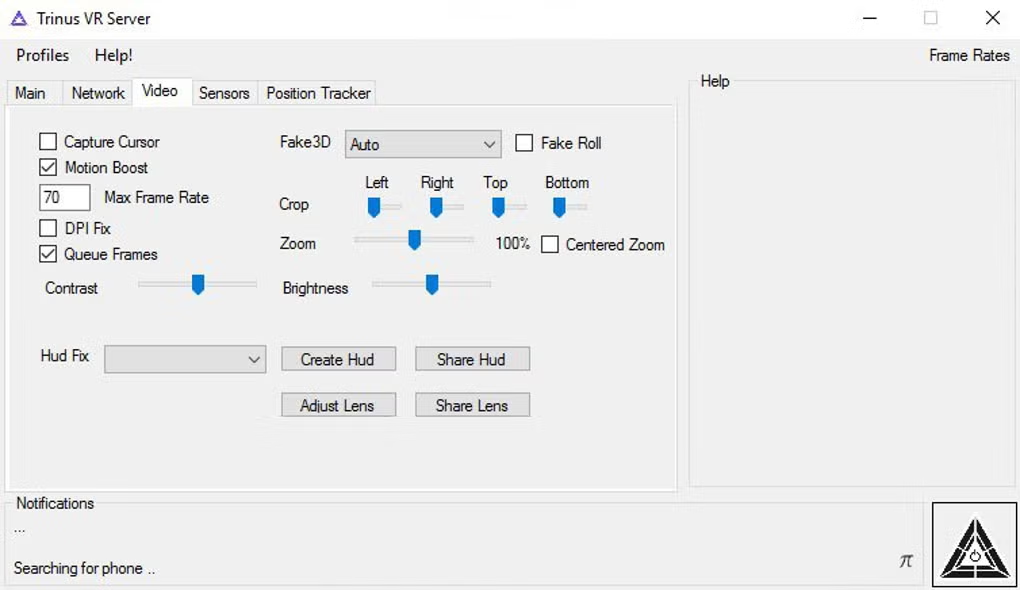
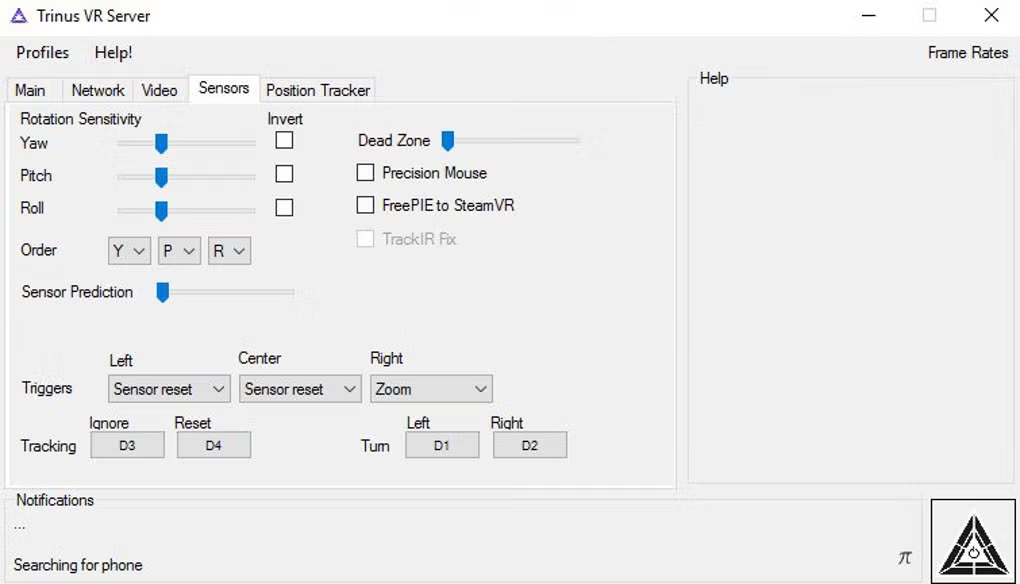
Adjust screen resolution, head tracking, and streaming options.
Step 7: Insert Phone into VR Headset
Place your smartphone inside a compatible VR headset.
Step 8: Start VR Streaming
Launch supported games or VR applications from your PC.
About SoftwareDownloading Editorial Team
The SoftwareDownloading Editorial Team researches Windows software, compatibility information, features, alternatives, and software-related guides for SoftwareDownloading.in.
Our pages are prepared using available product information and relevant documentation. When an application has not been personally tested, we distinguish research-based analysis from hands-on testing. Learn more about our review process
Apps Specs
Developer
Licence
Free
Version
V 2.1.6
Platform
Windows
Download Clicks
1
Page Reviewed
September 26, 2026
Top Downloads





Related Topics
Disclaimer
This content is provided for educational and informational purposes only. We do not host, store, or distribute any software files on our servers. All trademarks, product names, and logos belong to their respective owners.
We strongly recommend downloading software only from official websites or trusted sources. We are not responsible for any damage, data loss, or issues that may occur from the use of third-party software.
Users should ensure they comply with all applicable laws and software licensing agreements in their country before downloading or using any software mentioned on this website.