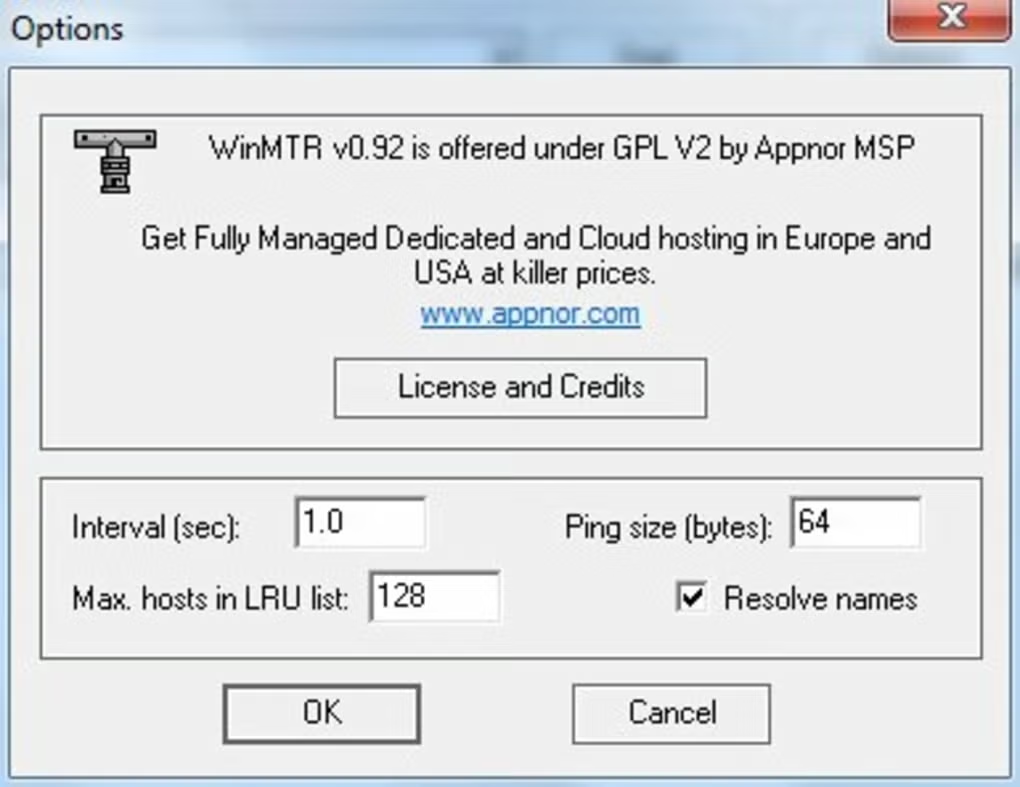
WinMTR is designed as a simple yet powerful network diagnostic tool that provides real-time insight into internet routing performance by combining continuous ping and traceroute functionality.
It helps users:
The software is commonly popular among:
Depending on usage, users may get:
WinMTR is a network troubleshooting utility that combines the functionality of ping and traceroute to analyze the path between your computer and a destination server or website.
It helps users identify where network delays, packet loss, or connection issues are occurring.
The software helps users:
It is commonly used by:
The application mainly focuses on:
It is used to diagnose network problems by combining ping and traceroute to analyze latency and packet loss.
Yes, it is widely used to identify lag, high ping, and packet loss in online games.
Yes, it shows each hop between your device and the destination, helping locate issues.
Yes, it continuously updates results while running tests.
Yes, it is a free utility tool.
✔ Combined ping + traceroute tool
✔ Real-time network monitoring
✔ Packet loss detection per hop
✔ Latency measurement
✔ Continuous connectivity testing
✔ Simple and lightweight interface
✔ Exportable reports
✔ ISP routing diagnostics
✔ Gaming lag troubleshooting support
✔ Server connectivity analysis
✔ Fast execution tool
✔ Free utility software
WinMTR is a highly effective and lightweight network diagnostic tool that helps users identify latency and packet loss issues by continuously monitoring routing paths in real time.
Its strongest advantages are:
It is best suited for IT professionals and gamers, while enterprise environments may use more advanced monitoring platforms for large-scale network analysis.
Launch the tool on Windows.
Type a domain or IP address (e.g., game server or website).
Begin continuous network monitoring.
Check hops, latency, and packet loss.
Locate problematic network nodes.
Export results for analysis or support.
This content is provided for educational and informational purposes only. We do not host, store, or distribute any software files on our servers. All trademarks, product names, and logos belong to their respective owners.
We strongly recommend downloading software only from official websites or trusted sources. We are not responsible for any damage, data loss, or issues that may occur from the use of third-party software.
Users should ensure they comply with all applicable laws and software licensing agreements in their country before downloading or using any software mentioned on this website.
Expore Apps