- Business & Productivity
- E-mail Clients
- Roundcube Webmail
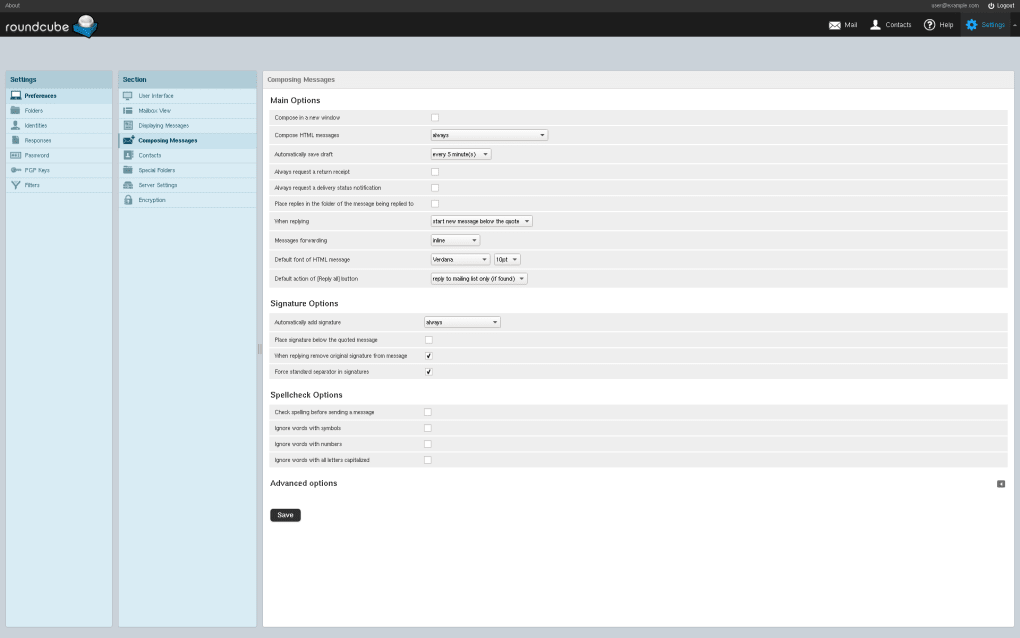
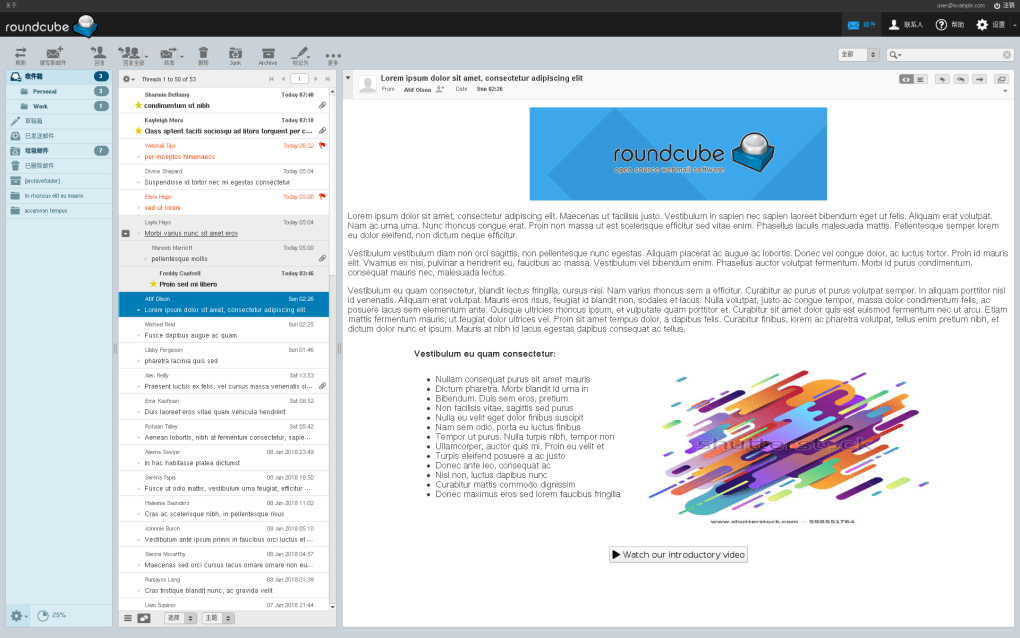
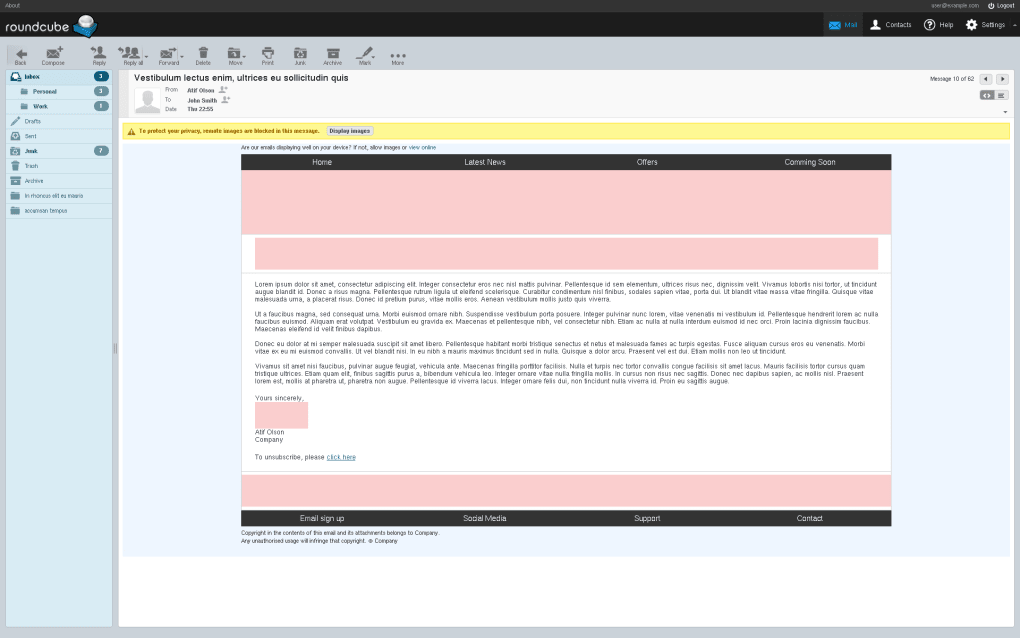
Roundcube Webmail is designed to provide users with convenient browser-based access to email services without needing desktop mail applications.
It helps users:
- Access email anywhere
- Organize mail efficiently
- Manage web hosting email accounts
- Improve communication workflows
- Use browser-based messaging
- Handle professional email systems
The software is commonly popular among:
- Hosting companies
- Website administrators
- Businesses
- Educational organizations
- Shared hosting users
- Server administrators
Depending on the version, users may get:
- Drag-and-drop email management
- Rich text email editor
- Address book support
- Plugin system
- Multiple identities
- Spam filtering integration
- Responsive web interface
📌 What is Roundcube Webmail?
Roundcube Webmail is a free open-source web-based email client that allows users to access and manage email accounts directly through a web browser.
The software provides a modern webmail interface for:
- Sending emails
- Receiving messages
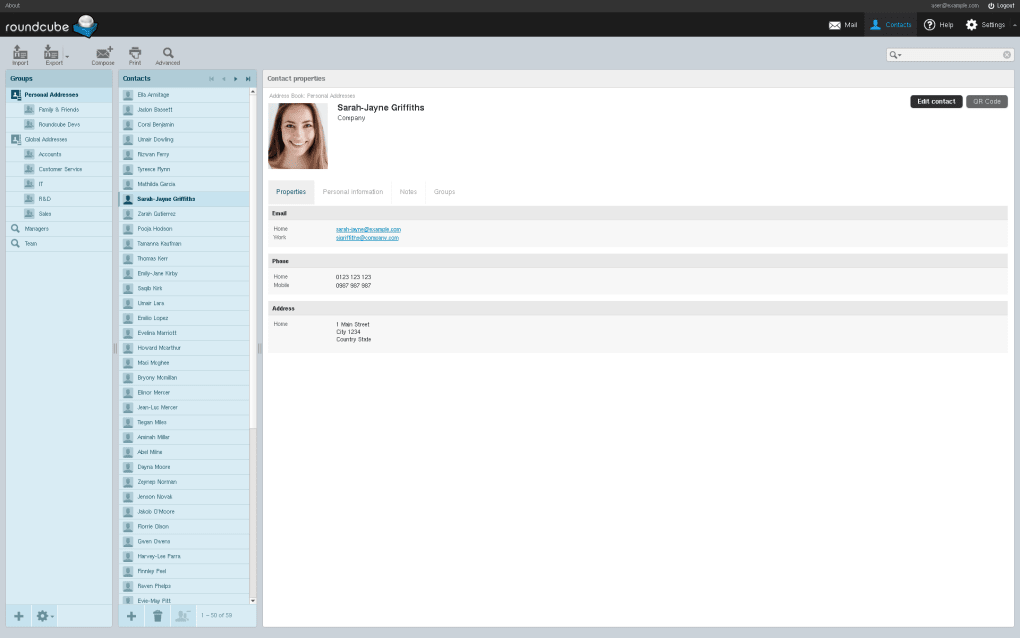
- Managing contacts
- Organizing folders
- Handling attachments
- Accessing IMAP email accounts
It is commonly used by:
- Hosting providers
- Businesses
- Website owners
- Organizations
- Educational institutions
- Personal email users
Roundcube mainly focuses on:
- Browser-based email access
- Webmail management
- IMAP email support
- Lightweight email communication
- Server-hosted mail systems
🚀 Key Uses
- Accessing email through browser
- Managing IMAP mail accounts
- Sending and receiving emails
- Organizing mail folders
- Web hosting email management
- Business communication
- Contact management
- Attachment handling
- Multi-user email systems
- Online communication
💻 System Requirements (General)
Supported Platforms
- Linux
- Microsoft Windows Server
- Web browsers
- Hosting servers
- macOS server environments
Basic Requirements
- PHP support
- Web server (Apache/Nginx)
- MySQL or compatible database
- IMAP mail server
- Stable internet connection
Recommended Requirements
- Modern PHP version
- SSD hosting storage
- Secure SSL certificate
- Dedicated hosting/server resources
- Updated web server software
🔄 Alternatives
- Horde Webmail
- SquirrelMail
- RainLoop
- Gmail
- Microsoft Outlook Web
- Zimbra Mail
- Proton Mail
❓ FAQ
Q1. What is Roundcube Webmail used for?
It is used for managing email accounts through a browser-based webmail interface.
Q2. Is Roundcube free?
Yes, it is a free and open-source webmail application.
Q3. Does it support IMAP email?
Yes, Roundcube mainly works with IMAP-based mail servers.
Q4. Can hosting providers use Roundcube?
Yes, it is commonly included in web hosting control panels.
Q5. Does it work on mobile browsers?
Yes, modern browsers on mobile devices can access Roundcube.
🔄 Best Alternatives
Features
✔ Browser-based webmail access
✔ IMAP email support
✔ Rich text email editor
✔ Contact and address book management
✔ Folder organization tools
✔ Attachment support
✔ Open-source platform
✔ Multi-language support
✔ Responsive interface
✔ Plugin and extension support
✔ Hosting control panel compatibility
✔ Secure SSL email access
👍 Pros & 👎 Cons
Pros
- Free and open-source
- Easy browser-based access
- Lightweight webmail solution
- Good hosting compatibility
- User-friendly interface
- Supports multiple email accounts
Cons
- Requires server setup knowledge
- Depends on hosting/server quality
- Limited advanced collaboration features
- Interface may feel basic compared to modern cloud mail systems
- Plugin compatibility may vary
Expert Review
Roundcube Webmail is a reliable and lightweight webmail solution for users who need browser-based email access on self-hosted or hosting provider mail systems.
Its strongest advantages are:
- Free open-source availability
- Easy webmail access
- Good hosting integration
- Lightweight performance
It is especially useful for hosting providers, businesses, and website owners who want full control over their email systems without depending entirely on third-party cloud email services.
However, advanced collaboration features are more limited compared to modern enterprise email platforms.
How to Install
⚙️ Usage Guide (General Overview)
Step 1: Install Roundcube
Install Roundcube Webmail on hosting server.
Step 2: Configure Mail Server
Set up:
- IMAP
- SMTP
- Database
- Domain email settings
Step 3: Access Webmail
Open Roundcube through browser URL.
Step 4: Log In
Enter:
- Email address
- Password
Step 5: Manage Emails
Use features like:
- Inbox
- Sent mail
- Drafts
- Trash
- Custom folders
Step 6: Compose Messages
Create and send emails with attachments.
Step 7: Organize Contacts
Manage address book and email contacts.
Step 8: Continue Communication
Use Roundcube for daily email operations.
Apps Specs
Licence
Free
Latest Update
June 24, 2026
Platform
Windows
Downloads
Devlopers
Top Downloads
Related Topics
Disclaimer
This content is provided for educational and informational purposes only. We do not host, store, or distribute any software files on our servers. All trademarks, product names, and logos belong to their respective owners.
We strongly recommend downloading software only from official websites or trusted sources. We are not responsible for any damage, data loss, or issues that may occur from the use of third-party software.
Users should ensure they comply with all applicable laws and software licensing agreements in their country before downloading or using any software mentioned on this website.
You may also like
Alternatives to
Expore Apps