- Business & Productivity
- Agenda & Calendars
- Microsoft To-Do

Microsoft To Do is designed to simplify productivity management with an easy-to-use interface and cloud synchronization.
It helps users:
- Plan daily activities
- Avoid missing deadlines
- Organize work and personal life
- Improve productivity habits
- Access tasks from anywhere
- Maintain structured workflows
It is commonly used in:
- Personal productivity
- Office work management
- Student scheduling
- Household planning
- Small team coordination
- Microsoft ecosystem workflows
Depending on setup, users may get:
- Shared task lists
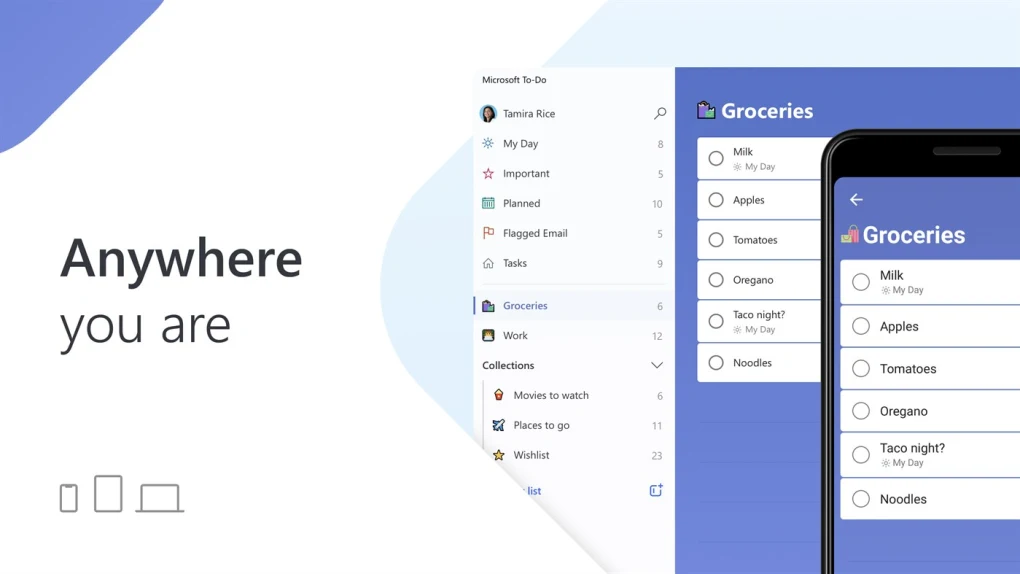
- Cross-device synchronization
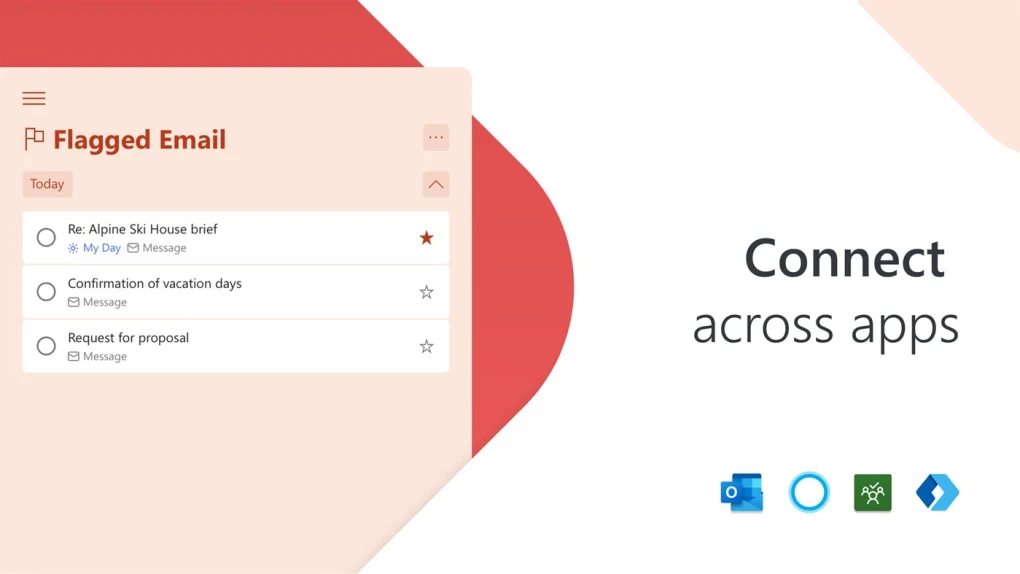
- Outlook integration
- Reminder notifications
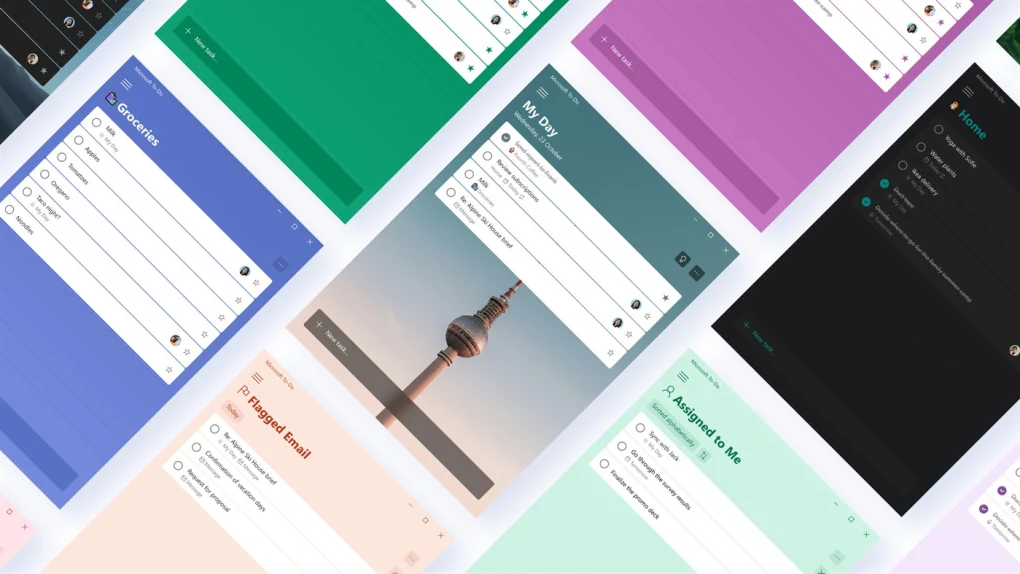
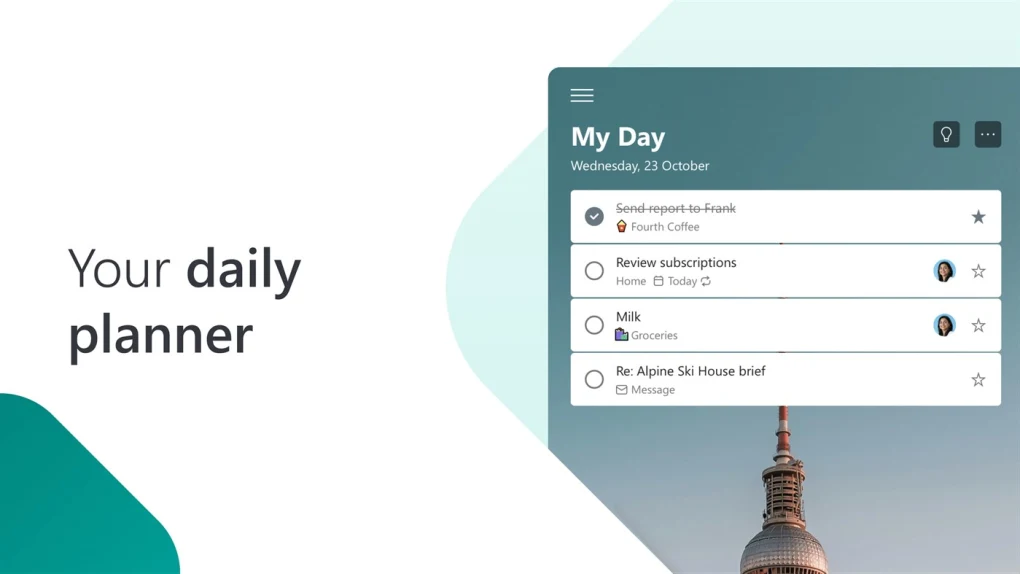
- Daily planning (“My Day” feature)
- File attachments in tasks
- Recurring task support
📌 What is Microsoft To Do?
Microsoft To Do is a cloud-based task management and productivity application developed by Microsoft.
It helps users organize daily tasks, create to-do lists, set reminders, and manage personal or work productivity across devices.
The app is designed to be simple, modern, and tightly integrated with the Microsoft ecosystem.
🚀 Key Uses
- Creating daily to-do lists
- Managing personal tasks
- Setting reminders and deadlines
- Organizing work projects
- Synchronizing tasks across devices
- Productivity and habit tracking
- Grocery and shopping lists
- Team collaboration (via Microsoft accounts)
- Task prioritization
- Calendar-based planning
Supported Platforms
- Microsoft Windows
- Android
- iOS
- Web browser
- macOS
🔄 Alternatives
- Todoist
- Trello
- Notion
- Google Tasks
- Any.do
- TickTick
- MSD Tasks
❓ FAQ
Q1. What is Microsoft To Do used for?
It is used for task management, reminders, and organizing daily productivity.
Q2. Is Microsoft To Do free?
Yes, it is free with a Microsoft account.
Q3. Does it sync across devices?
Yes, tasks sync automatically through cloud integration.
Q4. Can it integrate with Outlook?
Yes, it integrates with Microsoft Outlook tasks.
Q5. Is it suitable for teams?
It is mainly personal-focused, but shared lists are supported.
Features
✔ Cloud-based task synchronization
✔ Daily “My Day” planner
✔ Reminder and due date support
✔ Shared task lists
✔ Cross-platform support
✔ Outlook integration
✔ Recurring task scheduling
✔ Notes and attachments in tasks
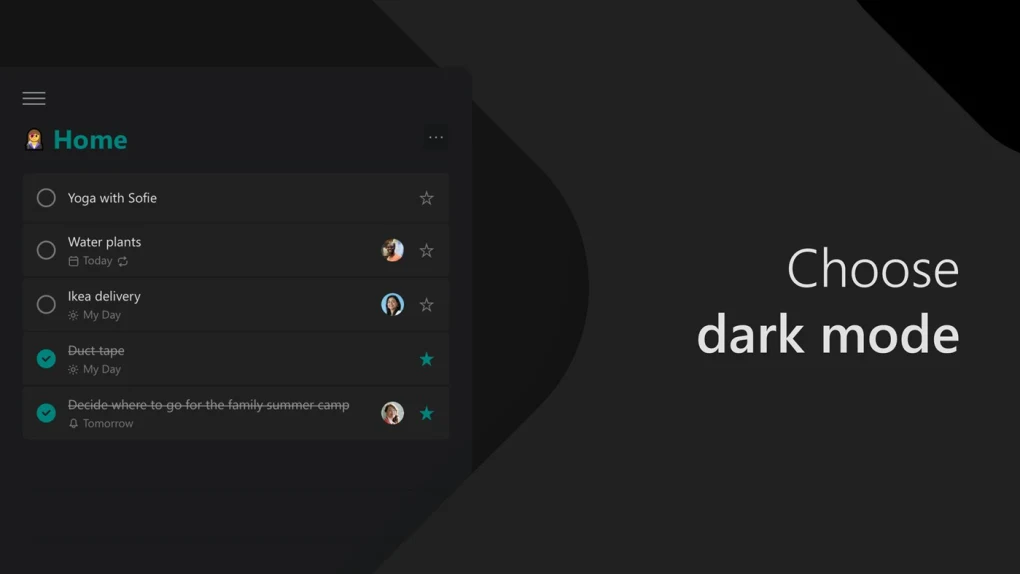
✔ Simple modern interface
✔ Priority and categorization tools
✔ Mobile and desktop apps
✔ Microsoft ecosystem integration
👍 Pros & 👎 Cons
Pros
- Completely free
- Easy and beginner-friendly
- Excellent cross-device sync
- Strong Microsoft integration
- Clean and modern interface
- Great for personal productivity
Cons
- Limited advanced project management
- Basic collaboration features
- Requires Microsoft account
- Less powerful than enterprise PM tools
- Internet needed for sync features
Our Analysis
Microsoft To Do is one of the best free task management apps for personal productivity and simple organization.
Its strongest advantages are:
- Clean and easy interface
- Excellent Microsoft ecosystem integration
- Reliable cloud sync
- Great for daily planning
It is especially useful for students, office workers, and users already using Microsoft services like Outlook and Windows.
However, it is not ideal for complex enterprise-level project management.
⚙️ Installation Guide (General Overview)
Step 1: Install App
Download Microsoft To Do on desktop or mobile.
Step 2: Sign In
Use Microsoft account.
Step 3: Create Lists
Add personal or work task lists.
Step 4: Add Tasks
Create tasks and subtasks.
Step 5: Set Deadlines
Configure reminders and due dates.
Step 6: Organize Priorities
Mark important tasks.
Step 7: Use “My Day”
Plan daily schedule.
Step 8: Sync Across Devices
Access tasks anywhere.
Step 9: Share Lists
Collaborate with others if needed.
Step 10: Maintain Productivity
Update tasks regularly.
About SoftwareDownloading Editorial Team
The SoftwareDownloading Editorial Team researches Windows software, compatibility information, features, alternatives, and software-related guides for SoftwareDownloading.in.
Our pages are prepared using available product information and relevant documentation. When an application has not been personally tested, we distinguish research-based analysis from hands-on testing. Learn more about our review process
Apps Specs
Developer
Licence
Free
Version
2.82.52992.0
Platform
Windows
Download Clicks
1
Page Reviewed
September 26, 2026
Top Downloads

Disclaimer
This content is provided for educational and informational purposes only. We do not host, store, or distribute any software files on our servers. All trademarks, product names, and logos belong to their respective owners.
We strongly recommend downloading software only from official websites or trusted sources. We are not responsible for any damage, data loss, or issues that may occur from the use of third-party software.
Users should ensure they comply with all applicable laws and software licensing agreements in their country before downloading or using any software mentioned on this website.