
Shapr3D provides a CAD workspace that brings 2D sketching, 3D solid modeling and design review tools into the same application. It can be used for tasks ranging from early product concepts and custom parts to models intended for prototyping or manufacturing workflows.
The modeling environment supports sketch-based design as well as tools for creating and modifying solid geometry. Shapr3D uses the Siemens Parasolid geometry kernel and provides history-based modeling capabilities, allowing users to revisit features and parameters during the design process.
One of Shapr3D’s practical advantages is its multi-device workflow. Native applications are available for Windows, macOS and iPadOS, while Shapr3D Sync can make projects available across supported devices. Projects stored locally can also remain accessible offline; internet access is required for functions such as downloading or updating the application, Sync and external cloud services.
The free Basic plan provides access to core sketching and 3D solid-modeling functionality, but it is intended for limited use. It currently allows a maximum of two projects and restricts exports to low-resolution STL and 3MF. Users who depend on broader CAD export formats or advanced features should compare the available paid plans.
Shapr3D is a 3D CAD modeling application designed for product design, engineering, prototyping, manufacturing workflows and other projects that require precise 3D geometry. It combines sketching and solid modeling tools with visualization, technical drawing and file-sharing capabilities in a workspace designed to work across desktop and tablet devices.
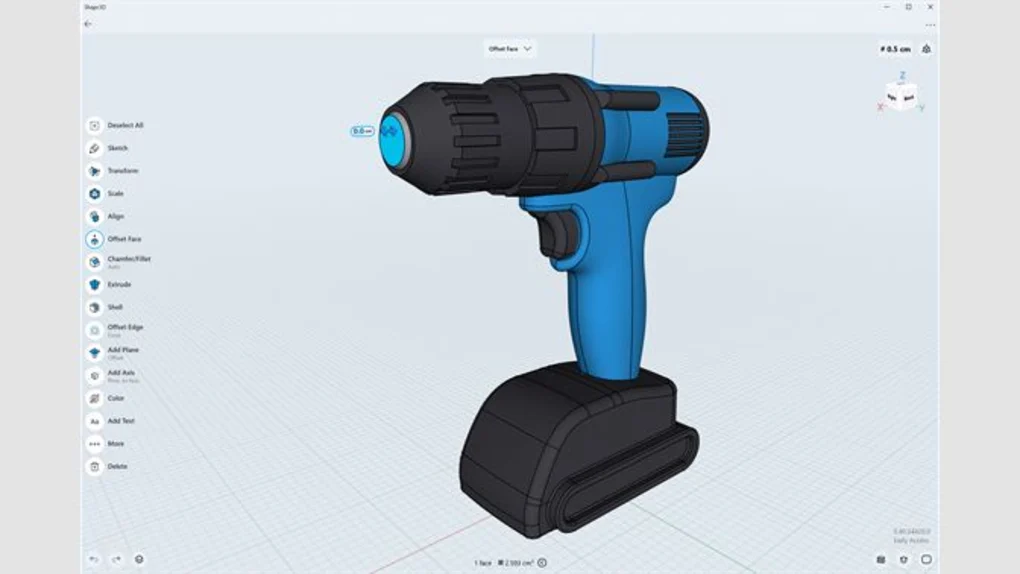
On Windows, Shapr3D supports traditional mouse and keyboard workflows while also supporting pen and touch input on compatible hardware. Designers can create 2D sketches, build solid models, modify geometry and move between modeling, visualization and drawing workflows.
Shapr3D also supports interoperability with a range of CAD and 3D file formats. Depending on the subscription plan, users can import and export formats used in other design and manufacturing workflows. This can make it useful when a project needs to move between Shapr3D and other CAD applications.
A free Shapr3D Basic plan is available, but it has important limitations. Basic users can create a maximum of two projects and have restricted export options. Users who need advanced professional workflows, broader export capabilities, Visualization or 2D Drawings should review the current paid plans before choosing Shapr3D for ongoing production work.
Compatibility / System Requirements
Windows: Windows 10, version 2004 or later
Other Supported Platforms: macOS, iPadOS and visionOS
Account: A valid Shapr3D account is required
Internet for Modeling: Not required
Internet Required For: Downloading and updating Shapr3D, Shapr3D Sync, web links and supported external cloud services
Input: Mouse and keyboard are supported on desktop; compatible pen and touch hardware can also be used
Hardware requirements can vary depending on device and project complexity. Users should check Shapr3D’s current Compatible Devices documentation before installation rather than relying on generic RAM, CPU or GPU requirements.
Features
2D Sketching and Constraints
Create sketches that can serve as the foundation for precise 3D models. Sketching and constraint tools are included among Shapr3D’s core modeling capabilities.
3D Solid Modeling
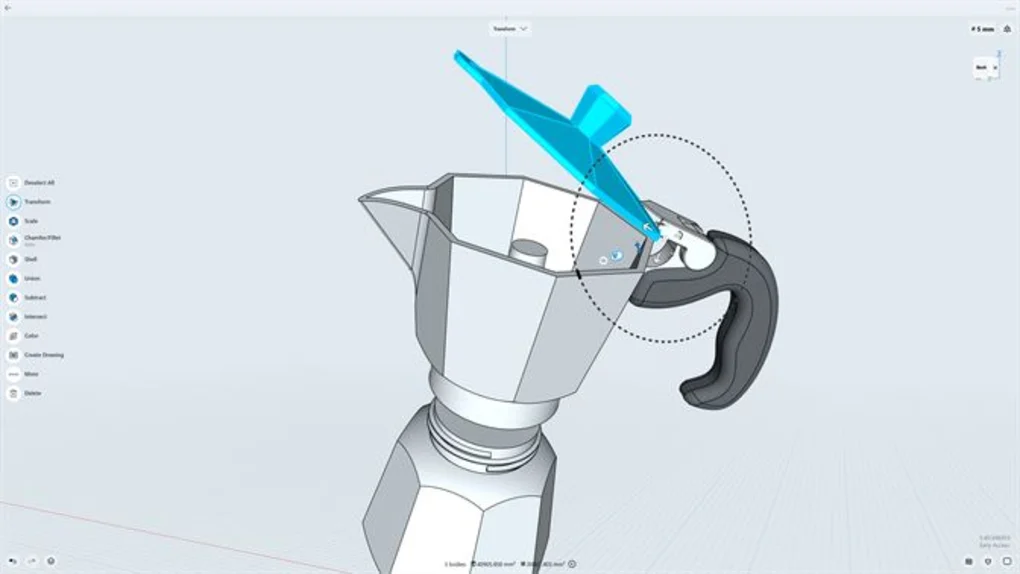
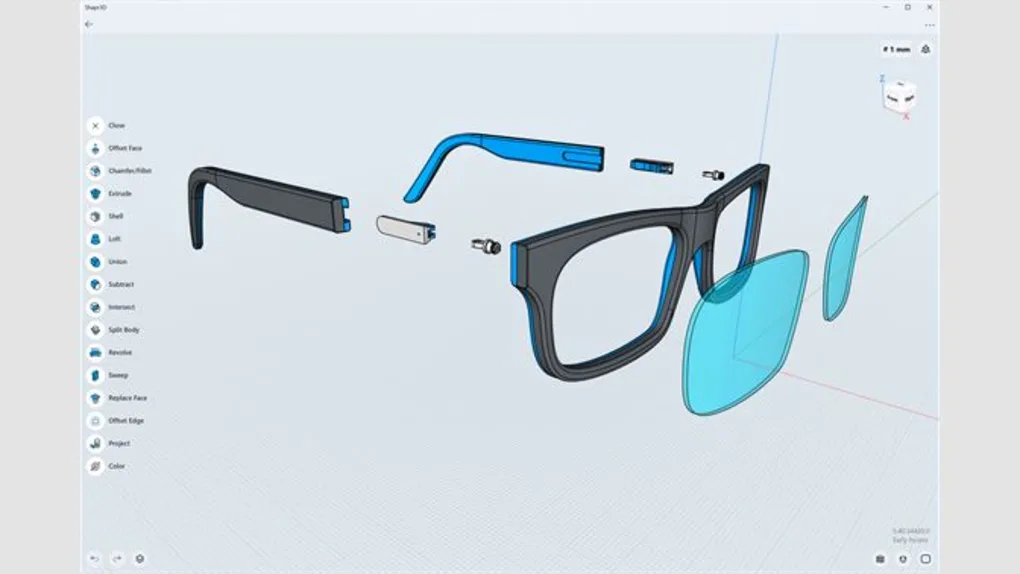
Shapr3D provides tools for building and modifying solid geometry, including operations such as Loft, Sweep, Union, Subtract, Intersect, Shell, Pattern, Split and Chamfer/Fillet.
History-Based Modeling
The modeling workflow includes design history with editable feature parameters, making it possible to revisit earlier operations and adjust a model as the design develops.
CAD File Compatibility
Shapr3D supports several commonly used CAD and 3D formats. Supported formats and import/export availability vary by plan, so users working with other CAD applications should check the format and subscription requirements for their workflow.
2D Technical Drawings
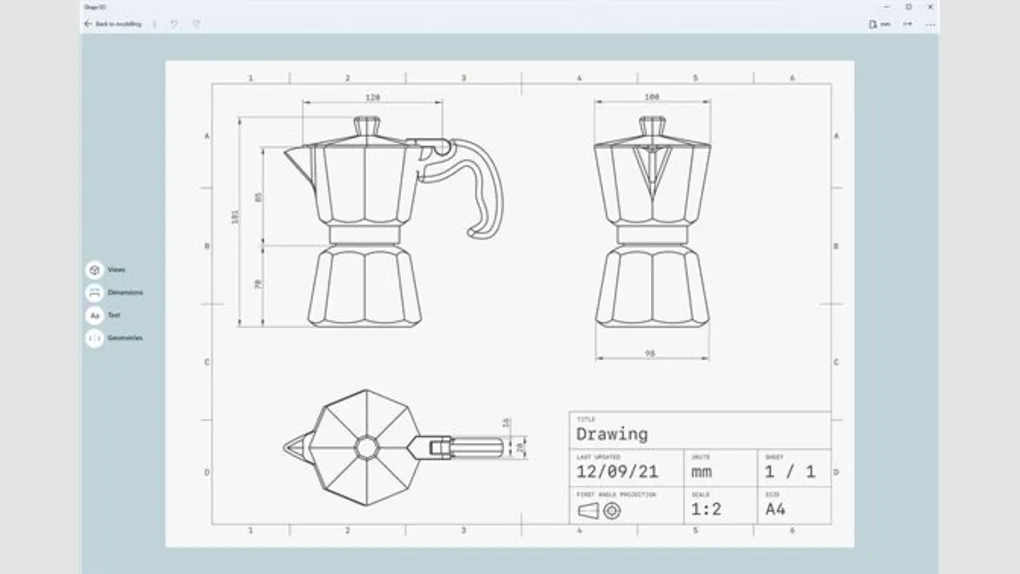
Shapr3D includes a dedicated 2D Drawings environment for creating technical documentation from 3D models, including dimensions, annotations and drawing views. Availability depends on the selected plan.
Real-Time Visualization
The Visualization environment can apply materials and environments to 3D models for design review and presentation. Current documentation describes more than 100 materials along with environment and camera controls.
Cross-Device Workflow
Projects can be used across supported Shapr3D platforms through Shapr3D Sync, allowing a design started on one supported device to continue on another.
Offline Modeling
An internet connection is not required for the core modeling process. Locally available projects can remain accessible offline, although online services such as Sync require connectivity.
Pen, Touch, Mouse and Keyboard Workflows
Shapr3D supports multiple input methods, making it suitable for conventional desktop CAD use as well as compatible pen- and touch-enabled devices.
👍 Pros & 👎 Cons
Pros
- Combines 2D sketching and 3D solid modeling in one CAD workspace.
- Available natively on Windows, macOS and iPadOS.
- Core modeling can be performed without a continuous internet connection.
- Supports multiple input methods, including mouse, keyboard, pen and touch on compatible devices.
- Works with a broad range of CAD and 3D file formats, depending on the selected plan.
- Includes integrated visualization and technical drawing workflows on applicable plans.
- Free Basic plan provides access to core modeling tools for learning and limited projects.
Cons
- The free Basic plan is limited to a maximum of two projects.
- Basic exports are restricted to low-resolution STL and 3MF.
- Advanced capabilities such as Visualization and 2D Drawings require an appropriate paid plan.
- Some advanced CAD file-format support is restricted by subscription tier.
- Shapr3D currently does not provide an Android version.
- Complex CAD projects can require more capable hardware than simple models, so device compatibility should be checked before relying on Shapr3D for demanding workloads.
Our Analysis
Shapr3D takes a different approach from traditional desktop-only CAD workflows by providing a modeling environment designed to work across desktop and tablet devices. Its combination of sketching, solid modeling, visualization and drawing tools can support a workflow that begins with an early concept and continues into more detailed design and documentation.
For Windows users, the software can be used with a conventional mouse and keyboard, while compatible pen and touch hardware provides additional interaction options. Cross-device Sync is also useful for users who work between Windows, Mac and iPad hardware.
The free Basic plan is useful for evaluating the modeling workflow or working on a small number of projects, but its restrictions are significant for production use. The two-project limit and restricted low-resolution exports mean users who regularly exchange CAD files or prepare professional deliverables are likely to need a paid plan.
Shapr3D is therefore worth considering when cross-device CAD, direct modeling interaction and an integrated design workflow are important. Before adopting it for professional work, users should compare the current plan limitations, supported file formats and hardware compatibility with the requirements of their projects.
About SoftwareDownloading Editorial Team
The SoftwareDownloading Editorial Team researches Windows software, compatibility information, features, alternatives, and software-related guides for SoftwareDownloading.in.
Our pages are prepared using available product information and relevant documentation. When an application has not been personally tested, we distinguish research-based analysis from hands-on testing. Learn more about our review process
Apps Specs
Developer
Licence
Free
Version
5.60.37266.0
Platform
Windows
Download Clicks
77
Page Reviewed
September 28, 2026
Top Downloads



Disclaimer
This content is provided for educational and informational purposes only. We do not host, store, or distribute any software files on our servers. All trademarks, product names, and logos belong to their respective owners.
We strongly recommend downloading software only from official websites or trusted sources. We are not responsible for any damage, data loss, or issues that may occur from the use of third-party software.
Users should ensure they comply with all applicable laws and software licensing agreements in their country before downloading or using any software mentioned on this website.

This Post Has One Comment
Pingback: 18 Useful Windows Software for Different Needs in 2026