- Education & Reference
- Catalogs
- Tablacus Explorer

Tablacus Explorer is a lightweight and highly customizable file manager for Windows that provides advanced file browsing, tab support, and extension-based functionality for better file management.
📌 What is Tablacus Explorer?
Tablacus Explorer is an advanced file management software designed as an alternative to the default Windows File Explorer. It offers users a faster, more flexible, and highly customizable way to browse and manage files and folders on their computer.
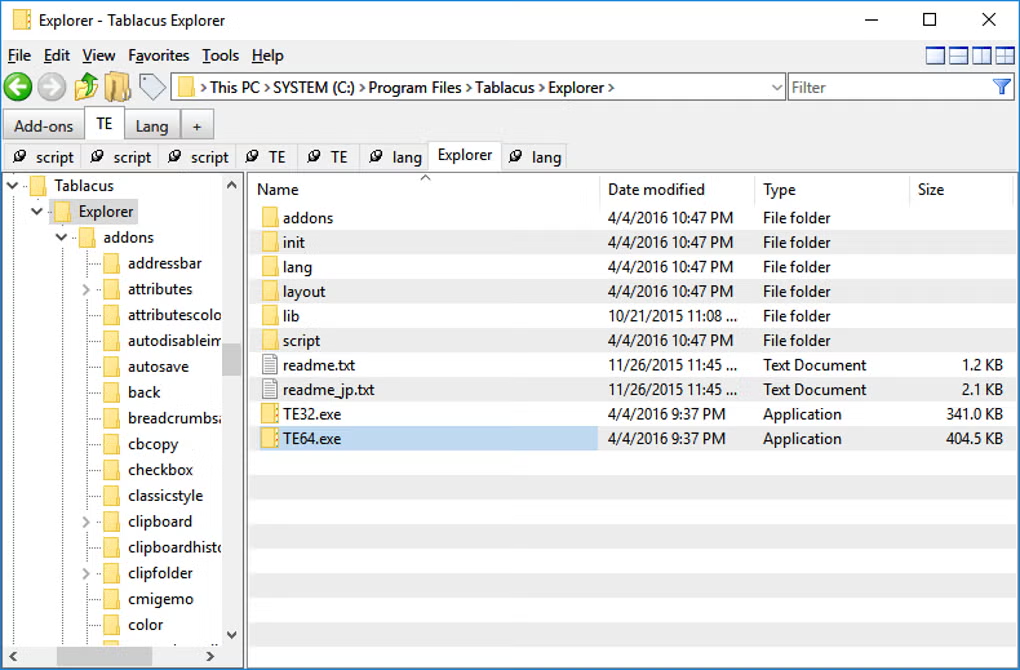
The biggest advantage of Tablacus Explorer is its tabbed browsing system. Instead of opening multiple separate windows for different folders, users can manage everything inside a single interface using tabs, similar to a web browser. This improves workflow and saves time, especially for users who frequently move files between folders.
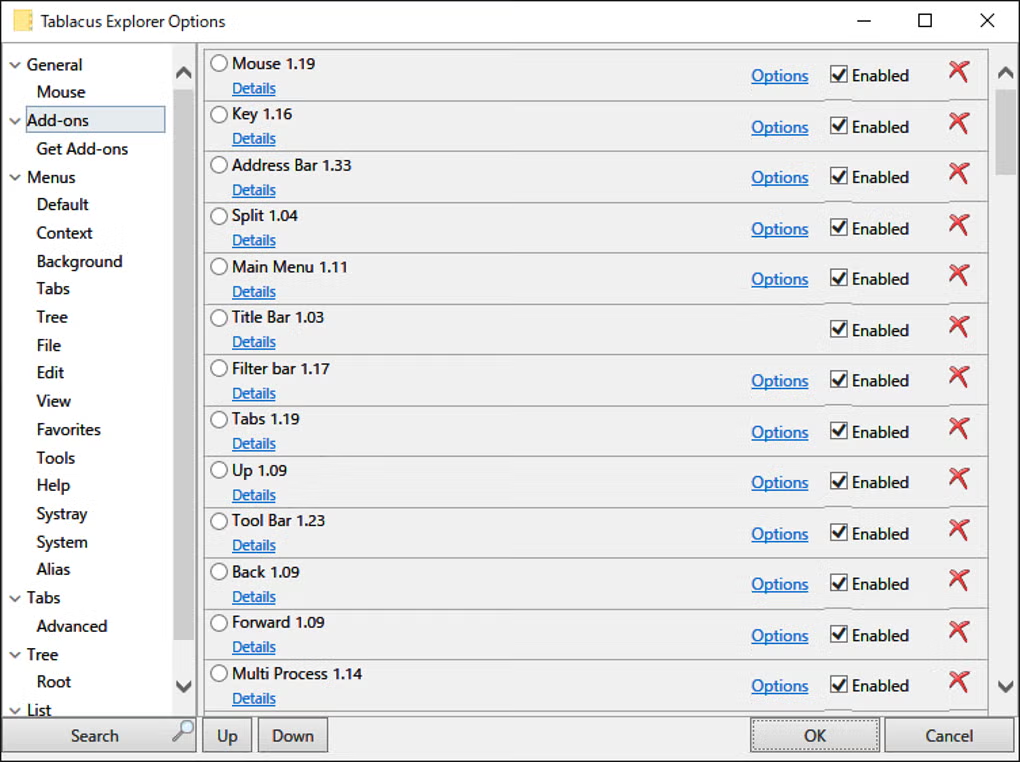
Unlike standard file managers, Tablacus Explorer supports plugins and add-ons, allowing users to extend its functionality according to their needs. Whether it is better file previews, custom toolbar options, or advanced folder navigation, users can personalize the software to match their workflow.
The software is especially useful for power users, developers, office professionals, and anyone who works with large amounts of files daily. Despite offering advanced functionality, it remains lightweight and runs smoothly even on older systems.
Because of its flexibility and strong customization options, many users prefer Tablacus Explorer over the default Windows Explorer for long-term productivity.
💻 System Requirements (Detailed)
To run Tablacus Explorer smoothly, the following system requirements are recommended:
Minimum Requirements
- Operating System: Windows 7 / Windows 8 / Windows 10 / Windows 11
- Processor: Intel Pentium Dual-Core or equivalent
- RAM: Minimum 2GB RAM
- Storage Space: 100MB free disk space
- Display: 1024×768 resolution or higher
Recommended Requirements
- Processor: Intel Core i3 or higher
- RAM: 4GB or more
- Storage: Additional free space for plugins and cache
- Display: Full HD resolution for better workspace management
Since the software is lightweight, it performs well even on older hardware systems.
🔄 Alternatives
If you want similar file manager software, you can also try:
- Directory Opus
- Total Commander
- XYplorer
- FreeCommander
These alternatives also offer powerful file browsing and management features.
❓ FAQ
Q1. What makes Tablacus Explorer different from Windows Explorer?
It offers tabbed browsing, plugins, and advanced customization options that improve productivity.
Q2. Is Tablacus Explorer free to use?
Yes, it is generally available as free software for Windows users.
Q3. Can beginners use this software?
Yes, but advanced customization may take some time to understand fully.
Q4. Does it support plugins?
Yes, plugin support is one of its strongest features.
Q5. Is it better than default File Explorer?
For users who need advanced file management, it can be significantly better.
🔄 Best Alternatives
Features
- ✔️ Tabbed file browsing system
- ✔️ Lightweight and fast performance
- ✔️ Highly customizable interface
- ✔️ Plugin and add-on support
- ✔️ Multiple panel support
- ✔️ Advanced file navigation
- ✔️ Folder preview and management
- ✔️ Keyboard shortcut support
- ✔️ Improved workflow efficiency
- ✔️ Suitable for professional users
👍 Pros & 👎 Cons
Pros
Pros:
- Tabbed browsing improves productivity
- Lightweight and fast software
- Highly customizable for advanced users
- Plugin support adds extra functionality
- Better file management than default explorer
Cons
Cons:
- Beginners may need time to learn
- Interface looks less modern
- Requires setup for best performance
- Too many options may confuse casual users
Expert Review
In my opinion, Tablacus Explorer is one of the best lightweight alternatives to the default Windows File Explorer. The tabbed browsing system alone makes file management much faster and more comfortable, especially for users handling multiple folders at once.
Its customization options are excellent, and plugin support makes it flexible enough for both simple and advanced workflows. While beginners may take some time to adjust, the productivity benefits are worth it.
If you want more control over your files and folders without using heavy software, Tablacus Explorer is definitely a strong choice.
How to Install
Follow these steps to install Tablacus Explorer correctly:
Step 1: Download the Software
Download the latest version of Tablacus Explorer from a trusted and secure source.
Step 2: Extract the Files (if ZIP version)
Some versions may come in ZIP format. Extract the files using a tool like WinRAR or 7-Zip.
Step 3: Run the Setup File
Open the installer file and begin the installation process.
Step 4: Choose Installation Location
Select the folder where you want the software to be installed.
Step 5: Complete Installation
Click Install and wait for the process to finish.
Step 6: Launch the Software
Open Tablacus Explorer and begin configuring your preferred layout and settings.
Step 7: Install Plugins (Optional)
Add useful extensions and plugins based on your workflow requirements.

Top Downloads


Related Topics
Disclaimer
This content is provided for educational and informational purposes only. We do not host, store, or distribute any software files on our servers. All trademarks, product names, and logos belong to their respective owners.
We strongly recommend downloading software only from official websites or trusted sources. We are not responsible for any damage, data loss, or issues that may occur from the use of third-party software.
Users should ensure they comply with all applicable laws and software licensing agreements in their country before downloading or using any software mentioned on this website.
You may also like






Alternatives to

Expore Apps