- Browser
- Web Browser
- BriskBard

BriskBard is an all-in-one internet suite and web browser for Windows that combines web browsing, email, media playback, news reading, FTP tools, IRC chat, and other internet-related utilities inside a single integrated application.
📌 What is BriskBard?
BriskBard is a multifunction internet suite developed by Salvador Díaz Fau that combines multiple internet applications into a single software environment. Instead of using separate programs for browsing, email, media, FTP, and communication, BriskBard integrates many internet-related tools together.
The software is designed for users who prefer centralized internet workflows and productivity environments.
BriskBard is commonly used for:
- Web browsing
- Email management
- FTP access
- Media playback
- IRC chat
- News reading
- Internet productivity workflows
- File transfers
- Multi-tool internet environments
One of the biggest strengths of BriskBard is the integrated all-in-one design.
The software is commonly used by:
- Power users
- Advanced internet users
- Developers
- Office users
- Technical users
- Users preferring integrated software environments
- Productivity-focused users
Depending on the version and modules installed, BriskBard may support:
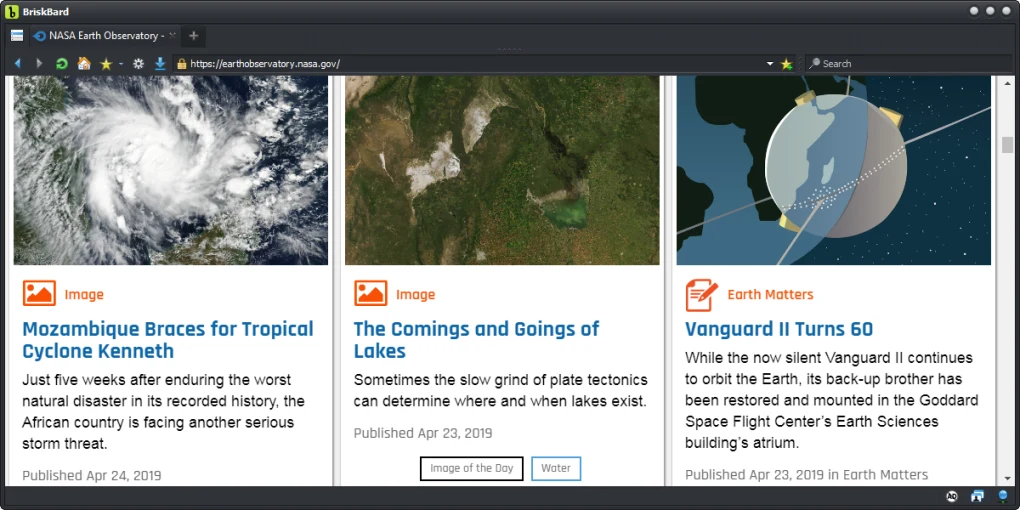
- Tabbed web browsing
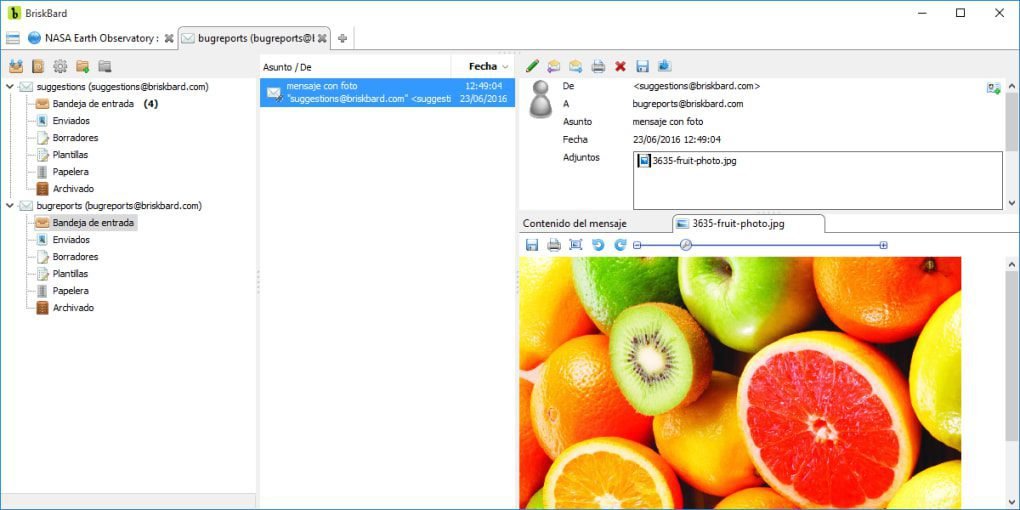
- Integrated email client
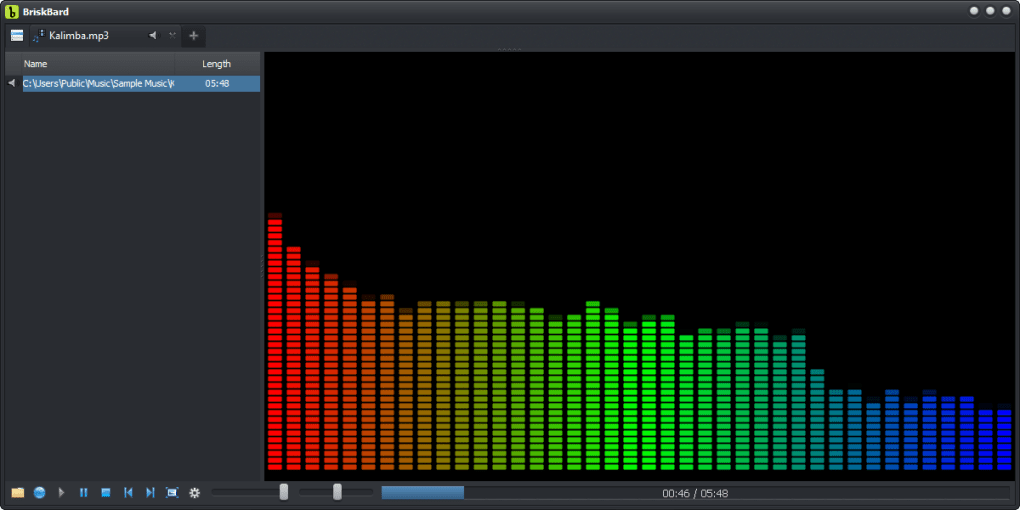
- Built-in media player
- FTP client functionality
- IRC chat support
- Newsreader integration
- Web standards compatibility
- Download management
- Bookmark management
- Session management
- Privacy and cookie controls
- HTML5 support
- Multi-tab internet workflows
- Integrated utility panels
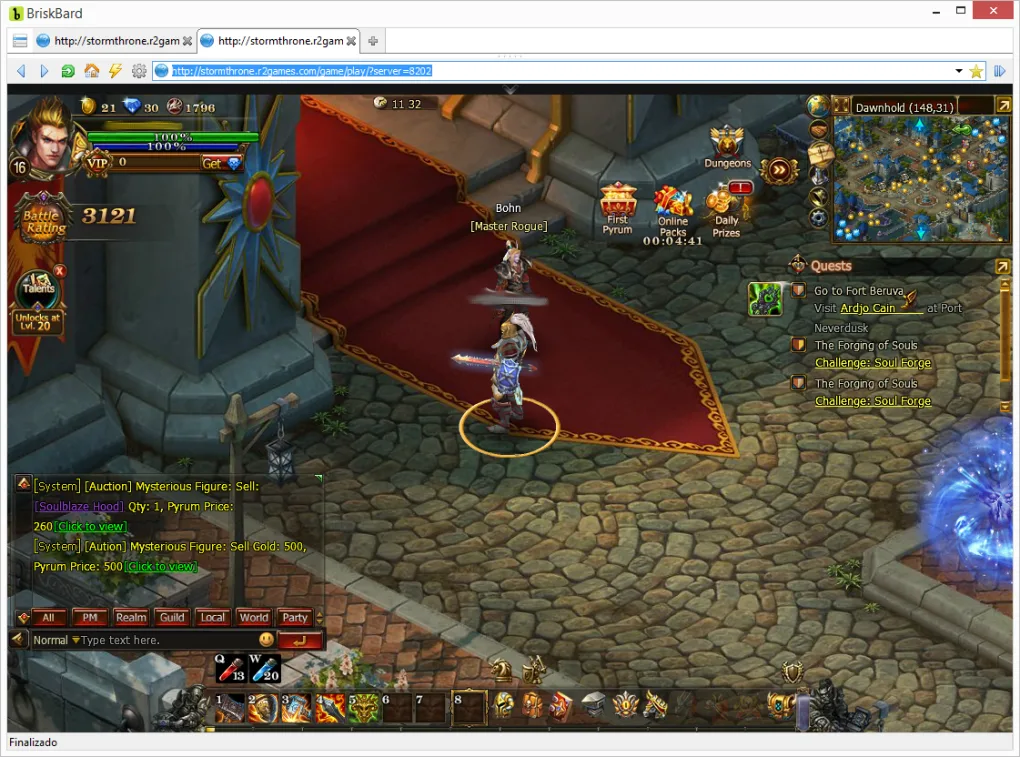
The integrated browser component may support:
- Modern website rendering
- JavaScript execution
- Secure HTTPS browsing
- Tabbed browsing environments
- Browser customization
The email client component may include:
- POP3 support
- IMAP support
- SMTP compatibility
- Multi-account management
- Email filtering tools
The software may also include:
- Multimedia playback tools
- Web feed readers
- File transfer capabilities
- Internet communication tools
Another major advantage is workflow centralization. Users can handle multiple internet tasks without switching between many separate applications.
BriskBard may be especially useful for:
- Older systems
- Productivity-oriented environments
- Users preferring compact software suites
- Multi-task internet workflows
Some users appreciate integrated internet suites because they reduce the number of separate installed applications and simplify workflow management.
However, all-in-one internet suites may not always provide the same level of specialization or ecosystem support as dedicated standalone applications.
The software is primarily available for:
- Windows systems
Overall, BriskBard acts as a multifunction internet suite that combines web browsing, communication, media, and productivity tools into a unified Windows application.
💻 System Requirements (Detailed)
To run BriskBard smoothly, the following system requirements are recommended:
Minimum Requirements
- Operating System:
Windows 7 / Windows 8 / Windows 10 / Windows 11 - Processor:
Intel or AMD compatible processor - RAM:
Minimum 2GB RAM - Storage Space:
Around 300MB free disk space - Internet:
Required for online services and browsing
Recommended Requirements
- Processor:
Intel Core i3 / Ryzen 3 or higher - RAM:
4GB–8GB RAM or more - Storage:
SSD recommended for smoother performance - Additional Tools:
Frequently compared with:- Mozilla Firefox
- Opera
- SeaMonkey
🔄 Alternatives
If you want similar internet suites or browsers, you can try:
- SeaMonkey
- Mozilla Firefox
- Opera
- Vivaldi
- Thunderbird
❓ FAQ
Q1. What is BriskBard mainly used for?
It is used as an all-in-one internet suite for browsing, email, FTP, media, and communication.
Q2. Does BriskBard include an email client?
Yes, integrated email functionality is included.
Q3. Can BriskBard browse modern websites?
Yes, though compatibility may vary depending on the website and browser engine support.
Q4. Does BriskBard support FTP?
Yes, FTP client functionality is available.
Q5. Is BriskBard lightweight?
Yes, it is designed as a relatively lightweight integrated internet suite.
Q6. Is BriskBard good for productivity workflows?
Yes, centralized internet tools can improve workflow efficiency for some users.
Q7. Does BriskBard support IRC chat?
Yes, IRC communication tools may be included.
Features
- ✔️ Integrated web browser
- ✔️ Built-in email client
- ✔️ FTP client functionality
- ✔️ IRC chat support
- ✔️ Multimedia playback tools
- ✔️ Newsreader integration
- ✔️ Download management
- ✔️ Tabbed browsing environment
- ✔️ Multi-account email support
- ✔️ Secure HTTPS browsing
- ✔️ Bookmark and session management
- ✔️ HTML5 compatibility
- ✔️ Productivity-focused interface
- ✔️ Centralized internet workflow management
- ✔️ Lightweight all-in-one internet suite
👍 Pros & 👎 Cons
Pros
- Multiple internet tools inside one application
- Reduces need for many separate programs
- Useful for productivity-oriented workflows
- Integrated email and FTP support
- Lightweight compared to running many separate apps
- Good for advanced and technical users
- Centralized workflow management
- Suitable for older Windows systems
Cons
- Interface may feel outdated compared to modern browsers
- Smaller ecosystem than mainstream browsers
- Advanced web compatibility may vary on some modern websites
- Limited extension support compared to Chrome or Firefox
- All-in-one suites can feel complex for casual users
Our Analysis
In my opinion, BriskBard is a very interesting internet suite because it follows an older but still practical philosophy of integrating multiple internet tools into one application. Before modern cloud ecosystems became dominant, all-in-one internet suites were popular among power users who wanted browsing, email, FTP, and communication tools together.
One of the biggest strengths is workflow centralization. Users can manage web browsing, emails, downloads, FTP transfers, and media from a single interface instead of constantly switching between many separate applications.
This integrated approach can still be very useful for technical users, developers, administrators, and productivity-focused environments.
Another advantage is reduced resource usage compared to running many separate applications simultaneously, especially on older systems.
However, modern browsers such as Chrome and Firefox now dominate because of their advanced extension ecosystems, web compatibility, synchronization systems, and developer support.
As a result, BriskBard may feel more niche today, especially for casual users who mainly need standard web browsing.
Still, for users who enjoy integrated productivity environments and multifunction internet suites, BriskBard remains a unique and capable software option worth exploring.
⚙️ Installation Guide (Step-by-Step)
Follow these steps to install BriskBard:
Step 1: Download the Software
Download the latest installer from the official website.
Step 2: Run the Installer
Launch the setup file and allow administrator permissions if requested.
Step 3: Complete Installation
Finish the installation process.
Step 4: Launch BriskBard
Open the application after setup.
Step 5: Configure Internet Modules
Set up:
- Browser settings
- Email accounts
- FTP accounts
- News feeds
- Chat preferences
Step 6: Import Existing Data
Import:
- Bookmarks
- Email contacts
- Browser settings
if supported.
Step 7: Customize the Interface
Configure tabs, themes, and productivity tools.
Step 8: Use Integrated Internet Features
Access browsing, email, media, and communication tools from one interface.
Step 9: Keep the Software Updated
Install updates and security patches regularly.
Step 10: Backup Important Data
Save email profiles, bookmarks, and settings periodically.
About SoftwareDownloading Editorial Team
The SoftwareDownloading Editorial Team researches Windows software, compatibility information, features, alternatives, and software-related guides for SoftwareDownloading.in.
Our pages are prepared using available product information and relevant documentation. When an application has not been personally tested, we distinguish research-based analysis from hands-on testing. Learn more about our review process
Apps Specs
Developer
Licence
Free
Version
3.7
Platform
Windows
Download Clicks
5
Page Reviewed
June 24, 2026
Top Downloads





Disclaimer
This content is provided for educational and informational purposes only. We do not host, store, or distribute any software files on our servers. All trademarks, product names, and logos belong to their respective owners.
We strongly recommend downloading software only from official websites or trusted sources. We are not responsible for any damage, data loss, or issues that may occur from the use of third-party software.
Users should ensure they comply with all applicable laws and software licensing agreements in their country before downloading or using any software mentioned on this website.