- Utilities & Tools
- File Managers
- Cleaner One Pro

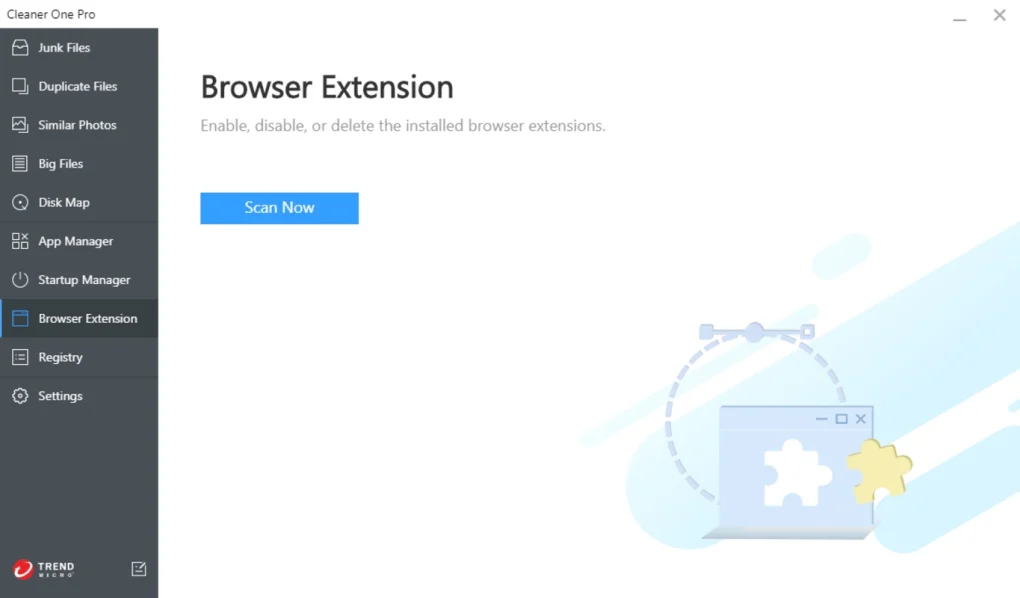
Cleaner One Pro is a system optimization and cleaning utility designed to help users remove junk files, optimize storage, manage startup items, and improve overall system performance.
It is commonly used on Windows and macOS systems to free up disk space, remove unnecessary files, and maintain smooth system operation.
The software focuses on making system maintenance simple by providing one-click cleaning and optimization tools.
It is widely used by:
- Home users
- Students
- Office workers
- Basic PC users
- System maintenance beginners
📌 What is Cleaner One Pro?
Cleaner One Pro is an all-in-one system maintenance tool that helps users clean unnecessary files, optimize storage usage, and improve computer performance.
It scans the system for:
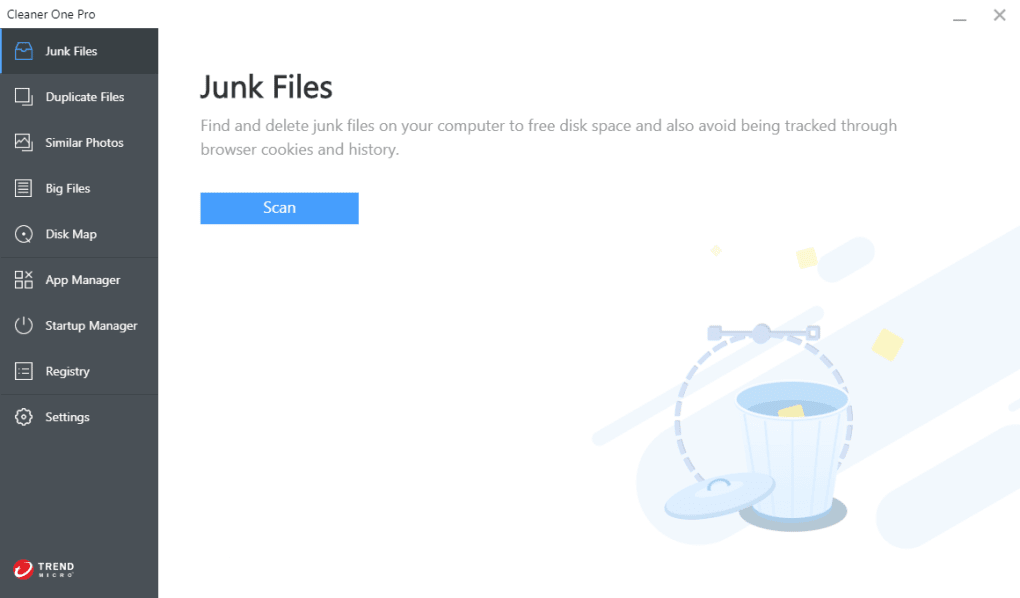
- Junk files
- Cache data
- Temporary files
- Residual application files
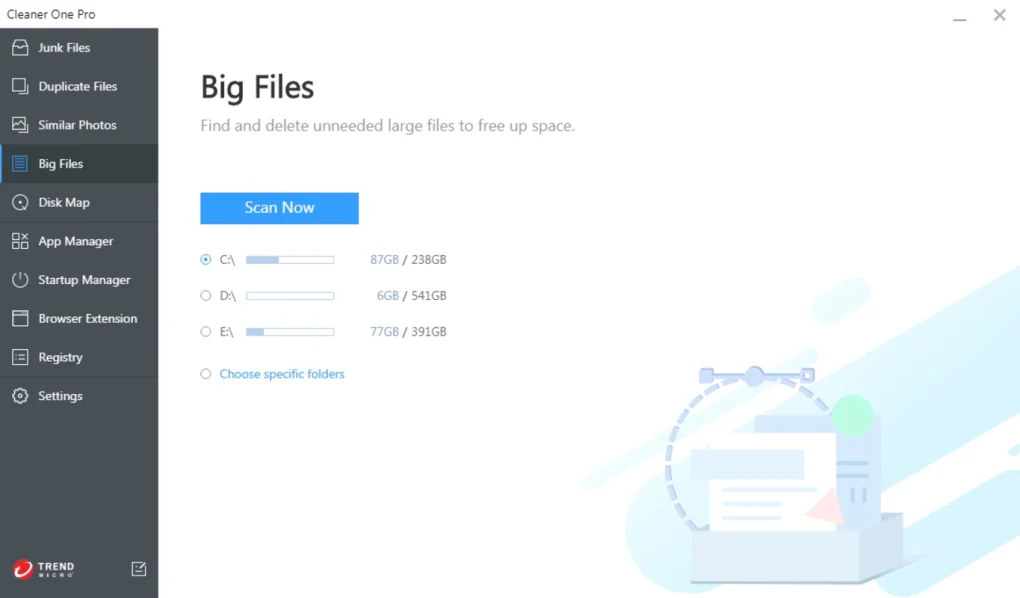
- Large unused files
- Duplicate files
After scanning, it allows users to safely remove unwanted data and free up disk space.
It also includes system optimization features like startup control and performance monitoring.
🚀 Key Uses
💻 System Cleaning
Removes unwanted files and frees up storage space.
⚡ Performance Boost
Helps improve system speed by reducing background clutter.
📂 Storage Management
Identifies large and duplicate files to optimize disk usage.
🧹 Startup Optimization
Disables unnecessary startup programs to improve boot time.
🔒 Privacy Cleaning
Removes browser history and cache for better privacy.
💻 System Requirements (General)
Minimum Requirements
- Operating System: Windows 10 / 11 or macOS supported versions
- RAM: 2GB minimum
- Storage: Low installation space required
- Processor: Basic dual-core CPU
Recommended Requirements
- RAM: 4GB or more
- Storage: SSD preferred
- Processor: Modern multi-core CPU
- Internet: Required for updates and some features
🔄 Alternatives
- CCleaner
- Advanced SystemCare
- Wise Disk Cleaner
- Glary Utilities
- BleachBit
❓ FAQ
Q1. What is Cleaner One Pro used for?
It is used for cleaning junk files, optimizing system performance, and managing storage.
Q2. Is Cleaner One Pro safe?
Yes, it is safe when downloaded from official sources.
Q3. Does it improve PC speed?
Yes, by removing junk files and optimizing startup programs.
Q4. Is it free?
It has both free and paid versions with additional features.
Q5. Can it delete important files?
No, it only removes unnecessary system and cache files.
Q6. Does it work on Mac?
Yes, it supports both Windows and macOS.
Features
✔️ Junk file cleaning
✔️ System cache removal
✔️ Disk space analyzer
✔️ Large file finder
✔️ Duplicate file cleaner
✔️ Startup manager
✔️ Real-time system monitoring
✔️ Memory optimization tools
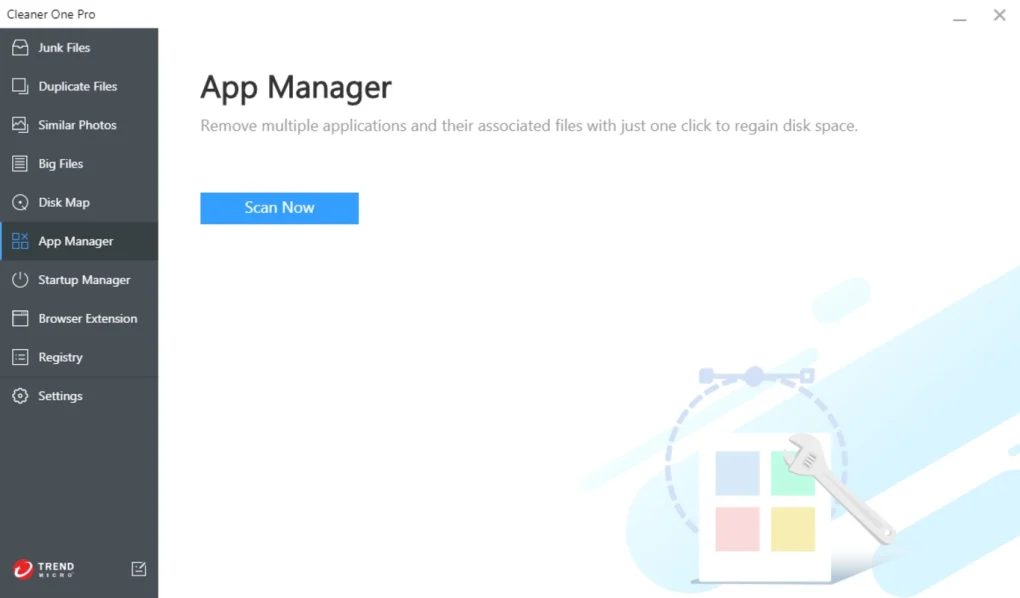
✔️ App uninstaller
✔️ Browser cleanup support
✔️ One-click system cleanup
✔️ Performance boost tools
✔️ File shredder (secure delete)
✔️ Disk usage visualization
👍 Pros & 👎 Cons
Pros
- Easy one-click cleaning
- Improves system performance
- Frees up storage space
- Simple user interface
- Useful for beginners
- Includes multiple optimization tools
Cons
- Advanced users may find features basic
- Some tools overlap with built-in OS utilities
- Deep system tuning options are limited
- Full features may require paid version
- Not ideal for enterprise-level optimization
Our Analysis
Cleaner One Pro is a simple and effective system cleaning tool designed for everyday users who want to keep their computers optimized without technical complexity.
Its biggest advantage is ease of use. With just a few clicks, users can clean junk files, optimize storage, and improve startup performance.
It is especially useful for users who:
- Do not want manual system cleaning
- Have low storage space issues
- Want a simple optimization tool
However, it is not a highly advanced tuning tool. Power users may find it limited compared to professional system utilities.
Overall, it is a solid choice for basic PC maintenance and routine system cleanup tasks.
⚙️ Installation Guide (General Overview)
Step 1: Install Software
Download Cleaner One Pro from a trusted source.
Step 2: Run Installer
Install the application on your system.
Step 3: Launch Application
Open the main dashboard.
Step 4: Start System Scan
Click scan to detect junk files and optimization issues.
Step 5: Review Results
Check detected files and categories.
Step 6: Clean System
Remove unnecessary files safely.
Step 7: Optimize Startup
Disable unwanted startup programs.
Step 8: Monitor Performance
Use built-in tools to track system performance.
About SoftwareDownloading Editorial Team
The SoftwareDownloading Editorial Team researches Windows software, compatibility information, features, alternatives, and software-related guides for SoftwareDownloading.in.
Our pages are prepared using available product information and relevant documentation. When an application has not been personally tested, we distinguish research-based analysis from hands-on testing. Learn more about our review process
Apps Specs
Developer
Licence
Free
Version
6.6.0.2986
Platform
Windows
Download Clicks
1
Page Reviewed
June 24, 2026
Top Downloads



Related Topics
Disclaimer
This content is provided for educational and informational purposes only. We do not host, store, or distribute any software files on our servers. All trademarks, product names, and logos belong to their respective owners.
We strongly recommend downloading software only from official websites or trusted sources. We are not responsible for any damage, data loss, or issues that may occur from the use of third-party software.
Users should ensure they comply with all applicable laws and software licensing agreements in their country before downloading or using any software mentioned on this website.