- Development & IT
- Servers
- CarotDAV
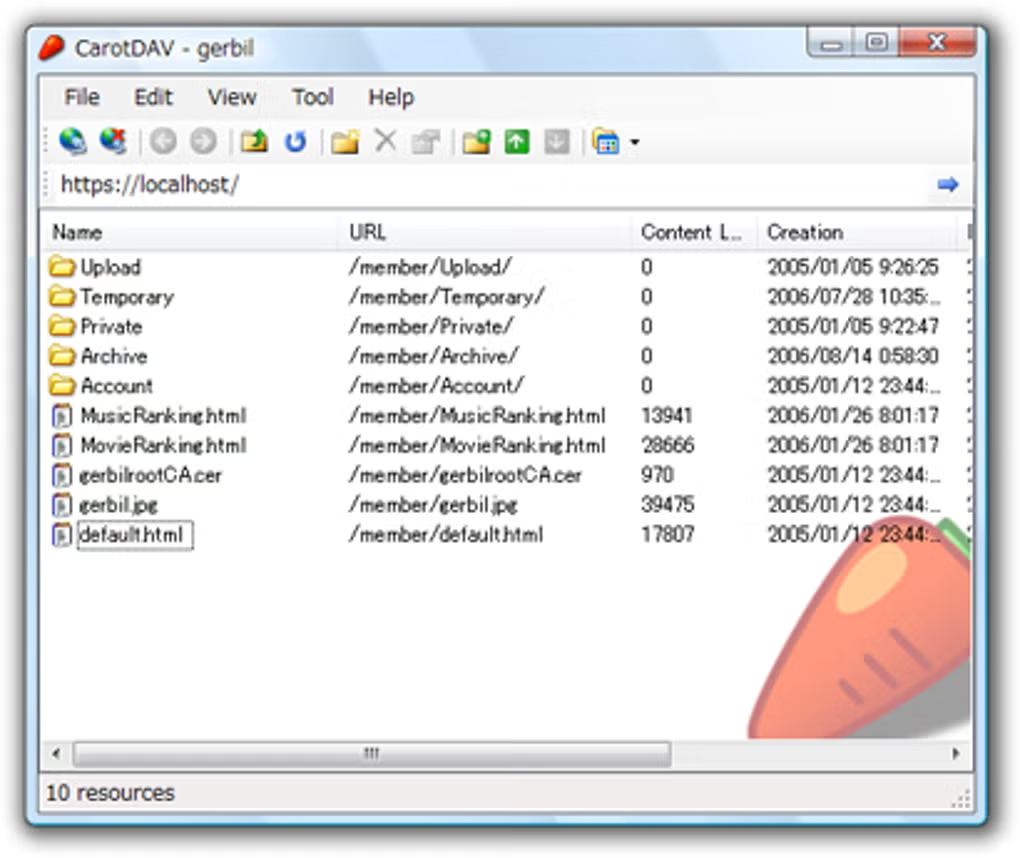
CarotDAV is a lightweight file transfer and cloud storage management client that supports WebDAV, FTP, SFTP, SMB, and multiple cloud storage services, allowing users to upload, download, synchronize, and manage files from a single interface.
📌 What is CarotDAV?
CarotDAV is a portable and lightweight file management application designed for transferring and managing files across local systems, remote servers, and cloud storage services. The software supports multiple protocols including WebDAV, FTP, SFTP, SMB, and cloud-based platforms, making it a flexible solution for remote file access and synchronization.
One of the main goals of CarotDAV is to provide users with a centralized interface for handling files stored on different servers and cloud services without needing separate applications for each platform.
The software is commonly used by:
- Web developers
- System administrators
- Cloud storage users
- Remote server managers
- Backup administrators
- IT professionals
- Users managing multiple online storage accounts
CarotDAV is especially popular because of its lightweight design and portable functionality. Unlike many large file transfer clients, CarotDAV focuses on speed, simplicity, and efficient resource usage.
The software supports several important file transfer technologies:
- WebDAV → Remote file management through HTTP/HTTPS
- FTP → Standard file transfer protocol
- SFTP → Secure SSH-based file transfers
- SMB → Windows network file sharing
- Cloud Services → Integration with supported cloud platforms
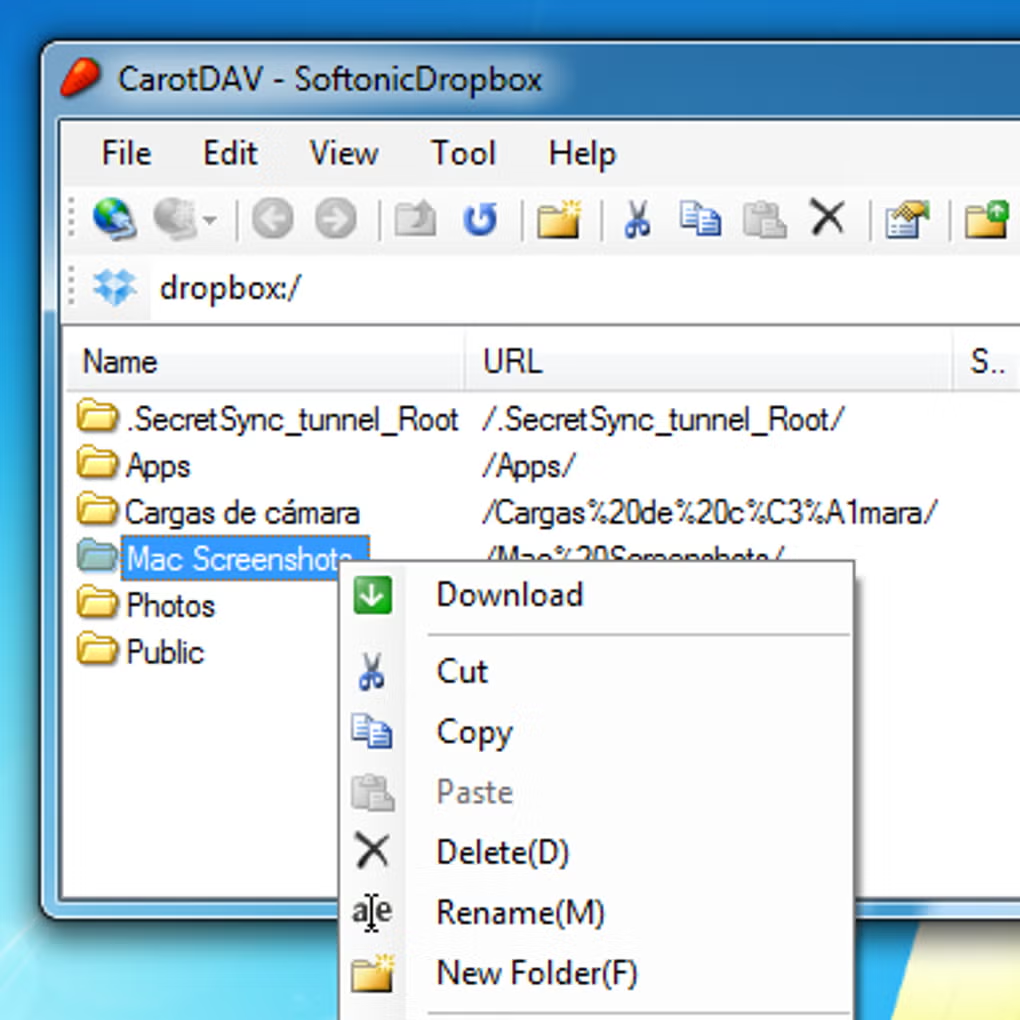
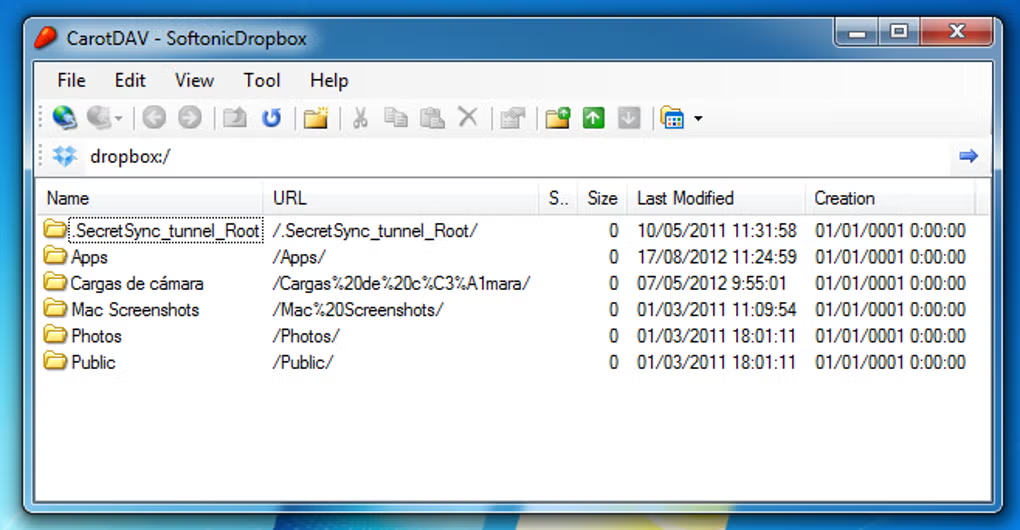
Users can upload files, download folders, synchronize data, rename items, manage directories, and perform remote file operations directly from the software interface.
Depending on the version, CarotDAV may also support:
- File synchronization
- Encryption support
- Drag-and-drop transfers
- Multi-account management
- Resume interrupted uploads
- Proxy support
- Compression functionality
- Thumbnail previews
- Unicode file name compatibility
One of the biggest strengths of CarotDAV is flexibility. It can work as both a cloud storage manager and a traditional server file transfer client.
Because of its portable nature, many users run CarotDAV directly from USB drives without needing full installation.
Overall, CarotDAV acts as a compact yet powerful remote file management and cloud transfer solution for Windows users.
💻 System Requirements (Detailed)
To run CarotDAV smoothly, the following system requirements are recommended:
Minimum Requirements
- Operating System:
Windows XP / Windows 7 / Windows 8 / Windows 10 / Windows 11 - Processor:
Intel or AMD compatible processor - RAM:
Minimum 512MB RAM - Storage Space:
Around 100MB free disk space - Network:
Internet or local network connection required for remote transfers - Display:
Standard monitor resolution
Recommended Requirements
- Processor:
Intel Core i3 or higher - RAM:
2GB–4GB RAM or more - Storage:
SSD recommended for faster file caching and transfers - Internet Connection:
Stable broadband connection for cloud synchronization - Additional Tools:
Useful with:- WinSCP
- FileZilla
Best Suitable For
CarotDAV is ideal for:
- Web developers
- FTP server users
- Cloud storage management
- Backup synchronization tasks
- Remote file access
- WebDAV server administration
- Lightweight portable file transfer environments
- IT professionals and administrators
🔄 Alternatives
If you want similar file transfer and cloud management software, you can try:
- FileZilla
- WinSCP
- Cyberduck
- Mountain Duck
- Rclone
❓ FAQ
Q1. What is CarotDAV mainly used for?
It is used for remote file transfers and cloud storage management.
Q2. Does CarotDAV support WebDAV?
Yes, WebDAV support is one of its core features.
Q3. Can CarotDAV connect to FTP and SFTP servers?
Yes, both FTP and secure SFTP connections are supported.
Q4. Is CarotDAV portable?
Yes, portable versions are available that can run without installation.
Q5. Can beginners use CarotDAV?
Yes, although some protocols may require basic networking knowledge.
Q6. Does CarotDAV support cloud storage services?
Yes, certain cloud integrations are supported.
Q7. Is CarotDAV lightweight?
Yes, it is known for very low resource usage.
Features
- ✔️ WebDAV file management support
- ✔️ FTP and SFTP connectivity
- ✔️ SMB network sharing access
- ✔️ Cloud storage integration
- ✔️ Lightweight and portable design
- ✔️ File upload and download support
- ✔️ Folder synchronization tools
- ✔️ Multi-account management
- ✔️ Secure file transfer functionality
- ✔️ Resume interrupted transfers
- ✔️ Drag-and-drop file handling
- ✔️ Unicode file name support
- ✔️ Proxy and encryption compatibility
- ✔️ Low system resource usage
- ✔️ Simple and efficient interface
👍 Pros & 👎 Cons
Pros
- Extremely lightweight and fast
- Supports multiple transfer protocols
- Portable version available
- Good for cloud and remote file management
- Efficient resource consumption
- Useful for WebDAV server access
- Secure SFTP transfer support
- Easy multi-server management
Cons
- Interface may feel outdated to some users
- Advanced features may require technical knowledge
- Limited modern UI customization
- Some cloud integrations may require manual setup
- Not intended for enterprise-scale collaboration systems
Our Analysis
In my opinion, CarotDAV is one of the best lightweight remote file management tools available for users who regularly work with WebDAV servers, FTP connections, cloud storage, and remote synchronization tasks. The software manages to provide powerful transfer functionality while remaining extremely compact and efficient.
The biggest advantage is flexibility. Instead of using multiple applications for FTP, WebDAV, and cloud storage management, users can handle everything from a single interface. The portable version is also highly useful for administrators and developers who work across multiple systems.
Although the interface may look older compared to modern cloud management applications, the performance and reliability are excellent. Advanced users especially appreciate the protocol support and low system resource consumption.
If you need a lightweight, stable, and multi-protocol file transfer client for Windows, CarotDAV is definitely a strong option worth considering.
⚙️ Installation Guide (Step-by-Step)
Follow these steps to install CarotDAV:
Step 1: Download CarotDAV
Download the latest version from a trusted source.
Step 2: Extract or Install the Software
Some versions are portable and only require extraction.
Step 3: Launch CarotDAV
Open the executable file to start the application.
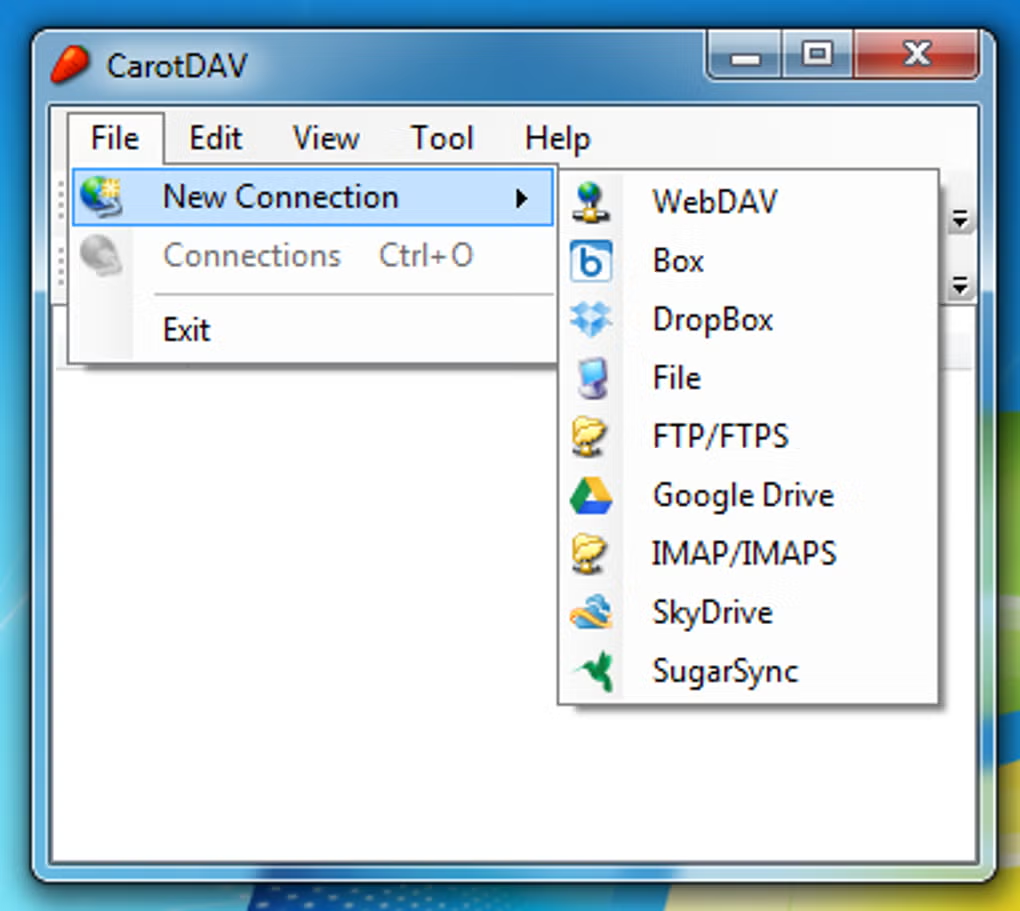
Step 4: Create a New Connection
Select the protocol type:
- WebDAV
- FTP
- SFTP
- SMB
- Cloud storage service
Step 5: Enter Server Details
Provide:
- Server address
- Username
- Password
- Port number
Step 6: Save Connection Profile
Store connection settings for future access.
Step 7: Connect to Remote Server
Open the connection and access remote files.
Step 8: Upload or Download Files
Transfer files between local and remote systems.
Step 9: Synchronize Folders
Use synchronization tools for backups or mirrored storage.
About SoftwareDownloading Editorial Team
The SoftwareDownloading Editorial Team researches Windows software, compatibility information, features, alternatives, and software-related guides for SoftwareDownloading.in.
Our pages are prepared using available product information and relevant documentation. When an application has not been personally tested, we distinguish research-based analysis from hands-on testing. Learn more about our review process
Apps Specs
Developer
Licence
Free
Version
V 1.16.2
Platform
Windows
Download Clicks
2
Page Reviewed
September 27, 2026
Top Downloads



Related Topics
Disclaimer
This content is provided for educational and informational purposes only. We do not host, store, or distribute any software files on our servers. All trademarks, product names, and logos belong to their respective owners.
We strongly recommend downloading software only from official websites or trusted sources. We are not responsible for any damage, data loss, or issues that may occur from the use of third-party software.
Users should ensure they comply with all applicable laws and software licensing agreements in their country before downloading or using any software mentioned on this website.