- Education & Reference
- Catalogs
- Directory Lister
Directory Lister is a practical file listing software that helps users generate, save, print, and export detailed lists of files and folders stored on their computer, external drives, and network locations.
📌 What is Directory Lister?
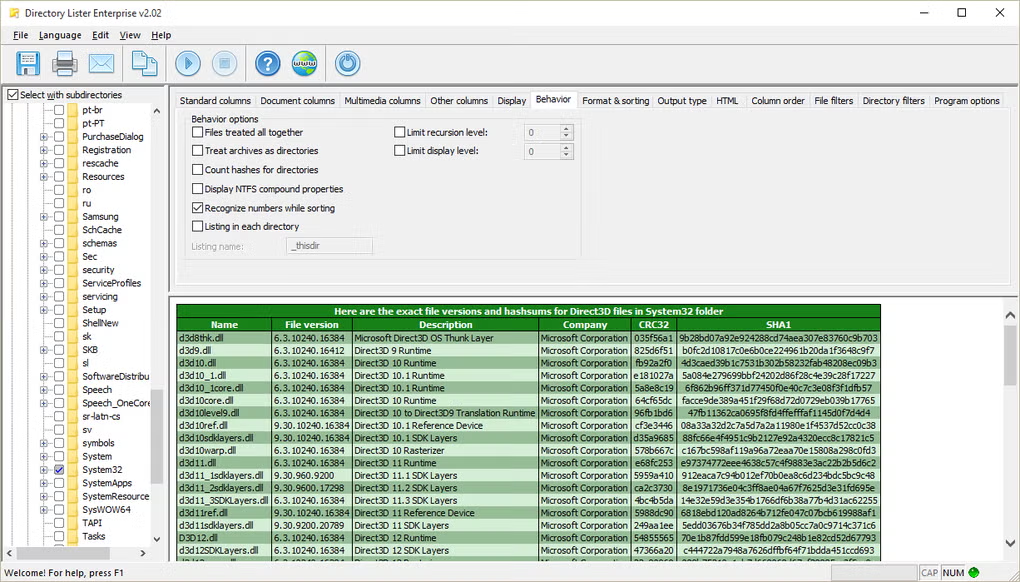
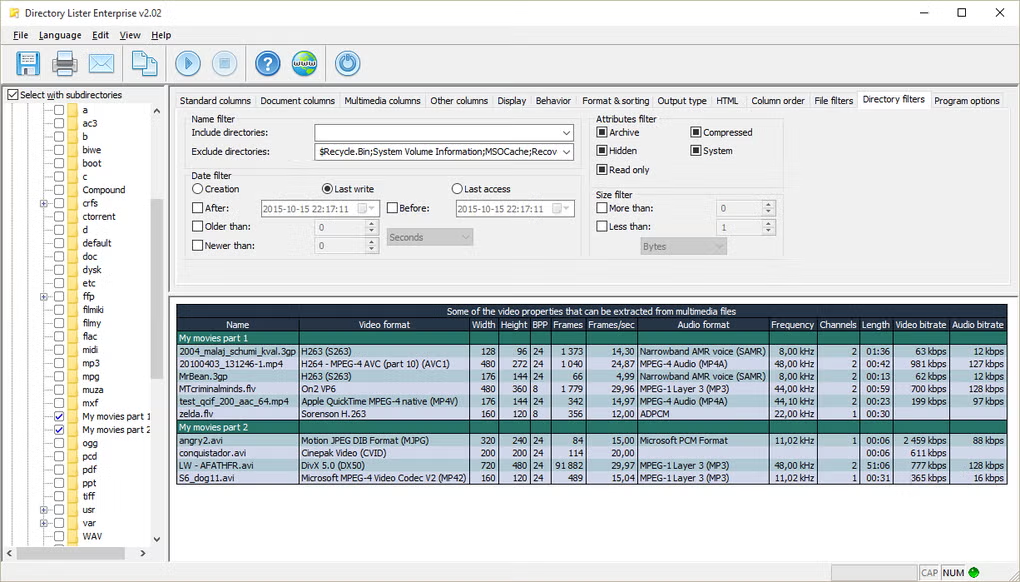
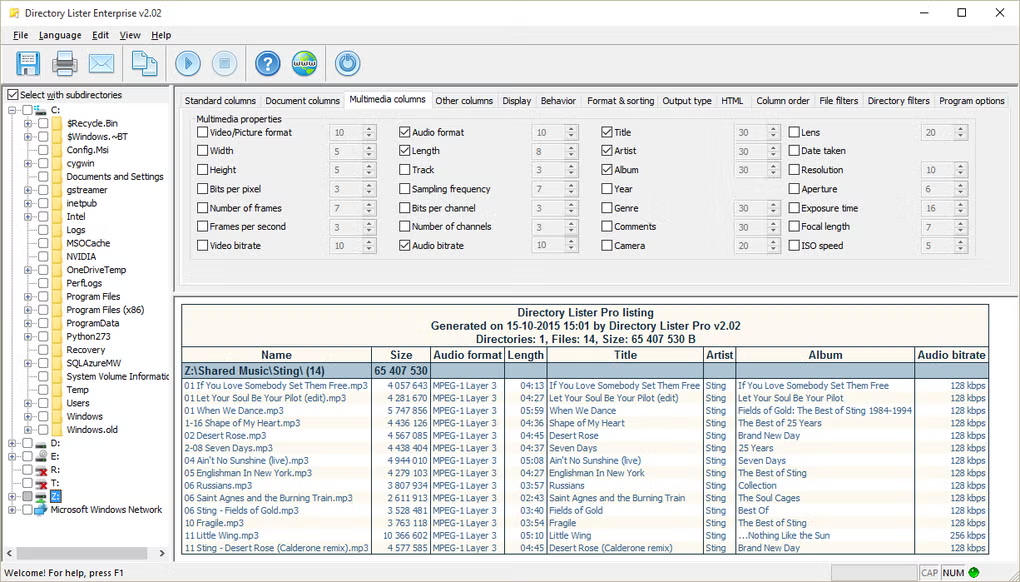
Directory Lister is a specialized utility designed to create detailed lists of files and folders from directories on your computer or storage devices. Instead of manually checking folder contents one by one, users can generate organized file lists automatically and export them in multiple formats.
This software is especially useful for office work, backup management, documentation, IT administration, and data organization. Many users need to print folder contents, create inventory reports, or maintain records of stored files. Directory Lister makes this process fast and accurate.
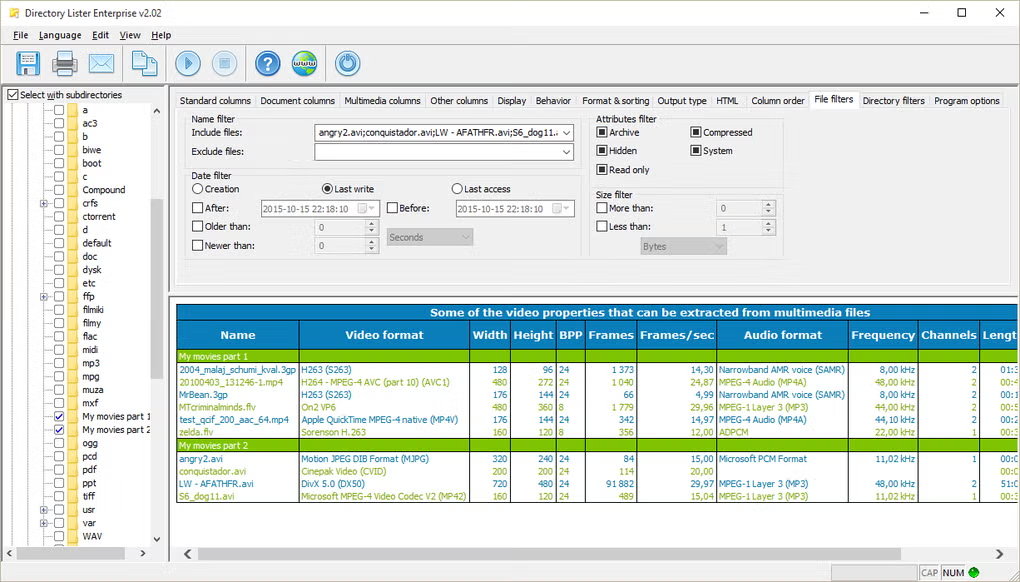
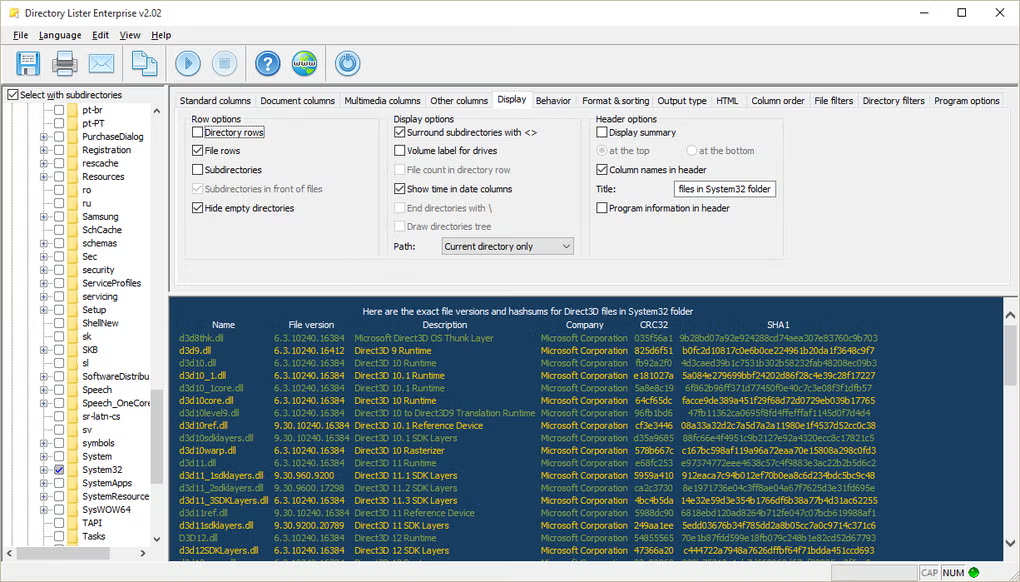
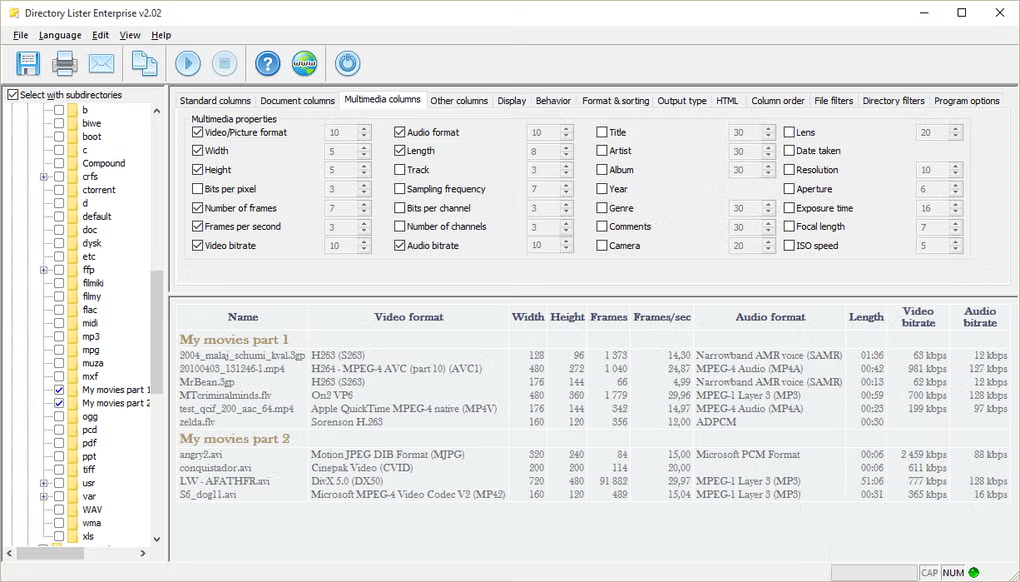
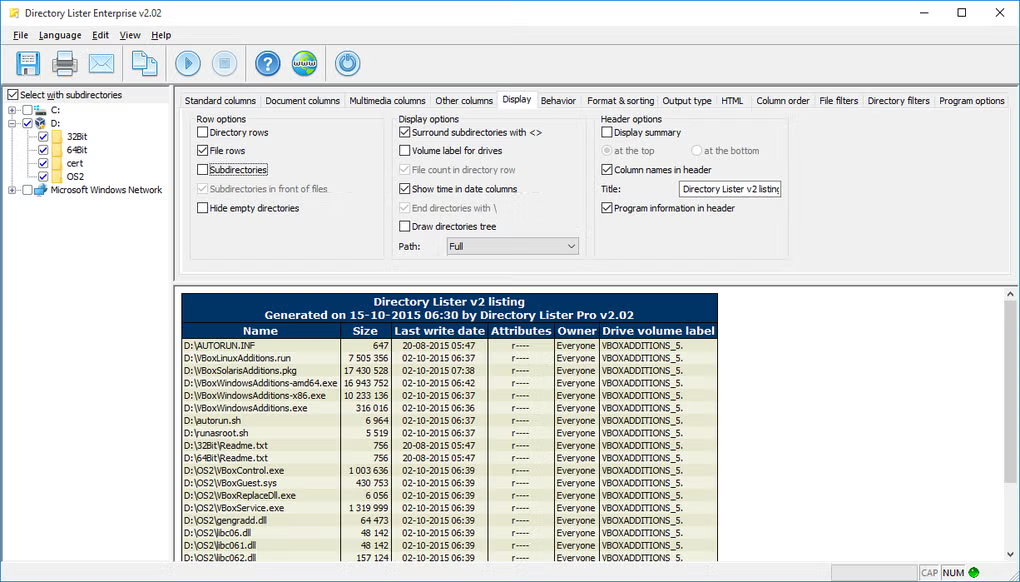
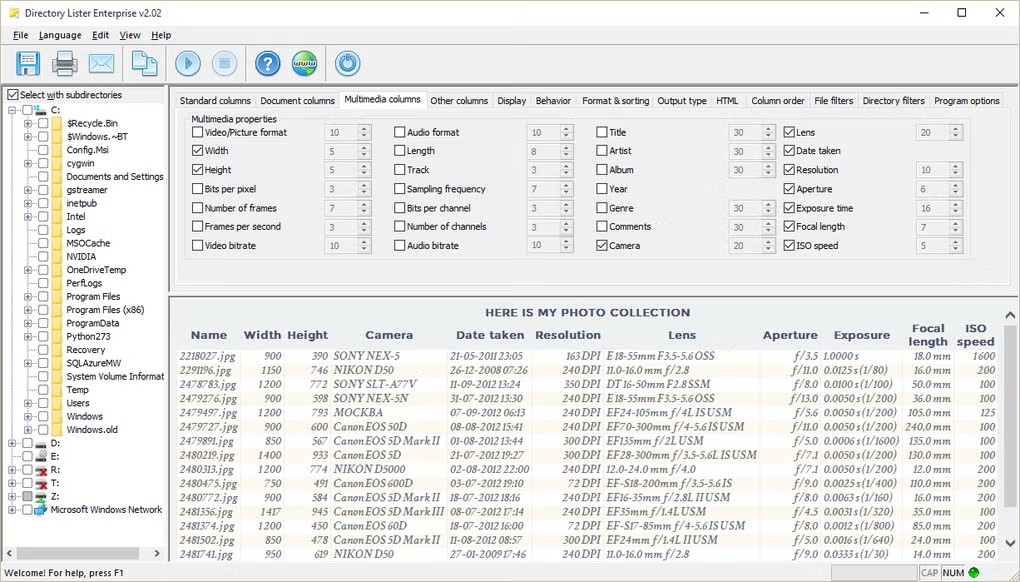
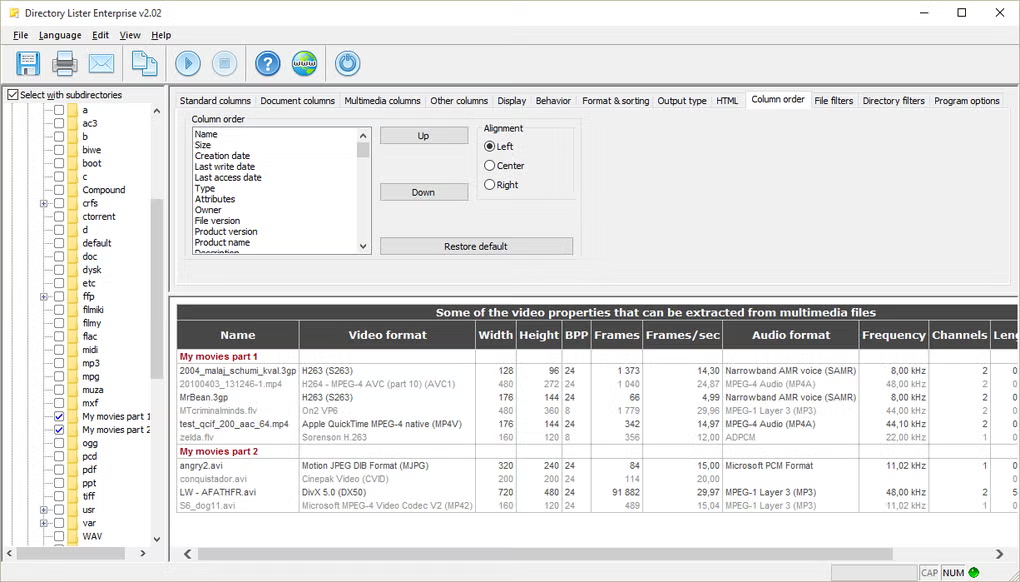
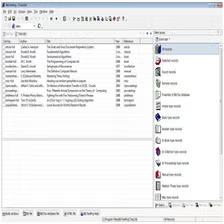
It can display useful file details such as filename, size, extension, creation date, modification date, and folder path. This helps users analyze and manage large collections of files more effectively.
For businesses, it can be used for audit purposes and file tracking. For personal users, it is useful for organizing backups, media libraries, and archived folders. Since the software is lightweight and easy to use, it works well for both beginners and professionals.
Unlike traditional file explorers, Directory Lister focuses specifically on reporting and documentation rather than browsing, making it a strong productivity tool for file management tasks.
💻 System Requirements (Detailed)
To run Directory Lister smoothly, the following system requirements are recommended:
Minimum Requirements
- Operating System: Windows 7 / Windows 8 / Windows 10 / Windows 11
- Processor: Intel Pentium Dual-Core or equivalent
- RAM: Minimum 2GB RAM
- Storage Space: 150MB free disk space
- Display: 1024×768 resolution or higher
Recommended Requirements
- Processor: Intel Core i3 or higher
- RAM: 4GB or more
- Storage: SSD recommended for faster processing of large folders
- Additional: Printer connection (optional for printed reports)
Even older computers can run the software efficiently because it is lightweight.
🔄 Alternatives
If you want similar software, you can also try:
- PrintFolder
- Karen’s Directory Printer
- Directory Report
- FileList
These tools also help with folder reporting and file documentation.
❓ FAQ
Q1. What is Directory Lister mainly used for?
It is mainly used for generating, exporting, and printing file and folder lists.
Q2. Can I print folder contents directly?
Yes, printing directory contents is one of its main features.
Q3. Does it support external drives?
Yes, it supports USB drives, HDDs, SSDs, and network locations.
Q4. Is it useful for office work?
Yes, it is excellent for documentation, audits, and backup tracking.
Q5. Is Directory Lister free?
Some versions are free, while advanced features may require a paid version.
Features
- ✔️ Generate detailed file and folder lists
- ✔️ Export lists in multiple formats
- ✔️ Print directory contents directly
- ✔️ Supports external drives and network folders
- ✔️ Shows file size, date, and extension details
- ✔️ Customizable listing options
- ✔️ Fast and lightweight performance
- ✔️ Easy-to-use interface
- ✔️ Useful for office documentation
- ✔️ Helps with backup management and auditing
👍 Pros & 👎 Cons
Pros
Pros:
- Very useful for documentation and reports
- Saves time when managing large folders
- Supports export and print options
- Lightweight and fast software
- Easy enough for beginners to use
Cons
Cons:
- Limited usefulness for casual users
- Interface may feel basic
- Advanced export options may require paid version
- Not designed for general file browsing
Our Analysis
In my opinion, Directory Lister is one of the most useful productivity tools for users who regularly work with large folders and file documentation. It turns a normally slow manual task into a quick and professional process.
Its export and printing features are especially valuable for offices, IT teams, and backup managers. While casual users may not need it daily, professionals who manage files seriously will find it extremely helpful.
If you need better control over file documentation and folder reporting, Directory Lister is definitely worth using.
Follow these steps to install Directory Lister properly:
Step 1: Download the Software
Download the latest version of Directory Lister from a trusted and safe source.
Step 2: Open the Installer
Locate the downloaded setup file and double-click it.
Step 3: Accept License Terms
Read and accept the license agreement to continue.
Step 4: Choose Installation Folder
Select the destination folder where you want the software installed.
Step 5: Complete Installation
Click Install and wait for the setup process to finish.
Step 6: Launch the Software
Open Directory Lister after installation.
Step 7: Select the Folder
Choose the folder or drive you want to scan.
Step 8: Generate and Export List
Customize listing options and export or print the results.
About SoftwareDownloading Editorial Team
The SoftwareDownloading Editorial Team researches Windows software, compatibility information, features, alternatives, and software-related guides for SoftwareDownloading.in.
Our pages are prepared using available product information and relevant documentation. When an application has not been personally tested, we distinguish research-based analysis from hands-on testing. Learn more about our review process

Apps Specs
Developer
Licence
Trial
Version
V 2.27
Platform
Windows
Download Clicks
2
Page Reviewed
September 26, 2026
Top Downloads


Related Topics
Disclaimer
This content is provided for educational and informational purposes only. We do not host, store, or distribute any software files on our servers. All trademarks, product names, and logos belong to their respective owners.
We strongly recommend downloading software only from official websites or trusted sources. We are not responsible for any damage, data loss, or issues that may occur from the use of third-party software.
Users should ensure they comply with all applicable laws and software licensing agreements in their country before downloading or using any software mentioned on this website.