- Development & IT
- Servers
- XigmaNAS

XigmaNAS is an open-source network-attached storage (NAS) operating system designed for centralized file storage, backup management, media streaming, and secure data sharing across home, business, and enterprise networks.
📌 What is XigmaNAS?
XigmaNAS is a free and open-source NAS (Network Attached Storage) operating system that allows users to transform standard computers or server hardware into centralized storage servers. The software is built primarily for secure file sharing, backup management, media streaming, and storage administration across local and remote networks.
NAS systems are designed to store files in one centralized location so multiple users and devices can access the same data over a network. XigmaNAS helps achieve this by providing enterprise-style storage functionality without requiring expensive proprietary hardware.
The software is commonly used for:
- Centralized file storage
- Home NAS servers
- Business backup systems
- Media streaming environments
- Remote file access
- Network data sharing
- Storage virtualization
- RAID management
XigmaNAS originated from earlier FreeNAS-based technologies and is known for stability, flexibility, and lightweight performance.
One of the biggest strengths of XigmaNAS is hardware efficiency. Users can repurpose older computers or custom-built servers into powerful NAS systems with advanced storage features.
The software supports numerous storage technologies including:
- RAID configurations
- ZFS file system support
- UFS file systems
- Disk management tools
- Snapshot functionality
- Data redundancy systems
- SMART monitoring
Depending on configuration, XigmaNAS may support:
- SMB/CIFS file sharing
- FTP and SFTP services
- NFS support
- Rsync backups
- Media server integration
- Remote web administration
- User authentication systems
- Network monitoring
- Virtualization storage environments
- Disk encryption
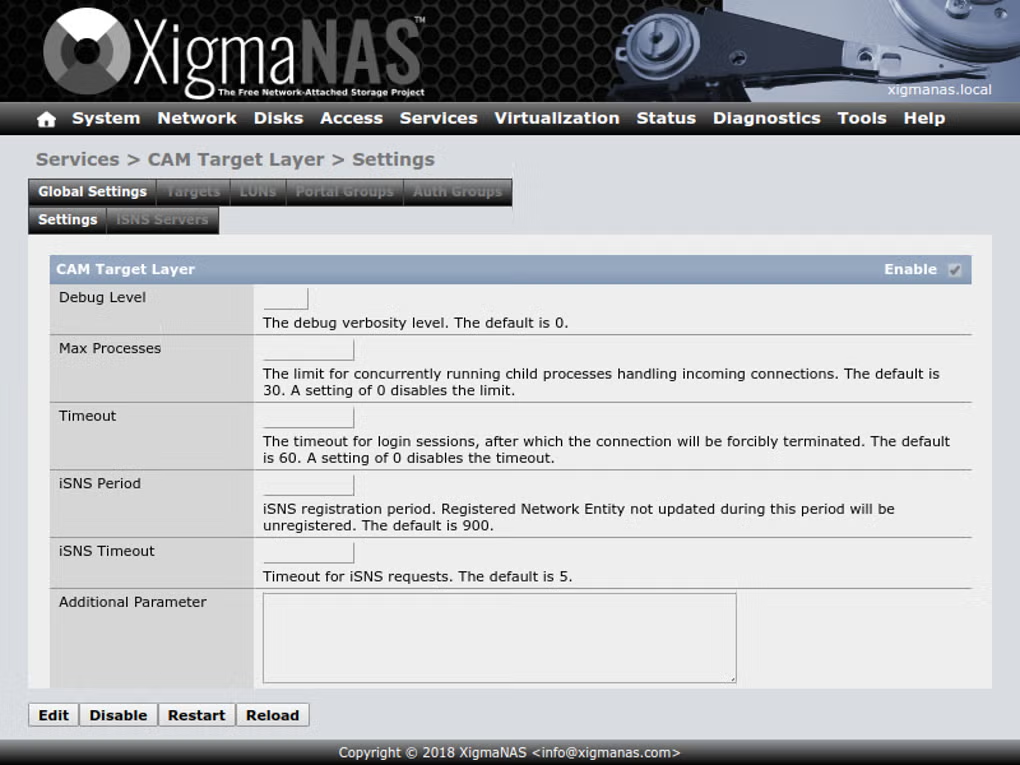
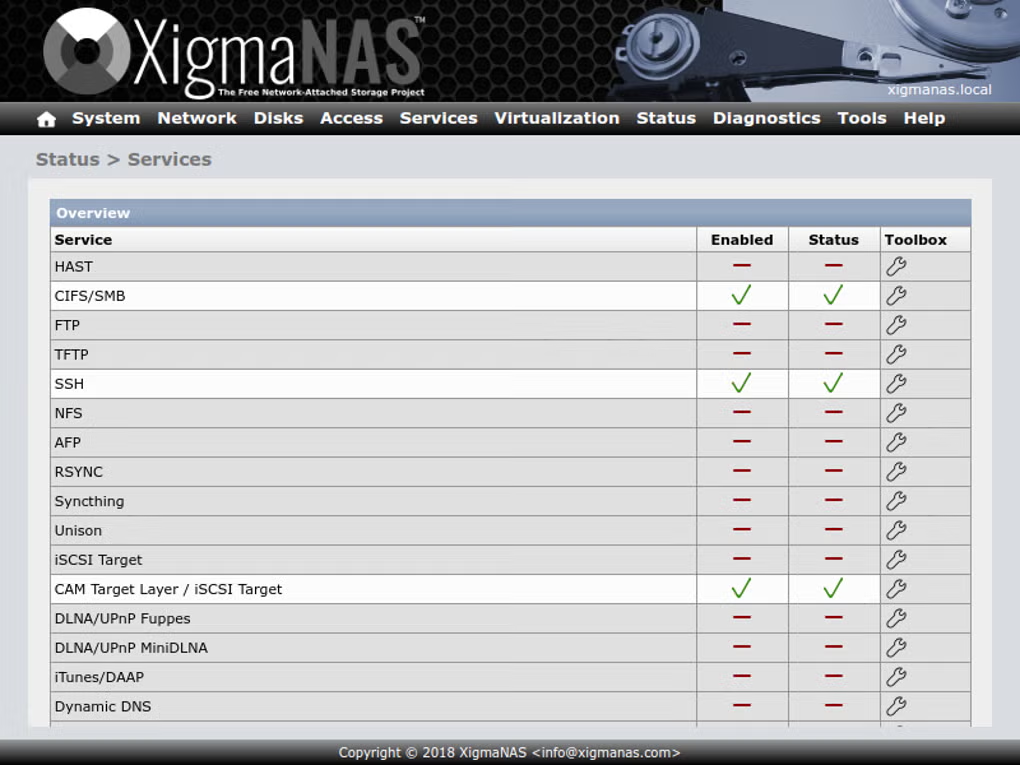
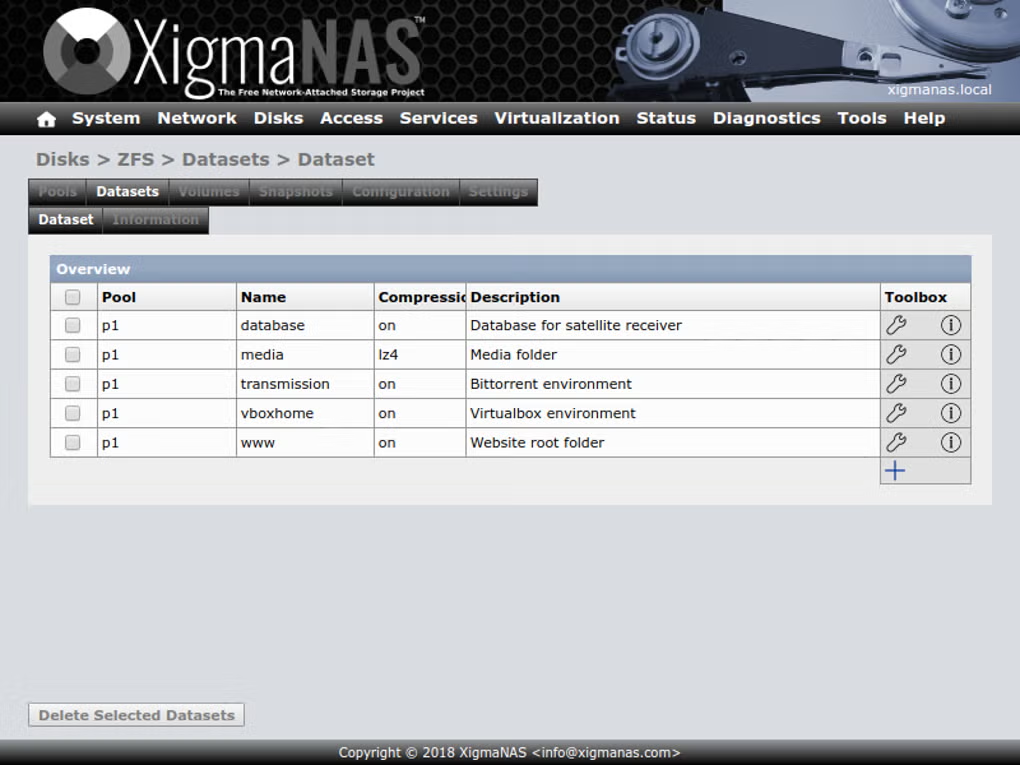
The web-based administration panel allows users to configure storage pools, monitor drives, manage permissions, and control sharing services without requiring advanced command-line knowledge.
XigmaNAS is especially popular among:
- Home server enthusiasts
- IT administrators
- Small businesses
- Backup management environments
- Media streaming setups
- Linux and network storage users
Another major advantage is flexibility. XigmaNAS can run on low-cost hardware while still offering advanced enterprise storage functionality.
Overall, XigmaNAS acts as a professional-grade NAS operating system for centralized storage, backups, and secure network file sharing.
💻 System Requirements (Detailed)
To run XigmaNAS smoothly, the following system requirements are recommended:
Minimum Requirements
- Processor:
64-bit Intel or AMD processor - RAM:
Minimum 2GB RAM - Storage:
Boot drive plus additional storage disks for NAS usage - Network:
Gigabit Ethernet recommended - USB/Boot Media:
USB drive or SSD for operating system installation - Display:
Basic monitor for initial setup
Recommended Requirements
- Processor:
Intel Core i5 / Xeon / Ryzen processor - RAM:
8GB–16GB RAM or more, especially for ZFS - Storage:
Multiple HDDs or SSDs for RAID configurations - Network:
Gigabit or faster networking recommended - Backup Devices:
External drives or cloud backup integration recommended - Additional Tools:
Useful companion software includes:- Plex Media Server
- WinSCP
Best Suitable For
XigmaNAS is ideal for:
- Home NAS servers
- Centralized backups
- Media streaming systems
- Small business file servers
- Secure data storage environments
- Network administrators
- Home lab setups
- File synchronization systems
🔄 Alternatives
If you want similar NAS and storage management systems, you can try:
- TrueNAS
- OpenMediaVault
- Unraid
- Synology DiskStation Manager
- Rockstor
❓ FAQ
Q1. What is XigmaNAS mainly used for?
It is used for creating NAS servers and centralized network storage systems.
Q2. Is XigmaNAS free?
Yes, it is open-source and free to use.
Q3. Does XigmaNAS support RAID?
Yes, multiple RAID configurations are supported.
Q4. Can XigmaNAS run on old hardware?
Yes, it works well on many older systems.
Q5. Is ZFS supported?
Yes, ZFS support is one of its major features.
Q6. Can beginners use XigmaNAS?
Yes, but advanced storage features may require learning basic NAS concepts.
Q7. Does XigmaNAS support media streaming?
Yes, it can work with media server applications and streaming environments.
Features
- ✔️ Open-source NAS operating system
- ✔️ Centralized network storage management
- ✔️ RAID and ZFS support
- ✔️ Secure file sharing services
- ✔️ SMB, FTP, SFTP, and NFS compatibility
- ✔️ Web-based administration interface
- ✔️ Backup and synchronization tools
- ✔️ Media streaming server support
- ✔️ Disk monitoring and SMART tools
- ✔️ Snapshot and redundancy features
- ✔️ Remote access capabilities
- ✔️ Lightweight and efficient architecture
- ✔️ User and permission management
- ✔️ Supports virtualization storage environments
- ✔️ Enterprise-level storage functionality
👍 Pros & 👎 Cons
Pros
- Completely free and open-source
- Excellent storage management capabilities
- Supports advanced file systems like ZFS
- Lightweight and efficient performance
- Good for home and business NAS setups
- Web-based management is user-friendly
- Supports many network protocols
- Can reuse older hardware effectively
Cons
- Advanced storage configuration may require technical knowledge
- Initial setup can feel complex for beginners
- Some enterprise features require stronger hardware
- ZFS configurations need significant RAM for best performance
- Community-based support compared to commercial NAS products
Our Analysis
In my opinion, XigmaNAS is one of the best open-source NAS operating systems available for users who want advanced storage functionality without purchasing expensive commercial NAS hardware. The software offers impressive flexibility, reliability, and storage management capabilities.
One of the biggest advantages is support for advanced file systems like ZFS along with RAID functionality, making it highly useful for data protection and backup environments. The ability to reuse older hardware is also a major benefit for home lab users and small businesses.
The web-based administration interface simplifies many storage management tasks while still providing powerful configuration options for experienced users. XigmaNAS is especially valuable for centralized backups, file sharing, and media storage systems.
Although beginners may initially need time to understand storage pools, RAID setups, and permissions, the long-term functionality is excellent for both home and business NAS environments.
If you need a powerful, flexible, and cost-effective NAS operating system for centralized storage management, XigmaNAS is definitely worth considering.
⚙️ Installation Guide (Step-by-Step)
Follow these steps to install XigmaNAS:
Step 1: Download XigmaNAS
Download the latest ISO image from the official website.
Step 2: Create Bootable Media
Use software such as:
- Rufus
- balenaEtcher
to create a bootable USB drive.
Step 3: Boot the System
Insert the USB drive and boot the target computer.
Step 4: Start Installation
Launch the XigmaNAS installer from the boot menu.
Step 5: Select Installation Drive
Choose the USB drive, SSD, or dedicated boot device.
Step 6: Configure Network Settings
Set up:
- IP address
- Hostname
- Network interfaces
Step 7: Access Web Administration Panel
Open the browser and access the NAS management dashboard.
Step 8: Configure Storage Disks
Add storage drives and configure:
- RAID
- ZFS pools
- File systems
- Shared folders
Step 9: Enable Sharing Services
Activate:
- SMB/CIFS
- FTP
- NFS
- Rsync
as required.
Step 10: Create Users and Permissions
Configure access control for network storage users.
About SoftwareDownloading Editorial Team
The SoftwareDownloading Editorial Team researches Windows software, compatibility information, features, alternatives, and software-related guides for SoftwareDownloading.in.
Our pages are prepared using available product information and relevant documentation. When an application has not been personally tested, we distinguish research-based analysis from hands-on testing. Learn more about our review process
Apps Specs
Developer
Licence
Free
Version
V 12.2.0.4.8291
Platform
Windows
Download Clicks
1
Page Reviewed
September 26, 2026
Top Downloads



Related Topics
Disclaimer
This content is provided for educational and informational purposes only. We do not host, store, or distribute any software files on our servers. All trademarks, product names, and logos belong to their respective owners.
We strongly recommend downloading software only from official websites or trusted sources. We are not responsible for any damage, data loss, or issues that may occur from the use of third-party software.
Users should ensure they comply with all applicable laws and software licensing agreements in their country before downloading or using any software mentioned on this website.