- Development & IT
- Programming Languages
- AllVideo Plugin for Joomla

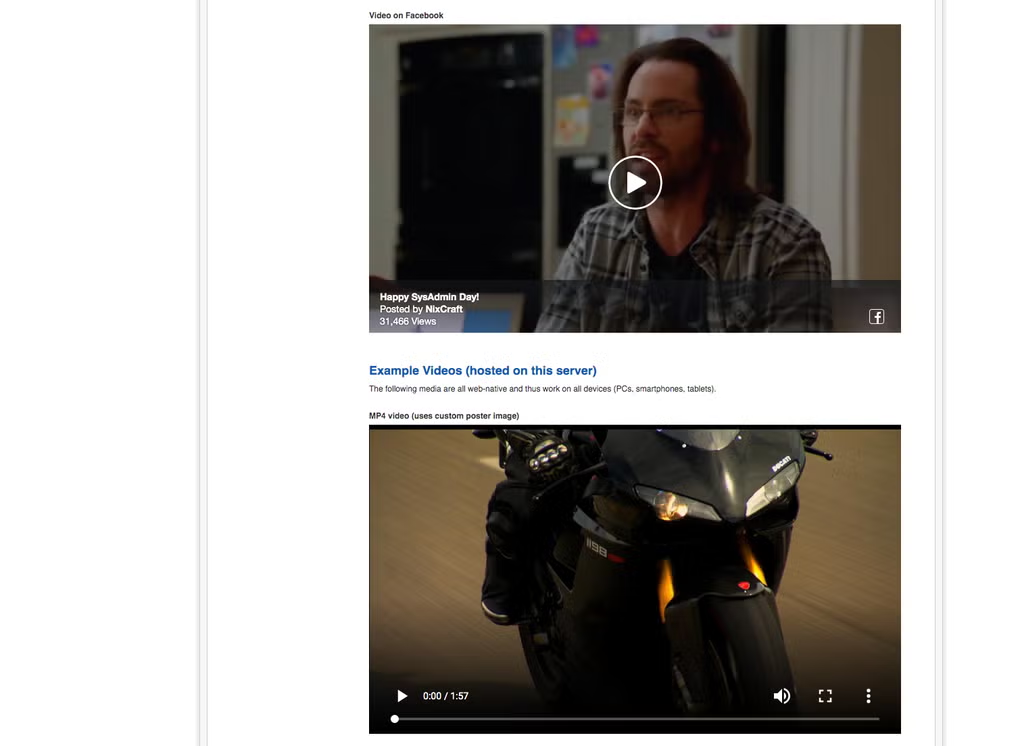
AllVideo Plugin for Joomla is a multimedia extension that allows Joomla website owners to embed videos, audio files, streaming media, and online content from platforms like YouTube and Vimeo directly into Joomla articles and webpages.
📌 What is AllVideo Plugin for Joomla?
AllVideo Plugin for Joomla is a multimedia embedding extension developed for Joomla-based websites. The plugin allows website administrators and content creators to easily insert videos, audio files, streaming content, and media players into Joomla articles, pages, and modules without manually writing complex embed code.
Joomla is a popular content management system (CMS) used for building websites, blogs, portals, and online applications. Multimedia plugins like AllVideo help extend Joomla functionality by simplifying media integration.
The plugin is commonly used for:
- Embedding YouTube videos
- Adding Vimeo content
- Displaying HTML5 video players
- Embedding audio files
- Streaming online media
- Creating multimedia articles
- Educational video content
- Product demonstration videos
- Entertainment and media websites
One of the biggest strengths of AllVideo Plugin is convenience. Instead of manually configuring complicated HTML embed code, users can insert multimedia using simple tags or shortcodes directly inside Joomla content.
The plugin is commonly used by:
- Joomla website administrators
- Bloggers
- Content creators
- Educational websites
- Media publishers
- Business websites
- Online learning platforms
- Entertainment portals
Depending on the version and supported media platforms, AllVideo Plugin may support:
- YouTube embedding
- Vimeo integration
- Dailymotion support
- HTML5 video playback
- MP3 audio playback
- Local video hosting
- Responsive video players
- Mobile-friendly playback
- Playlist support
- Streaming media support
- Custom player skins
- Fullscreen video support
- Auto-play functionality
- Embedded subtitles support
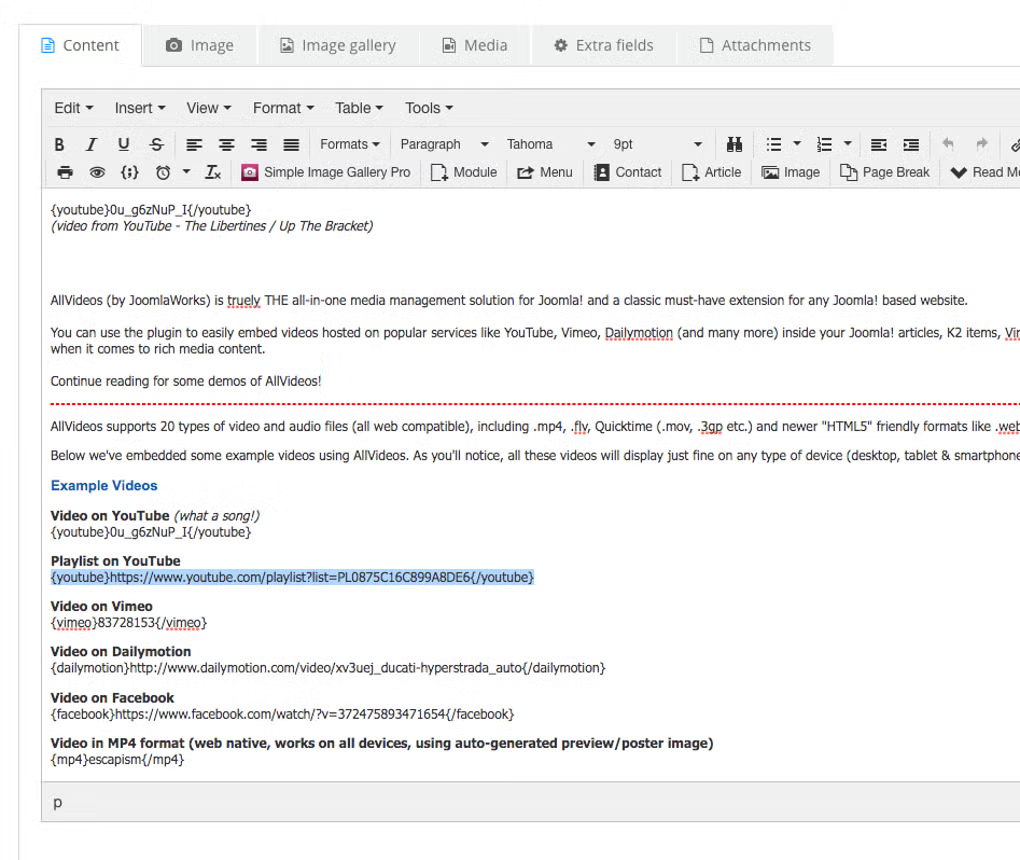
The plugin often works using simple syntax inserted into Joomla articles. For example, administrators may add short media tags that automatically generate video players on the frontend.
Supported media types may include:
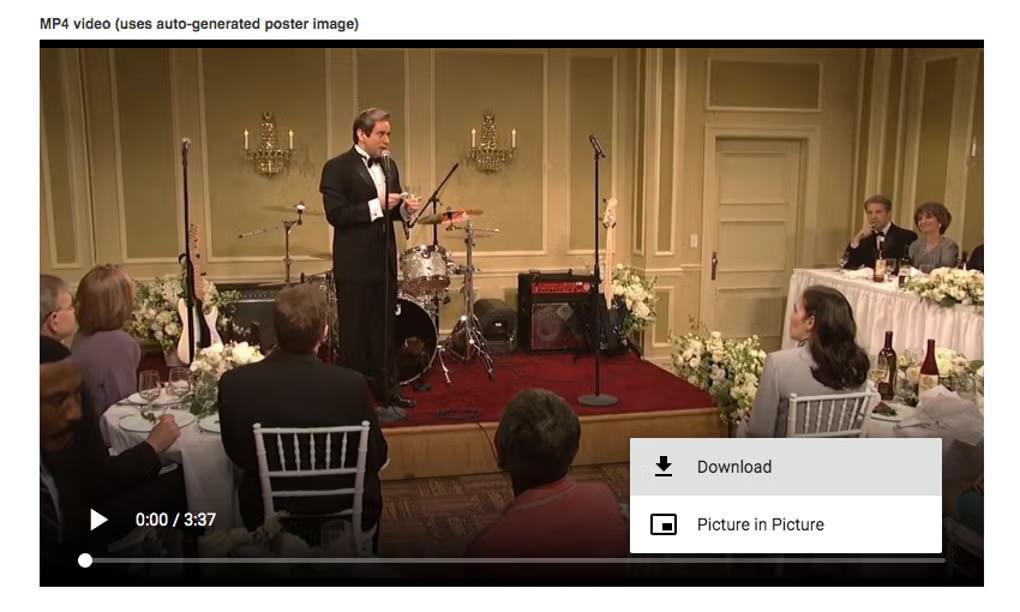
- MP4 videos
- MP3 audio
- Streaming URLs
- YouTube videos
- Vimeo videos
- FLV video formats
- Embedded iframe media
Another major advantage is responsive design support. Many modern multimedia plugins automatically adjust video players for desktop, tablet, and mobile screen sizes.
The plugin can also improve website engagement by making articles more interactive and visually appealing through multimedia integration.
Security and performance are important considerations when embedding external media. Website administrators should ensure plugins remain updated for compatibility and security improvements.
Overall, AllVideo Plugin for Joomla acts as a flexible multimedia embedding solution for Joomla websites, helping users easily integrate videos, audio, and streaming media into web content.
💻 System Requirements (Detailed)
To run AllVideo Plugin for Joomla smoothly, the following system requirements are recommended:
Minimum Requirements
- CMS Platform:
Joomla compatible version - PHP Version:
PHP 7.x or later (depending on plugin version) - Web Server:
Apache / Nginx / LiteSpeed - Database:
MySQL or MariaDB - Browser Support:
Modern web browsers with HTML5 support - Internet Connection:
Required for online streaming services
Recommended Requirements
- CMS Version:
Updated Joomla installation recommended - Hosting Environment:
SSD-based hosting for faster media delivery - RAM:
Sufficient server RAM for multimedia-heavy websites - CDN Support:
Recommended for high-traffic multimedia websites - Additional Tools:
Frequently used with:- Joomla
- Akeeba Backup
- JCE Editor
Best Suitable For
AllVideo Plugin for Joomla is ideal for:
- Multimedia blogs
- Educational websites
- Online tutorials
- Video content portals
- Business presentation websites
- Product showcase pages
- Entertainment websites
- Joomla-based media platforms
🔄 Alternatives
If you want similar Joomla multimedia extensions, you can try:
- Joomla multimedia extensions
- JCE Editor
- SP Page Builder
- K2
- WidgetKit
❓ FAQ
Q1. What is AllVideo Plugin for Joomla mainly used for?
It is used for embedding videos and audio into Joomla websites.
Q2. Does the plugin support YouTube videos?
Yes, YouTube embedding is commonly supported.
Q3. Can local videos be used?
Yes, many versions support local video hosting.
Q4. Is the plugin mobile-friendly?
Yes, responsive multimedia playback is usually supported.
Q5. Does it support audio files?
Yes, MP3 and other audio formats may be supported.
Q6. Is coding knowledge required?
Basic Joomla knowledge is usually enough for most users.
Q7. Can it improve website engagement?
Yes, multimedia content can make websites more interactive and engaging.
🔄 Best Alternatives
Features
- ✔️ Easy multimedia embedding in Joomla articles
- ✔️ YouTube video integration support
- ✔️ Vimeo and streaming media compatibility
- ✔️ HTML5 video playback support
- ✔️ Audio player integration
- ✔️ Responsive media players
- ✔️ Mobile-friendly multimedia display
- ✔️ Local video hosting support
- ✔️ Fullscreen playback functionality
- ✔️ Playlist and media organization support
- ✔️ Simple shortcode or tag-based embedding
- ✔️ Supports multiple media formats
- ✔️ Lightweight Joomla extension
- ✔️ Customizable media player appearance
- ✔️ Suitable for blogs and educational websites
👍 Pros & 👎 Cons
Pros
- Makes multimedia embedding very easy
- Supports multiple video and audio platforms
- Reduces manual HTML coding requirements
- Improves website engagement and interactivity
- Responsive players work on mobile devices
- Useful for educational and media websites
- Lightweight and user-friendly plugin
- Supports both local and external media sources
Cons
- Some advanced customization may require technical knowledge
- Plugin compatibility can vary across Joomla versions
- External media loading depends on internet speed
- Heavy multimedia usage may affect page performance
- Certain streaming services may change embed policies over time
Expert Review
In my opinion, AllVideo Plugin for Joomla is a very useful multimedia extension for Joomla website owners who want a simple and flexible way to integrate videos and audio content into their websites. Multimedia content plays a major role in modern web design, and this plugin helps simplify media embedding significantly.
One of the biggest advantages is ease of use. Instead of manually creating embed code for every video or audio file, users can insert media quickly using simple tags or shortcodes. This saves time and reduces technical complexity for content creators and administrators.
The support for multiple platforms such as YouTube, Vimeo, and HTML5 media makes the plugin versatile for many different website types including blogs, educational platforms, product showcase sites, and entertainment portals.
Responsive playback support is also very important because multimedia content must work properly across desktop and mobile devices.
Although multimedia-heavy websites should carefully manage performance and bandwidth usage, the plugin provides strong functionality for Joomla-based media integration.
If you manage a Joomla website and want an easy way to add professional multimedia content, AllVideo Plugin for Joomla is definitely worth considering.
How to Install
⚙️ Installation Guide (Step-by-Step)
Follow these steps to install AllVideo Plugin for Joomla:
Step 1: Download the Plugin
Download the AllVideo Plugin package from the official or trusted Joomla extension source.
Step 2: Log In to Joomla Admin Panel
Access your Joomla administrator dashboard.
Step 3: Open Extension Manager
Navigate to:
- Extensions
- Manage
- Install
Step 4: Upload Plugin Package
Upload the plugin ZIP file through the Joomla installer.
Step 5: Complete Installation
Wait for Joomla to finish the installation process.
Step 6: Enable the Plugin
Go to:
- Extensions
- Plugins
and enable the AllVideo Plugin.
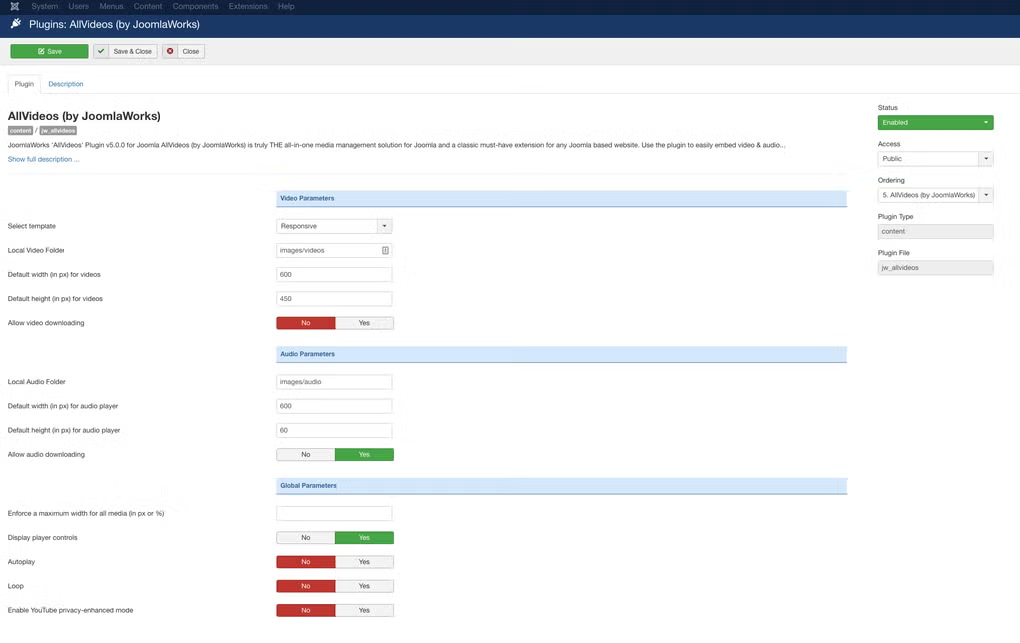
Step 7: Configure Plugin Settings
Adjust settings such as:
- Default player size
- Auto-play options
- Responsive mode
- Media source configuration
Step 8: Insert Multimedia into Articles
Use shortcode or media tags to embed content.
Step 9: Preview the Website
Check video and audio playback functionality on the frontend.
Step 10: Optimize Performance
Use caching or CDN services for faster multimedia loading.
Apps Specs
Licence
Free
Latest Update
June 24, 2026
Platform
Windows
Downloads
Devlopers
Top Downloads





Related Topics
Disclaimer
This content is provided for educational and informational purposes only. We do not host, store, or distribute any software files on our servers. All trademarks, product names, and logos belong to their respective owners.
We strongly recommend downloading software only from official websites or trusted sources. We are not responsible for any damage, data loss, or issues that may occur from the use of third-party software.
Users should ensure they comply with all applicable laws and software licensing agreements in their country before downloading or using any software mentioned on this website.
You may also like





Alternatives to





Expore Apps