- Business & Productivity
- Remote PC
- Intel Unison

Intel Unison is designed to unify smartphone and PC experiences by allowing users to control key phone functions directly from their computer.
It helps users:
- Stay connected without switching devices
- Improve productivity and multitasking
- Manage communications from one screen
- Transfer files quickly
- Reduce dependency on phone usage
It is commonly used in:
- Office environments
- Remote work setups
- Study and productivity workflows
- Daily communication management
- Cross-device ecosystems
Depending on the version, users may get:
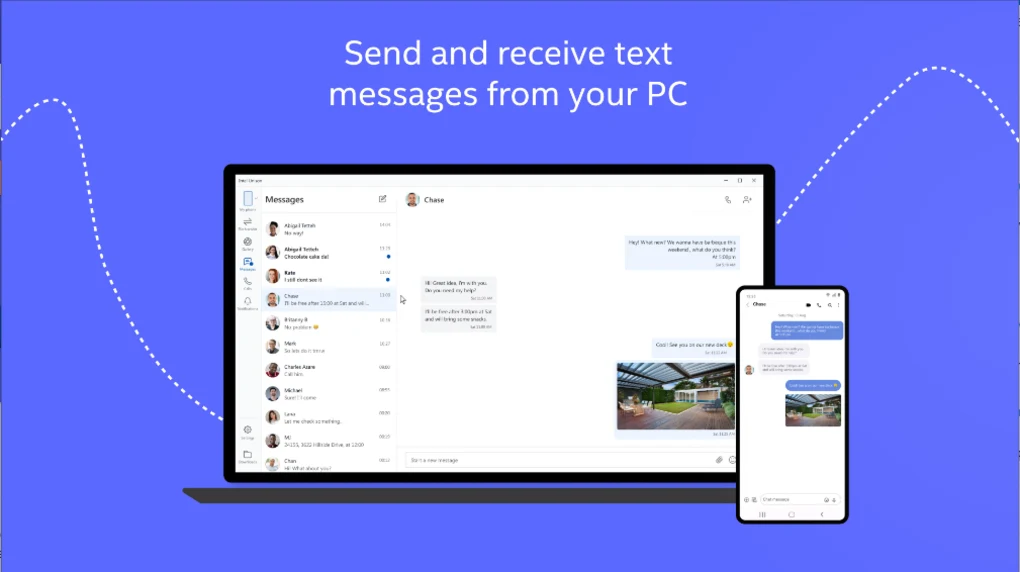
- Call and SMS integration
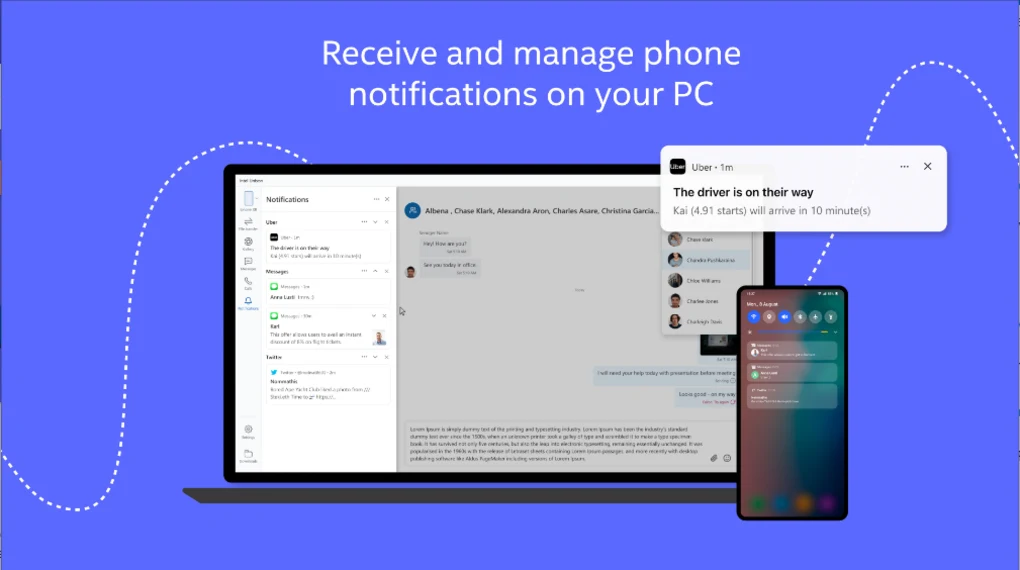
- Notification mirroring
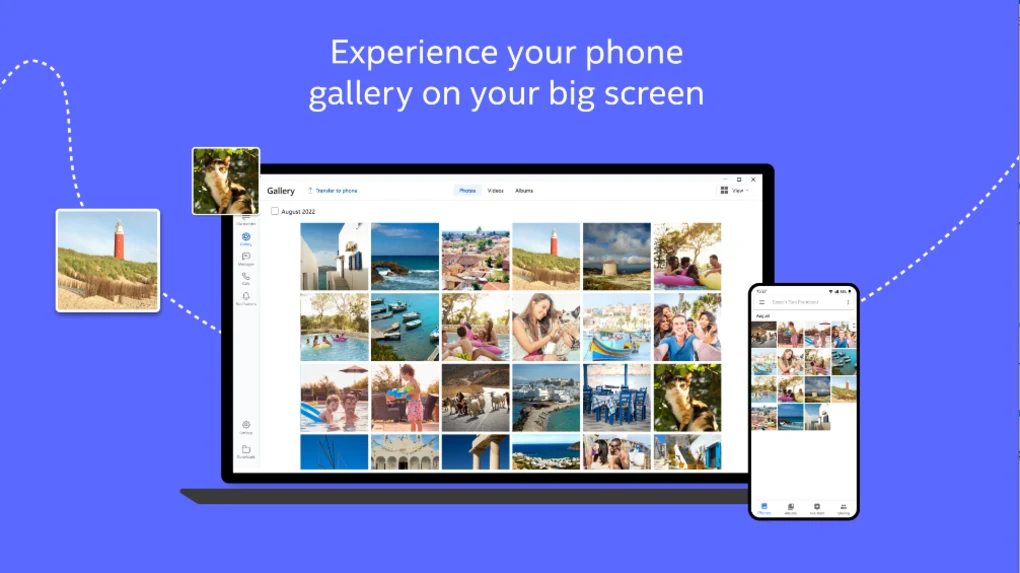
- Photo gallery access
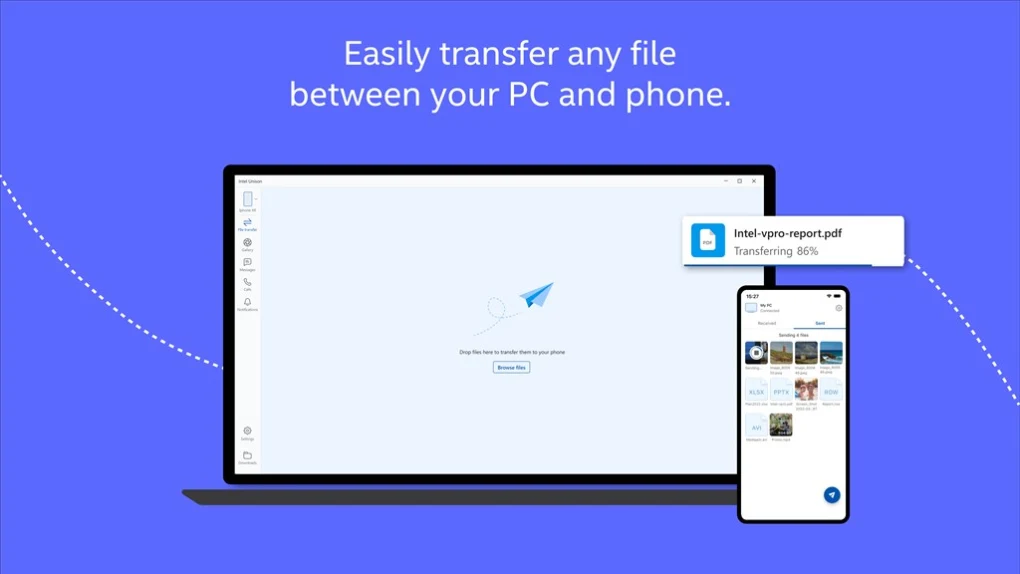
- File sharing tools
- Drag-and-drop transfer support
- Real-time sync features
📌 What is Intel Unison?
Intel Unison is a cross-device connectivity application that allows seamless integration between a smartphone and a computer.
It enables users to connect their phone with a PC to access calls, messages, files, notifications, and photos directly from the desktop.
It is designed as a modern alternative to tools like “Your Phone / Phone Link” with smoother cross-device syncing.
Common users include:
- Office workers
- Students
- Remote workers
- Multi-device users
- Productivity-focused users
🚀 Key Uses
- Syncing smartphone notifications to PC
- Sending and receiving SMS from computer
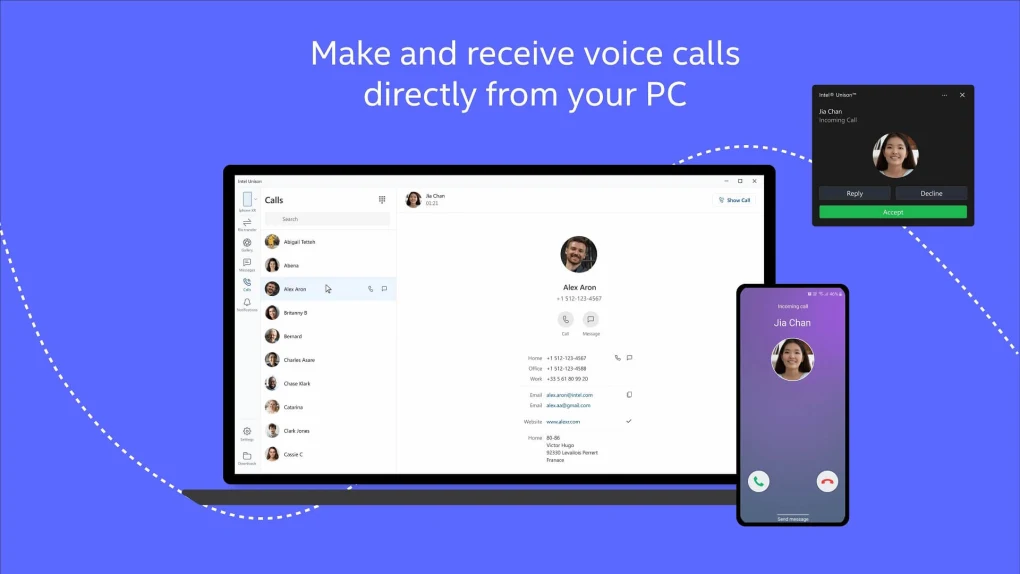
- Making and receiving phone calls on PC
- Transferring files between phone and PC
- Viewing mobile photos on desktop
- Managing notifications in real time
- Improving productivity workflows
- Cross-device multitasking
- Wireless device connectivity
- Unified communication experience
💻 System Requirements (General)
Supported Platforms
- Microsoft Windows (Windows 11 primarily)
- Android smartphones
- iOS devices (limited features depending on version)
Basic Requirements
- Bluetooth + Wi-Fi enabled devices
- Internet connection for initial setup
- 4GB RAM minimum (recommended 8GB+)
- Modern processor (Intel/AMD supported)
- Latest OS updates installed
🔄 Alternatives
- Microsoft Phone Link (Your Phone)
- AirDroid
- Pushbullet
- KDE Connect
- Samsung Flow
- Google Nearby Share
- Intel Unison alternatives for file sharing apps
❓ FAQ
Q1. What is Intel Unison used for?
It is used to connect your smartphone and PC for calls, messages, notifications, and file sharing.
Q2. Is Intel Unison free?
Yes, it is free to use on supported devices.
Q3. Does it work on Windows 10?
It is mainly optimized for Windows 11, with limited or no support for Windows 10.
Q4. Can I make calls from PC?
Yes, you can make and receive calls through your connected phone.
Q5. Does it support iPhone?
Yes, but some features may be limited compared to Android.
Features
✔ Call and SMS sync
✔ Notification mirroring
✔ File transfer between devices
✔ Photo sharing access
✔ Wireless connectivity
✔ Cross-device workflow support
✔ Simple pairing setup
✔ Real-time synchronization
✔ Multi-device support
✔ Productivity-focused interface
✔ Secure connection system
✔ Background sync support
👍 Pros & 👎 Cons
Pros
- Very smooth PC-phone integration
- Easy to use and set up
- Improves productivity significantly
- Free to use
- Clean and modern interface
- Works well with Windows 11
Cons
- Best features mainly on Windows 11
- Some iOS limitations
- Requires stable connection
- Limited advanced customization
- Still evolving software
Our Analysis
Intel Unison is a modern and efficient tool for users who want seamless integration between smartphone and computer.
Its strongest advantages are:
- Smooth cross-device experience
- Easy file sharing and messaging
- Clean, user-friendly interface
- Strong productivity improvement
It is especially useful for Windows 11 users who want a unified workflow between phone and PC.
However, it is still developing and some features are limited on iOS or older systems.
⚙️ Installation Guide (General Overview)
Step 1: Install on PC
Install Intel Unison from Microsoft Store.
Step 2: Install on Mobile
Download app on Android or iOS device.
Step 3: Pair Devices
Connect via QR code or Bluetooth setup.
Step 4: Grant Permissions
Allow access to contacts, messages, and files.
Step 5: Enable Sync
Turn on notification and call sync.
Step 6: Test Connection
Send a message or file to verify.
Step 7: Explore Features
Try calls, messages, and file transfer.
Step 8: Customize Settings
Adjust notifications and permissions.
Step 9: Maintain Connection
Keep Wi-Fi and Bluetooth active.
Step 10: Use Daily
Manage phone from PC easily.
About SoftwareDownloading Editorial Team
The SoftwareDownloading Editorial Team researches Windows software, compatibility information, features, alternatives, and software-related guides for SoftwareDownloading.in.
Our pages are prepared using available product information and relevant documentation. When an application has not been personally tested, we distinguish research-based analysis from hands-on testing. Learn more about our review process
Apps Specs
Developer
Licence
Paid
Version
10.10.3783
Platform
Windows
Download Clicks
0
Page Reviewed
September 26, 2026
Top Downloads




Disclaimer
This content is provided for educational and informational purposes only. We do not host, store, or distribute any software files on our servers. All trademarks, product names, and logos belong to their respective owners.
We strongly recommend downloading software only from official websites or trusted sources. We are not responsible for any damage, data loss, or issues that may occur from the use of third-party software.
Users should ensure they comply with all applicable laws and software licensing agreements in their country before downloading or using any software mentioned on this website.