
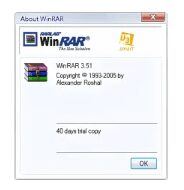
WinRAR For U3
4
Trial
Learn about WinRAR for U3 for portable USB file compression, archive extraction, RAR and ZIP management, encrypted archives, and on-the-go…
Pros :
- Fully portable on U3 drives
- Full WinRAR functionality
- Supports encryption
- Good compression performance
- Easy file management on the go
Cons :
- U3 technology is outdated
- Limited modern compatibility
- Not actively developed for new systems
- Requires specific USB setup
- Less relevant in modern Windows environments

Windows Notepad
4
Free
Learn about Windows Notepad for plain text editing, note-taking, coding, configuration file editing, lightweight document management, and simple offline text…
Pros :
- Extremely lightweight and fast
- Very easy to use
- Included free with Windows
- Useful for coding and plain text editing
- Minimal system resource usage
- Perfect for quick editing tasks
Cons :
- Limited formatting capabilities
- Advanced coding features are not included
- No rich text editing support
- Limited plugin and customization options
- Large projects are better handled in advanced editors
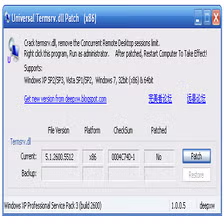
Universal Termsrv.dll Patch
3.9
Free
Download Universal Termsrv.dll Patch to modify Windows Remote Desktop limitations, enable multiple RDP sessions, and customize Remote Desktop Services functionality.
Pros :
- Enables multiple simultaneous RDP sessions
- Useful for advanced remote access setups
- Lightweight and simple utility
- Helpful for testing and educational environments
- Allows greater flexibility in Remote Desktop usage
- Useful for home labs and remote administration
- Portable and easy to apply in many cases
- Can improve productivity for multi-user access needs
Cons :
- Modifies critical Windows system files
- May conflict with Windows updates
- Can introduce security risks if misconfigured
- Not officially supported by Microsoft
- Compatibility varies between Windows versions
- Incorrect usage may cause system instability
- Antivirus software may flag patches as suspicious
- Requires administrative privileges and technical knowledge
WinZip PDF Pro
4.9
Trial
Learn about WinZip PDF Pro for PDF editing, document conversion, compression, annotations, digital signatures, PDF organization, and business document management…
Pros :
- Easy PDF editing and organization
- Useful conversion and compression tools
- Beginner-friendly interface
- Helpful for office and document workflows
- Supports digital signatures and annotations
- Combines multiple PDF utilities in one platform
Cons :
- Some advanced features may require premium licensing
- OCR accuracy can vary depending on document quality
- Large PDFs may require more system resources
- Advanced publishing workflows may be limited compared to enterprise PDF suites
- Cloud features may vary depending on edition

WPS Office - Free Office Suite
4.9
Free
Learn about WPS Office – Free Office Suite, the office productivity software for creating documents, managing spreadsheets, editing PDFs, designing…
Pros :
- Free version available
- Supports multiple platforms
- Compatible with Microsoft Office formats
- Lightweight performance
- Beginner-friendly interface
- Useful PDF tools included
Cons :
- Some advanced features require premium version
- Advertisements may appear in free edition
- Internet connection needed for certain cloud features
- Advanced enterprise tools may be limited
- Occasional compatibility issues with complex documents

WakeMeOnLan
4.9
Free
Download WakeMeOnLan to remotely power on computers, scan network devices, monitor system status, and manage Wake-on-LAN operations easily.
Pros :
- Very lightweight and fast utility
- Useful for remote computer power management
- Easy to use for network administrators
- Supports multiple device wake-up operations
- Good for office and enterprise environments
- Portable functionality may not require installation
- Helps save energy by powering systems remotely only when needed
- Useful for remote maintenance and backups
Cons :
- Wake-on-LAN must be supported by hardware
- BIOS and network configuration may require technical setup
- Some systems may not support WoL properly
- Internet-based wake-up may require router configuration
- Mostly useful within local network environments

WebDrive
2.2
Trial
Learn about WebDrive, a cloud storage mounting software used for connecting FTP, SFTP, WebDAV, and cloud storage services as local…
Pros :
- Easy remote storage access
- Supports multiple protocols
- Useful File Explorer integration
- Reduces need for full synchronization
- Good for business workflows
Cons :
- Commercial licensing required
- Internet connection required
- Performance depends on network speed
- Advanced features may require configuration
- Some cloud integrations depend on subscription tier

WinMTR
3
Free
Learn about WinMTR, a network diagnostic tool that combines ping and traceroute to analyze latency, packet loss, and routing issues…
Pros :
- Very easy to use
- Excellent for network troubleshooting
- Real-time results
- Lightweight and fast
- Great for diagnosing lag issues
Cons :
- Windows-only (official version)
- Limited advanced visualization
- Basic UI compared to modern tools
- Not a full network management suite
- Requires interpretation of technical data

Winpinator
4.9
Free
Learn about Winpinator, a peer-to-peer LAN file transfer tool used for fast, secure, and offline file sharing between Windows and…
Pros :
- Very easy to use
- Fast local transfers
- No cloud dependency
- Works offline on LAN
- Lightweight and efficient
Cons :
- Limited to local network range
- Requires both devices to be connected
- No advanced file management features
- Not ideal for remote transfers
- Basic interface design

Whiz FTP
2.9
Free
Learn about Whiz FTP, an FTP client software used for uploading, downloading, and managing files on remote servers with lightweight…
Pros :
- Easy to use
- Useful for website management
- Lightweight FTP workflow
- Simplifies remote file transfers
- Good for basic server administration
Cons :
- Windows-focused platform
- Interface may feel outdated
- Limited advanced enterprise features
- Secure protocol support may vary
- Smaller ecosystem compared to modern FTP clients