

Llama 2
4.8
Free
Learn about Llama 2 for AI language models, chatbot development, coding assistance, machine learning workflows, natural language processing, local AI…
Pros :
- Flexible local AI deployment options
- Useful for developers and researchers
- Supports AI experimentation and customization
- Strong open AI ecosystem support
- Multiple model sizes available
- Good integration with machine learning workflows
Cons :
- Larger models require powerful hardware
- Setup process can be complex for beginners
- AI-generated responses may require verification
- GPU acceleration is strongly recommended for best performance

LibreSprite
4.8
Free
Learn about LibreSprite, the free and open-source pixel art and animation software used for creating sprites, 2D game assets, and…
Pros :
- Completely free and open-source
- Lightweight and fast
- Great for pixel art beginners
- Ideal for indie game development
- Supports animation workflows
- Simple and focused interface
Cons :
- Fewer advanced features than commercial tools
- Limited professional-grade painting tools
- Smaller community than competitors like Aseprite
- No advanced digital painting features
- Basic UI compared to modern design software

MetaTrader 5 Trading Platform
4.2
Free
Learn about MetaTrader 5 Trading Platform for forex trading, stock analysis, automated trading, technical indicators, financial market monitoring, and multi-asset…
Pros :
- Supports multiple financial markets
- Strong charting and analysis tools
- Advanced automation functionality
- Better strategy testing than MT4
- Large global trading community
- Good mobile and desktop compatibility
Cons :
- More complex for complete beginners
- Automated trading still carries financial risk
- Requires stable internet connectivity
- Some brokers still primarily focus on MT4
- Market volatility can lead to significant losses
MacroGantt
3.4
Free
Learn about MacroGantt, the Excel-based Gantt chart software for creating project schedules, tracking tasks, managing timelines, and improving workflow organization…
Pros :
- Works directly inside Excel
- Easy to use for spreadsheet users
- Lightweight and fast
- Useful for small project planning
- No complex installation required
- Good for basic scheduling needs
Cons :
- Requires Microsoft Excel
- Limited compared to advanced project management tools
- Not suitable for very large enterprise projects
- Manual updates may be required
- Advanced collaboration features are limited

Krisp
3.2
Free
Learn about Krisp for AI-powered noise cancellation, voice enhancement, online meeting audio improvement, gaming voice chat, podcast recording, and professional…
Pros :
- Excellent background noise reduction
- Improves voice clarity significantly
- Useful for remote work and meetings
- Beginner-friendly setup process
- Supports multiple communication platforms
- Helpful for noisy environments
Cons :
- Some advanced features may require subscription access
- Audio processing quality may vary depending on hardware
- Heavy processing can slightly affect older systems
- Requires proper microphone setup for best results
Memory Card Restoration Software
4.9
Free
Learn about Memory Card Restoration Software, the SD card recovery tool for restoring deleted photos, videos, and corrupted files from…
Pros :
- Easy memory card recovery process
- Supports photos and videos
- Useful for accidental deletion cases
- Works with multiple devices
- Beginner-friendly interface
- Helps restore valuable media
Cons :
- Recovery depends on overwritten data
- Deep scans may take time
- Advanced features may require paid version
- Large scans consume system resources
- Limited to recovery functionality only

MigrateEmails Yahoo Backup Tool
4.9
Free
Learn about MigrateEmails Yahoo Backup Tool, the email backup software for Yahoo Mail used to export emails, migrate to cloud…
Pros :
- Easy Yahoo email backup
- Supports multiple export formats
- Useful for migration to cloud services
- Preserves email structure and attachments
- Beginner-friendly interface
- Suitable for business use
Cons :
- Requires Yahoo login credentials
- Internet-dependent process
- Large mailboxes may take time
- Advanced features may require paid version
- Windows-only software
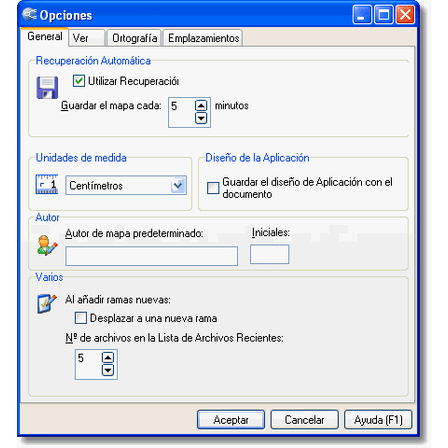
MindGenius
4
Trial
Learn about MindGenius, the mind mapping and project planning software for brainstorming ideas, organizing workflows, managing projects, improving productivity, and…
Pros :
- Easy visual idea organization
- Helpful brainstorming support
- Beginner-friendly interface
- Useful project planning tools
- Improves workflow visualization
- Supports productivity management
Cons :
- Windows-focused software
- Advanced collaboration features may be limited
- Cloud synchronization may vary by version
- Enterprise integrations may require premium editions
- Learning advanced project features may take time
Microsoft Project 2013
3.5
Trial
Learn about Microsoft Project 2013, the project management and scheduling software for planning tasks, managing workflows, tracking resources, organizing timelines,…
Pros :
- Powerful project management features
- Advanced scheduling capabilities
- Helpful resource management tools
- Useful reporting and analysis functions
- Strong workflow organization support
- Widely used in professional environments
Cons :
- Learning curve for beginners
- Windows-focused software
- Advanced features may feel complex for casual users
- Collaboration tools are less modern compared to cloud platforms
- Premium business software pricing may apply

Logitech SetPoint
3.6
Free
Learn about Logitech SetPoint for Logitech mouse and keyboard customization, programmable buttons, pointer settings, wireless device management, shortcut configuration, and…
Pros :
- Easy device customization
- Improves productivity workflows
- Good support for Logitech hardware
- Useful programmable button features
- Lightweight compared to gaming suites
- Beginner-friendly interface
Cons :
- Mainly useful for Logitech devices
- Older interface design
- Some newer devices prefer Logitech Options or G HUB
- Limited advanced gaming customization