- Development & IT
- Programming Languages
- AllVideo Plugin for Joomla
AllVideo (AllVideos plugin) is a Joomla content plugin designed to simplify multimedia embedding by allowing users to insert videos and audio into articles using short tags instead of complex HTML code.
It helps users:
- Build media-rich Joomla websites
- Simplify video embedding workflow
- Improve content presentation
- Support multiple media sources
- Maintain consistent video layout
- Reduce technical complexity in editing
The plugin is commonly popular among:
- Joomla developers
- Website administrators
- Bloggers and content creators
- Educational websites
- Business CMS sites
Depending on usage, users get:
- Shortcode-based media embedding
- Multi-platform video support
- Responsive media players
- Template-based playback design
- Audio and video integration tools
📌 What is AllVideo Plugin for Joomla?
AllVideos (often referred to as AllVideos plugin for Joomla) is a popular Joomla extension used to embed and play videos and audio content directly inside Joomla articles and pages without manually writing complex HTML or embed code.
It acts as a universal media player plugin for Joomla websites.
The plugin helps users:
- Embed YouTube, Vimeo, and other video platforms
- Play audio files (MP3, SoundCloud, etc.)
- Insert self-hosted videos on a Joomla site
- Use simple “tag-based” media embedding
- Control layout and responsiveness of media players
- Manage media content inside articles easily
It is commonly used by:
- Joomla web developers
- Website administrators
- Content creators and bloggers
- Media-heavy websites
- Online educators
- Business websites with video content
The plugin mainly focuses on:
- Media embedding inside Joomla CMS
- Video/audio playback integration
- Content plugin functionality
- Simplified shortcode-style media insertion
- Responsive media players
🚀 Key Uses
- Embedding YouTube videos in Joomla articles
- Adding Vimeo or Dailymotion videos
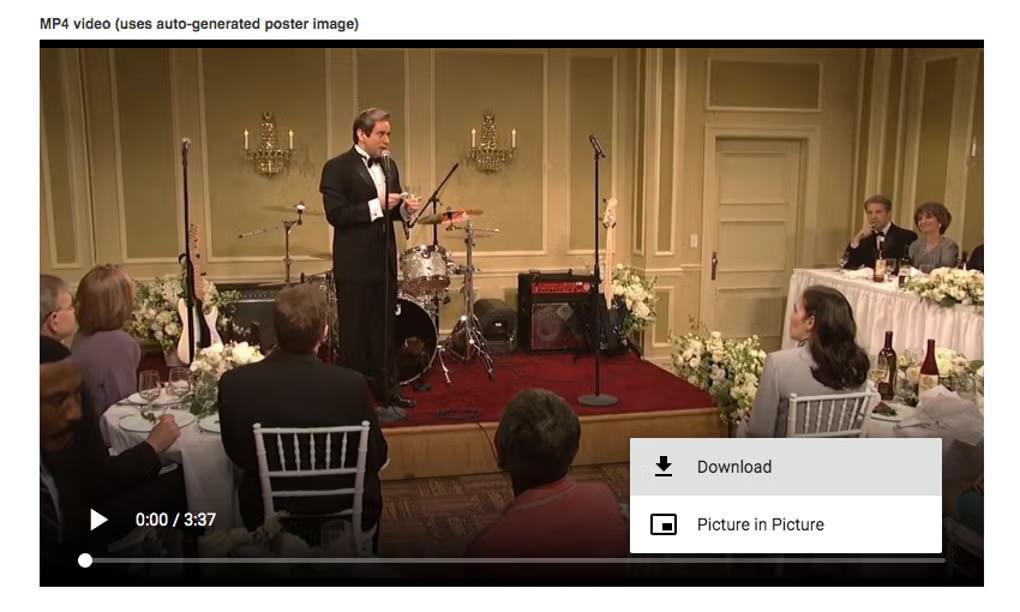
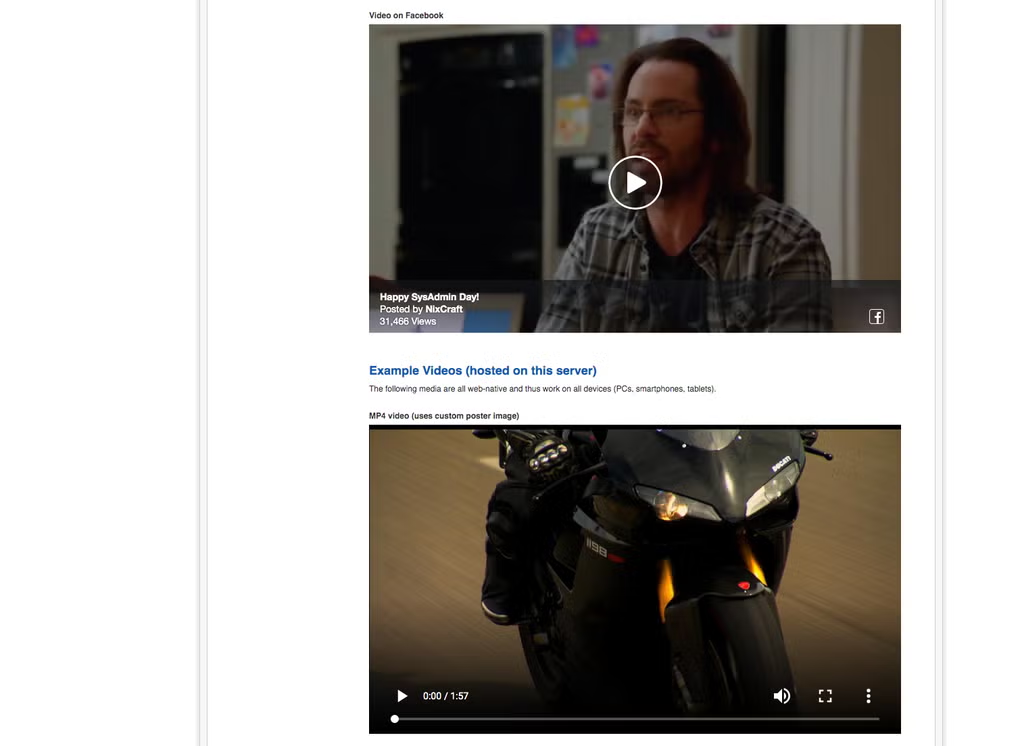
- Playing MP4 videos hosted on your server
- Adding audio podcasts to web pages
- Building media-rich blogs and news sites
- Creating product demo pages
- Embedding training or tutorial videos
- Enhancing Joomla content with multimedia
- Managing consistent video layouts
- Avoiding manual iframe embedding
💡 Example Usage
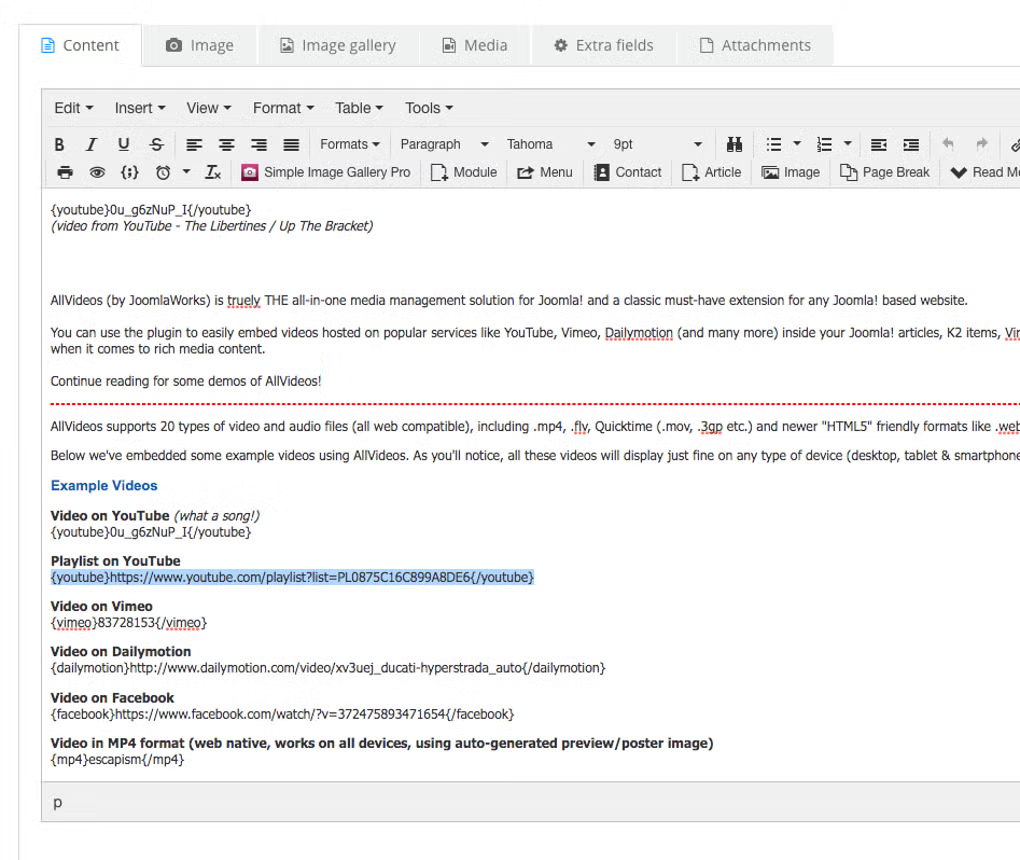
Instead of embedding long HTML code, you use simple tags like:
{youtube}VIDEO_ID{/youtube}
or
{mp4}video_file_name{/mp4}
This makes content editing much faster and cleaner.
💻 System Requirements (General)
Supported Platform
- Joomla CMS (versions 3, 4, 5 depending on plugin version)
Requirements
- Joomla installation
- PHP-supported hosting
- Media files or supported video platforms
- Content plugin enabled in Joomla
Recommended Setup
- Updated Joomla version
- Modern PHP version (7.4+)
- Responsive template support
- Stable web hosting
🔄 Alternatives
- JCE MediaBox (Joomla editor media plugin)
- All Video Share (Joomla extension)
- AVPlayer Joomla plugin
- Embedly integration
- HTML5 custom video embedding
- YouTube embed plugins for Joomla
- Vimeo plugins for CMS integration
❓ FAQ
Q1. What is AllVideo plugin used for?
It is used to embed and play videos/audio inside Joomla articles easily using simple tags.
Q2. Is it only for YouTube?
No, it supports many platforms like Vimeo, Dailymotion, SoundCloud, and self-hosted files.
Q3. Do I need coding skills?
No, it replaces HTML embed code with simple plugin tags.
Q4. Is it free?
Yes, the core plugin is generally free under GPL license.
Q5. Does it work on modern Joomla versions?
Yes, newer versions support Joomla 4 and 5 (depending on release).
🔄 Best Alternatives
Features
✔ YouTube/Vimeo embedding support
✔ Self-hosted video playback
✔ Audio file support
✔ Simple tag-based syntax
✔ Responsive media player layouts
✔ Multiple player templates
✔ Joomla content integration
✔ Lightweight plugin design
✔ Playlist and parameter support
✔ Cross-component embedding support
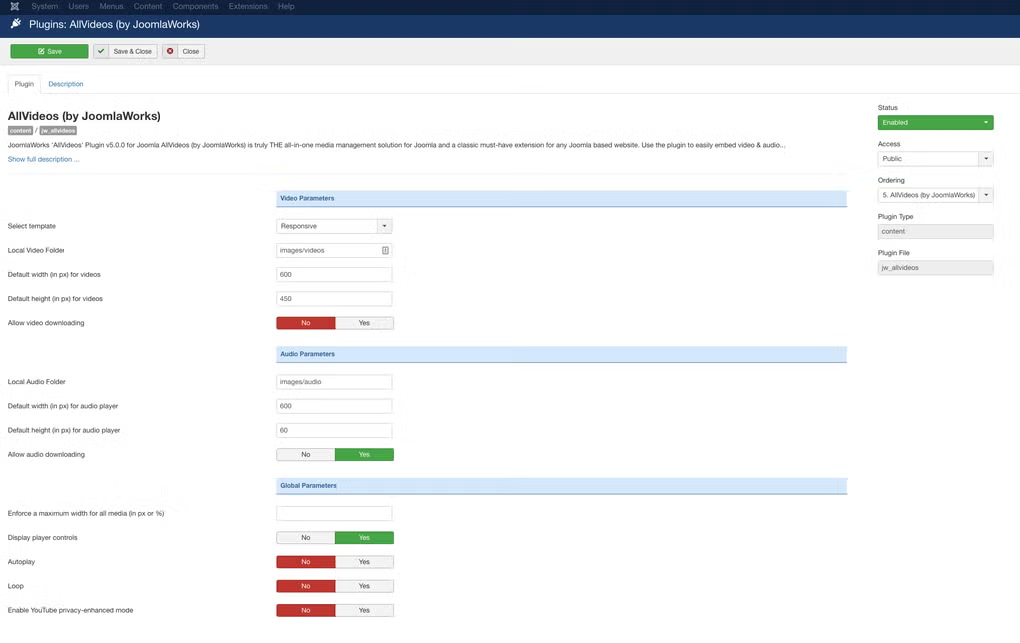
✔ Easy configuration panel
✔ No manual HTML required
👍 Pros & 👎 Cons
Pros
- Very easy video embedding
- Saves time in content creation
- Supports many media platforms
- Works inside Joomla articles
- Flexible and customizable
Cons
- Joomla-only plugin
- Depends on plugin compatibility
- May conflict with optimization plugins in some setups
- Requires correct configuration for best performance
Expert Review
AllVideos is a widely used Joomla media embedding plugin that significantly simplifies the process of adding videos and audio into CMS content, making it ideal for media-heavy websites and non-technical users.
Its strongest advantages are:
- Simple shortcode-based embedding
- Broad media platform support
- Smooth Joomla integration
- Easy content workflow
It is best suited for Joomla-based websites that rely heavily on multimedia content, while modern websites outside Joomla often use direct HTML5 embeds or JavaScript-based players.
How to Install
1. Download the software from the link provided.
2. Extract the downloaded file using WinRAR or 7-Zip.
3. Open the extracted folder.
4. Run the setup file (.exe).
5. Follow the installation instructions.
6. Click on “Finish” to complete the installation.
7. Open the software and start using it.
Apps Specs
Licence
Free
Latest Update
June 24, 2026
Platform
Windows
Downloads
Devlopers
Top Downloads
Related Topics
Disclaimer
This content is provided for educational and informational purposes only. We do not host, store, or distribute any software files on our servers. All trademarks, product names, and logos belong to their respective owners.
We strongly recommend downloading software only from official websites or trusted sources. We are not responsible for any damage, data loss, or issues that may occur from the use of third-party software.
Users should ensure they comply with all applicable laws and software licensing agreements in their country before downloading or using any software mentioned on this website.
You may also like
Alternatives to
Expore Apps