Windows PE, commonly called WinPE, is a lightweight version of the Windows operating system developed by Microsoft for deployment, troubleshooting, recovery, imaging, and system maintenance tasks.
WinPE is widely used by IT professionals, system administrators, computer technicians, and enterprise deployment environments to install, repair, recover, and manage Windows systems outside the main operating system environment.
📌 What is Windows PE (WinPE)?
Windows PE is a minimal bootable version of Windows designed primarily for:
- System deployment
- Recovery operations
- Troubleshooting
- Disk management
- Imaging workflows
- Maintenance environments
Unlike a full Windows installation, WinPE runs as a temporary lightweight operating environment.
It is commonly booted from:
- USB drives
- DVDs
- ISO images
- Network boot systems
One of the biggest strengths of WinPE is offline system access.
Technicians can repair or manage systems even when the main Windows installation fails to boot.
WinPE is commonly used by:
- IT administrators
- Enterprise deployment teams
- Repair technicians
- OEM manufacturers
- System builders
- Advanced Windows users
Depending on configuration, WinPE may support:
- Windows installation
- Disk partitioning
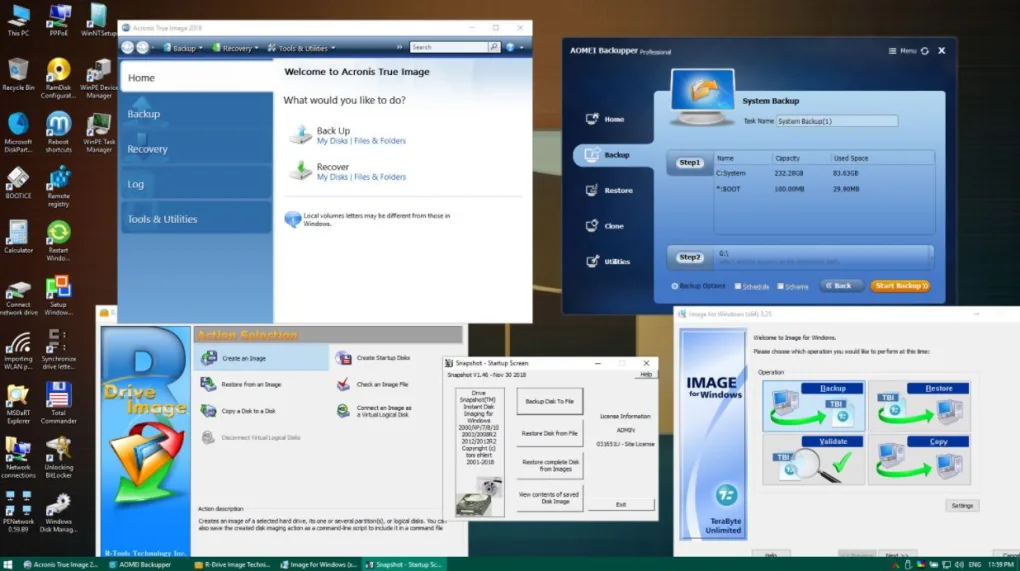
- System imaging
- File recovery
- Driver loading
- Network access
- Command-line tools
- PowerShell support
- Registry editing
- Boot repair operations
- Antivirus scanning
- Password reset environments
- Backup restoration
- Hardware diagnostics
- Offline troubleshooting
One major use case is Windows deployment.
Organizations use WinPE to:
- Install Windows across multiple devices
- Automate deployment scripts
- Apply system images
- Configure enterprise systems
Another major feature is recovery and repair support.
Users can troubleshoot:
- Boot failures
- Corrupted system files
- Broken bootloaders
- Partition issues
- Driver problems
- File system corruption
WinPE is commonly associated with deployment technologies such as:
- Microsoft Deployment Toolkit
- Windows Assessment and Deployment Kit
- DISM
One important feature is RAM-based operation.
WinPE usually loads into system memory rather than fully installing onto a hard drive.
This allows technicians to work on disks while they remain offline from the primary operating system.
WinPE also supports:
- NTFS
- FAT32
- exFAT
- Networking support
- Storage drivers
- USB devices
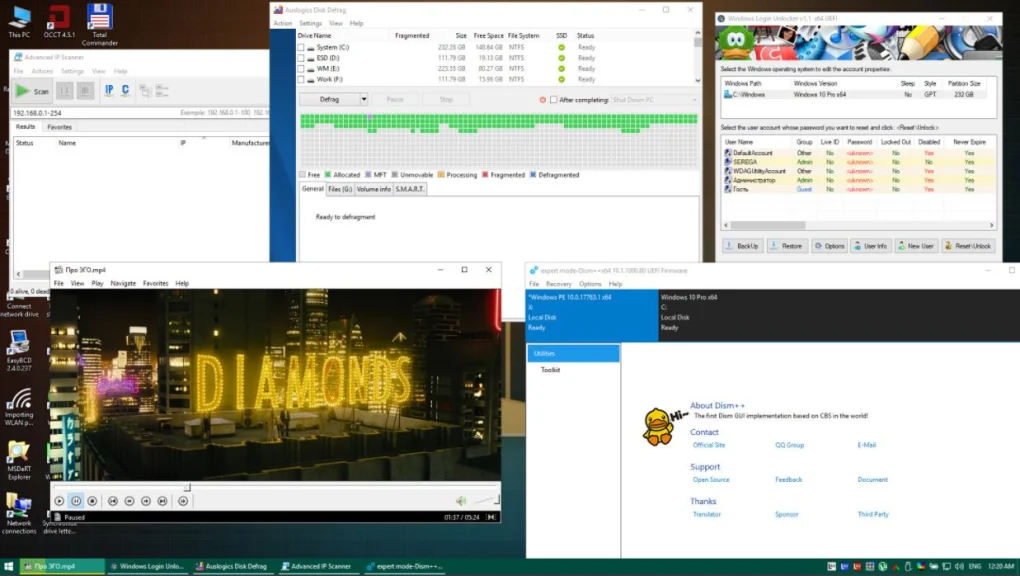
Advanced users often customize WinPE environments by adding:
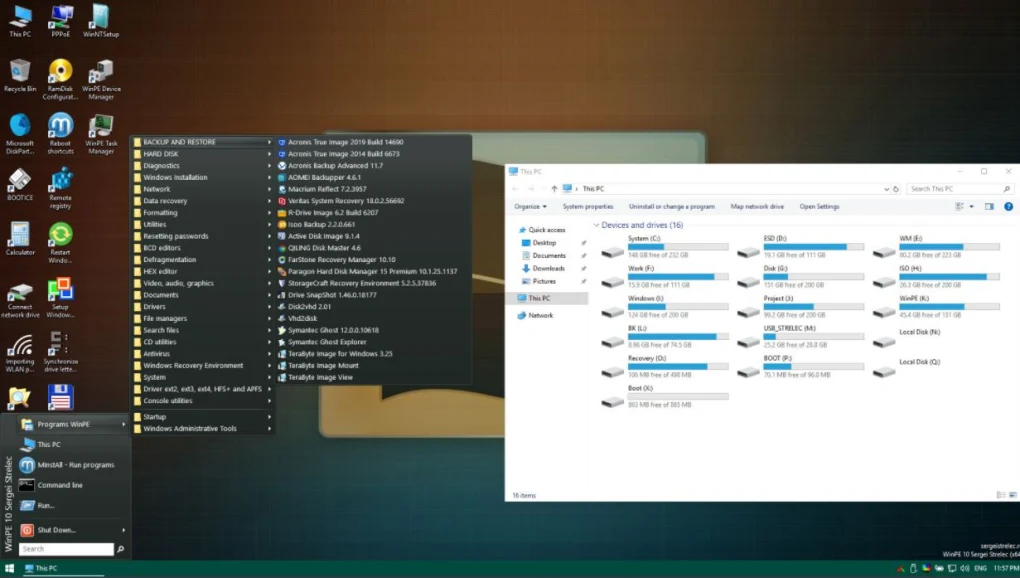
- Recovery tools
- Disk utilities
- Antivirus scanners
- Backup applications
- Imaging software
- Hardware diagnostics
Some third-party rescue systems are also built using WinPE foundations.
Examples include:
- Hiren’s BootCD PE
- Sergei Strelec WinPE
However, users should understand several important limitations.
WinPE is not intended as a full daily-use operating system.
It has restrictions such as:
- Temporary session environments
- Limited application support
- Reduced Windows functionality
- Session time limits in some versions
Another important consideration is licensing and deployment compliance.
Enterprise deployments should follow official licensing requirements from Microsoft.
Users should also be careful with unofficial customized WinPE builds downloaded online because some may contain:
- Malware
- Pirated tools
- Unsafe modifications
WinPE environments can also become technically complex for beginners because they often involve:
- Command-line operations
- Boot configuration
- Driver injection
- Deployment scripting
Overall, Windows PE acts as a lightweight Windows recovery and deployment environment designed for troubleshooting, operating system installation, repair, and enterprise management workflows.
💻 System Requirements (General)
Minimum Requirements
- Architecture:
x86 / x64 compatible systems - RAM:
Typically 1GB–2GB minimum - Storage Media:
USB drive, ISO, or DVD - Boot Support:
BIOS or UEFI systems
Recommended Requirements
- RAM:
4GB or more for advanced tools - Storage:
Fast USB 3.0 drive recommended - Additional Tools:
- Windows ADK
- Deployment Toolkit
- Imaging software
- Backup utilities
🔄 Alternatives
Users commonly compare WinPE with:
- Hiren’s BootCD PE
- Sergei Strelec WinPE
- Linux Live USB
- SystemRescue
- Clonezilla
❓ FAQ
Q1. What is WinPE mainly used for?
It is mainly used for Windows deployment, troubleshooting, recovery, and maintenance.
Q2. Can WinPE install Windows?
Yes, it is commonly used during Windows installation workflows.
Q3. Does WinPE run from RAM?
Yes, it typically loads into memory for temporary operation.
Q4. Can WinPE repair boot problems?
Yes, it is widely used for offline boot repair tasks.
Q5. Is WinPE a full operating system?
No, it is a lightweight maintenance and deployment environment.
Q6. Can WinPE access network resources?
Yes, many builds support networking functionality.
Q7. Are unofficial WinPE builds always safe?
No, users should be cautious because unofficial builds may contain unsafe modifications.
Features
- ✔️ Lightweight Windows environment
- ✔️ Bootable recovery system
- ✔️ Windows installation support
- ✔️ Disk imaging compatibility
- ✔️ Offline troubleshooting tools
- ✔️ Boot repair operations
- ✔️ Network support
- ✔️ Driver loading support
- ✔️ Command Prompt and PowerShell access
- ✔️ Registry editing tools
- ✔️ Backup and recovery support
- ✔️ Partition management compatibility
- ✔️ RAM-based execution
- ✔️ Enterprise deployment support
- ✔️ Customizable recovery environments
👍 Pros & 👎 Cons
Pros
- Excellent for troubleshooting Windows systems
- Useful for deployment and imaging workflows
- Can access systems that fail to boot
- Lightweight and portable
- Supports offline repairs
- Highly customizable for technicians
- Useful for enterprise environments
- Supports networking and storage drivers
Cons
- Not intended for daily desktop use
- Can be complex for beginners
- Limited compared to full Windows installations
- Requires technical knowledge for advanced customization
- Some third-party builds may be unsafe
- Limited graphical interface in some environments
- Enterprise deployment setup may be complicated
Our Analysis
In my opinion, WinPE is one of the most important tools in the Windows administration and repair ecosystem because it provides offline access to systems that otherwise cannot boot properly.
One of the biggest strengths is flexibility. WinPE can function as:
- A deployment environment
- A repair toolkit
- A recovery platform
- A diagnostic workspace
all from a lightweight bootable environment.
The ability to access storage drives offline is extremely valuable for:
- Bootloader repairs
- File recovery
- Imaging operations
- Malware cleanup
- Registry fixes
Enterprise deployment support is another major advantage because large organizations often automate Windows installations using WinPE-based workflows.
However, WinPE is much more technical than standard Windows environments. Advanced customization, scripting, and deployment operations can become complex for beginners.
Another important point is security. Because WinPE environments can bypass normal operating system protections, users should only use trusted builds and legitimate recovery tools.
For IT technicians, repair professionals, deployment engineers, and advanced Windows users, WinPE remains one of the most powerful and essential maintenance environments available in the Windows ecosystem.
⚙️ Installation & Usage Guide (General Overview)
Step 1: Install Windows ADK
Download and install the Windows Assessment and Deployment Kit.
Step 2: Create WinPE Media
Generate bootable WinPE media using deployment tools.
Step 3: Prepare USB or ISO
Create a bootable USB drive or ISO image.
Step 4: Boot the Target System
Start the computer using the WinPE media.
Step 5: Access Recovery Environment
Open command-line or recovery utilities.
Step 6: Perform Maintenance Tasks
Examples include:
- Boot repair
- File recovery
- Disk imaging
- Windows installation
Step 7: Load Drivers if Needed
Add storage or network drivers when required.
Step 8: Run Deployment or Recovery Tools
Use imaging, repair, or diagnostic utilities.
Step 9: Restart the System
Exit WinPE after completing maintenance tasks.
Step 10: Verify System Functionality
Ensure the repaired or deployed system works correctly.
About SoftwareDownloading Editorial Team
The SoftwareDownloading Editorial Team researches Windows software, compatibility information, features, alternatives, and software-related guides for SoftwareDownloading.in.
Our pages are prepared using available product information and relevant documentation. When an application has not been personally tested, we distinguish research-based analysis from hands-on testing. Learn more about our review process
Apps Specs
Developer
Licence
Free
Version
2021.01.05
Platform
Windows
Download Clicks
4
Page Reviewed
September 26, 2026
Top Downloads



Disclaimer
This content is provided for educational and informational purposes only. We do not host, store, or distribute any software files on our servers. All trademarks, product names, and logos belong to their respective owners.
We strongly recommend downloading software only from official websites or trusted sources. We are not responsible for any damage, data loss, or issues that may occur from the use of third-party software.
Users should ensure they comply with all applicable laws and software licensing agreements in their country before downloading or using any software mentioned on this website.