- Education & Reference
- Catalogs
- Offline CD Browser
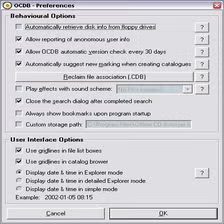
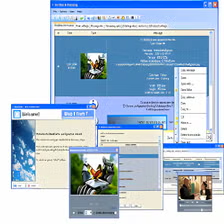
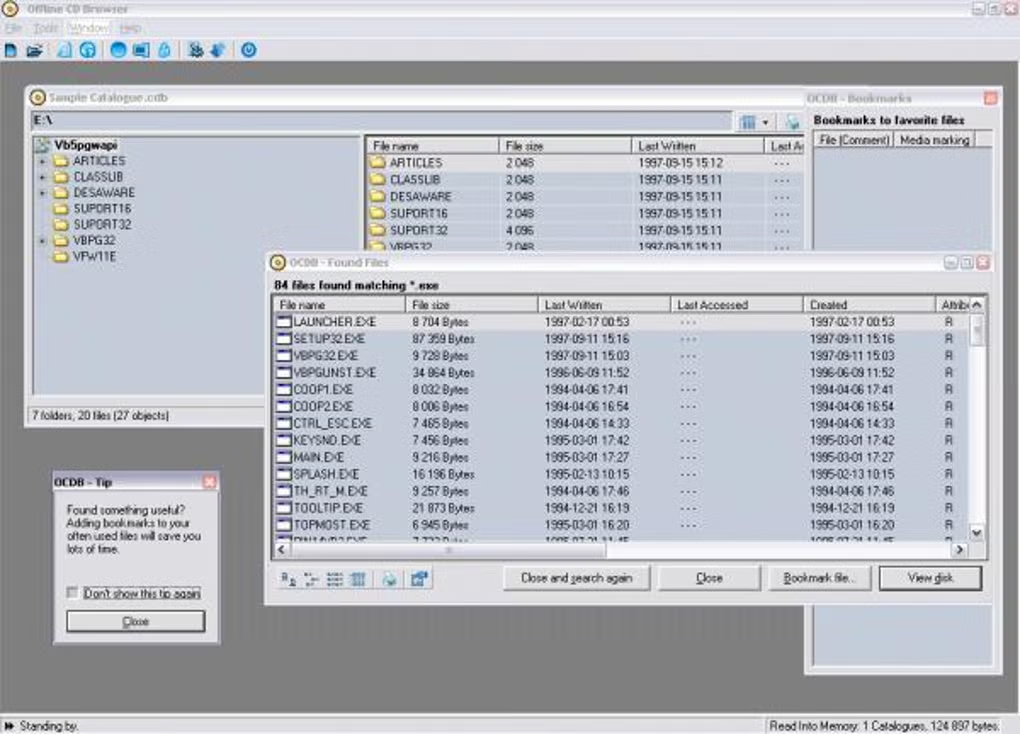
Offline CD Browser is a powerful disk cataloging software designed to help users organize, search, and manage files stored on CDs, DVDs, external drives, and other offline storage media without inserting the physical disk every time.
📌 What is Offline CD Browser?
Offline CD Browser is a specialized file cataloging and indexing tool that helps users keep track of data stored on offline media such as CDs, DVDs, USB drives, and external hard disks. Instead of manually inserting every disk to find a file, the software creates a searchable database of stored content, making file retrieval much faster and easier.
Many users, especially professionals and collectors, maintain large archives of files across multiple storage devices. Searching for a specific file can become frustrating when dozens or even hundreds of disks are involved. Offline CD Browser solves this problem by scanning the media once and storing the file information in its internal database.
This means users can browse folder structures, search filenames, and check file locations without physically connecting the storage media again. It saves time, improves organization, and reduces the risk of losing track of important files.
The software is especially useful for offices, media collectors, photographers, video editors, backup managers, and users who maintain long-term archives of data.
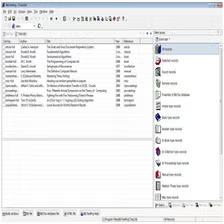
Unlike basic file explorers, Offline CD Browser focuses on catalog management rather than direct file access. Its main purpose is helping users know exactly where a file is stored before retrieving it.
💻 System Requirements (Detailed)
To run Offline CD Browser smoothly, the following system requirements are recommended:
Minimum Requirements
- Operating System: Windows 7 / Windows 8 / Windows 10 / Windows 11
- Processor: Intel Pentium Dual-Core or equivalent
- RAM: Minimum 2GB RAM
- Storage Space: 200MB free disk space
- Display: 1024×768 screen resolution
- Drive Support: CD/DVD drive (optional for indexing disks)
Recommended Requirements
- Processor: Intel Core i3 or higher
- RAM: 4GB or more
- Storage: Additional space for large indexing databases
- External Device Support: USB drives, HDDs, SSDs supported
The software is lightweight, so even older systems can run it effectively without performance issues.
🔄 Alternatives
If you want similar software, you can also try:
- WhereIsIt
- WinCatalog
- Visual CD
- Disk Explorer Professional
These tools provide similar disk indexing and archive management features.
❓ FAQ
Q1. What is Offline CD Browser mainly used for?
It is mainly used for indexing and managing files stored on CDs, DVDs, USB drives, and other offline storage devices.
Q2. Can I search files without inserting the original CD?
Yes, that is the main purpose of the software. Once indexed, you can search files without inserting the disk again.
Q3. Is Offline CD Browser free?
Some versions may be free, while advanced editions may require a paid license depending on the source.
Q4. Is this software useful for photographers and video editors?
Yes, it is very useful for professionals who store large projects on multiple backup disks.
Q5. Does it support USB drives and external hard disks?
Yes, it supports CDs, DVDs, USB drives, and external storage devices.
Features
- ✔️ Catalog CDs, DVDs, USB drives, and external disks
- ✔️ Search files without inserting the original media
- ✔️ Fast indexing and database creation
- ✔️ Organized folder structure view
- ✔️ Supports large media collections
- ✔️ Lightweight and efficient performance
- ✔️ Easy-to-use interface for beginners
- ✔️ Saves time for archive management
- ✔️ Useful for backup tracking
- ✔️ Reduces manual disk searching
👍 Pros & 👎 Cons
Pros
👍 Pros
Excellent for archive management
Saves significant time
Lightweight and fast
Easy search system
Useful for large collections
Cons
👎 Cons
Mainly useful for offline storage users
Less useful for cloud-based workflows
Interface may look old-fashioned
Requires initial indexing process
Limited modern UI features
Our Analysis
In my opinion, Offline CD Browser is one of the most practical tools for users who still rely heavily on physical storage media and long-term backups. It solves a very common problem—forgetting where a file is stored—and turns file retrieval into a much faster process.
Its lightweight design and simple functionality make it highly efficient without unnecessary complexity. While it may not be useful for users who depend entirely on cloud storage, it remains extremely valuable for professionals, collectors, and offices with large offline archives.
If you manage many disks and want better control over your stored data, Offline CD Browser is definitely worth using.
Follow these steps to install Offline CD Browser correctly:
Step 1: Download the Software
Download the latest version of Offline CD Browser from a trusted and safe source.
Step 2: Open the Installer
Locate the downloaded setup file and double-click it to begin installation.
Step 3: Accept License Agreement
Read and accept the software license terms to continue.
Step 4: Choose Installation Folder
Select the destination folder where you want the software installed.
Step 5: Complete Installation
Click the Install button and wait for the setup to finish.
Step 6: Launch the Software
Open Offline CD Browser and begin adding your media collections.
Step 7: Start Indexing
Insert your CD/DVD or connect your external storage device and let the software create its searchable catalog.
About SoftwareDownloading Editorial Team
The SoftwareDownloading Editorial Team researches Windows software, compatibility information, features, alternatives, and software-related guides for SoftwareDownloading.in.
Our pages are prepared using available product information and relevant documentation. When an application has not been personally tested, we distinguish research-based analysis from hands-on testing. Learn more about our review process

Apps Specs
Developer
Licence
Free
Version
V 3.1.16
Platform
Windows
Download Clicks
1
Page Reviewed
September 26, 2026
Top Downloads


Related Topics
Disclaimer
This content is provided for educational and informational purposes only. We do not host, store, or distribute any software files on our servers. All trademarks, product names, and logos belong to their respective owners.
We strongly recommend downloading software only from official websites or trusted sources. We are not responsible for any damage, data loss, or issues that may occur from the use of third-party software.
Users should ensure they comply with all applicable laws and software licensing agreements in their country before downloading or using any software mentioned on this website.