- Development & IT
- Networking
- BandwidthD

BandwidthD is designed to provide visibility into network traffic by collecting and analyzing data usage patterns from devices connected to a network. It converts raw network packets into meaningful usage statistics and reports.
It helps users:
- Understand network consumption patterns
- Control bandwidth distribution
- Detect abnormal traffic spikes
- Improve network efficiency
- Manage shared internet resources
- Support IT troubleshooting workflows
The software is commonly popular among:
- Network administrators
- IT infrastructure teams
- University network managers
- Small ISPs
- Server administrators
- Security monitoring teams
Depending on usage, users may get:
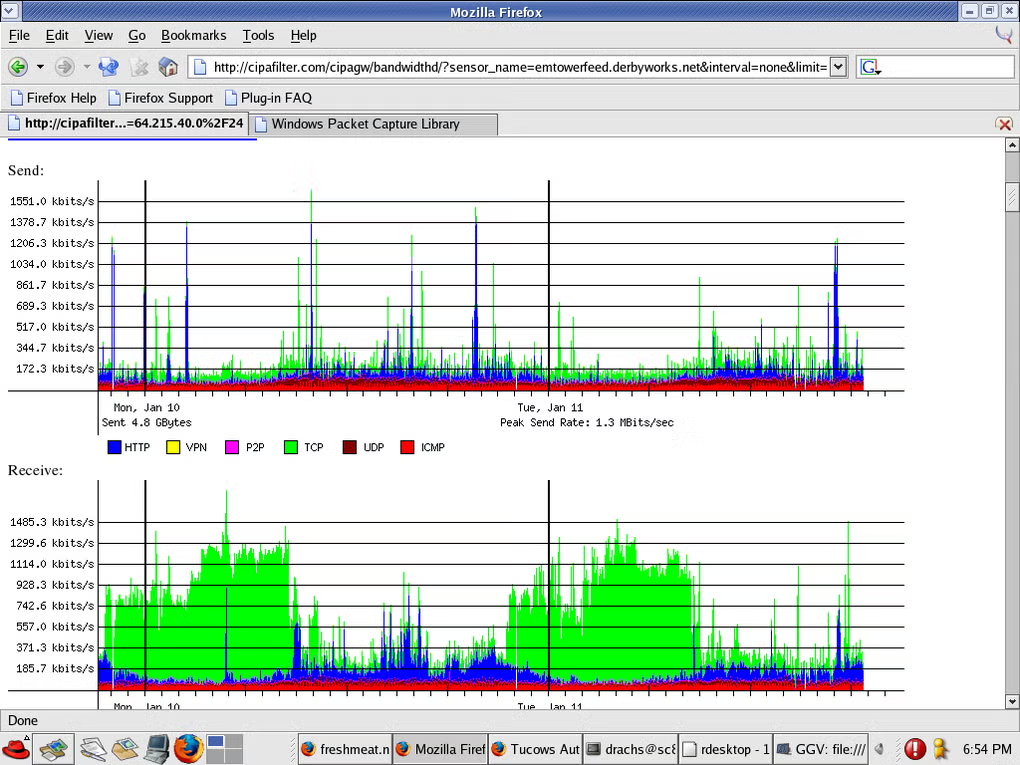
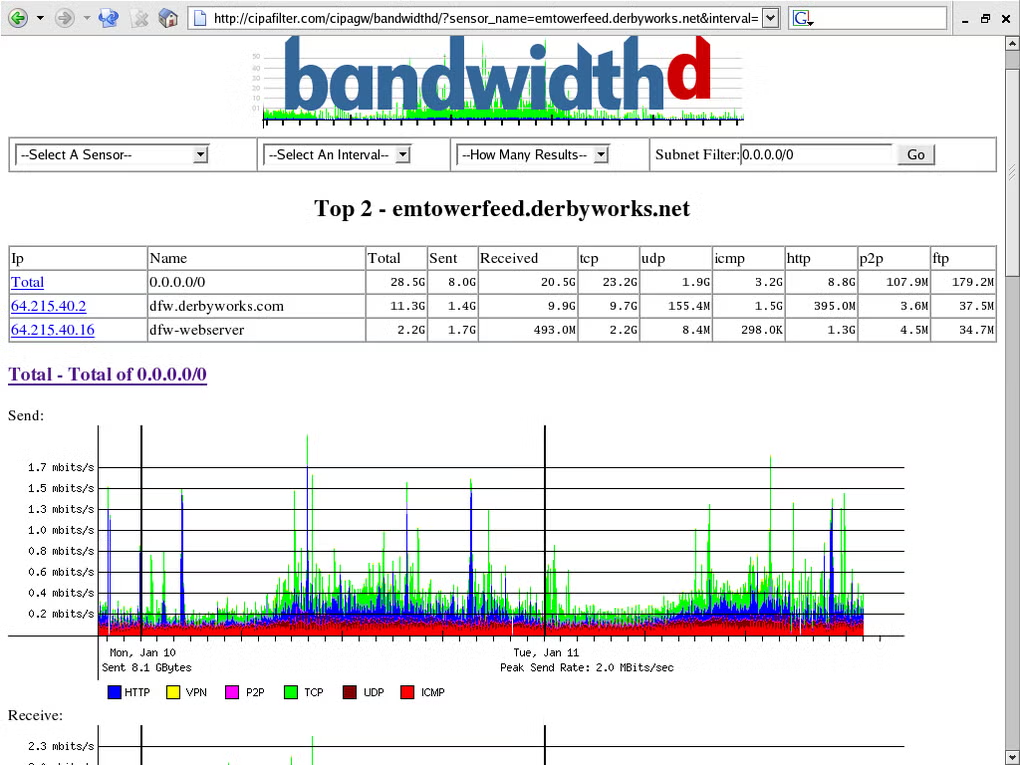
- Traffic graphs and charts
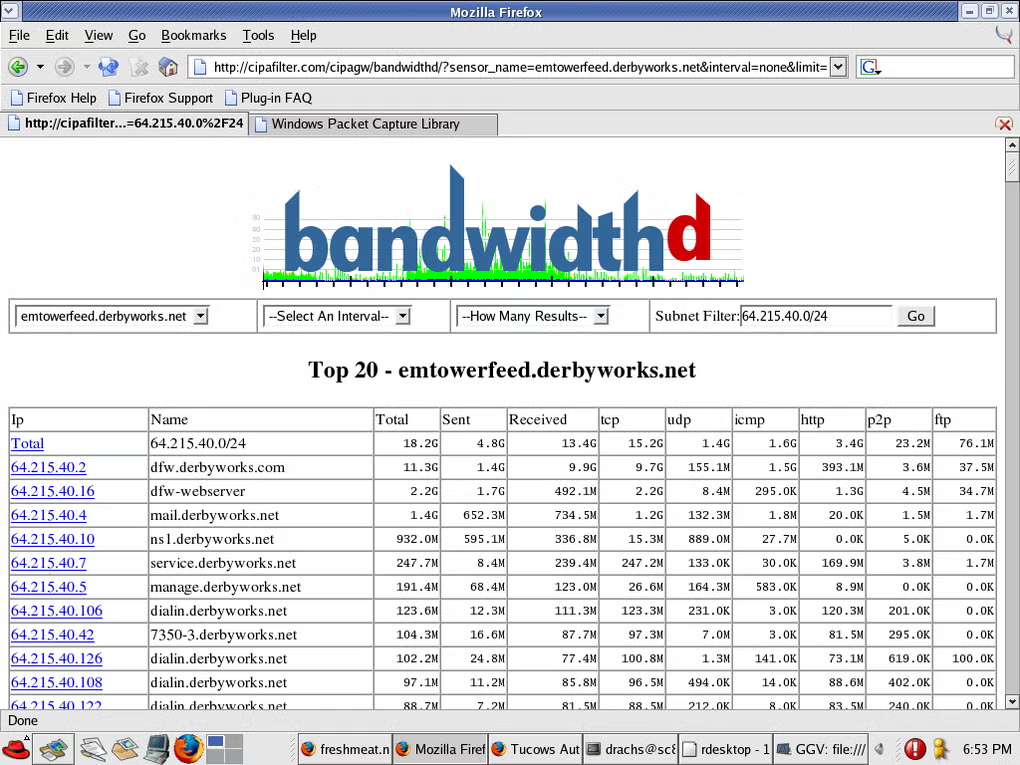
- IP-based usage reports
- Historical bandwidth logs
- Network analytics dashboards
- Usage trend analysis tools
- Lightweight monitoring system
📌 What is BandwidthD?
BandwidthD is a network monitoring tool used to track, analyze, and visualize bandwidth usage on a network. It captures IP traffic data and generates reports showing how much data each device or IP address is using over time.
It is mainly designed for network administrators who want visibility into internet usage patterns on local networks or servers.
The software helps users:
- Monitor network bandwidth usage
- Track IP-based traffic consumption
- Generate usage reports and graphs
- Identify high-bandwidth users or devices
- Analyze long-term network trends
- Improve network performance management
It is commonly used by:
- Network administrators
- IT support teams
- Internet service providers (small-scale)
- System engineers
- University/office network managers
- Hosting/server administrators
The application mainly focuses on:
- Network traffic monitoring
- Bandwidth analysis
- IP-level usage tracking
- Network performance reporting
- Data visualization for traffic flow
🚀 Key Uses
- Monitoring internet usage per device
- Identifying bandwidth-heavy applications or users
- Managing office or campus networks
- Detecting unusual network activity
- Generating daily/weekly/monthly traffic reports
- Optimizing network performance
- Supporting ISP-level traffic analysis
- Tracking server network usage
- Troubleshooting slow network issues
- Maintaining fair usage policies
💻 System Requirements (General)
Supported Platforms
- Linux (most common deployment)
- Windows (limited setups via ports or alternatives)
- Unix-based systems
Basic Requirements
- 1GB–2GB RAM minimum
- Network interface access
- Packet capture support (e.g., libpcap)
- Storage space for logs and reports
- Modern CPU
Recommended Requirements
- 2GB–4GB RAM
- SSD storage
- High-traffic network interface support
- Multi-core processor
- Long-term log storage system
🔄 Alternatives
- ntopng
- Cacti
- Zabbix
- PRTG Network Monitor
- Nagios
- Darkstat
- vnStat
- NetFlow analyzers
❓ FAQ
Q1. What is BandwidthD used for?
It is used to monitor and analyze network bandwidth usage by tracking IP-level traffic data.
Q2. Does BandwidthD show which user is using the most data?
Yes, it can identify high-usage IP addresses and devices on the network.
Q3. Is BandwidthD real-time monitoring software?
It provides near real-time tracking along with historical reporting.
Q4. Is BandwidthD suitable for home use?
Yes, but it is more commonly used in office, server, and institutional networks.
Q5. Does it require special network setup?
It usually requires access to network interfaces and packet capture permissions.
Features
✔ IP-based bandwidth tracking
✔ Network traffic visualization
✔ Historical usage reports
✔ Web-based reporting interface
✔ Lightweight monitoring system
✔ Packet capture analysis
✔ Per-device usage statistics
✔ Long-term data logging
✔ Network performance insights
✔ Multi-interface support
✔ Simple deployment model
✔ Open-source availability (in many builds)
👍 Pros & 👎 Cons
Pros
- Lightweight and efficient
- Easy bandwidth tracking
- Good for network transparency
- Useful historical reporting
- Simple deployment on servers
Cons
- Limited modern dashboard features
- Not as advanced as enterprise tools
- Requires technical setup
- Mainly Linux-focused
- No deep application-layer analysis
Our Analysis
BandwidthD is a practical and lightweight network monitoring tool that focuses on IP-level bandwidth analysis, making it useful for understanding traffic distribution in small to medium networks.
Its strongest advantages are:
- Simple bandwidth tracking
- Lightweight system usage
- Clear usage reporting
- Useful for network transparency
It is best suited for system administrators and network engineers managing local or server-based networks, while large enterprises often prefer more advanced monitoring suites like Zabbix or PRTG.
⚙️ Usage Guide (General Overview)
Step 1: Install BandwidthD
Install on a server or network monitoring machine.
Step 2: Configure Network Interface
Select the interface to monitor (e.g., eth0).
Step 3: Enable Packet Capture
Allow access to network traffic data.
Step 4: Start Monitoring
Begin collecting bandwidth usage statistics.
Step 5: View Reports
Open web interface to analyze graphs and logs.
Step 6: Optimize Network
Use insights to manage bandwidth usage.
About SoftwareDownloading Editorial Team
The SoftwareDownloading Editorial Team researches Windows software, compatibility information, features, alternatives, and software-related guides for SoftwareDownloading.in.
Our pages are prepared using available product information and relevant documentation. When an application has not been personally tested, we distinguish research-based analysis from hands-on testing. Learn more about our review process
Apps Specs
Developer
Licence
Paid
Version
V 2.0.1
Platform
Windows
Download Clicks
2
Page Reviewed
September 27, 2026
Top Downloads





Disclaimer
This content is provided for educational and informational purposes only. We do not host, store, or distribute any software files on our servers. All trademarks, product names, and logos belong to their respective owners.
We strongly recommend downloading software only from official websites or trusted sources. We are not responsible for any damage, data loss, or issues that may occur from the use of third-party software.
Users should ensure they comply with all applicable laws and software licensing agreements in their country before downloading or using any software mentioned on this website.