
- Windows Apps
- Agenda & Calendars
- Top Downloads
Windows
( 10000 Programs )
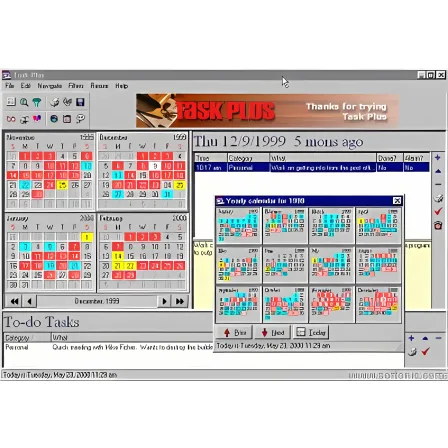
Task Plus
2.2
Trial
Learn about Task Plus for task management, reminders, appointment scheduling, productivity planning, and desktop-based workflow organization tools.
Pros :
- Simple and lightweight
- Easy task organization
- Helpful reminder system
- Good for daily productivity
- Suitable for personal and office use
- Efficient desktop workflow
Cons :
- Traditional desktop-style interface
- Limited cloud synchronization
- Fewer collaboration tools
- Mostly Windows-focused
- Less advanced than modern SaaS apps
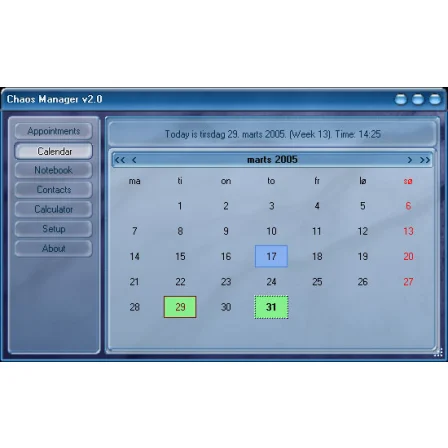
Chaos Manager
3.3
Free
Learn about Chaos Manager for contact management, scheduling, reminders, calendar organization, productivity planning, and personal or business workflow management.
Pros :
- Good all-in-one productivity tool
- Useful contact management features
- Lightweight and efficient
- Helpful scheduling and reminders
- Suitable for office and personal use
- Easy workflow organization
Cons :
- Interface looks traditional
- Limited cloud collaboration features
- Mostly Windows-focused
- Less modern than SaaS productivity platforms
- Advanced features may require paid version
MSD Organizer
3.9
Trial
Learn about MSD Organizer for task management, calendars, contact storage, reminders, password management, and all-in-one personal and business productivity organization…
Pros :
- All-in-one organization tool
- Helps improve productivity
- Lightweight and efficient
- Good data management features
- Useful for both personal and business use
- Strong reminder and scheduling tools
Cons :
- Interface may feel outdated
- Not as modern as cloud-based apps
- Some advanced features require paid edition
- Limited collaboration compared to modern SaaS tools
- Learning curve for full feature usage

DeltaCalendar
3
Free
Learn about DeltaCalendar for appointment scheduling, reminders, event management, productivity planning, recurring calendars, and desktop-based organization tools.
Pros :
- Easy scheduling and planning
- Helpful reminder system
- Lightweight and efficient
- Good for personal and office productivity
- Simple calendar workflow
- Useful recurring event support
Cons :
- Traditional desktop-style interface
- Limited cloud collaboration
- Fewer integrations than modern SaaS apps
- Mostly Windows-focused
- Advanced productivity features may be limited
Excel Calendar Template
3.4
Free
Learn about Excel Calendar Templates for scheduling, planning, printable calendars, appointment tracking, productivity management, and customizable Microsoft Excel planners.
Pros :
- Easy to customize
- Good for scheduling and planning
- Printable and shareable
- Supports formulas and automation
- Useful for office and personal use
- Widely compatible with Excel
Cons :
- Requires Excel knowledge for advanced editing
- Manual updates may be needed
- Less dynamic than cloud calendars
- Collaboration features are limited offline
- Large templates can become complex

Day Organizer
3.4
Free
Learn about Day Organizer for scheduling, task management, reminders, appointments, contact organization, and desktop productivity planning tools.
Pros :
- Simple and organized interface
- Useful for productivity and scheduling
- Lightweight desktop application
- Good reminder functionality
- Suitable for personal and office use
- Helps improve time management
Cons :
- Traditional desktop-style interface
- Limited modern cloud collaboration
- Fewer integrations compared to SaaS tools
- Mostly Windows-focused
- Advanced features may require paid version

MSD Tasks
3
Trial
Learn about MSD Tasks for task management, reminders, project organization, productivity planning, scheduling, and offline workflow management tools.
Pros :
- Simple and organized interface
- Good productivity features
- Lightweight and efficient
- Helpful reminders and scheduling
- Suitable for personal and office use
- Good offline task management
Cons :
- Interface looks somewhat outdated
- Limited modern cloud collaboration
- Mostly desktop-focused
- Fewer integrations than SaaS apps
- Advanced features may require paid edition

Agenda MSD Multiusuario
1.8
Trial
Learn about Agenda MSD Multiusuario for shared calendars, office scheduling, contact management, reminders, multi-user databases, and business productivity organization tools.
Pros :
- Excellent for office organization
- Supports multiple users simultaneously
- Good shared scheduling tools
- Lightweight and efficient
- Useful for small businesses
- Centralized information management
Cons :
- Interface feels traditional
- Mostly desktop-focused
- Limited modern cloud collaboration
- Requires network/database setup
- Less modern than SaaS productivity apps
Excel Password
3.2
Trial
Learn about Excel password protection for securing spreadsheets, locking worksheets, encrypting workbooks, preventing unauthorized editing, and protecting sensitive Microsoft Excel…
Pros :
- Easy to enable
- Good for protecting sensitive spreadsheets
- Built directly into Excel
- Helps prevent accidental changes
- Strong encryption in newer versions
Cons :
- Forgotten passwords can be difficult to recover
- Worksheet protection is not very strong
- Some recovery tools can bypass weak passwords
- Older Excel formats use weaker security
AMP Calendar
4.1
Free
Learn about AMP Calendar for appointment scheduling, reminders, event management, recurring calendars, productivity planning, and desktop-based organization tools.
Pros :
- Simple and easy scheduling
- Lightweight and fast
- Helpful reminder system
- Good for daily productivity
- Suitable for personal and office use
- Easy calendar workflow
Cons :
- Traditional desktop interface
- Limited cloud synchronization
- Fewer collaboration tools
- Mostly Windows-focused
- Less advanced than modern online calendars