
- Windows Apps
- AI
- Trending
Windows
( 10000 Programs )

Krisp
3.2
Free
Learn about Krisp for AI-powered noise cancellation, voice enhancement, online meeting audio improvement, gaming voice chat, podcast recording, and professional…
Pros :
- Excellent background noise reduction
- Improves voice clarity significantly
- Useful for remote work and meetings
- Beginner-friendly setup process
- Supports multiple communication platforms
- Helpful for noisy environments
Cons :
- Some advanced features may require subscription access
- Audio processing quality may vary depending on hardware
- Heavy processing can slightly affect older systems
- Requires proper microphone setup for best results
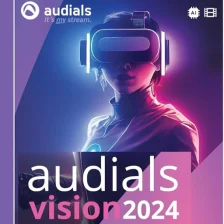
Audials Vision
4.7
Free
Learn about Audials Vision for AI-powered video upscaling, audio enhancement, frame smoothing, HDR improvement, and multimedia optimization for better media…
Pros :
- Powerful AI-based video enhancement
- Improves both video and audio quality
- Good for restoring old media
- Supports multiple formats
- Beginner-friendly tools
- All-in-one media optimization suite
Cons :
- Requires strong hardware for best performance
- Some features depend on internet/cloud processing
- Can be expensive compared to alternatives
- AI results may vary depending on source quality

Topaz Video AI
1
Free
Learn about Topaz Video AI for AI-powered video upscaling, restoration, frame interpolation, stabilization, noise reduction, and professional video enhancement for…
Pros :
- Excellent AI video enhancement quality
- Powerful upscaling and restoration tools
- Great for old and blurry footage
- Supports professional workflows
- Strong frame interpolation performance
- Frequent AI model improvements
Cons :
- Requires powerful hardware for best performance
- Rendering can be time-consuming
- Large video projects require significant storage
- Premium software pricing may be expensive for some users

ChatGPT
4.2
Free
Learn about ChatGPT for AI-powered conversations, content writing, coding assistance, productivity workflows, research support, educational learning, and intelligent automation tools…
Pros :
- Extremely versatile AI assistant
- Useful for many personal and professional tasks
- Strong writing and coding support
- Beginner-friendly interaction system
- Fast information and idea generation
- Supports multiple languages and workflows
Cons :
- Internet connection is generally required
- AI responses may occasionally contain inaccuracies
- Advanced features may require paid plans
- Sensitive information should be shared carefully

Llama 2
4.8
Free
Learn about Llama 2 for AI language models, chatbot development, coding assistance, machine learning workflows, natural language processing, local AI…
Pros :
- Flexible local AI deployment options
- Useful for developers and researchers
- Supports AI experimentation and customization
- Strong open AI ecosystem support
- Multiple model sizes available
- Good integration with machine learning workflows
Cons :
- Larger models require powerful hardware
- Setup process can be complex for beginners
- AI-generated responses may require verification
- GPU acceleration is strongly recommended for best performance

Code GPT
5
Free
Learn about Code GPT for AI-powered code generation, debugging assistance, programming explanations, software development productivity, multi-language coding support, and intelligent…
Pros :
- Speeds up coding workflows
- Helpful for debugging and learning
- Supports multiple programming languages
- Useful for beginners and professionals
- Reduces repetitive coding tasks
- Improves development productivity
Cons :
- AI-generated code may require manual review
- Internet connection is often required
- Advanced features may require subscription access
- Incorrect suggestions may occasionally appear

DALL.E
3
Free
Learn about DALL·E for AI-powered image generation, digital artwork creation, concept visualization, creative design workflows, text-to-image technology, and intelligent visual…
Pros :
- Generates creative images quickly
- Useful for artists and designers
- Beginner-friendly image creation workflow
- Supports many artistic styles
- Excellent for brainstorming and ideation
- Speeds up visual content production
Cons :
- Internet connection is generally required
- AI-generated images may occasionally contain inaccuracies
- Advanced features may require paid access
- Prompt quality strongly affects output quality

AI Image enlarger
4.3
Free
Learn about AI Image Enlarger for AI-powered image upscaling, photo enhancement, resolution improvement, old photo restoration, and high-quality visual optimization…
Pros :
- Improves image quality significantly
- Easy to use for beginners
- No advanced editing skills required
- Useful for professional and personal use
- Fast AI-based processing
- Good for restoring old images
Cons :
- Internet connection required
- Free versions may have limits
- Results depend on original image quality
- Advanced features may require paid plans

NotebookLM
4
Free
Learn about NotebookLM for AI-powered research assistance, note-taking, document summarization, knowledge management, academic workflows, and intelligent productivity tools by Google.
Pros :
- Excellent for research and study workflows
- Helps organize information efficiently
- AI-powered summarization saves time
- Useful contextual AI responses
- Beginner-friendly productivity workflow
- Good integration with document-based research
Cons :
- Internet connection is generally required
- AI-generated summaries may occasionally miss context
- Some advanced features may have regional or account limitations
- Large research workflows may still require manual organization

Google Gemma
5
Free
Learn about Google Gemma for AI language models, text generation, chatbot development, coding assistance, machine learning workflows, local AI deployment,…
Pros :
- Lightweight AI model options
- Useful for developers and researchers
- Supports local AI experimentation
- Flexible deployment workflows
- Good natural language processing capabilities
- Strong AI ecosystem integration potential
Cons :
- Advanced AI workflows may require powerful hardware
- Model setup can be complex for beginners
- AI-generated responses may require verification
- GPU acceleration is often preferred for best performance