

Windows users often search for software by asking a simple question: “Which is the best software?”
But the better question is usually: What exactly do I need to accomplish?
A student may need a tool for organizing study material, while a small business owner may need invoice management. A developer may need a lightweight project workspace, a teacher may need gradebook software, and someone working with large numbers of files may simply need a better way to organize them.
That is why this guide takes a different approach.
Instead of creating another generic list of popular Windows applications, we are focusing on specific tasks and real-world workflows. The goal is to introduce useful Windows software that may not always appear in mainstream “must-have apps” lists but can become extremely useful when you have the right use case.
The software covered here includes tools for notes, business management, file organization, education, mathematics, project coordination, document creation, digital libraries, subtitles, communication, and more.
Some are completely free, while others offer trial or paid versions. Availability and features can vary by software version, so users should always check the current requirements and licensing terms before installation.
Quick Overview
| Software | Best For | Category | Pricing |
|---|---|---|---|
| KeyNote NF | Structured notes and documentation | Productivity | Free |
| Bill Dashboard | Billing and expense tracking | Business | Free |
| ZenTao | Agile project management | Productivity | Free |
| XLS Excel to PDF Converter | Spreadsheet-to-PDF conversion | Office Tools | Free |
| Easy Grade Pro | Grades and classroom management | Education | Trial |
| Rambox | Managing multiple communication apps | Productivity | Free |
| fx-calc | Scientific calculations and graphs | Education | Free |
| Tidy Board Pro | Visual organization and idea boards | Productivity | Paid |
| SubDiv | Subtitle editing | Multimedia | Free |
| Real PDF Creator | Creating PDF documents | Document Tools | Trial |
| OpenAudible | Audiobook management | Education & Reference | Free |
| Ideal File Sorter | Automatic file organization | File Management | Trial |
| Pigeonhole Organizer | Category-based file organization | File Management | Free |
| Kavita | Digital books, comics and manga library | Education & Reference | Free |
| GeorK Física – Cinemática 2D | Physics learning | Education | Free |
| MC Epub Reader | EPUB reading | E-readers | Paid |
| OrgPlus | Organizational charts | Business | Trial |
| FCharts | Flowcharts and diagrams | Productivity | Free |
| Glip | Team communication and collaboration | Productivity | Free |
| Bitrix24 | CRM, teamwork and business workflows | Business | Free |
The software selection is intentionally focused on applications that serve different purposes rather than repeating the same type of tool. Several of these applications are currently listed in SoftwareDownloading’s Productivity and Education & Reference categories.

1. KeyNote NF – Keep Notes and Documentation Organized

Not every Windows user needs a complicated project-management platform. Sometimes the requirement is much simpler: a place to store notes, research material, technical information, instructions, or documentation in an organized structure.
KeyNote NF is designed around this type of workflow.
It can be useful for users who work with a large amount of text-based information and prefer structured notes instead of keeping everything inside separate Word documents or scattered text files.
Why it can be useful
- Organize information into structured notes
- Maintain research and reference material
- Keep technical documentation together
- Store frequently used information
- Create a personal knowledge base
For students, researchers, developers and office users, a structured note system can be considerably easier to maintain than dozens of unrelated files.
SoftwareDownloading currently lists KeyNote NF under Productivity and describes it as free, open-source notebook and note-management software.
2. Bill Dashboard – A Simple Way to Track Business Finances
Small businesses do not always need a large accounting platform.
Sometimes the requirement is simply to keep track of bills, invoices, expenses and payments.
Bill Dashboard is aimed at this kind of workflow. It can help users organize billing information and keep important financial activity easier to monitor.
Suitable for
- Small businesses
- Freelancers
- Service providers
- Personal billing management
- Expense monitoring
- Invoice tracking
The important advantage of a focused application is that users can concentrate on the information they actually need instead of navigating a large accounting system.
Bill Dashboard is currently listed as a free Productivity application on SoftwareDownloading.
3. ZenTao – For Agile Projects and Development Teams
Project management becomes more complicated when a team is developing software, tracking bugs, planning sprints and managing testing.
ZenTao is designed around Agile and software-development workflows.
Instead of treating a project as only a list of tasks, it can help teams organize different parts of the development lifecycle.
Useful workflows include
- Agile project management
- Sprint planning
- Bug tracking
- QA management
- Development workflows
- Team coordination
For software teams, this type of specialized project-management environment can be more appropriate than a basic task list.
SoftwareDownloading currently lists ZenTao as a free Productivity application.
4. XLS Excel to PDF Converter – Turn Spreadsheets into Shareable Documents
Excel spreadsheets are excellent for calculations and structured data, but they are not always the best format for sharing a finished report.
XLS Excel to PDF Converter focuses on the conversion process.
It can be useful when users need to turn spreadsheets into PDFs for:
- Reports
- Invoices
- Business documents
- Printable records
- Client sharing
- Archived documents
A PDF can also provide a more predictable layout when a spreadsheet needs to be shared with someone who does not need to edit the original workbook.
SoftwareDownloading currently lists XLS Excel to PDF Converter as a free Productivity application.
5. Easy Grade Pro – Useful for Teachers and Academic Work
Teachers often need more than a simple spreadsheet to manage student information.
Easy Grade Pro is designed for gradebook and classroom-management workflows.
It can help organize:
- Student grades
- Attendance
- Assignments
- Reports
- Classroom records
- Academic performance
For educators managing multiple students, having a dedicated gradebook system can reduce repetitive manual work.
SoftwareDownloading currently lists Easy Grade Pro as a trial Productivity/Education-oriented application.
6. Rambox – Manage Multiple Communication Services
Modern work often involves too many communication platforms.
One application may be used for email, another for messaging, another for team communication and another for business collaboration.
Rambox attempts to bring multiple communication services into a centralized workspace.
It can be useful for
- Remote workers
- Freelancers
- Business users
- Customer-support teams
- Users managing multiple communication accounts
The benefit is not necessarily adding another messaging service. Instead, the idea is to reduce the number of separate application windows users need to manage.
Rambox is currently listed as a free Productivity application on SoftwareDownloading.
7. fx-calc – More Than a Basic Calculator
A standard Windows calculator is enough for everyday arithmetic.
But students, engineers and technical users often need something more.
fx-calc is intended for scientific calculations, equations and graphing.
Potential uses include:
- Scientific calculations
- Equation solving
- Mathematical analysis
- Graph plotting
- Engineering calculations
- Statistics and education
For students studying mathematics or technical subjects, a dedicated scientific calculator application can be much more useful than a basic calculator.
SoftwareDownloading currently lists fx-calc as a free Productivity application.

8. Tidy Board Pro – Turn Ideas into Visual Boards

Some information is easier to understand visually.
Instead of keeping ideas in a long text document, Tidy Board Pro provides a visual board-oriented approach to organizing information.
It can be useful for:
- Brainstorming
- Notes
- Planning
- Visual organization
- Project ideas
- Personal information management
This type of application can be especially useful when a project contains many disconnected ideas that need to be grouped together.
Tidy Board Pro is currently listed in SoftwareDownloading’s Education & Reference category.
9. SubDiv – A Practical Tool for Subtitle Editing
Video creators frequently need to adjust subtitles.
Even when the video itself is already complete, subtitles may still require changes to timing, wording or formatting.
SubDiv is focused specifically on subtitle creation and editing.
It can be useful for:
- Subtitle editing
- Caption preparation
- Timing adjustments
- Video translation workflows
- Organizing subtitle text
For users working with educational videos, tutorials or multilingual content, a dedicated subtitle editor can be much more convenient than manually editing subtitle files.
SoftwareDownloading currently lists SubDiv as a free Education & Reference application.
10. Real PDF Creator – Creating PDF Documents
PDF software is not limited to reading existing documents.
There are many situations where users need to create a PDF from their own content.
Real PDF Creator focuses on PDF creation and document management.
It can be useful for:
- Creating PDF documents
- Preparing digital records
- Sharing documents
- Creating printable files
- Converting working documents into PDF format
This can be particularly useful for users who regularly need to distribute documents in a fixed, shareable format.
SoftwareDownloading currently lists Real PDF Creator as a trial application.

11. OpenAudible – Manage Audiobooks More Easily
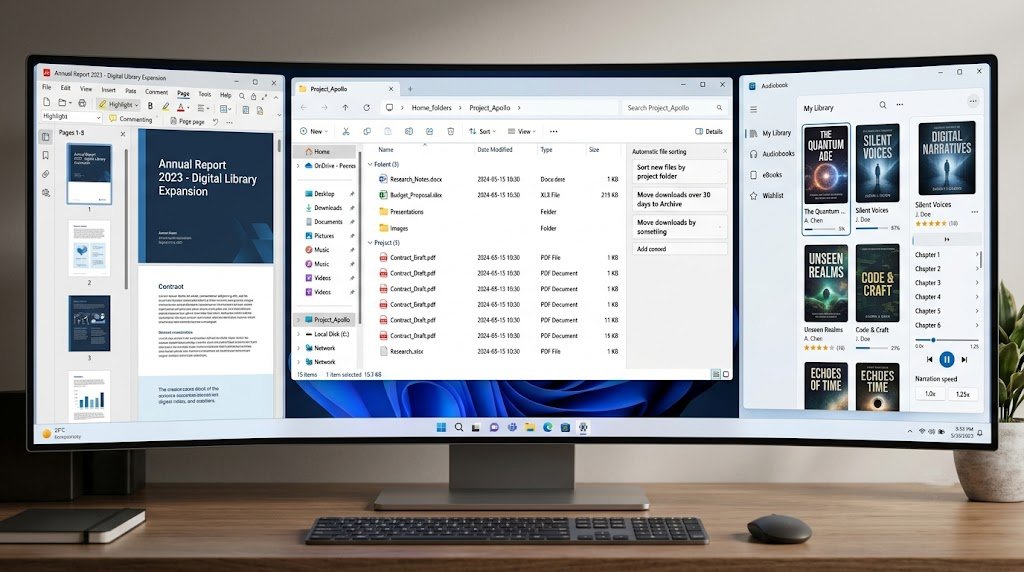
Digital reading is no longer limited to ebooks.
Audiobooks have become an important format for learning and entertainment, but managing a large audiobook collection can become difficult.
OpenAudible focuses on audiobook management and organization.
It can be useful for users who want to:
- Organize audiobook collections
- Manage audiobook files
- Convert supported audiobook content
- Keep a more structured digital library
For people with a growing audiobook collection, dedicated management software can provide a more organized experience than a normal file folder.
OpenAudible is currently listed as a free Education & Reference application on SoftwareDownloading.
12. Ideal File Sorter – Automate File Organization
A Downloads folder can become chaotic surprisingly quickly.
Documents, images, installers, PDFs and miscellaneous files often end up mixed together.
Ideal File Sorter is designed around automatic file organization.
Instead of manually moving every file, users can use sorting rules to create a more structured file-management workflow.
Useful for
- Large Downloads folders
- Office documents
- Personal files
- Research material
- Photo collections
- Repetitive file organization
If you regularly spend time dragging files between folders, automation can save considerably more time than another general-purpose productivity application.
Ideal File Sorter is currently listed as a trial application in SoftwareDownloading’s Education & Reference category.
13. Pigeonhole Organizer – Categorize Your Files
Sometimes automatic sorting is not what users need.
They may simply want a clear category-based system for organizing files.
Pigeonhole Organizer focuses on this type of organization.
It can be useful when users have files belonging to many different subjects, projects or categories and want a structured way to manage them.
Possible users include:
- Students
- Researchers
- Office workers
- Freelancers
- Home users
SoftwareDownloading currently lists Pigeonhole Organizer as a free Education & Reference application.
14. Kavita – Build a Digital Library
If your collection contains books, comics or manga, a normal folder structure may eventually become difficult to manage.
Kavita takes a digital-library approach.
It can be useful for users who want a centralized system for organizing and accessing digital reading material.
Suitable collections include
- Books
- Comics
- Manga
- Digital publications
This makes Kavita particularly interesting for users who have moved beyond a small collection and want something closer to a personal digital library.
SoftwareDownloading currently lists Kavita as a free application under Education & Reference.
15. GeorK Física – Cinemática 2D for Physics Learning
Physics concepts can be difficult to understand when they are presented only through equations.
GeorK Física – Cinemática 2D approaches learning through interactive simulation.
It focuses on 2D motion and can provide students with a more visual way to explore physics concepts.
Useful for
- Physics students
- Classroom demonstrations
- Understanding motion
- Visual learning
- Basic kinematics concepts
Interactive educational software can be particularly valuable when a student needs to understand how a concept behaves rather than simply memorize a formula.
SoftwareDownloading currently lists GeorK Física – Cinemática 2D as a free Education & Reference application.
16. MC Epub Reader – A Dedicated EPUB Reading Option
EPUB files are widely used for digital books, but not every user wants to read them through a web browser.
MC Epub Reader provides a dedicated environment for reading EPUB content on Windows.
It may be useful for:
- Students
- Digital-book readers
- Researchers
- EPUB collections
- Offline reading
A specialized reader can also make it easier to keep digital reading separate from everyday browser tabs.
SoftwareDownloading currently lists MC Epub Reader as a paid Education & Reference application.
17. OrgPlus – Visualize Company Structure
Business organization becomes easier to understand when the hierarchy is visible.
OrgPlus is focused on organizational charts and workforce visualization.
Instead of describing a company structure entirely through text, an organizational chart can show:
- Departments
- Reporting relationships
- Management structure
- Employee hierarchy
- Workforce organization
This can be useful for HR departments, business managers and organizations that need to communicate their structure clearly.
SoftwareDownloading currently lists OrgPlus under Productivity and describes it as a workforce and organizational-chart tool.
18. FCharts – Create Flowcharts and Visual Diagrams
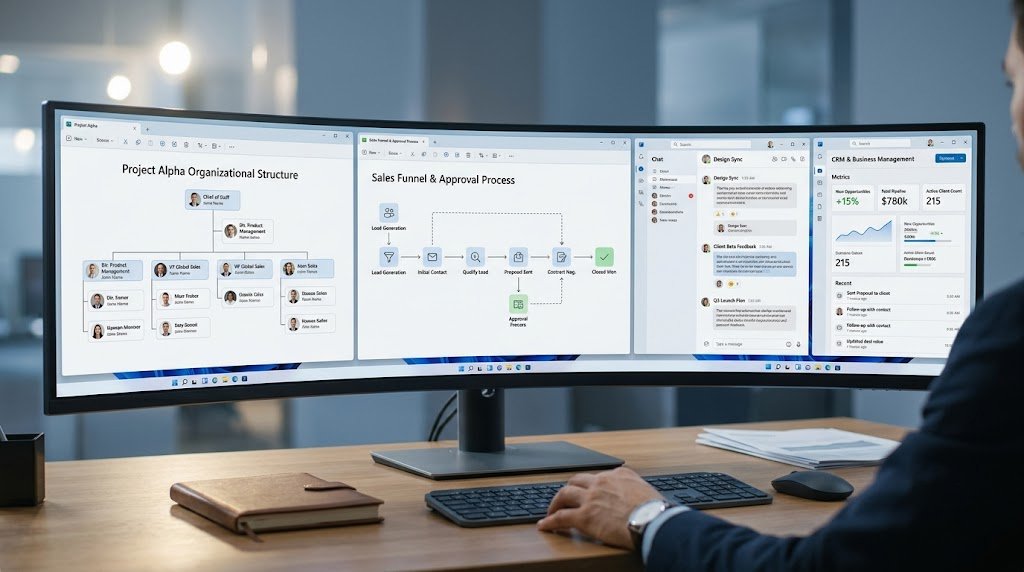
A written explanation is not always the easiest way to describe a process.
FCharts focuses on flowcharts and diagrams that can help represent workflows visually.
Potential uses include:
- Business processes
- Educational diagrams
- Organizational structures
- Workflow planning
- Process visualization
For students and business users, visual diagrams can make complex processes easier to understand and communicate.
SoftwareDownloading currently lists FCharts as a free Productivity application.
19. Glip – Team Communication and Collaboration
Team productivity depends heavily on communication.
Glip is designed around team collaboration and messaging workflows, making it relevant to organizations where employees need to communicate while also keeping work organized.
It can be useful for:
- Team communication
- Task coordination
- Remote work
- Business discussions
- Workflow collaboration
For small teams, a centralized communication environment can reduce the need to manage conversations across too many unrelated tools.
SoftwareDownloading currently lists Glip as a free Productivity application.
20. Bitrix24 – Combine Business and Collaboration Workflows
Some businesses need more than messaging.
They may need customer management, project coordination, team communication and workflow organization in the same environment.
Bitrix24 is aimed at this broader business-management use case.
It can be useful for:
- CRM workflows
- Team collaboration
- Project organization
- Business communication
- Workflow management
- Remote teamwork
This makes it particularly relevant to small and growing businesses that want multiple business functions connected within one platform.
SoftwareDownloading currently lists Bitrix24 as a free Productivity application.
Comparison Table: Which Software Fits Your Need?
| If you need… | Consider |
|---|---|
| Structured notes | KeyNote NF |
| Billing and expense tracking | Bill Dashboard |
| Agile development management | ZenTao |
| Excel-to-PDF conversion | XLS Excel to PDF Converter |
| Student grade management | Easy Grade Pro |
| Multiple communication services | Rambox |
| Scientific calculations | fx-calc |
| Visual idea organization | Tidy Board Pro |
| Subtitle editing | SubDiv |
| PDF creation | Real PDF Creator |
| Audiobook organization | OpenAudible |
| Automatic file sorting | Ideal File Sorter |
| Category-based file organization | Pigeonhole Organizer |
| Digital book/comic library | Kavita |
| Physics simulation | GeorK Física – Cinemática 2D |
| EPUB reading | MC Epub Reader |
| Organizational charts | OrgPlus |
| Flowcharts | FCharts |
| Team communication | Glip |
| CRM and business workflows | Bitrix24 |
How to Choose the Right Windows Software
The biggest mistake users make is choosing software based only on popularity.
A popular application is not automatically the best application for every workflow.
Instead, consider these five factors.
1. Start With the Problem
First identify what you are actually trying to accomplish.
Do you need to organize files?
Do you need to create PDFs?
Do you need to manage students?
Do you need a project-management system?
Do you need better communication?
The answer immediately reduces the number of suitable options.
2. Prefer Specialized Software When the Task Is Specialized
A general application can handle many things, but a dedicated application can sometimes perform one specific task much more efficiently.
For example, a user managing subtitles does not necessarily need a complete video-editing suite.
Similarly, someone organizing a digital library may benefit from dedicated library-management software.
3. Check the Pricing Model
Free software can be extremely useful, but trial and paid applications may offer additional features.
Before installing anything for professional use, check:
- Free vs trial status
- License limitations
- Commercial-use terms
- Current version
- System requirements
4. Consider Your Windows Setup
Before installation, check whether the application supports your version of Windows and whether it requires additional components.
Some applications may also require:
- Microsoft Office
- Java
- .NET
- Specific drivers
- Additional libraries
- Internet connectivity
5. Do Not Install Software Just Because It Is Listed
A larger software collection is not automatically a better software collection.
Install applications because they solve a real problem.
If Windows already handles a task adequately, another application may only add unnecessary background processes, notifications or maintenance requirements.
Why Lesser-Known Software Can Be Worth Discovering
Most software recommendations repeatedly mention the same major applications.
That is useful for beginners, but it creates another problem: users may never discover smaller applications designed for specific tasks.
For example, a person who needs to organize thousands of files may find Ideal File Sorter more relevant than another general productivity application.
A teacher may have a very different requirement from a software developer. A physics student may need GeorK Física – Cinemática 2D, while a business manager may benefit more from OrgPlus or Bitrix24.
This is why software discovery should not be based entirely on popularity.
The right software is often the one that fits the workflow most precisely.
Free vs Trial vs Paid Software
The applications in this guide use different licensing models.
Free Software
Free applications can be excellent for users who want to solve a specific problem without adding another subscription.
Examples include:
- KeyNote NF
- Bill Dashboard
- ZenTao
- Rambox
- fx-calc
- SubDiv
- OpenAudible
- Pigeonhole Organizer
- Kavita
- GeorK Física
- FCharts
- Glip
Trial Software
Trial applications can be useful when users need to test a more specialized workflow before committing to a license.
Examples include:
Paid Software
Paid software may make sense when the application becomes an important part of a professional workflow.
Tidy Board Pro and MC Epub Reader are examples currently listed with paid licensing on SoftwareDownloading.
Always check the current license terms before using software commercially.
Final Thoughts
There is no single Windows software collection that is perfect for everyone.
A student, freelancer, teacher, developer, business owner and digital-content creator can all use Windows every day while having completely different software requirements.
That is why specialized applications deserve more attention.
KeyNote NF can help organize information, Bill Dashboard can support billing workflows, ZenTao can help development teams manage projects, Ideal File Sorter can tackle file-management problems, and Kavita can turn a collection of digital books and comics into a more organized library.
For education, tools such as Easy Grade Pro, fx-calc and GeorK Física – Cinemática 2D address very different requirements. Meanwhile, OrgPlus, FCharts, Glip and Bitrix24 focus more on business and collaboration.
The important lesson is simple:
Do not search only for the most popular Windows software. Search for the software that solves your particular problem.
That approach can help you build a cleaner, more useful Windows setup without installing dozens of applications you rarely use.
Frequently Asked Questions
1. What type of Windows software is included in this guide?
This guide focuses on specialized applications for productivity, education, file management, business, document creation, communication, digital libraries and other practical workflows.
2. Are all of these Windows applications free?
No. The list contains free, trial and paid applications. Check the current software listing and license information before installation.
3. Which software is best for organizing notes?
KeyNote NF is worth considering if you need structured notes, documentation and organized text-based information.
4. Which software can help organize files automatically?
Ideal File Sorter is designed for automated file organization using sorting rules.
5. What software can teachers use for managing grades?
Easy Grade Pro is designed for gradebook and classroom-management workflows.
6. Which software is useful for scientific calculations?
fx-calc can be useful for scientific calculations, equations, graphing and mathematical work.
7. Which software is useful for physics students?
GeorK Física – Cinemática 2D is designed around interactive 2D motion and physics learning.
8. Can I use software from this list for business?
Yes. Applications such as Bill Dashboard, OrgPlus, Glip, Bitrix24 and ZenTao are aimed at different business, organizational or collaboration workflows.
9. Which software is useful for managing digital books?
Kavita is designed for digital-library management, while MC Epub Reader focuses on EPUB reading.
10. Which software can I use to create PDFs?
Real PDF Creator is designed for PDF creation, while XLS Excel to PDF Converter focuses specifically on converting spreadsheet content into PDF documents.
11. Is specialized software better than general-purpose software?
Not always. Specialized software is useful when you have a specific workflow that requires dedicated features. For simple tasks, built-in Windows functionality or a general-purpose application may be enough.
12. Should I install every application mentioned here?
No. Choose software according to your actual requirements. Installing unnecessary applications can add maintenance, notifications and background processes without providing meaningful benefits.