
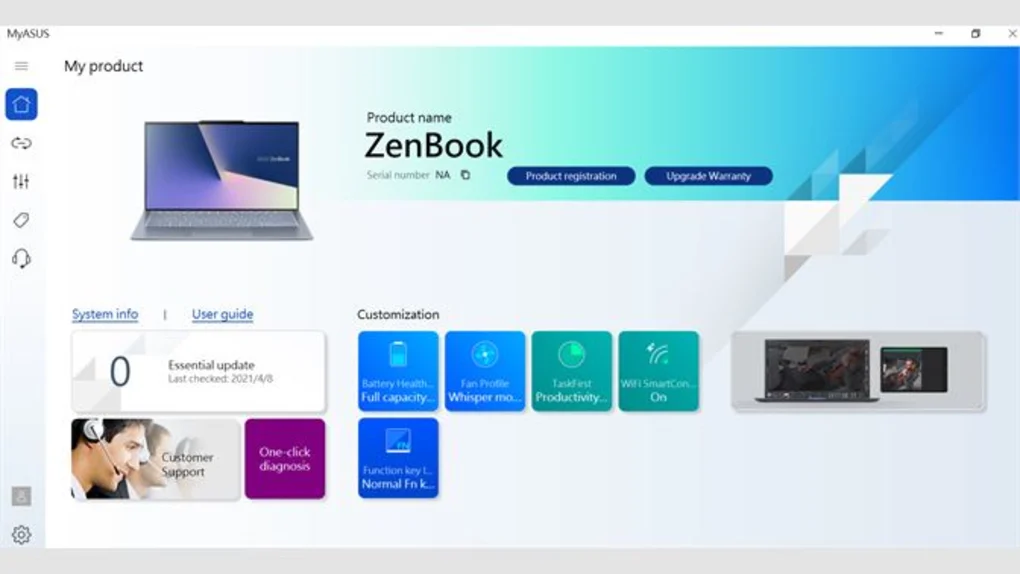
MyASUS is designed to centralize ASUS device maintenance and optimization tools into one user-friendly platform.
The software helps users:
- Keep ASUS devices updated
- Monitor hardware performance
- Diagnose technical issues
- Optimize battery usage
- Improve thermal and cooling behavior
- Access ASUS support resources
It is commonly used in:
- ASUS laptops
- ASUS gaming systems
- Office computing environments
- Student productivity setups
- Gaming and multimedia workflows
- Everyday device maintenance tasks
Depending on the ASUS model and software version, users may gain access to:
- Driver and BIOS update tools
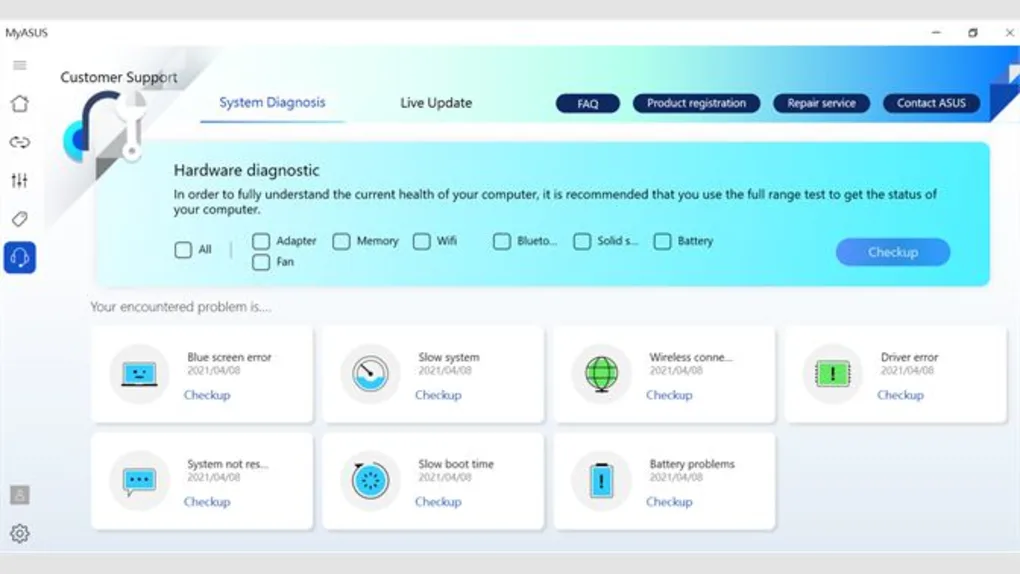
- Hardware diagnostic systems
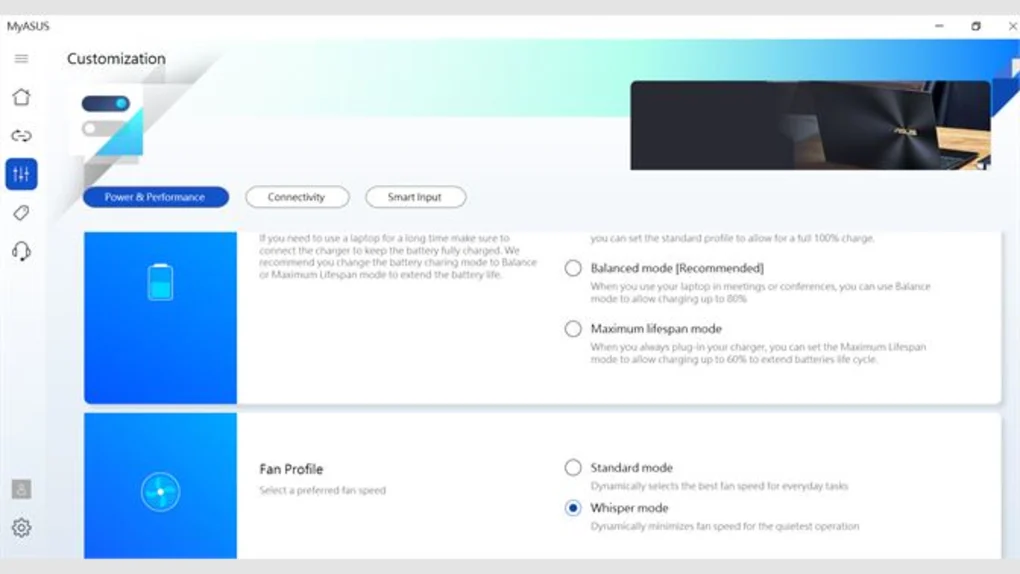
- Fan and cooling management
- Battery charging optimization
- WiFi and networking optimization
- Cross-device file transfer features
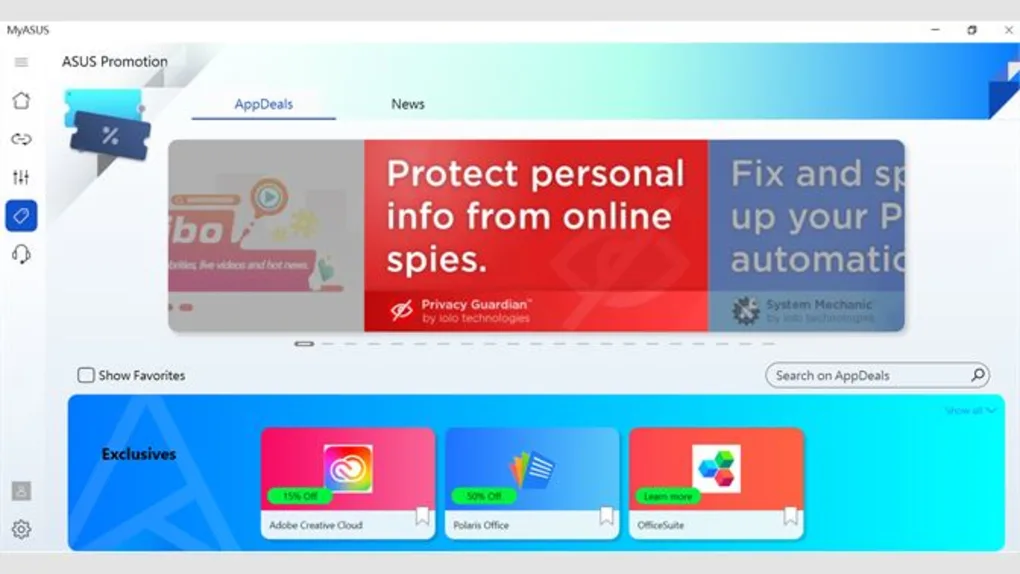
- ASUS support and warranty access
One major advantage of MyASUS is centralized ASUS device management because users can maintain and optimize hardware from one interface.
The software is especially useful for:
- ASUS laptop owners
- Students
- Office users
- Gamers
- Content creators
- General PC users
who want simplified device maintenance tools.
📌 What is MyASUS?
MyASUS is an official system utility and device management application developed by ASUS for ASUS laptops, desktops, and devices.
The application is designed to help users:
- Optimize system performance
- Update drivers and firmware
- Diagnose hardware issues
- Manage battery and cooling settings
- Connect ASUS ecosystem devices
- Access customer support and device tools
It acts as a centralized control hub for maintaining and improving ASUS device functionality.
🚀 Key Uses
- Updating ASUS drivers and firmware
- Running hardware diagnostics
- Optimizing system performance
- Managing battery health settings
- Controlling cooling and fan profiles
- Accessing ASUS customer support
- File transfer between devices
- Device customization workflows
- Monitoring system status
- Managing ASUS ecosystem features
💻 System Requirements (General)
Minimum Requirements
- ASUS laptop or desktop
- Microsoft Windows 10 or Windows 11
- 4GB RAM minimum
- Stable internet connection
- Supported ASUS hardware environment
Recommended Requirements
- Windows 11 latest updates
- 8GB RAM or more
- SSD storage for better responsiveness
- ASUS device with modern firmware support
- Stable broadband internet connection
🔄 Alternatives
- Lenovo Vantage
- HP Support Assistant
- Dell SupportAssist
- MSI Center
- Acer Care Center
- Intel Driver & Support Assistant
- Armoury Crate
❓ FAQ
Q1. What is MyASUS used for?
It is used for ASUS device optimization, updates, diagnostics, and system management.
Q2. Is MyASUS officially developed by ASUS?
Yes, it is an official ASUS utility application.
Q3. Can MyASUS update drivers?
Yes, driver and firmware updates are core features.
Q4. Does it support hardware diagnostics?
Yes, diagnostic tools are included for troubleshooting ASUS devices.
Q5. Is MyASUS useful for battery management?
Yes, battery health and charging optimization tools are commonly available.
Features
✔ ASUS driver and firmware updates
✔ Hardware diagnostic tools
✔ Battery health management
✔ Cooling and fan profile controls
✔ System optimization features
✔ Device monitoring dashboards
✔ ASUS customer support integration
✔ Cross-device file transfer support
✔ WiFi and network optimization tools
✔ Beginner-friendly management interface
✔ BIOS and software update management
✔ Performance tuning workflows
✔ ASUS ecosystem connectivity
✔ Centralized device maintenance tools
👍 Pros & 👎 Cons
Pros
- Official ASUS management software
- Simplifies driver and firmware updates
- Useful diagnostic and optimization tools
- Helpful battery health features
- Centralized ASUS device management
- Beginner-friendly interface
Cons
- Mostly limited to ASUS devices
- Some features depend on hardware model
- Background services may consume resources
- Certain advanced controls may vary by laptop series
- Internet connection is needed for updates and support features
Our Analysis
MyASUS is one of the most useful companion utilities for ASUS device owners.
Its strongest advantages are:
- Centralized ASUS system management
- Easy driver and firmware updates
- Useful battery and diagnostic tools
- Beginner-friendly optimization workflows
The application is especially valuable for users who want simplified device maintenance without manually searching for drivers or system utilities.
While advanced users may still prefer manual tuning tools for specialized workflows, MyASUS performs very well for everyday maintenance and device optimization tasks.
Overall, it is a useful ASUS device management and optimization application for driver updates, diagnostics, battery management, cooling control, and centralized system maintenance workflows.
⚙️ Installation Guide (General Overview)
Step 1: Download MyASUS
Download MyASUS from official ASUS source or Microsoft Store.
Step 2: Install the Application
Complete installation on supported ASUS device.
Step 3: Launch MyASUS
Open application from Start Menu or desktop shortcut.
Step 4: Sign In (Optional)
Use ASUS account for synchronization and support features.
Step 5: Scan System Status
Allow software to check:
- Drivers
- Firmware
- Hardware status
- System health
Step 6: Configure Device Settings
Manage:
- Battery optimization
- Cooling profiles
- Performance modes
- Network settings
Step 7: Update Drivers and Firmware
Install recommended updates for better performance and stability.
Step 8: Run Diagnostics
Check hardware components for issues and troubleshooting.
Step 9: Use ASUS Support Tools
Access:
- Warranty information
- Support resources
- Device assistance
Step 10: Maintain Regular Optimization
Keep system updated and optimized using MyASUS tools.
About SoftwareDownloading Editorial Team
The SoftwareDownloading Editorial Team researches Windows software, compatibility information, features, alternatives, and software-related guides for SoftwareDownloading.in.
Our pages are prepared using available product information and relevant documentation. When an application has not been personally tested, we distinguish research-based analysis from hands-on testing. Learn more about our review process
Apps Specs
Developer
Licence
Free
Version
3.1.0.0
Platform
Windows
Download Clicks
5
Page Reviewed
June 24, 2026
Top Downloads





Disclaimer
This content is provided for educational and informational purposes only. We do not host, store, or distribute any software files on our servers. All trademarks, product names, and logos belong to their respective owners.
We strongly recommend downloading software only from official websites or trusted sources. We are not responsible for any damage, data loss, or issues that may occur from the use of third-party software.
Users should ensure they comply with all applicable laws and software licensing agreements in their country before downloading or using any software mentioned on this website.