- Education & Reference
- Catalogs
- FenrirFS

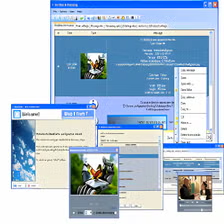
FenrirFS is an advanced file management and search tool designed to help users quickly find, organize, and manage files using a powerful indexing system.
📌 What is FenrirFS?
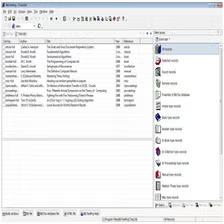
FenrirFS is a smart file explorer alternative that focuses on speed and efficiency when searching and organizing files. Unlike traditional file explorers, it uses a database-based indexing system that allows users to locate files instantly without manually browsing through folders.
In modern computing environments, users often deal with thousands of files, including documents, images, videos, and software files. Finding a specific file using standard tools can be slow and frustrating. FenrirFS solves this issue by scanning and indexing files in advance, making search results almost instant.
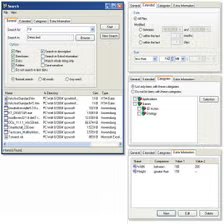
The software also supports tagging and categorization, allowing users to organize files in a flexible way. Instead of relying only on folders, users can assign tags to files, making retrieval faster and more intuitive.
🔄 Alternatives
- Everything
- Listary
❓ FAQ
Q1. What makes FenrirFS different from Windows Explorer?
It uses indexing for faster search.
Q2. Is it free?
Yes, most versions are free.
Q3. Does it support tagging?
Yes.
Q4. Is it beginner-friendly?
Yes, but requires initial setup.
Q5. Is it good for large files?
Yes, excellent for large datasets.
Practical use and considerations
When assessing FenrirFS, try locating a known document, organizing a small set of files and then retrieving them using the application's search or tagging approach. Compare that workflow with ordinary File Explorer navigation.
What to check before using it
File-organizing tools can maintain their own metadata or indexes. Check how information is backed up, what happens if the application is removed and whether changes affect the original files before migrating an important library.
Features
- ✔️ Fast file indexing and search
- ✔️ Tag-based file organization
- ✔️ Database-driven performance
- ✔️ Lightweight and efficient
- ✔️ User-friendly interface
- ✔️ Supports large file collections
👍 Pros & 👎 Cons
Pros
Pros:
- Extremely fast search results
- Flexible file organization
- Saves time for heavy users
- Efficient for large datasets
Cons
Cons:
- Requires initial indexing setup
- Slight learning curve for beginners
- Interface may feel different from default explorer
Our Analysis
FenrirFS is a powerful file management tool that stands out due to its fast search and indexing system. It is highly recommended for users dealing with large volumes of data.
⚙️ Installation Guide
- Download FenrirFS from a trusted source
- Open the installer file
- Click on Install
- Complete setup process
- Launch and allow file indexing
About SoftwareDownloading Editorial Team
The SoftwareDownloading Editorial Team researches Windows software, compatibility information, features, alternatives, and software-related guides for SoftwareDownloading.in.
Our pages are prepared using available product information and relevant documentation. When an application has not been personally tested, we distinguish research-based analysis from hands-on testing. Learn more about our review process



Apps Specs
Developer
Licence
Free
Version
V 2.45
Platform
Windows
Download Clicks
2
Page Reviewed
September 26, 2026
Top Downloads



Related Topics
Disclaimer
This content is provided for educational and informational purposes only. We do not host, store, or distribute any software files on our servers. All trademarks, product names, and logos belong to their respective owners.
We strongly recommend downloading software only from official websites or trusted sources. We are not responsible for any damage, data loss, or issues that may occur from the use of third-party software.
Users should ensure they comply with all applicable laws and software licensing agreements in their country before downloading or using any software mentioned on this website.