- Development & IT
- Networking
- MiTeC Network Scanner

MiTeC Network Scanner is a powerful LAN discovery tool designed to provide detailed visibility into connected devices, services, and network configurations, making it useful for both network administration and security auditing.
It helps users:
- Discover devices on a network
- Monitor IP usage
- Improve network security awareness
- Audit connected systems
- Identify unauthorized access
- Manage IT infrastructure
The software is commonly popular among:
- IT administrators
- Network engineers
- Cybersecurity professionals
- System auditors
- Technical support teams
- Advanced users
Depending on usage, users may get:
- IP range scanning tools
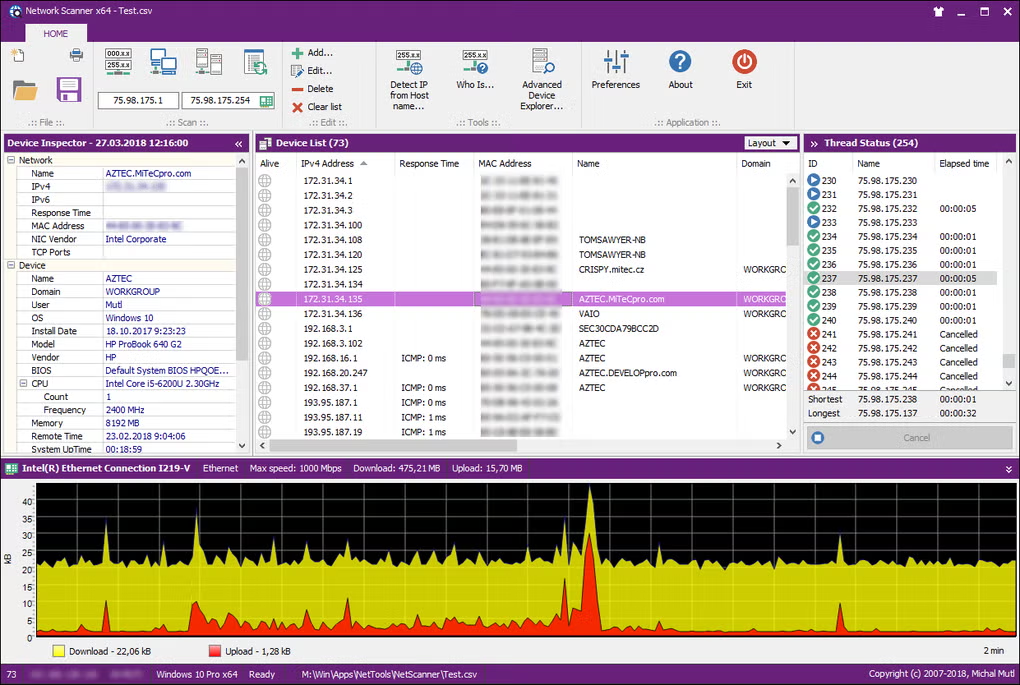
- Device discovery dashboard
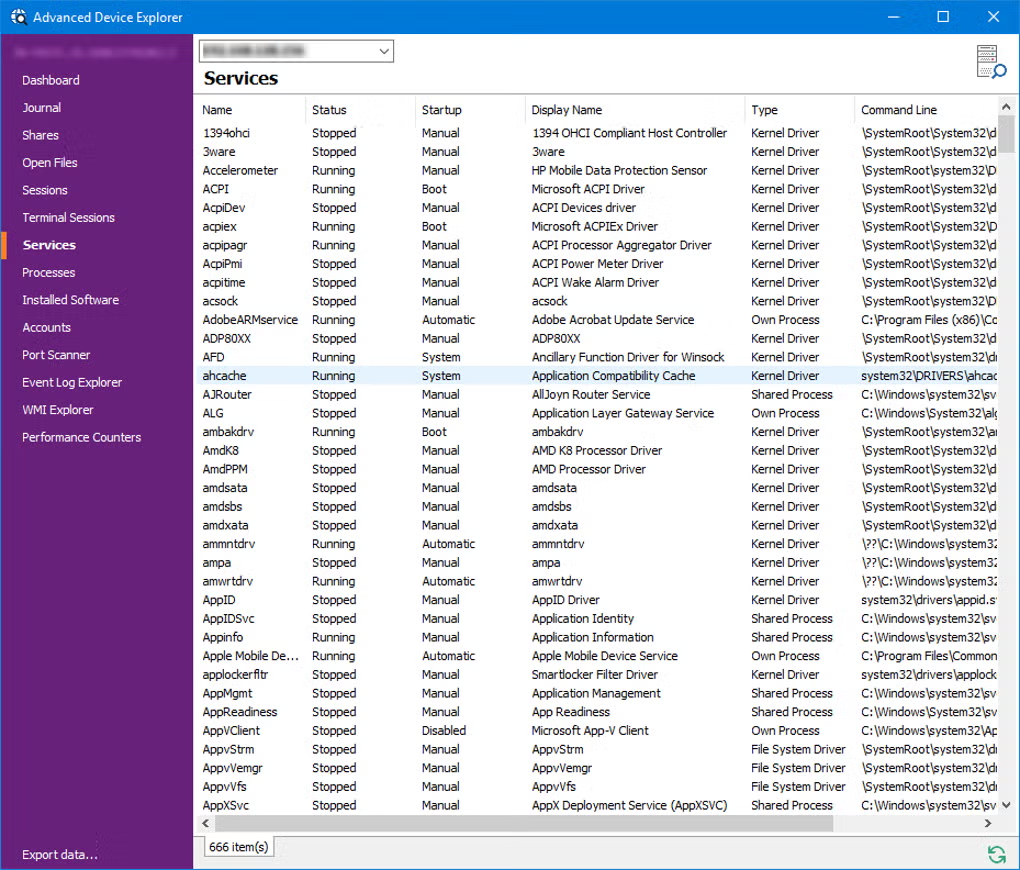
- Remote system information viewer
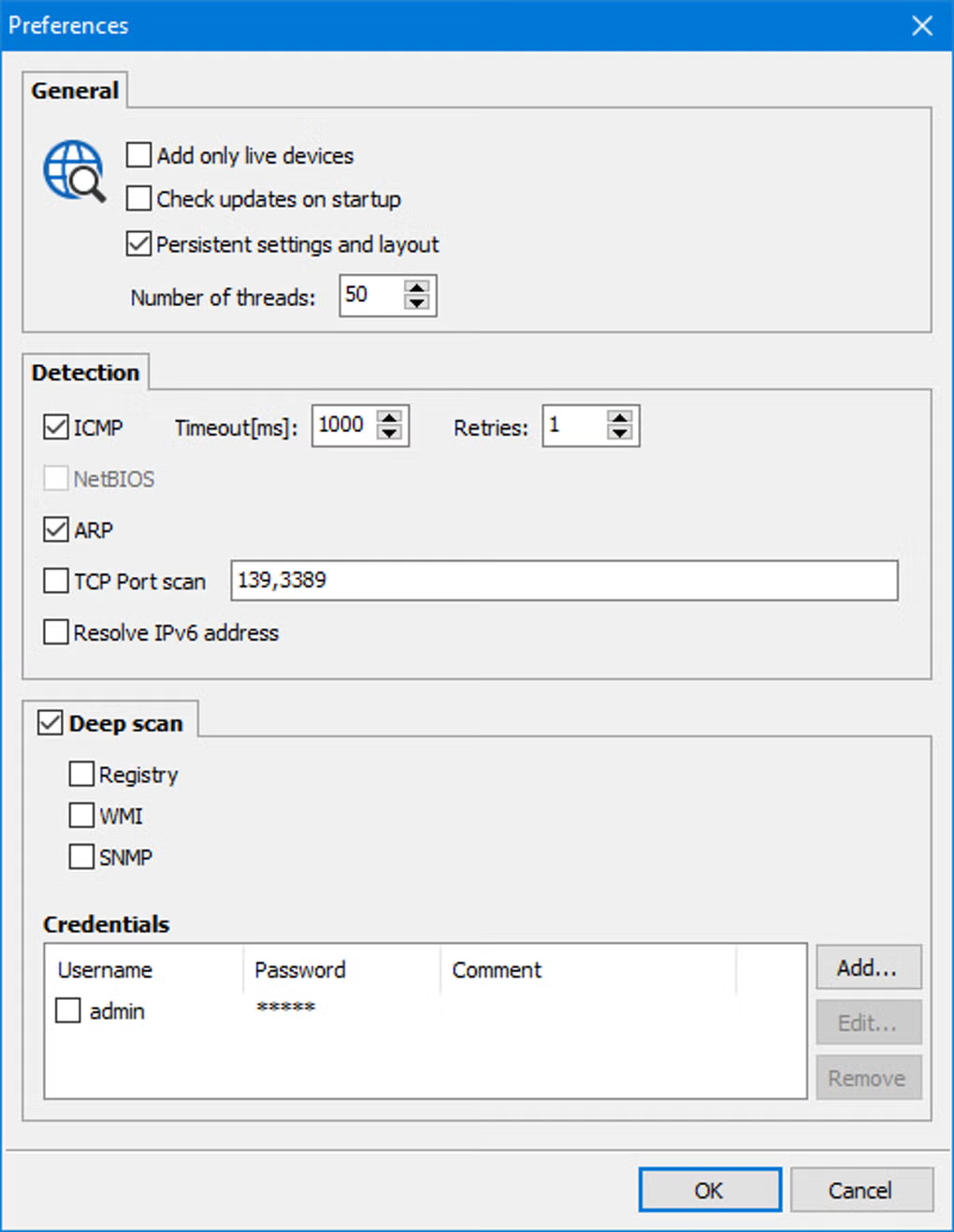
- Port and service scanner
- Network topology insights
- Asset identification system
📌 What is MiTeC Network Scanner?
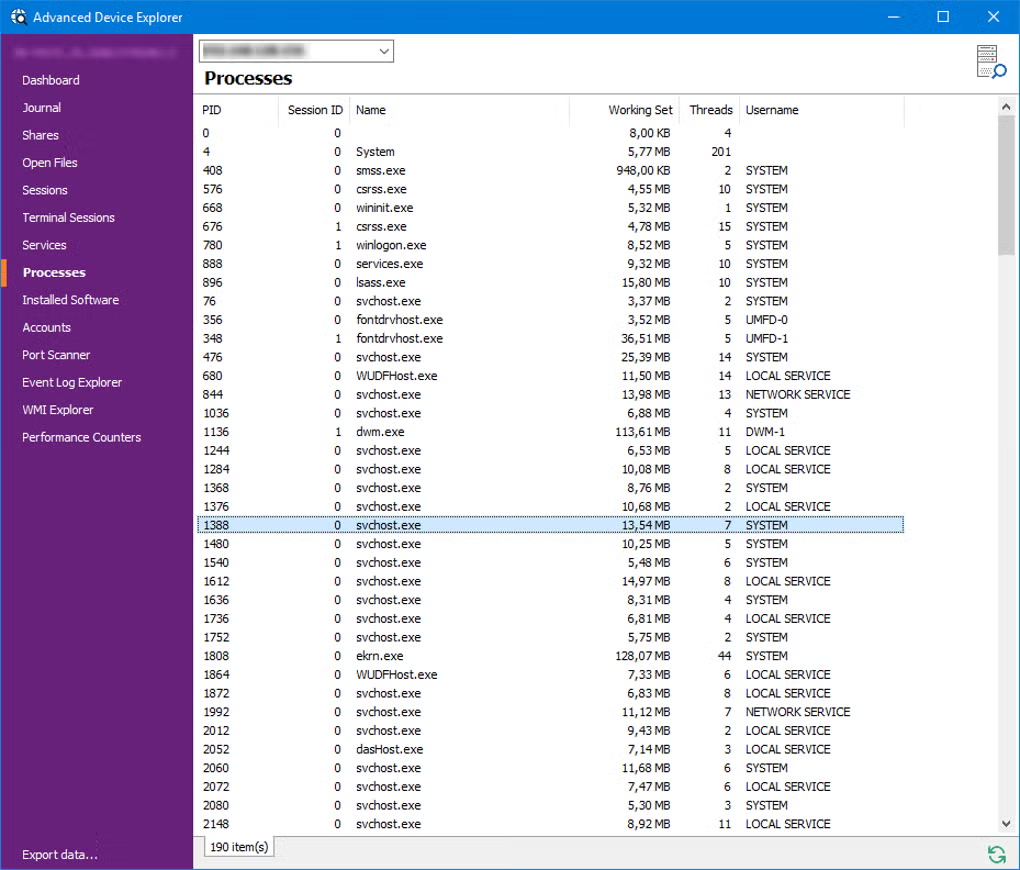
MiTeC Network Scanner is a Windows-based network discovery and diagnostic tool used to scan local networks, identify connected devices, and collect detailed information about IP addresses, hosts, and network services.
It is designed for system administrators and IT professionals who need visibility into devices connected to a LAN or enterprise network.
The software helps users:
- Scan local network devices
- Detect active IP addresses
- Identify hostnames and MAC addresses
- Discover shared folders and services
- Monitor network resources
- Collect system and hardware details remotely
It is commonly used by:
- IT administrators
- Network engineers
- Cybersecurity analysts
- System support teams
- Office network managers
- Advanced home users
The application mainly focuses on:
- Network discovery
- IP scanning and mapping
- Device identification
- Network auditing
- Remote system information collection
🚀 Key Uses
- Finding all devices connected to a network
- Identifying unknown or unauthorized devices
- Mapping IP address ranges in LAN
- Checking open ports and services
- Auditing office or enterprise networks
- Gathering system details from remote machines
- Troubleshooting network connectivity issues
- Monitoring shared resources
- Supporting IT asset management
- Detecting network configuration problems
💻 System Requirements (General)
Supported Platforms
- Windows
Basic Requirements
- 2GB RAM minimum
- Network adapter (Ethernet or Wi-Fi)
- Active LAN connection
- Administrative privileges (recommended)
- Modern CPU
Recommended Requirements
- 4GB RAM or higher
- Gigabit network support
- Updated Windows OS
- Multi-core processor
- Stable enterprise or LAN environment
🔄 Alternatives
- Advanced IP Scanner
- Angry IP Scanner
- Nmap
- Lansweeper
- SoftPerfect Network Scanner
- Wireshark (for deeper analysis)
- SolarWinds IP Address Manager
❓ FAQ
Q1. What is MiTeC Network Scanner used for?
It is used to scan local networks and identify connected devices, IP addresses, and shared resources.
Q2. Can it detect all devices on Wi-Fi?
Yes, it can detect most devices connected to the same network segment.
Q3. Does it show open ports?
Yes, it can scan and display open ports and active services.
Q4. Is it useful for security?
Yes, it helps detect unknown devices and potential network issues.
Q5. Is MiTeC Network Scanner beginner-friendly?
It is moderately easy but best suited for users with basic networking knowledge.
Features
✔ LAN and IP range scanning
✔ Device discovery (IP, MAC, hostname)
✔ Open port detection
✔ Shared resource detection
✔ Remote system information retrieval
✔ Network audit tools
✔ Fast scanning engine
✔ Lightweight interface
✔ Multi-subnet support
✔ Service and protocol detection
✔ Exportable scan reports
✔ Security analysis support
👍 Pros & 👎 Cons
Pros
- Very detailed network visibility
- Fast and efficient scanning
- Useful for security audits
- Lightweight and stable
- Good for IT asset management
Cons
- Windows-only tool
- Requires networking knowledge
- Not ideal for casual users
- Limited advanced visualization
- No full SIEM capabilities
Our Analysis
MiTeC Network Scanner is a highly efficient LAN discovery and auditing tool that provides deep visibility into connected devices and network services, making it valuable for IT management and security monitoring.
Its strongest advantages are:
- Detailed network scanning
- Fast device discovery
- Strong auditing capabilities
- Useful for security analysis
It is best suited for IT professionals and network administrators, while casual users may prefer simpler network tools with fewer technical details.
⚙️ Usage Guide (General Overview)
Step 1: Install MiTeC Network Scanner
Download and install on Windows.
Step 2: Select Network Range
Choose IP range or subnet to scan.
Step 3: Start Scan
Run network discovery process.
Step 4: View Devices
Check connected systems and details.
Step 5: Analyze Results
Inspect IPs, ports, and services.
Step 6: Export Report
Save scan data for documentation.
About SoftwareDownloading Editorial Team
The SoftwareDownloading Editorial Team researches Windows software, compatibility information, features, alternatives, and software-related guides for SoftwareDownloading.in.
Our pages are prepared using available product information and relevant documentation. When an application has not been personally tested, we distinguish research-based analysis from hands-on testing. Learn more about our review process
Apps Specs
Developer
Licence
Free
Version
V 5.6.0
Platform
Windows
Download Clicks
3
Page Reviewed
September 26, 2026
Top Downloads





Related Topics
Disclaimer
This content is provided for educational and informational purposes only. We do not host, store, or distribute any software files on our servers. All trademarks, product names, and logos belong to their respective owners.
We strongly recommend downloading software only from official websites or trusted sources. We are not responsible for any damage, data loss, or issues that may occur from the use of third-party software.
Users should ensure they comply with all applicable laws and software licensing agreements in their country before downloading or using any software mentioned on this website.