- Business & Productivity
- Finance
- TradingView

TradingView is designed to provide advanced charting tools, real-time data, and social trading features in one platform.
The platform helps users:
- Analyze financial markets visually
- Use advanced indicators and drawing tools
- Track multiple assets in real time
- Share trading strategies and ideas
- Build and test trading strategies
- Improve market decision-making
It is commonly used in:
- Stock trading environments
- Forex trading workflows
- Cryptocurrency analysis
- Technical analysis systems
- Investment research platforms
- Financial education and learning
Depending on the plan, users may gain access to:
- Advanced chart types
- Real-time market data
- Custom indicators and scripts (Pine Script)
- Alerts and notifications
- Multi-chart layouts
- Broker integration
- Strategy testing tools
One major advantage of TradingView is cloud-based accessibility because users can access charts and analysis from any device without installation.
The platform is especially useful for:
- Day traders
- Swing traders
- Long-term investors
- Crypto traders
- Forex traders
- Technical analysts
who need powerful charting and market analysis tools.
📌 What is TradingView?
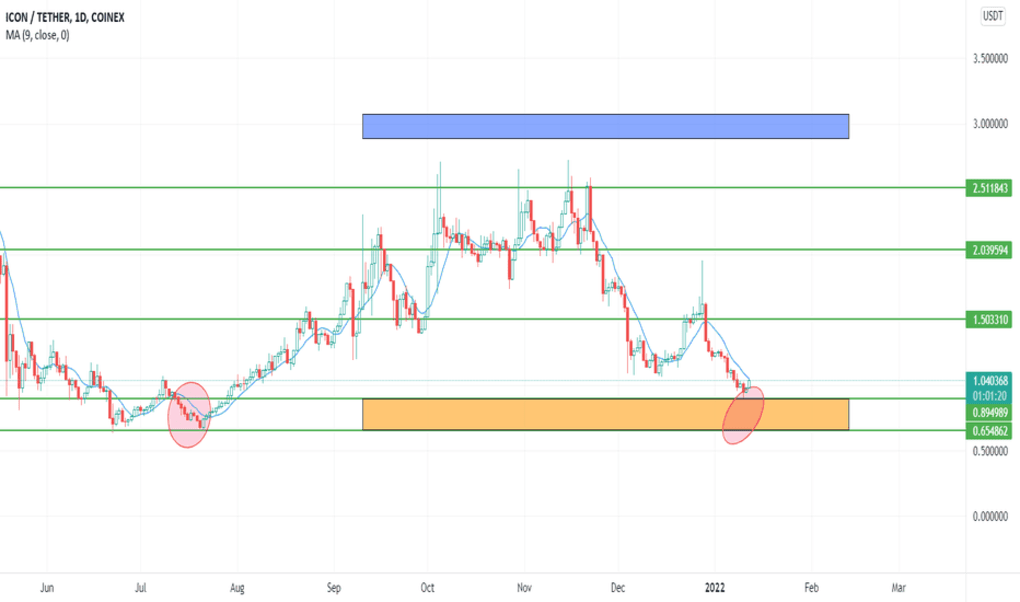
TradingView is a powerful financial charting, analysis, and social trading platform used by traders and investors to study stock, forex, crypto, indices, and commodity markets using advanced charts and indicators.
The platform is widely used for:
- Technical analysis
- Live charting
- Market tracking
- Strategy development
- Trading ideas sharing
- Multi-market analysis
It is especially popular among retail traders, professional analysts, and long-term investors.
🚀 Key Uses
- Analyzing stock market charts
- Forex trading analysis
- Cryptocurrency tracking
- Technical indicator usage
- Creating trading strategies
- Market trend identification
- Watching live price movements
- Publishing trading ideas
- Portfolio market monitoring
- Multi-asset financial analysis
🔄 Alternatives
- MetaTrader 5
- MetaTrader 4
- NinjaTrader
- Thinkorswim
- cTrader
- Yahoo Finance
- Bloomberg Terminal (professional)
❓ FAQ
Q1. What is TradingView used for?
It is used for technical analysis, charting, and monitoring financial markets like stocks, forex, and crypto.
Q2. Is TradingView free?
Yes, it has a free version, but premium plans offer advanced features.
Q3. Can users trade directly on TradingView?
Yes, many brokers integrate trading directly into the platform.
Q4. Is TradingView good for beginners?
Yes, it is beginner-friendly but also powerful for professionals.
Q5. Does TradingView support crypto and forex?
Yes, it supports stocks, crypto, forex, indices, and commodities.
Features
✔ Advanced charting tools
✔ Real-time market data
✔ Technical indicators library
✔ Custom Pine Script programming
✔ Multi-asset support (stocks, forex, crypto)
✔ Social trading community
✔ Strategy testing tools
✔ Price alerts and notifications
✔ Broker integration support
✔ Multi-device synchronization
✔ Cloud-based platform access
✔ Drawing tools for technical analysis
✔ Market screening tools
✔ Portfolio tracking features
👍 Pros & 👎 Cons
Pros
- Extremely powerful charting system
- Works on browser (no installation needed)
- Supports multiple financial markets
- Beginner-friendly and professional-ready
- Large trading community and ideas sharing
- Highly customizable indicators
Cons
- Advanced features require paid plans
- Too many tools can overwhelm beginners
- Real-time data for some markets is limited in free plan
- Heavy reliance on internet connection
- Some broker integrations vary by region
Our Analysis
TradingView is one of the best modern platforms for financial charting and technical analysis.
Its strongest advantages are:
- Extremely advanced charting tools
- Cloud-based accessibility
- Multi-market support
- Strong community and learning ecosystem
The platform is especially useful for traders who rely on technical analysis and want powerful visualization tools across multiple asset classes.
Although advanced features require paid plans, the free version is still very useful for beginners and intermediate traders.
Overall, it is a powerful financial charting and market analysis platform for stocks, forex, crypto, and multi-asset technical analysis workflows.
⚙️ Installation Guide (General Overview)
Step 1: Open TradingView
Access TradingView via web browser or mobile app.
Step 2: Create Account
Sign up using email, Google, or social login.
Step 3: Choose Market
Select:
- Stocks
- Forex
- Crypto
- Indices
- Commodities
Step 4: Open Chart
Load interactive price charts.
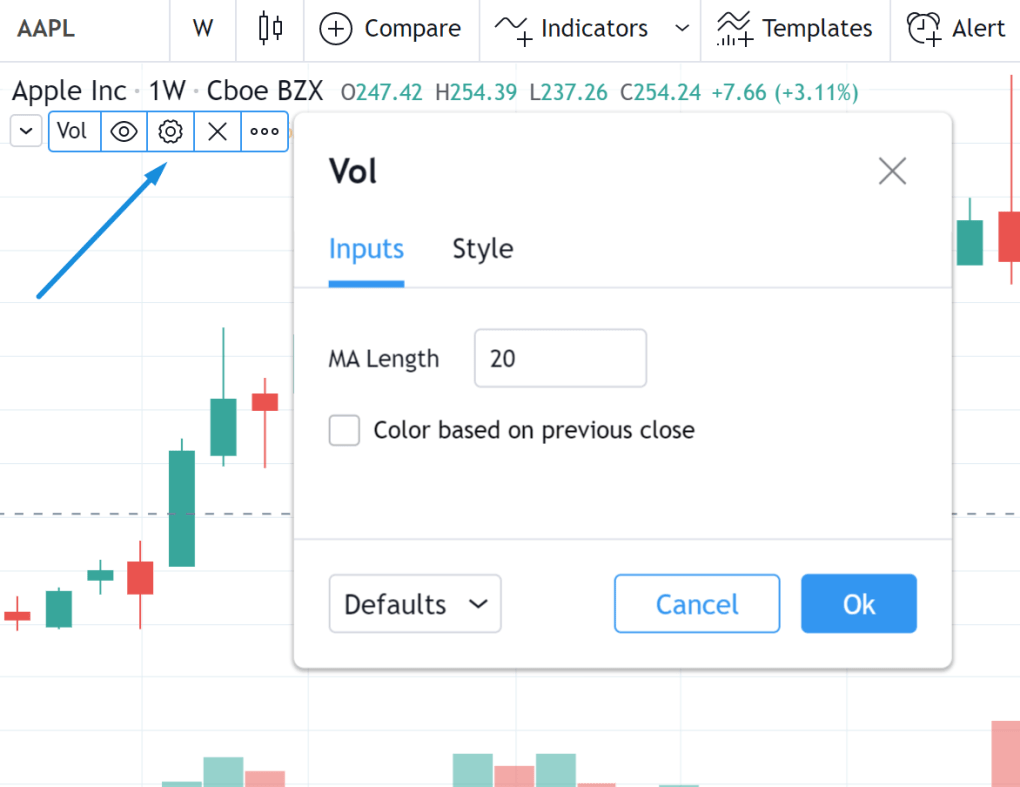
Step 5: Add Indicators
Apply tools like:
- Moving averages
- RSI
- MACD
- Bollinger Bands
Step 6: Analyze Market
Use drawing tools and patterns for analysis.
Step 7: Set Alerts
Create price alerts for trading opportunities.
Step 8: Save Layouts
Store chart setups for future use.
Step 9: Explore Community Ideas
Learn from other traders’ strategies.
Step 10: Connect Broker (Optional)
Enable trading directly through supported brokers.
About SoftwareDownloading Editorial Team
The SoftwareDownloading Editorial Team researches Windows software, compatibility information, features, alternatives, and software-related guides for SoftwareDownloading.in.
Our pages are prepared using available product information and relevant documentation. When an application has not been personally tested, we distinguish research-based analysis from hands-on testing. Learn more about our review process

Apps Specs
Developer
Licence
Free
Version
2.2.0.4011
Platform
Windows
Download Clicks
2
Page Reviewed
September 26, 2026
Top Downloads




Disclaimer
This content is provided for educational and informational purposes only. We do not host, store, or distribute any software files on our servers. All trademarks, product names, and logos belong to their respective owners.
We strongly recommend downloading software only from official websites or trusted sources. We are not responsible for any damage, data loss, or issues that may occur from the use of third-party software.
Users should ensure they comply with all applicable laws and software licensing agreements in their country before downloading or using any software mentioned on this website.