
RAR Opener & RAR To ZIP Converter
4.6
Free
Learn about RAR Opener & RAR to ZIP Converter for opening RAR files, converting RAR to ZIP format, extracting archives,…
Pros :
- Very easy to use
- Combines extraction + conversion
- Improves file compatibility
- Lightweight tool
- Good for beginners
- Fast basic operations
Cons :
- Limited advanced features
- Not a full compression tool
- Basic format support only
- No professional archive management tools
- Less powerful than 7-Zip or WinRAR
RdClient
2.6
Trial
Download RdClient to securely access remote desktops, Windows servers, virtual machines, and enterprise systems using Remote Desktop Protocol connections.
Pros :
- Allows secure remote desktop access
- Useful for IT administration and remote work
- Supports enterprise remote environments
- Multi-monitor support improves productivity
- Good for server management
- Enables access to office systems from anywhere
- Lightweight and responsive interface
- Helpful for troubleshooting and technical support
Cons :
- Requires stable internet or network connection
- Performance depends on bandwidth quality
- Advanced enterprise features may require licensing
- Security configuration is important for safe usage
- Some features may vary across operating systems

RarZilla Free Unrar Portable
4.5
Free
Learn about RarZilla Free Unrar Portable for RAR file extraction, portable archive handling, quick decompression, USB-based file access, and lightweight…
Pros :
- Fully portable
- Very easy to use
- Lightweight and fast
- Good for quick extraction tasks
- No installation required
- Works well on older systems
Cons :
- Only supports RAR extraction
- No compression features
- Limited advanced options
- Outdated compared to modern tools
- Not suitable for power users
Radmin
4
Trial
Download Radmin to remotely control computers, manage servers, provide technical support, transfer files, and securely access systems through fast remote…
Pros :
- Very fast and responsive remote desktop performance
- Lightweight and efficient software
- Strong security and encryption support
- Good for enterprise and business environments
- Useful for remote IT administration
- Stable performance on slower networks
- Supports multiple connection modes
- Excellent Windows integration
Cons :
- Mostly focused on Windows environments
- Advanced features may require paid licensing
- Internet configuration may require technical setup
- Interface may feel outdated compared to some modern competitors
- Mobile platform support may be more limited than cloud-based alternatives
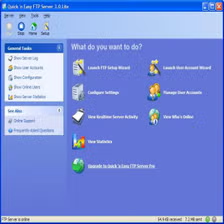
Quick and Easy FTP Server
4.3
Free
Learn about Quick and Easy FTP Server, an FTP server software used for hosting remote file sharing systems, managing user…
Pros :
- Easy server setup
- Lightweight workflow
- Useful for small business environments
- Simple user management
- Beginner-friendly design
Cons :
- Windows-focused platform
- Advanced enterprise features may be limited
- Security options may vary by version
- Interface may feel outdated
- Smaller ecosystem compared to enterprise FTP servers

Remotly
5
Free
Download Remotly to remotely access computers, manage devices, share screens, transfer files, and provide secure remote desktop support from anywhere.
Pros :
- Convenient remote access from anywhere
- Useful for remote work and collaboration
- Helps IT teams provide remote support
- File transfer improves productivity
- Lightweight and easy-to-use interface
- Supports secure remote communication
- Useful for businesses and personal users
- Multi-device support improves flexibility
Cons :
- Performance depends on internet quality
- Advanced enterprise features may require premium plans
- Security configuration is important for safe usage
- Large remote sessions may use significant bandwidth
- Some advanced features may vary by operating system

RDS Remote Support
2.4
Free
Download RDS Remote Support to remotely access computers, provide technical support, manage systems remotely, transfer files, and securely control devices…
Pros :
- Useful for enterprise remote support operations
- Helps reduce on-site troubleshooting costs
- Supports secure remote administration
- Good for IT departments and managed service providers
- Multi-monitor support improves productivity
- Centralized management features increase efficiency
- Unattended access simplifies maintenance tasks
- File transfer and collaboration tools improve workflows
Cons :
- Advanced enterprise features may require paid licensing
- Performance depends on internet connectivity
- Security configuration requires proper setup
- Some enterprise tools may be complex for beginners
- Large remote sessions may consume bandwidth

RaiDrive
3.4
Free
Learn about RaiDrive, a cloud storage mounting software used for connecting Google Drive, OneDrive, NAS, FTP, SFTP, and WebDAV storage…
Pros :
- Easy cloud storage access
- Works directly from File Explorer
- Supports many cloud providers
- Useful for remote workflows
- Reduces local storage usage
Cons :
- Some advanced features require paid plans
- Upload performance may vary
- Internet connection required
- Free version limitations
- Some users report advertisement popups in free versions

Remote Explorer
4.4
Free
Learn about Remote Explorer, a remote file access and management tool used for browsing, transferring, and managing files on remote…
Pros :
- Easy remote file access
- Useful for IT support tasks
- Simplifies server management
- Fast file transfer capability
- Lightweight and practical
Cons :
- Limited compared to full remote desktop tools
- Depends on network stability
- Security configuration required
- Not ideal for complex system control
- Windows-focused in many versions

QuickBooks Desktop Pro
4.8
Paid
Learn about QuickBooks Desktop Pro for accounting, bookkeeping, invoicing, expense tracking, financial reporting, payroll support, and small business financial management…
Pros :
- Reliable desktop accounting system
- Strong financial reporting tools
- Good for small and medium businesses
- Works offline with full functionality
- Detailed bookkeeping features
- Widely trusted accounting solution
Cons :
- Requires installation on specific systems
- Not fully cloud-based like modern alternatives
- Can be complex for beginners
- Paid software with licensing cost
- Limited flexibility compared to cloud tools