- Business & Productivity
- Agenda & Calendars
- Excel Password
Microsoft Excel provides built-in password protection features to secure spreadsheets and prevent unauthorized modifications.
It helps users:
- Protect sensitive data
- Prevent accidental editing
- Secure business documents
- Control access permissions
- Maintain spreadsheet integrity
It is commonly used in:
- Businesses and offices
- Schools and colleges
- Financial management
- HR and payroll systems
- Accounting departments
- Personal budgeting files
Depending on configuration, users may get:
- AES encryption (modern Excel versions)
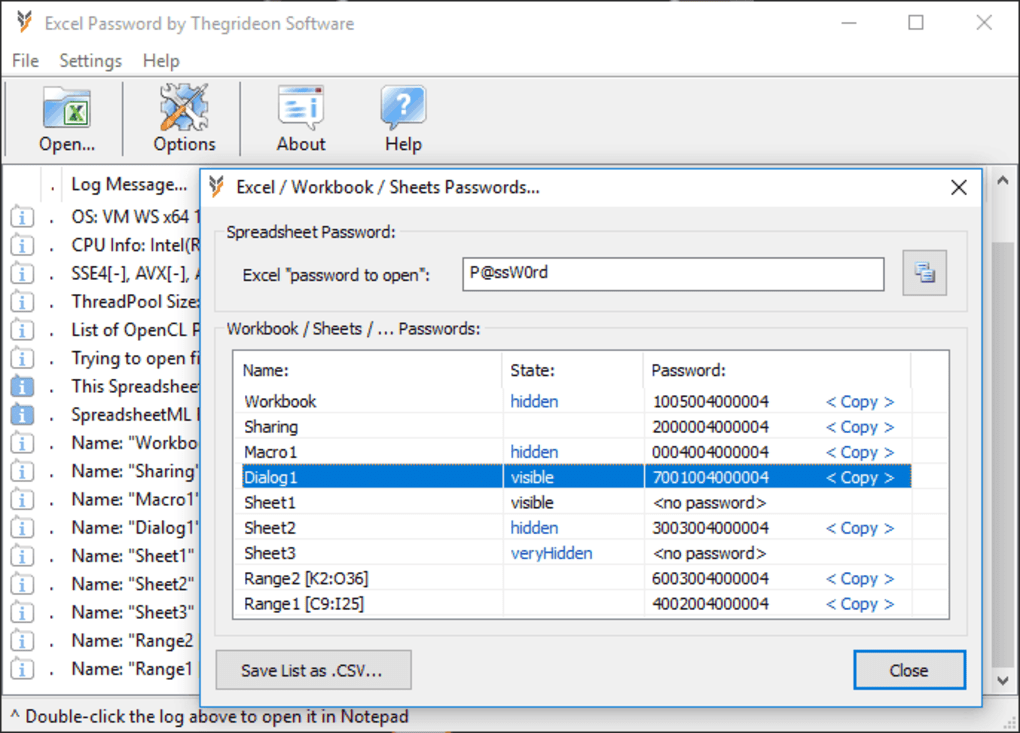
- Password-to-open protection
- Sheet locking tools
- Restricted editing permissions
- Digital rights management integration
📌 What is Excel Password?
Microsoft Excel passwords are security protections used to restrict access to Excel spreadsheets, worksheets, or workbook features.
These passwords help protect sensitive data such as:
- Financial records
- Office reports
- Business databases
- Student records
- Personal information
Excel password protection is commonly used in homes, offices, schools, and businesses.
🚀 Main Types of Excel Password Protection
1️⃣ Workbook Password
Protects the entire Excel file from being opened without a password.
2️⃣ Worksheet Protection
Locks specific sheets to prevent editing.
3️⃣ Read-Only Protection
Allows viewing but restricts editing.
4️⃣ Structure Protection
Prevents adding, deleting, or moving sheets.
💻 Common Uses
- Protecting confidential spreadsheets
- Preventing unauthorized editing
- Securing office financial data
- Locking formulas and calculations
- Restricting access to employees/students
- Sharing secure reports
🔄 Common Related Tools
- Microsoft Excel
- Excel Password Recovery tools
- Office Password Manager tools
- File encryption software
- PDF password tools
❓ FAQ
Q1. What is an Excel password used for?
It protects Excel files or worksheets from unauthorized access or editing.
Q2. Can Excel passwords be removed?
Yes, if you know the password. Recovery tools may help in some cases.
Q3. Is Excel password protection secure?
Modern Excel versions use strong encryption, especially for workbook passwords.
Q4. What happens if I forget the password?
Recovery can be difficult depending on encryption strength and Excel version.
Q5. Does worksheet protection fully encrypt data?
No, worksheet protection is weaker than full workbook encryption.
Features
✔ Password-to-open protection
✔ Worksheet editing restrictions
✔ Workbook structure locking
✔ Read-only sharing options
✔ Formula protection
✔ Data security support
✔ Encryption support
✔ Permission management
✔ Secure file sharing
✔ Built-in Microsoft Office integration
👍 Pros & 👎 Cons
Pros
- Easy to enable
- Good for protecting sensitive spreadsheets
- Built directly into Excel
- Helps prevent accidental changes
- Strong encryption in newer versions
Cons
- Forgotten passwords can be difficult to recover
- Worksheet protection is not very strong
- Some recovery tools can bypass weak passwords
- Older Excel formats use weaker security
Our Analysis
Excel password protection is a useful built-in security feature for protecting spreadsheets and restricting unauthorized access.
Its strongest advantages are:
- Simple setup
- Strong encryption in modern versions
- Good for office and personal use
- Helps secure sensitive information
However, users should remember passwords carefully because recovery can become difficult with strong encryption.
⚙️ How to Set Password in Excel
Protect Entire Workbook
- Open Excel file
- Go to File → Info
- Click Protect Workbook
- Choose Encrypt with Password
- Enter password
- Save file
Protect Worksheet
- Open sheet
- Go to Review tab
- Click Protect Sheet
- Set password and permissions
- Confirm password
About SoftwareDownloading Editorial Team
The SoftwareDownloading Editorial Team researches Windows software, compatibility information, features, alternatives, and software-related guides for SoftwareDownloading.in.
Our pages are prepared using available product information and relevant documentation. When an application has not been personally tested, we distinguish research-based analysis from hands-on testing. Learn more about our review process

Apps Specs
Developer
Licence
Trial
Version
2019.04.04
Platform
Windows
Download Clicks
2
Page Reviewed
September 26, 2026
Top Downloads


Disclaimer
This content is provided for educational and informational purposes only. We do not host, store, or distribute any software files on our servers. All trademarks, product names, and logos belong to their respective owners.
We strongly recommend downloading software only from official websites or trusted sources. We are not responsible for any damage, data loss, or issues that may occur from the use of third-party software.
Users should ensure they comply with all applicable laws and software licensing agreements in their country before downloading or using any software mentioned on this website.