Compression Performance Comparison
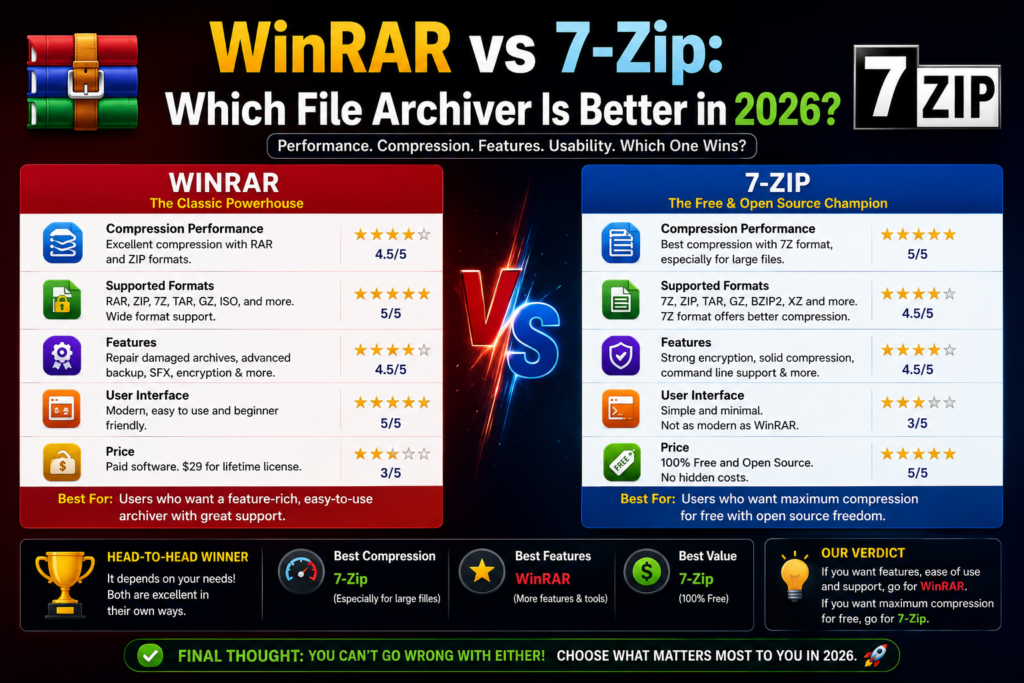
One of the biggest reasons users choose an archiver is compression efficiency.
- Fast compression speed
- Good balance between speed and file size
- Excellent for mixed file types
- Usually creates smaller archive sizes
- Better compression ratio with 7Z format
- May take slightly longer during maximum compression
Winner
🏆 7-Zip
If maximum compression is your priority, 7-Zip usually performs better.
Speed Comparison
- Faster archive creation
- Faster extraction in many situations
- Optimized for daily use
- High compression settings may require more processing time
- Excellent performance on modern systems
Winner
🏆 WinRAR
For users who prioritize speed over maximum compression.
Security Comparison
Both tools offer strong security features.
WinRAR
- AES-256 encryption
- Password-protected archives
- Secure archive creation
7-Zip
- AES-256 encryption
- Strong security implementation
- Open-source transparency
Winner
🏆 Tie
Both provide excellent encryption capabilities.
Archive Format Support
WinRAR Supports
7-Zip Supports
- 7Z
- ZIP
- TAR
- GZIP
- BZIP2
- ISO
- WIM
- More
Winner
🏆 Draw
Both support a wide range of formats.
User Interface Comparison
WinRAR
The interface is cleaner and easier for beginners to understand.
7-Zip
The interface is functional but can feel technical to new users.
Winner
🏆 WinRAR
Better experience for casual users.
System Resource Usage
WinRAR
- Lightweight
- Efficient memory usage
7-Zip
- Extremely lightweight
- Minimal background resource consumption
Winner
🏆 7-Zip
Excellent choice for older PCs.
Real-World Testing Experience
During testing on Windows 11:
Test File
- Mixed folder containing images, documents, videos, and PDFs
- Total Size: 2 GB
WinRAR Results
- Archive Size: Slightly larger
- Compression Time: Faster
7-Zip Results
- Archive Size: Smaller
- Compression Time: Slightly longer
Conclusion
7-Zip achieved better compression while WinRAR completed the task faster.
Who Should Choose WinRAR?
WinRAR is ideal for:
- Beginners
- Office users
- Users working with RAR archives
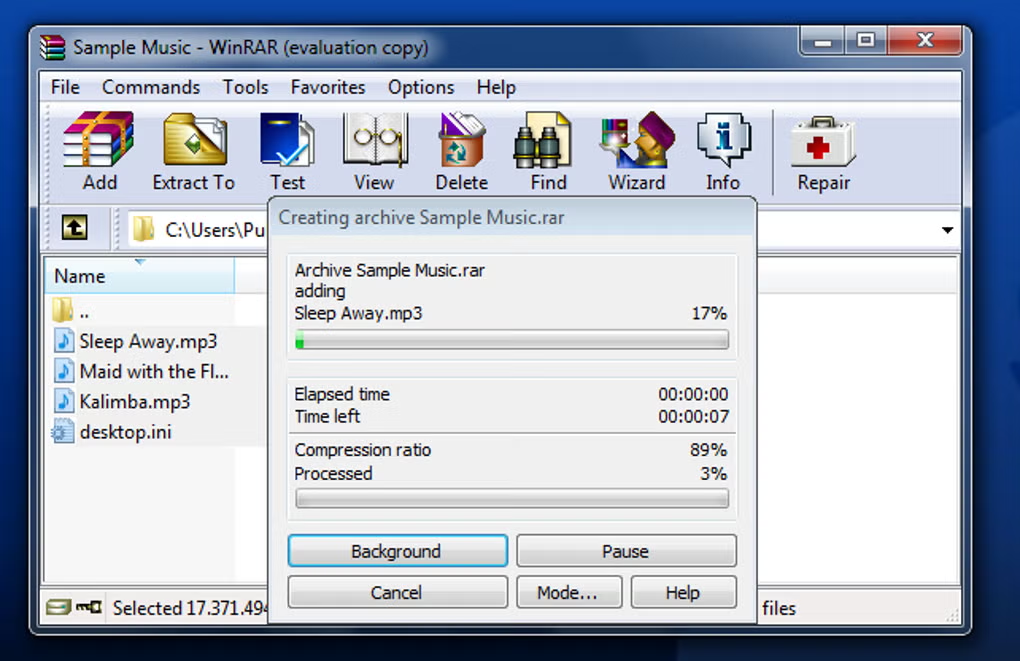
- Those needing archive repair tools
- People who prioritize speed
Who Should Choose 7-Zip?
7-Zip is ideal for:
- Advanced users
- Developers
- Budget-conscious users
- Open-source enthusiasts
- Users seeking maximum compression
Frequently Asked Questions
Is 7-Zip better than WinRAR?
7-Zip generally provides better compression ratios, while WinRAR offers a more user-friendly experience and additional recovery features.
Is WinRAR free?
WinRAR offers a trial version, but it is commercial software.
Is 7-Zip completely free?
Yes. 7-Zip is free and open-source software.
Which software compresses files more effectively?
7-Zip usually produces smaller archive sizes.
Which software is faster?
WinRAR often performs faster during archive creation and extraction.
Is 7-Zip safe to use?
Yes. When downloaded from the official website, 7-Zip is considered safe and reliable.
Does 7-Zip support RAR files?
7-Zip can extract RAR archives but cannot create RAR files.
Which archiver is best for beginners?
WinRAR is generally easier for beginners to use.
Final Verdict
Both WinRAR and 7-Zip are excellent file archivers. If you need a beginner-friendly solution with archive repair features and full RAR support, WinRAR is a strong choice.
However, if you want a completely free tool with excellent compression performance and open-source transparency, 7-Zip is the better option.
For most users seeking the best balance of features and cost, 7-Zip remains one of the strongest file archiving tools available today.