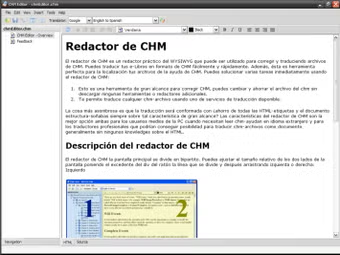
CHM Editor: Edit and Translate CHM Files Easily
CHM Editor is a Windows program developed by GridinSoft, falling under the Development & IT category with a focus on Manual & Tutorials. If you’re in need of editing or translating CHM files, this application is a perfect fit. It provides a user-friendly interface to edit text using its toolbar controls and offers translation capabilities into various languages through Google and Yahoo services.
Moreover, CHM Editor simplifies the translation process by allowing users to select the original and target languages effortlessly. However, manual corrections might be necessary for any translation errors. While the program lacks the feature to adjust text size directly, those with HTML skills can easily modify the help file’s source code within CHM Editor.
Features
👍 Pros & 👎 Cons
Expert Review
How to Install
1. Download the software from the link given below.
2. Extract the downloaded ZIP file using WinRAR or 7-Zip.
3. Open the extracted folder.
4. Double-click on the setup file (.exe).
5. Follow the on-screen installation instructions.
6. Click on “Finish” after installation is complete.
7. Launch the software and enjoy.